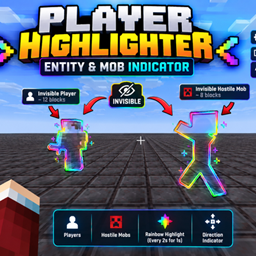
INVIS HIGHLIGHTER
Warns you about nearby players and hostile mobs with directional indicators, sounds, and UI alerts, while highlighting invisible players and hostile mobs. All detection, warnings, indicators, and highlights are configurable.
介绍
👤 Player Awareness
Get warned when players are nearby, with a directional indicator showing where they are relative to you.
👻 Invisible Entity Detection
Invisible players and hostile mobs can be highlighted directly in the world, making them easier to locate and track.
👹 Hostile Mob Awareness
Detect nearby hostile mobs and receive a clear warning so you can react before they catch you off guard.
🧭 Direction Indicators
The UI indicates the direction of nearby threats, helping you quickly understand whether something is in front of you, behind you, to your left, right, above, or below.
🔊 Sound Alerts
Optional sound notifications can warn you when a nearby player or hostile mob is detected.
🎨 Invisible Entity Highlighting
Invisible entities can receive a configurable rainbow highlight that follows them in the world, making their position much easier to recognize.
⚙️ Fully Configurable
Customize the detection radius, alerts, sounds, indicators, invisible-entity highlighting, highlight timing, and other available settings to match your playstyle.
⌨️ Keybinds
Use configurable keybinds to quickly toggle the mod and access its features without opening complicated menus.
🚀 Lightweight & Performance-Focused
Danger Highlighter is designed to provide useful awareness information without unnecessary constant scanning or expensive rendering.
Danger Highlighter gives you the information you need to stay aware of your surroundings while keeping the experience clean, configurable, and easy to use.
常见问题
INVIS HIGHLIGHTER 支持哪些 Minecraft 版本?
INVIS HIGHLIGHTER 支持 Minecraft Java 版 1.21.11,可用的加载器:Fabric。下载时注意选择和你游戏版本一致的文件。
INVIS HIGHLIGHTER 怎么安装?
先用 PCL2 或 HMCL 启动器安装对应版本的 Fabric,再把下载的 .jar 文件放进游戏目录的 mods 文件夹,重新启动游戏即可。开启了版本隔离的,mods 文件夹在 versions/版本名 下面。
iamdeathh 的其他作品
查看全部 →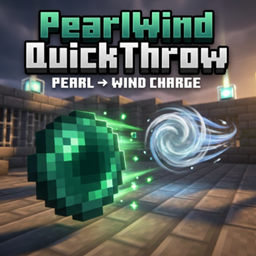
Auto pearl catch
一个客户端模组:投掷末影珍珠后可接着使用风弹,还能自定义动作的间隔/速度和投掷按键绑定([, ])。

AUTO CLUTCH AI
Auto Clutch detects falls and uses water, blocks, boats, pearls and wind charges to save you.
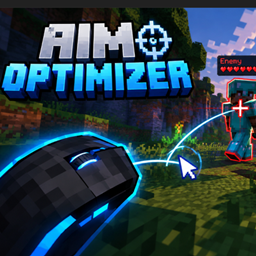
aim optimizer
a mod that lets you aim smoother and helps track your enemy with ease and has customizable settings

ShieldAlert
ShieldSight instantly highlights players while they actively raise/use a shield, making shield blocking visible even when the animation is missing.No toggle. Lightweight, client-side, and Fabric API-independent where possible.
评论
登录后评论和评分