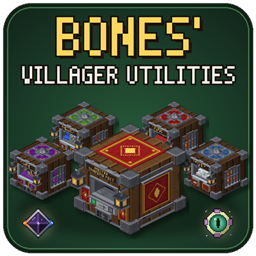
Bones’ Villager Utilities
Capture villagers and put them to work: one-block trading post, iron farm, breeder, cobble/obsidian generator and mob research station.
介绍
# Bones’ Villager Utilities
**Put your villagers to work. No giant contraptions needed.**
Sneak + right-click a villager to pick it up as an item, then drop it into a compact machine block. Trade with a whole village from one block, farm iron, breed villagers, make stone and obsidian, and research mobs for their drops. Everything fits in a single block each, and works with hoppers and pipes.
—
## 🧑🌾 Captured Villagers
– **Sneak + right-click capture**: turns any villager into a Captured Villager item.
– **Keeps everything**: trades, level, XP and gossip are all saved inside the item.
– **Shows what it sells**: the tooltip lists its enchanted trades (e.g. *Mending, Protection III*), and the item renders as a real 3D villager.
– **Release anytime**: place it back in the world to get your villager back.
## 💰 Master Trading Post
– **Up to 25 villagers in one block**: 5 job tabs, each with 5 workstation slots and 5 villager slots.
– **Jobs from workstations**: put a Lectern, Stonecutter, Composter etc. in a tab and the villagers under it take that job.
– **One-click trading**: an emerald button under each villager opens its normal trade window.
– **⭐ Favorite Trades**: star any trade, and the Favorites tab lists them all, grouped by job and showing enchantment names like *Unbreaking III*. Click one to open that trade with your payment already filled in.
– **Owner modes**: *Normal* (others can trade, not change anything), *Vending* (you collect half of every payment) or *Open* (anyone can change villagers).
– **Production Core upgrade**: gives everyone Hero of the Village prices at this post.
## ⚙️ Iron Farm
– **Up to 5 villagers (any job)**: they work on one shared cycle, and more villagers means a faster cycle.
– **Makes iron**: 3–5 Iron Ingots per villager each cycle, and sometimes a Poppy.
– **Production Core**: twice as fast.
## ❤️ Villager Breeder
– **Two adult villagers + food = a baby villager**, delivered as a Captured Villager.
– **Food**: Bread, Carrots, Potatoes or Beetroot (24 food points per baby, Bread counts as 4).
– **Production Core**: breeds twice as fast.
## 🪨 Cobblestone Generator
– **A Mason villager + a Water Bucket + a Lava Bucket**: the buckets are never used up.
– **Three modes**: Stone, Cobblestone or Obsidian.
– **Production Core**: unlocks Obsidian and doubles the speed of Stone and Cobblestone.
## 🧪 Villager Research Station
– **A Cleric villager researches mobs** using mob samples and Lapis Lazuli. Research comes first, then Mastery.
– **Mastered mobs produce their drops for good**: no mobs are ever spawned.
– **Run as many researches at once as you like**.
– **Mobs**: Zombie, Skeleton, Spider, Creeper, Blaze, Wither Skeleton, Ghast and Enderman.
## 💎 Cores (upgrades)
– **Production Core**: Cobblestone Generator: Obsidian + 2x speed. Iron Farm and Breeder: 2x speed. Trading Post: Hero of the Village prices.
– **Advanced Research Core**: 2x research and mastery speed.
– **Nether Research Core**: 2x speed + unlocks Nether mobs.
– **End Research Core**: 2x speed + unlocks Nether and End mobs.
## 🔧 Every block
– **Hoppers and pipes work on every side**: they feed in what the machine needs and pull the output out.
– **Auto-Eject**: tick it to push output into a chest underneath.
– **Never drops items**: a full machine pauses until there’s room.
– **Keeps its contents** when you break it and place it again.
– **Settings side tab**: turn the block’s sound off, and switch machines off (paused, nothing lost).
– **[i] How-to tab** in every screen explains that block.
– **Own creative tab** with every block and item.
## 🖥️ 3D or 2D models
– **Detailed 3D models by default.** Switch *Machine Models* to **2D** for simple textured cubes that are lighter on low-end PCs.
– **Where to find it**: Video Settings, the mod’s Config screen, or Sodium’s own settings page.
## 🤝 Plays nicely with other mods
– **Easy Villagers**: machines accept its villager items, the Breeder can output them, and our sneak-click capture switches off automatically so the two don’t fight over the same click (all changeable in the config).
– **Sodium**: the 2D/3D switch shows up in Sodium’s Video Settings.
– **Pipes from any mod**: every block exposes standard item handlers, so pipes and hoppers just work.
– **Recipe viewers (JEI, EMI…)**: all recipes are normal crafting recipes, so they show up as usual.
—
**Requires:** NeoForge 21.1+ · Minecraft 1.21.1
**Optional:** Easy Villagers, Sodium, JEI / EMI
—
*Made for the Vintage Virtual Vibes modpack. Feel free to use it in your own packs.*
常见问题
Bones’ Villager Utilities 支持哪些 Minecraft 版本?
Bones’ Villager Utilities 支持 Minecraft Java 版 1.21.1,可用的加载器:NeoForge。下载时注意选择和你游戏版本一致的文件。
Bones’ Villager Utilities 怎么安装?
先用 PCL2 或 HMCL 启动器安装对应版本的 NeoForge,再把下载的 .jar 文件放进游戏目录的 mods 文件夹,重新启动游戏即可。开启了版本隔离的,mods 文件夹在 versions/版本名 下面。
Bones_84 的其他作品
查看全部 →
Vintage Virtual Vibes
A multiplayer-focused Minecraft modpack combining technology, automation, exploration, building, farming, and adventure without a forced quest system.
The Vibe Ender
The Ender Dragon was only phase one. Beat it to unleash The Vibe Ender: a storm dragon boss you chain, de-wing and break to win.
Bones’ Machines
Machines, generators and EnderIO-style conduit bundles for NeoForge 1.21.1 – with glass pipes you can see through and a readout on every pipe.
评论
登录后评论和评分