
Multipurpose Assistance Terminal
A questing mod forked from HQM that adds a customizable multipurpose terminal, alongside various quality of life improvements.
截图
介绍
Multipurpose Assistance Terminal
About
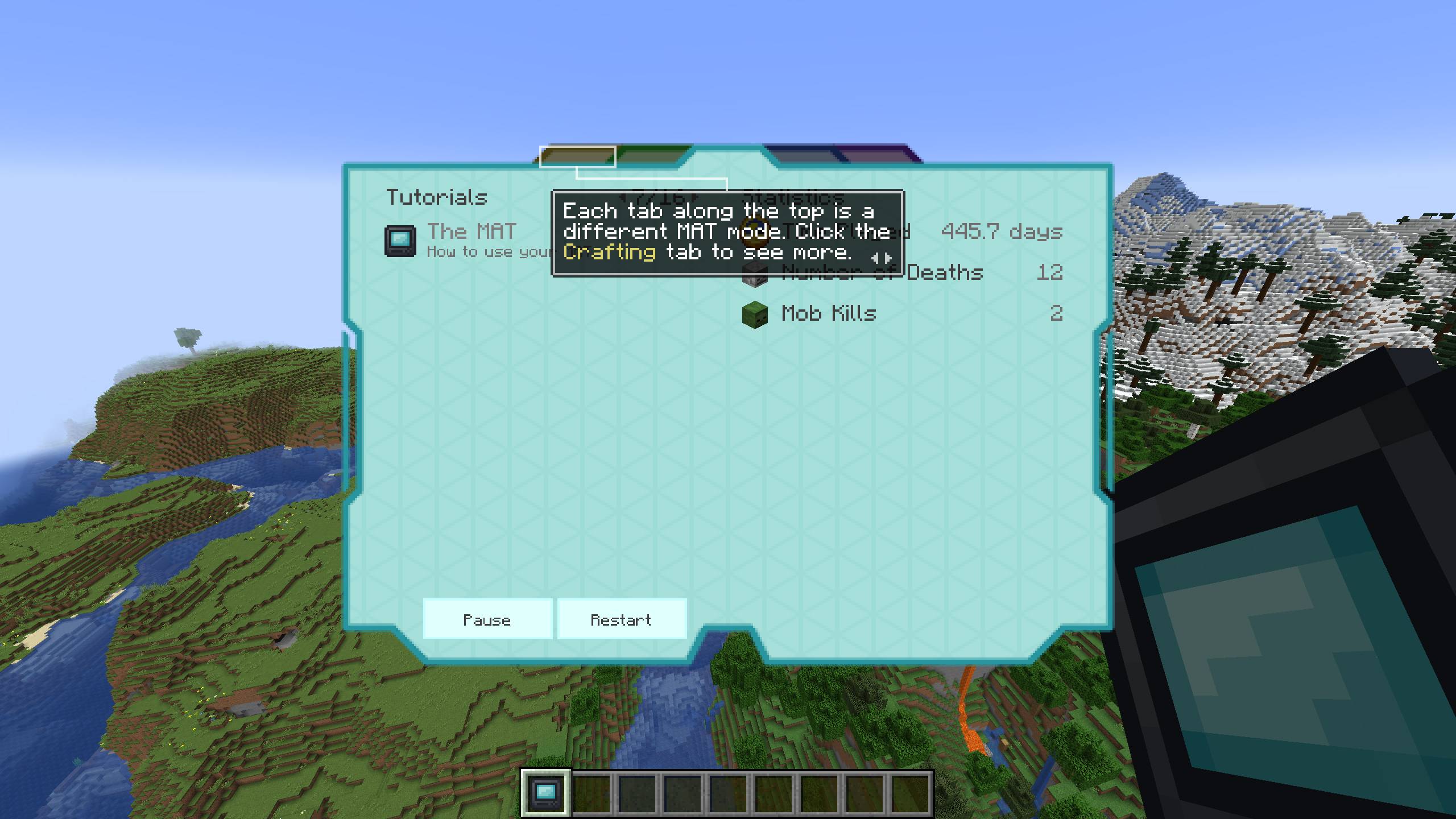
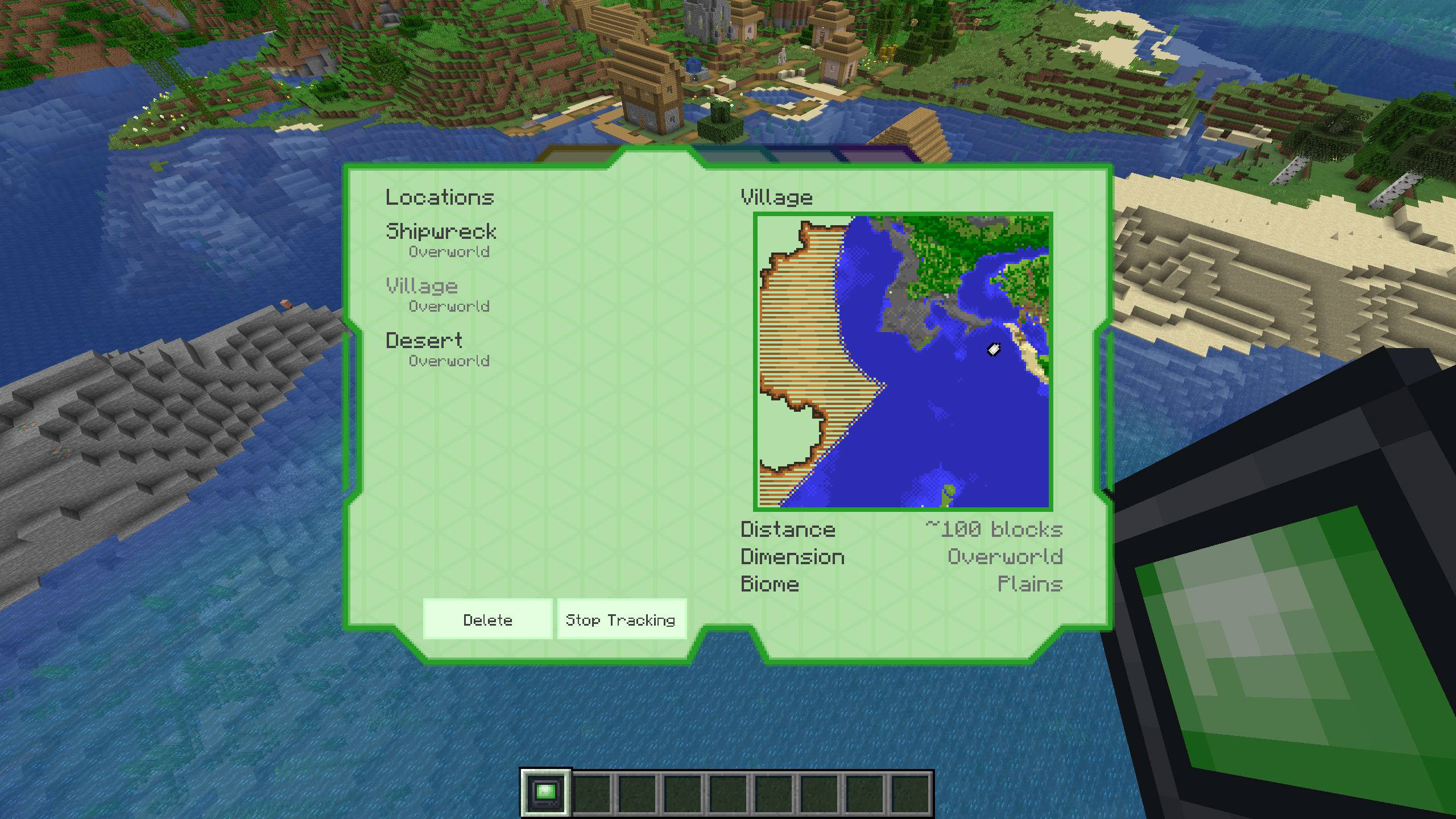
Multipurpose Assistance Terminal is a fork of Hardcore Questing Mode (HQM). The original mod allows modpack authors to make quests and quest lines for their players to follow, and adds an alternate hardcore mode where players can earn more lives. This fork makes various improvements to the existing quest book and the general user experience. It also adds the Multipurpose Assistance Terminal (MAT) itself, which combines the quest book and several other tools into a single item.
The questing-related changes from the original HQM include new keybinds, JEI integration, fixes to completion percentage, automatic backups, new task options, and more. The version 5.x.x releases include only these HQM changes without any MAT-related content.
It also adds the MAT itself, a terminal with 5 modes (Info, Questing, Storage, Crafting, and Tracking), plus the tutorial system, data chips, and more. Every new feature is optional and can be disabled individually. More modes may be added at some point in the future.
Downloads


Features
Please refer to the wiki for more detailed information about the mod’s features.
Support
Please report all bugs, issues, and feature requests using the issue tracker on the mod’s GitHub page. Please do not make issues on the original mod’s GitHub page for features only present in this fork.
If preferred, I am active in the Discord server for my current modpack, Desolate Planet. Feel free to ping me there and I should respond when able.
All proceeds from the ad revenue on this project will be donated to GiveWell.
常见问题
Multipurpose Assistance Terminal 支持哪些 Minecraft 版本?
Multipurpose Assistance Terminal 支持 Minecraft Java 版 1.20.1,可用的加载器:Fabric / Forge。下载时注意选择和你游戏版本一致的文件。
Multipurpose Assistance Terminal 怎么安装?
先用 PCL2 或 HMCL 启动器安装对应版本的 Fabric / Forge,再把下载的 .jar 文件放进游戏目录的 mods 文件夹,重新启动游戏即可。开启了版本隔离的,mods 文件夹在 versions/版本名 下面。
pawjwp 的其他作品
查看全部 →
Desolate Planet – A Crash Landing Remake
在荒芜星球上生存,同时应对高温与口渴。沿着任务树不断推进,探索星球的秘密,发展科技,最终逃出生天!

Scarcity
Scarcity 提供多种选项,让资源变得更加稀缺,包括调整饥饿值、限制水瓶数量,以及削弱下落方块的物理效果。
Legume Delight
农夫乐事附属模组,新增豆类作物及豆类食品。

Sync Re-Re-Ported
一个意识,多个躯壳。在不同躯壳间转移你的意识。
评论
登录后评论和评分