
截图


介绍
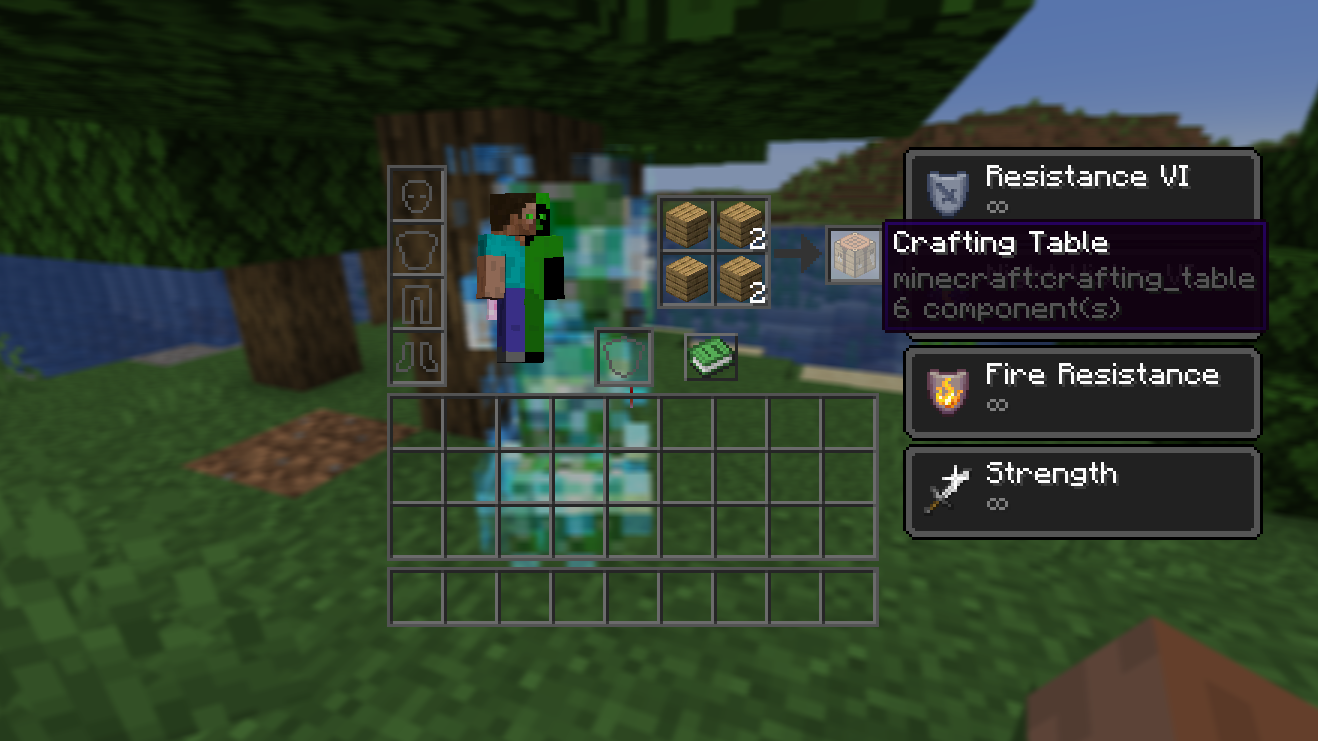
Have you ever been killed while crafting something and thought, “If only I could’ve seen that threat through the crafting grid….”
Well, now you can!
Features
This resource pack modifies all interfaces to make them transparent and see-through. It balances form and function by reducing the amount of interface on your screen while not sacrificing aesthetics and a vanilla look and feel. It also blends the traditional transparent and dark GUI styles together to make an interface that is very pleasant on the eyes.
This pack includes
- Advancements
- Anvil
- Beacon
- Blast Furnace
- Brewing Stand
- Cartography Table
- Chests (single, double, barrel, ender)
- Crafter
- Crafting Table
- Creative Inventory
- Dispenser
- Enchanting Table
- Furnace
- Grindstone
- Hopper
- Horse
- Inventory
- Loom
- Recipe Book
- Shulker Box
- Smithing
- Smoker
- Social Interaction
- Stonecutter
- Villager
- and Various Realms-related pop-ups and buttons
Credits
- Vanilla Tweaks for the base textures that I took inspiration from/built off of.
- Lunar Client, which I used in many of the screenshots in the gallery for their menu blur.
常见问题
Void’s Transparent GUI 支持哪些 Minecraft 版本?
Void’s Transparent GUI 支持 Minecraft Java 版 1.21–1.21.1,共 2 个版本。下载时注意选择和你游戏版本一致的文件。
Void’s Transparent GUI 怎么安装?
把下载的 .zip 文件(不用解压)放进游戏目录的 resourcepacks 文件夹,进游戏后在「选项 → 资源包」里把它移到右边启用。
Voidcxster 的其他作品
查看全部 →
oCd PvP Overlay
An overlay for combat meant for use with the oCd pack.

Minecraft Snapshot 24w33a Redstone Torch Backport
A backport for the new and improved redstone torch texture and model, as well as any blocks that contain the redstone torch, such as the comparator and repeater.

Minecraft Snapshot 24w33a Banner Pattern Backport
A backport for the new and improved banner pattern textures.
评论
登录后评论和评分