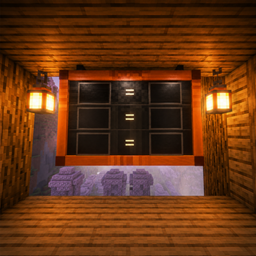
🪧 Trade Board
Trade Board is a decorative and customizable trade board for Minecraft 26.2 on Fabric.
介绍
Trade Board
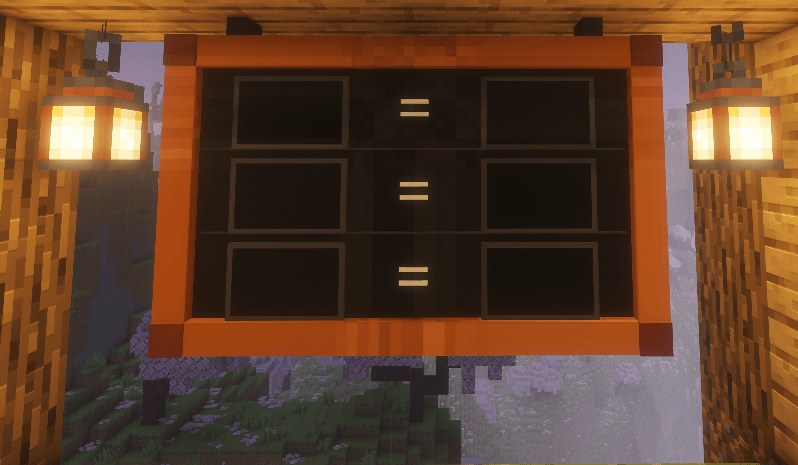
Trade Board is a decorative and configurable trading board for Minecraft 26.2 on Fabric.
The mod allows you to create clear item exchange layouts directly in the game world. The board displays the required items, their quantities, and the exchange result in the following format:
x3 items = x1 itemTrade Board is suitable for trading halls, server shops, storage rooms, RPG maps, production areas, and decorative builds.
Features
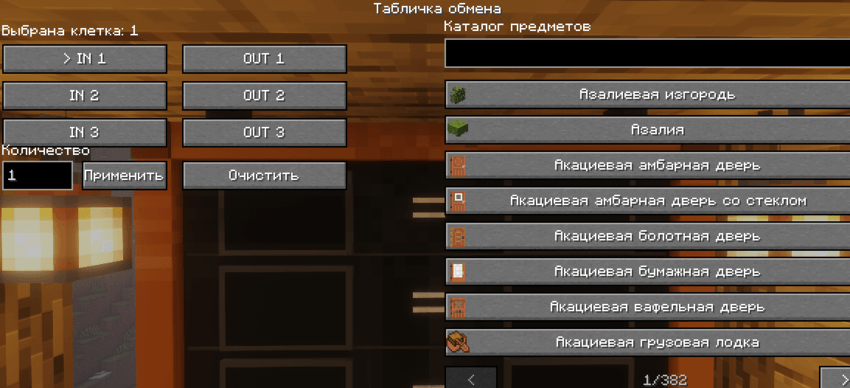
- 3 exchange rows
- 6 separate slots: 3 input slots and 3 output slots
- Items displayed as real 3D models
- Support for vanilla Minecraft items
- Support for items from other mods
- Adjustable item quantities from 1 to 99
- Quantity indicators displayed next to each item
- Search by item name
- Search by item ID
- Selected items are saved in the world
- Correct board rendering from all directions
- Front-facing item model orientation
- Can be placed on walls
- Easy configuration of input and output slots through an in-game interface
Trade Board is an informational and decorative exchange display system. It does not take items from the player and does not provide the exchange result automatically.
Crafting Recipe
The board is crafted in a crafting table using the following recipe:
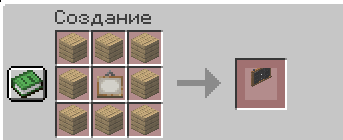
Required materials:
- 8 wooden planks
- 1 painting
View with objects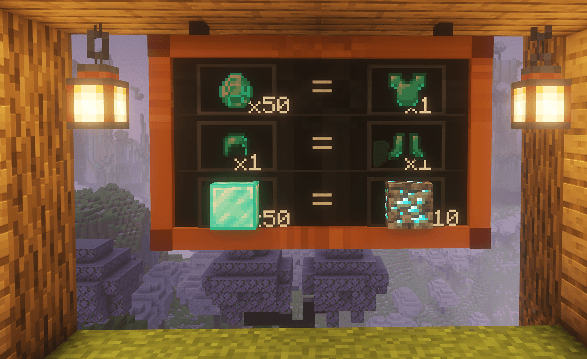
The recipe supports different plank types:
- Oak
- Spruce
- Birch
- Jungle
- Acacia
- Dark Oak
- Mangrove
- Cherry
- Bamboo
- Crimson
- Warped
The crafting recipe produces 1 Trade Board.
How to Use
- Craft a Trade Board in a crafting table
- Place the board on a wall
- Right-click the board
- Select an input or output slot
- Find the required item in the catalog
- Set the desired quantity
- Configure the remaining slots
常见问题
🪧 Trade Board 支持哪些 Minecraft 版本?
🪧 Trade Board 支持 Minecraft Java 版 26.2,可用的加载器:Fabric。下载时注意选择和你游戏版本一致的文件。
🪧 Trade Board 怎么安装?
先用 PCL2 或 HMCL 启动器安装对应版本的 Fabric,再把下载的 .jar 文件放进游戏目录的 mods 文件夹,重新启动游戏即可。开启了版本隔离的,mods 文件夹在 versions/版本名 下面。
user_3xujk3chvuvaprtb 的其他作品
查看全部 →
Bank Vault Doors
Animated bank vault doors with 2x2 and 3x3 sizes, secure keys, passwords, ownership, and multiplayer access control. Currently in beta.
🗝️ ChestLocker
This mod was adapted from the original by https://modrinth.com/mod/chestlocker? version=1.20.1 loader -> fabric and updated for Fabric version 26.2
评论
登录后评论和评分