
截图
介绍
Jeffo’s Merchants
Bring your world to life with merchants that talk, sell, and look like any player or any creature, all set up in-game with no config files.
Jeffo’s Merchants adds fully customizable NPC vendors to your server. Place one anywhere, give it a name and a look, write its lines, stock its shop, and you’re done. Every step happens in a clean in-game panel.
✦ Features
◆ NPCs with personality
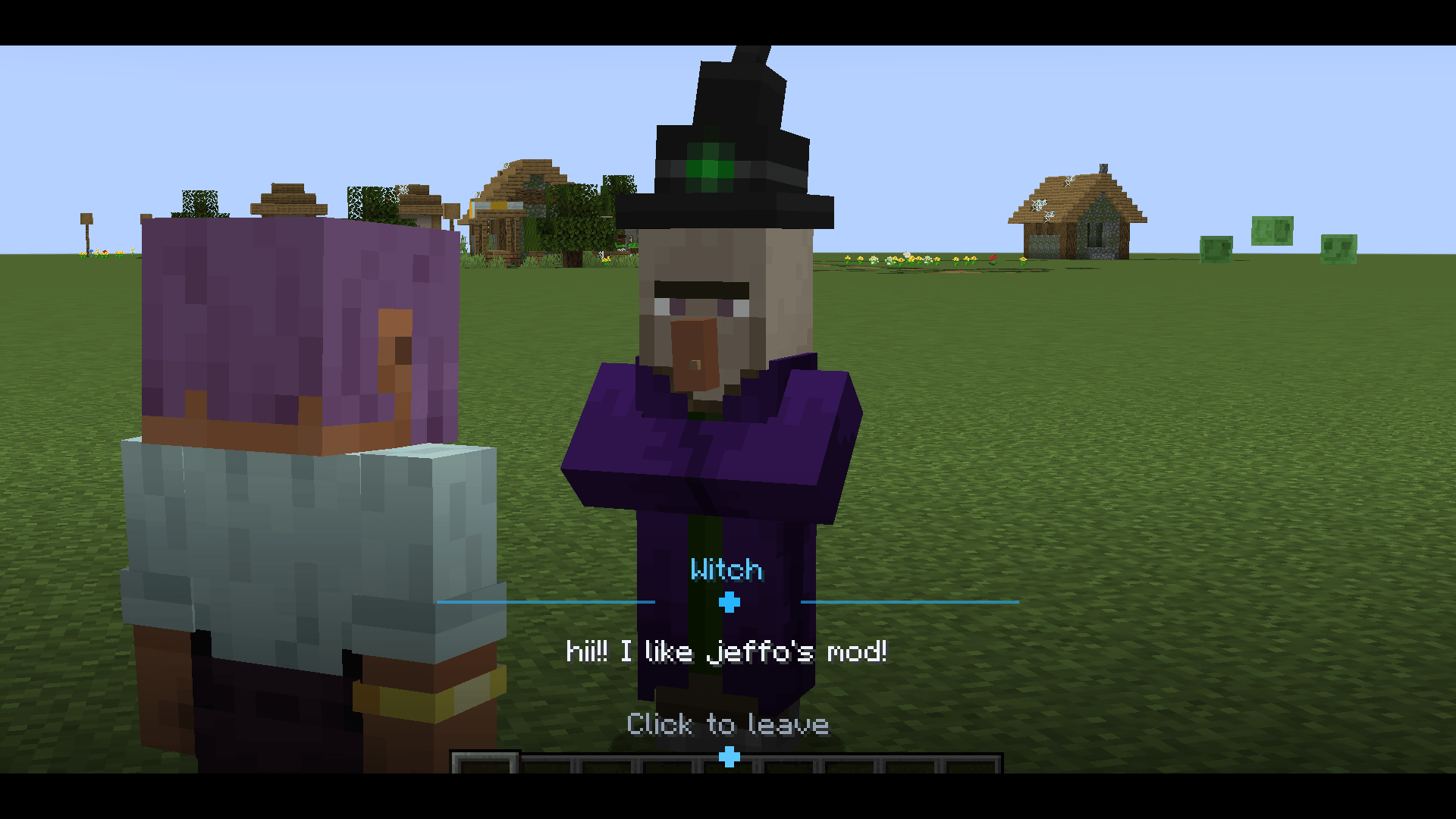
- Any entity or player: make your merchant a player with any skin (name, UUID or a direct link to a 64×64 PNG, classic or slim arms) or any entity in the game: villagers, foxes, skeletons, even mobs from other mods. With a live preview in the editor.
- Your colors: give each merchant its own dialogue theme. Pick a preset or any hex color.
- Cinematic conversations: the camera frames the player and the merchant like a scene from an RPG. Lines are revealed letter by letter, and players click anywhere to continue.
- Three behaviors per NPC:
- Talk and sell: a short chat, then the shop opens.
- Sell only: straight to business.
- Talk only: perfect for quest givers, guides and lore characters.
- The NPC turns its head to look at players who come close.
◆ Shops that just work
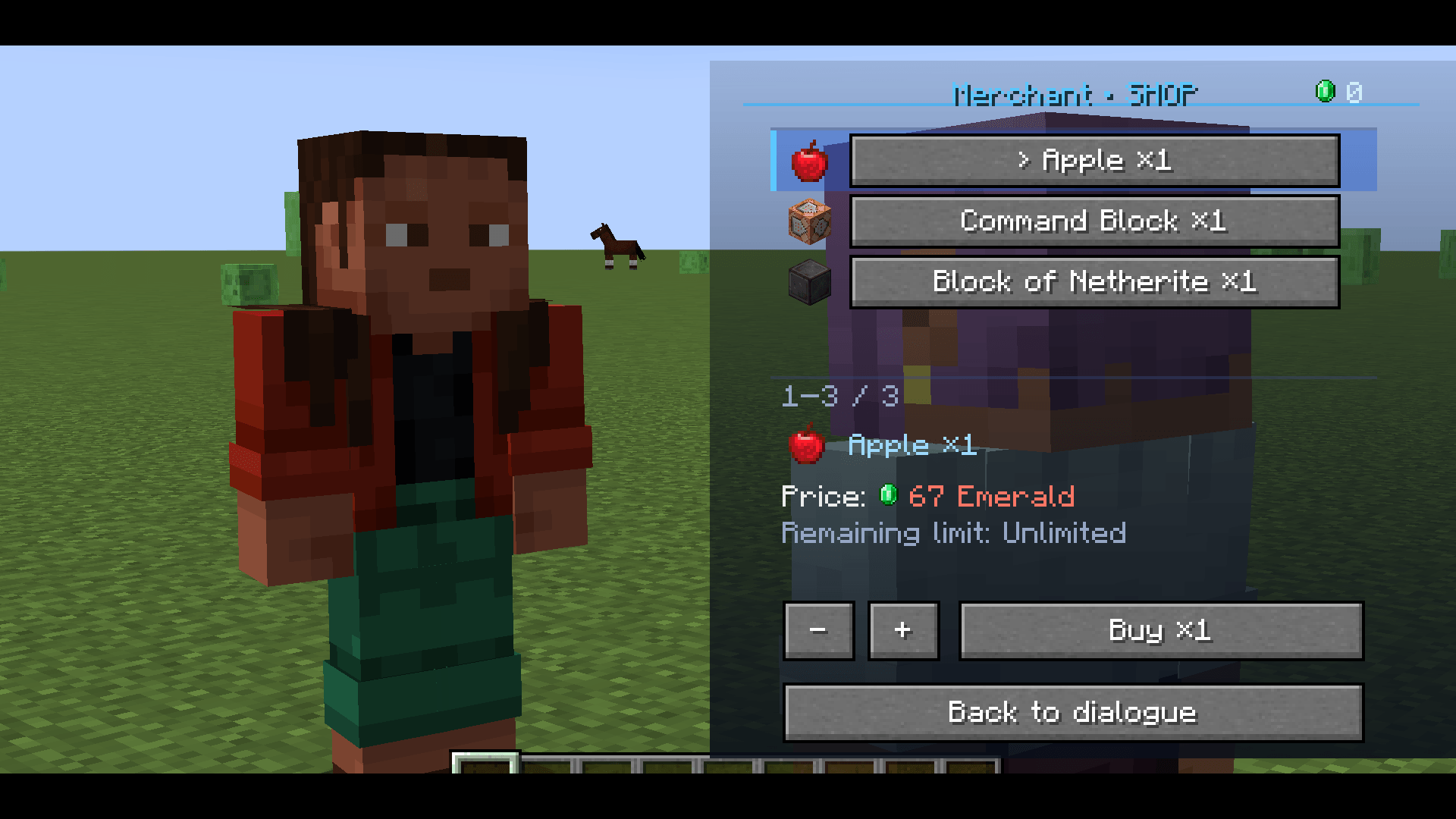
- Sell any item from any mod, in any amount.
- Per-player purchase limits: for example, “only 3 per player” for rare items. Reset them whenever you want.
- Turn offers on and off, reorder them, or duplicate them in one click.
- Every purchase is checked on the server: distance, limits and price.
◆ Use any item as your currency
No new currency to explain to your players. Pick any item already on your server as money: emeralds, diamonds, gold, or a coin from another mod. Players pay straight from their inventory. You can even choose how the currency is named in prices.
◆ A real admin panel
Press F7 (or use /npcs panel) to open a modern panel with:
- NPCs tab:
- Create a merchant where you stand.
- Edit its look, theme and lines.
- Manage its shop.
- Teleport to it or move it to your position.
- Monetization tab: choose the server currency in seconds.
- Item picker: looks like the creative inventory, with instant search, Blocks/Items filters and a filter by mod, made for big modpacks.
- A step-by-step guide when you’re starting out, confirmations before anything destructive, and a warning before you lose unsaved changes.
◆ Speaks your players’ language
Every screen, button and server message follows each player’s game language:
English · Português · Español · Français · Deutsch · Русский · 简体中文
◆ Built for servers
- NPCs stay put: they can’t be pushed, hurt or despawned.
- No duplicate NPCs after restarts, even when chunks load late.
- Broken items from other mods can’t crash the item picker.
✦ Getting started
- Install Jeffo’s Merchants on both the server and every client.
- As an operator, press F7 in game.
- Click Create NPC here, give it a name and a look, and fill its dialogue and shop.
- In the Monetization tab, pick the item your server uses as money.
That’s it. Your players can right-click the merchant and start shopping.
✦ Details
| Loader | NeoForge |
| Minecraft | 1.21.1 |
| Side | Required on both client and server |
| Admin access | Operator (permission level 2) |
| Command | /npcs panel |
| Panel key | F7 (can be changed in Controls) |
常见问题
Jeffo’s Merchants 支持哪些 Minecraft 版本?
Jeffo’s Merchants 支持 Minecraft Java 版 1.21.1,可用的加载器:NeoForge。下载时注意选择和你游戏版本一致的文件。
Jeffo’s Merchants 怎么安装?
先用 PCL2 或 HMCL 启动器安装对应版本的 NeoForge,再把下载的 .jar 文件放进游戏目录的 mods 文件夹,重新启动游戏即可。开启了版本隔离的,mods 文件夹在 versions/版本名 下面。
评论
登录后评论和评分