Exact Volume [Exact Values, Slider Input, FOV, Render Distance, Settings]
Exact Volume lets you type exact numbers into Minecraft option sliders and adjust them precisely with your mouse scroll wheel.
介绍
Exact Volume: Precision Control for Minecraft Settings
Adjusting options like volume, field of view (FOV), or render distance in Minecraft can often be frustrating. Trying to drag sliders precisely with a mouse usually results in values that are either slightly too high or too low. Exact Volume is a lightweight quality-of-life mod designed to completely eliminate this hassle and give you absolute, pinpoint control over your game configurations.
🌟 Core Features
-
Direct Keyboard Typing: No more guessing with the mouse cursor. Simply click on any option slider and type your desired number directly using your keyboard (e.g., instantly setting your volume to
75or your FOV to an exact90). -
Precise Mouse Scroll Control: Hover your mouse over any active slider and spin your scroll wheel to adjust values smoothly by exact 1-unit increments without needing to drag.
-
True Range Mathematics: Forget confusing percentage-based scaling. Every setting maps natively to its actual in-game boundaries:
-
Volume / Audio: 0 to 100
-
FOV (Field of View): 30 to 110
-
Render Distance / Chunks: 2 to 32
-
-
Smart Minimum Boundary Mapping: Specially tailored logic handles minimum limits seamlessly. For sliders like FOV that start at 30, typing small numbers maps intelligently (e.g., typing
1$\rightarrow$ 30,11$\rightarrow$ 31,12$\rightarrow$ 32,24$\rightarrow$ 34). -
Performance Protection: Critical performance-related settings like FPS limits and “Unlimited” options are safely excluded from keyboard input overrides, ensuring your game performance configurations remain completely secure and untouched.
Say goodbye to approximate sliding and take total, exact control over your Minecraft experience!
# 💬 Community & Support
Need help, want to report a bug, or have suggestions? Join our community!
常见问题
Exact Volume [Exact Values, Slider Input, FOV, Render Distance, Settings] 支持哪些 Minecraft 版本?
Exact Volume [Exact Values, Slider Input, FOV, Render Distance, Settings] 支持 Minecraft Java 版 26.1,可用的加载器:Fabric。下载时注意选择和你游戏版本一致的文件。
Exact Volume [Exact Values, Slider Input, FOV, Render Distance, Settings] 怎么安装?
先用 PCL2 或 HMCL 启动器安装对应版本的 Fabric,再把下载的 .jar 文件放进游戏目录的 mods 文件夹,重新启动游戏即可。开启了版本隔离的,mods 文件夹在 versions/版本名 下面。
LL4i 的其他作品
查看全部 →
Better F5 Cam [Third Person Camera , Camera Zoom , F5 Zoom , Cinematic Camera , Free Look , Better F5]
让你在第三人称(F5)视角下动态调整摄像机距离

PVP Pack [PvP , FPS Boost , Performance , Optimization , Low Latency , Competitive , 26.2 , Modern PVP , pvppack , pvp]
一款轻量级 Minecraft 26.2 PvP 整合包,专注于提升 FPS、让游戏运行更流畅、降低输入延迟并改善整体性能,为你带来快速、灵敏且更具竞争力的 PvP 体验。

Opacity [Transparency and mount]
Opacity Mod 会在玩家、怪物或坐骑挡住镜头时,让它们平滑变透明。你可以手动调节透明度,也可以交由模组自动调整,让第一人称和第三人称视野更加清晰。
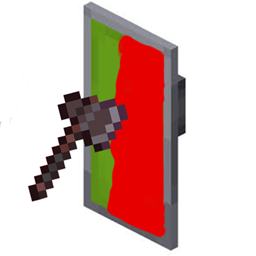
Shield Status [Fabric / PvP / Shield Cooldown Tracker]
Shield Status 会在盾牌上显示可自定义颜色的覆盖层,提示盾牌是否处于冷却状态。红色表示盾牌暂不可用,绿色表示已准备就绪。
评论
登录后评论和评分