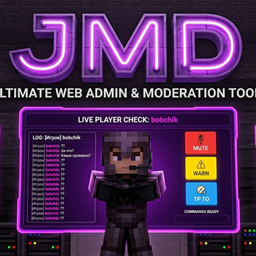
Just Moderation Dashboard
A powerful Minecraft administration tool featuring an integrated local web server for real-time chat logging and advanced player moderation.
介绍
中文介绍正在准备中,下面暂时显示原文。
JDM — Just Moderation Dashboard
A web-based dashboard for Minecraft server moderation. It launches a local HTTP server with a user-friendly interface for chat monitoring and issuing punishments.
🛠️ Installation
- Download the latest
.jarfile from the Reases section. - Place the file into the
mods/folder of your Minecraft client. - Launch the game (Requires Fabric, Minecraft 1.16.5).
🚀 Usage
- F6 — Open the dashboard in your browser (
http://localhost:8080). - /connectJSD — Force restart the web server (use this if the panel status shows as disconnected).
💻 Dashboard Features
- Chat Panel — View the in-game chat in real-time.
- Player Checking — Enter a player’s nickname, monitor messages exclusively from the target player, send custom screen-check text, and issue bans.
- Skins/Cloaks — View, upload, and apply player skins and capes.
- Settings — Customize the screen-check text template and set ban limits.
⌨️ Commands
| Command | Description |
|---|---|
/connectJSD |
Force restarts the local web server. |
常见问题
Just Moderation Dashboard 支持哪些 Minecraft 版本?
Just Moderation Dashboard 支持 Minecraft Java 版 1.16.5,可用的加载器:Fabric。下载时注意选择和你游戏版本一致的文件。
Just Moderation Dashboard 怎么安装?
先用 PCL2 或 HMCL 启动器安装对应版本的 Fabric,再把下载的 .jar 文件放进游戏目录的 mods 文件夹,重新启动游戏即可。开启了版本隔离的,mods 文件夹在 versions/版本名 下面。
评论
登录后评论和评分