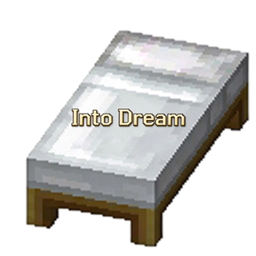
Into Dream
Into Dream brings reversible dream adventures. All world changes reset on waking. You lose Dream Energy only when dying in dreams. Safely explore, test builds and fight mobs with no permanent world edits.
介绍
Into Dream Player Guide
1. Mod Introduction
Into Dream adds a set of Dream Energy + Dream Entering gameplay to the game: You can lie on a bed (or a respawn anchor in the Nether) to enter a dream. Inside the dream, you may explore, fight, break and place blocks freely. When you wake up, the world will revert to its original state. This mod also adds Energy Bottle, Dream Core, Dream Rod, Memory Star and other items for you to enter and exit dreams flexibly and bring back loot gained in dreams.
All items can be found in the Into Dream creative tab.
2. Item List
| Item | Function & Features |
|---|---|
| Energy Bottle | Consumable, stackable up to 64, rare blue-tier quality. Right-click to restore 10 Dream Energy, consumes one bottle per use, ~0.5s cooldown. |
| Dream Core | Pure crafting material with no function on its own, used to craft Dream Rod. |
| Dream Rod | Stack limit 1. Right-click to enter the dream directly (no pop-up menu). Right-click again while dreaming to wake up, you will return to the position where you used the Dream Rod. |
| Memory Star | Stack limit 1, rare blue-tier quality. Keep it in your inventory when entering a dream. Items newly obtained in this dream will be stored inside it after waking. Right-click it out of the dream to retrieve stored items. |
Dream Energy: Every player starts with 100 Dream Energy. It has no upper limit and will not regenerate passively. Dream Energy is reduced by 20 each time you die. Energy Bottle is the only way to restore it.
3. Crafting Recipes
Energy Bottle (3×3 Crafting Table)
| Diamond | Nether Star | Diamond |
|---|---|---|
| Glass | Heart of the Sea | Glass |
| Glass |
Dream Core (Shapeless Crafting)
- Fluorite ×1
- Respawn Anchor ×1
- Any Bed ×1
Place the three materials anywhere in the crafting grid.
Dream Rod (2×2 Crafting Table)
| Dream Core | |
|---|---|
| Stick |
Memory Star (3×3 Crafting Table)
| Diamond | Echo Shard | Diamond |
|---|---|---|
| Echo Shard | Nether Star | Echo Shard |
| Diamond | Echo Shard | Diamond |
4. Gameplay Guide
4.1 How to Enter a Dream (Bed / Respawn Anchor)
- Overworld: Right-click a bed with an empty hand.
- Nether: Right-click a respawn anchor with an empty hand (Sneak-right-click remains vanilla "Set Spawn Point").
A light-blue UI will pop up. It shows your current Dream Energy on the top-left, asking "Enter Dream?" with two buttons: Enter and Cancel.
- Enter: Start the dream immediately, no Dream Energy cost.
- Cancel: For beds, it attempts vanilla sleep logic (UI closes instantly during daytime). For respawn anchors, the UI closes directly.
Remember to click with an empty hand. If you hold items, beds and respawn anchors work as vanilla (e.g. charging respawn anchor with glowstone).
4.2 What Happens When You Enter a Dream
You will stand freely in the world instead of lying on the bed, wrapped with a faint blue glow. This is a reversible sandbox:
- Full freedom: Break blocks, place blocks, use tools & items, fight mobs and pick up items.
- Full revert on wake: All blocks broken/placed in the dream restore, slain regular mobs respawn, tool durability and inventory revert to pre-dream state.
- You can still take damage: You are NOT invulnerable. Mob and environmental damage work normally, you may die inside the dream.
- No PvP damage: Dreaming players cannot hit each other, but this rule does not apply to hostile mobs.
- Item dropping disabled: You cannot drop items in dreams to avoid duplication or loss after revert.
4.3 How to Wake Up
Any of these methods will end the dream:
- Hold sneak key for ~1 second;
- Right-click bed (Overworld) or respawn anchor (Nether) with empty hand;
- Quit the game (Dream session ends after rejoin).
After waking up:
- All block changes and slain mobs in the dream revert;
- Inventory and tool durability revert to pre-dream state;
- Teleport to your spawn point (bed/respawn anchor spawn, world spawn if none set).
Exception: If you entered the dream with Dream Rod, you wake up at the position where you used the rod, not your spawn point.
4.4 Dream Rod Usage
- Hold Dream Rod and right-click: Enter dream instantly without menu.
- Right-click Dream Rod again or hold sneak while dreaming: Wake up and return to the rod usage position.
- Dream Rod has no durability and is not consumed.
Perfect for fast repeated dream visits without traveling back to spawn every time.
4.5 Memory Star: Bring Dream Loot Back
By default, everything you gain in the dream vanishes after waking. Memory Star changes this rule:
- Put Memory Star in your inventory before entering the dream (it must be in your inventory at the moment you enter).
- Explore, fight and collect normally inside the dream.
- After waking, newly-obtained items from this dream are saved into Memory Star. Its tooltip shows what and how many items are stored.
- Right-click Memory Star when you are NOT dreaming to extract all saved items. Excess items drop on the ground if your inventory is full.
Rules:
- Only newly gained items are saved: mob drops, mined blocks, loots collected inside the dream.
- Items consumed in the dream are not restored (potions drunk, arrows shot, etc.).
- Tool and armor durability still reverts; wear and tear in dreams will not persist.
- Memory Star cannot be used while dreaming (to prevent revert logic conflict).
- If you choose Exit Dream after dying inside the dream, Memory Star saving fails (your items drop at death location).
4.6 Death Inside a Dream
When killed by mobs or environment in a dream, a special dream death screen appears with two choices:
- Revive in Dream: Respawn at death spot and continue dreaming, all previous world changes in the dream remain.
- Exit Dream and Respawn: End dream and return to spawn point. All block changes and slain mobs revert. Items drop at death point and inventory will NOT be restored.
Every death (including death in dream) subtracts 20 Dream Energy.
4.7 Situations Where Dream Entry Fails
- At invalid positions: You will be blocked with prompt
Cannot enter dream here. No vanilla explosion happens. - Click bed with Cancel during daytime: UI closes directly, matching vanilla daytime sleep restriction.
5. Tips & Notes
- Dream Energy only decreases and does not regenerate naturally: Start with 100, minus 20 per death. Keep plenty of Energy Bottles for safety.
- Organize inventory before dreaming: Without Memory Star, dream loot disappears on wake. Bring Memory Star if you want to keep gains.
- You cannot duplicate resources freely: Loot vanishes after waking without Memory Star. Only items saved by Memory Star can be kept.
- Do not drop valuable items in dreams: Item dropping is disabled to prevent item loss or duplication after revert.
- Accidental wake by long sneak: Holding sneak for digging may trigger wake-up. Use Dream Rod for controllable wake position.
- Container contents are NOT reverted: Items taken out of chests in dreams will not return automatically; items placed into chests in dreams stay there. Store valuables carefully.
- Multiplayer: Dreaming players cannot attack each other, safe for co-op exploration, but mobs can still hurt you.
- Quick tip: Dream Rod is infinite use with no durability; Energy Bottle has ~0.5s cooldown, wait a little between uses.
Into Dream 玩家指南
一、Mod简介
Into Dream 为游戏加入了一套「梦能量 + 入梦」玩法:你可以躺在床上(或下界的重生锚上)选择进入一场梦,在梦里自由探索、战斗、破坏和建造,醒来时世界会恢复原样;同时新增了入梦杖、能量瓶、记忆之星等物品,让你能更灵活地进出梦境、带回梦里的收获。
物品都可以在创造模式的 Into Dream 标签页中找到。
二、物品列表
| 物品 | 用途与特点 |
|---|---|
| 能量瓶 | 消耗品,堆叠上限 64,蓝色稀有品质。右键饮用可恢复 10 点梦能量,用一次消耗一瓶,约 0.5 秒冷却。 |
| 入梦核心 | 纯合成材料,本身没有任何功能,用来制作入梦杖。 |
| 入梦杖 | 堆叠上限 1。右键直接入梦(不弹选择界面),入梦期间再右键即可醒来,醒来后会回到你使用入梦杖时的位置。 |
| 记忆之星 | 堆叠上限 1,蓝色稀有品质。入梦时把它带在身上,醒来后本次梦里新获得的物品会被它保存下来,之后右键即可取回。 |
梦能量:每个玩家开局拥有 100 点,没有上限,也不会自然恢复。目前只有死亡会扣除能量(每次死亡 -20),能量瓶则是唯一的补充手段。
三、合成配方
能量瓶(工作台 3×3)
| 钻石 | 下界之星 | 钻石 |
|---|---|---|
| 玻璃 | 海洋之心 | 玻璃 |
| 玻璃 |
入梦核心(工作台合成,无序)
- 萤石 ×1
- 重生锚 ×1
- 任意床 ×1
三样材料放在工作台里任意位置即可合成。
入梦杖(工作台 2×2)
| 入梦核心 | |
|---|---|
| 木棍 |
记忆之星(工作台 3×3)
| 钻石 | 回响碎片 | 钻石 |
|---|---|---|
| 回响碎片 | 下界之星 | 回响碎片 |
| 钻石 | 回响碎片 | 钻石 |
四、玩法说明
1. 怎么入梦(床 / 重生锚)
- 主世界:空手右键床。
- 下界:空手右键重生锚(潜行右键仍是原版的「设置重生点」)。
点击后会弹出一个淡蓝色的界面,左上角显示你当前的梦能量,中间询问「是否入梦」,下方有「入梦」和「否」两个按钮:
- 选入梦:立即进入梦境,不消耗能量。
- 选否:如果是床,会按原版逻辑尝试睡觉(白天会直接关掉界面);如果是重生锚,则直接关闭界面。
记得要空手点击。手里拿着物品时,床和重生锚仍然是原版用法(比如拿萤石给重生锚充能)。
2. 入梦时会发生什么
入梦后你并不是躺在床上,而是以「站着的状态」在世界上自由行动,身上会带一层淡蓝色的光效。这是一场「可逆的沙盒」:
- 可以随便行动:破坏方块、放置方块、使用工具和物品、打怪、捡东西都没问题。
- 醒来全部复原:梦里破坏和放置的方块会恢复原状,被你击杀的普通生物会重新出现,工具耐久和物品栏也会还原成入睡前的样子。
- 仍然会受伤:梦里的你不是无敌的,怪物和环境伤害照常生效,甚至可能死在梦里。
- 玩家之间互不伤害:别的玩家打不到你,你也打不到别的玩家;对普通怪物没有这个限制。
- 不能丢弃物品:入梦期间无法把物品扔到地上(避免醒来还原时物品重复)。
3. 怎么醒来
以下几种方式都会结束梦境:
- 长按潜行键约 1 秒;
- 空手右键床(主世界)或空手右键重生锚(下界);
- 退出游戏(重新登录时梦境状态会结束)。
醒来后会:
- 还原梦里破坏/放置的方块与被击杀的生物;
- 物品栏、工具耐久恢复到入睡前;
- 把你传送回重生点(用床或重生锚设置过的位置,没有设置就回世界出生点)。
例外:如果是用入梦杖入梦的,醒来会回到你使用入梦杖时的位置,而不是重生点。
4. 入梦杖的用法
- 手持入梦杖右键:直接入梦,不弹界面。
- 入梦期间再右键入梦杖,或长按潜行:醒来并回到使用入梦杖的位置。
- 入梦杖本身没有耐久,也不会消耗。
适合想快速反复进出梦境、又不想每次都跑回重生点的情况。
5. 记忆之星:把梦里的收获带回来
默认情况下,入梦期间获得的东西会在醒来时全部消失。记忆之星可以改变这一点:
- 在入睡前就把记忆之星放在物品栏里(入梦那一刻带着它才算数);
- 梦里正常探索、打怪、采集;
- 醒来时,本次梦里新获得的物品会被自动记录进记忆之星,并在物品提示中显示保存了几件、分别是什么;
- 不在梦境时右键记忆之星,就能把保存的物品全部取出;物品栏放不下时会掉在脚下。
规则细节:
- 只保存「新获得」的东西:梦里捡到的战利品、打怪掉落、挖到的方块等。
- 入梦期间消耗掉的物品不会补回来(比如吃掉的药水、用掉的箭)。
- 工具和装备的耐久仍然会恢复,梦里的磨损不会带出来。
- 入梦期间不能使用记忆之星(避免和复原逻辑冲突)。
- 如果在梦里死亡后选择「退出梦境」,记忆之星的保存不会生效(因为死亡时物品已经掉落在死亡点)。
6. 在梦里死亡
入梦期间被怪物或环境杀死时,会出现一个专属的梦境死亡界面,提供两个选择:
- 原位入梦重生:回到死亡地点并继续做梦,梦里之前的世界改动记录仍然保留。
- 退出梦境,回到重生点重生:结束梦境、回重生点,梦里改动的方块和击杀的生物被还原;但因为死亡时物品已经掉在死亡点,物品栏不会还原。
另外,每次死亡(包括入梦死亡)都会扣除 20 点梦能量。
7. 无法入梦的情况
- 在下界或未点床、在主世界或未点重生锚:会被拦下并提示「此处无法入梦」,不会像原版那样引发爆炸。
- 白天点床想「否」时睡觉:界面会直接关闭(原版白天本来也睡不着)。
五、注意事项与小技巧
- 能量只减不自然回:初始 100 点,每次死亡 -20,靠喝能量瓶回复。多做几瓶备着更稳妥。
- 入睡前整理好物品栏:不带记忆之星,梦里的收获醒来就没了;想带回战利品,一定要提前带上记忆之星。
- 想在梦里「白嫖」资源:不行。不带记忆之星时,梦里获得的东西会在醒来时全部被还原掉,只剩消耗意识——带星才能留下「新获得」的部分。
- 别在梦里把贵重物品丢掉:入梦期间禁止丢弃物品,这条限制就是为了防止还原时出现物品重复或丢失。
- 长按潜行会误退出:入梦时如果想长时间潜行(比如钻洞),小心触发约 1 秒的自动醒来;可用入梦杖入梦,醒来位置更可控。
- 容器内容不在复原范围内:从箱子等容器里拿走的东西,醒来不会自动放回容器;反过来,梦里放进容器的物品也不会在复原时被收回。存放贵重物品时请留意。
- 多人服务器:入梦玩家之间无法互相攻击,可以放心一起联机探险;但怪物仍然会伤害彼此。
- 小提示:入梦杖没有耐久,可以一直用;能量瓶有约 0.5 秒冷却,连喝时稍微等一下即可。
常见问题
Into Dream 支持哪些 Minecraft 版本?
Into Dream 支持 Minecraft Java 版 1.20.1,可用的加载器:Forge。下载时注意选择和你游戏版本一致的文件。
Into Dream 怎么安装?
先用 PCL2 或 HMCL 启动器安装对应版本的 Forge,再把下载的 .jar 文件放进游戏目录的 mods 文件夹,重新启动游戏即可。开启了版本隔离的,mods 文件夹在 versions/版本名 下面。
评论
登录后评论和评分