截图
介绍

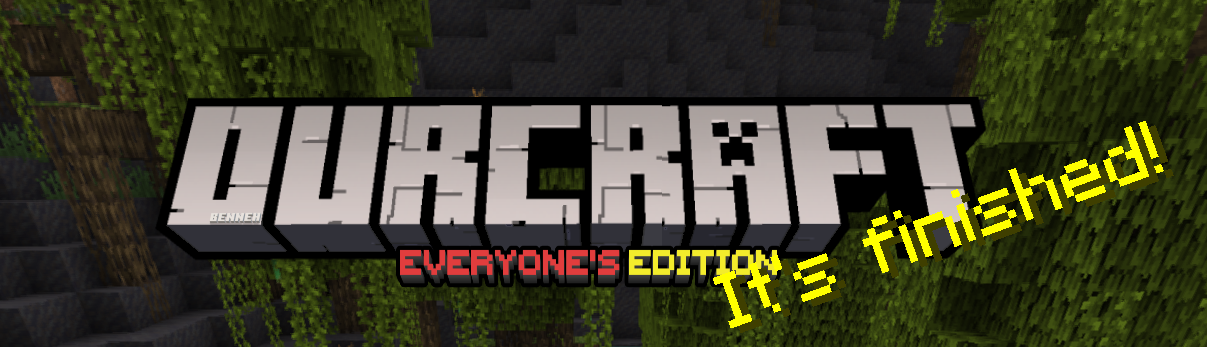
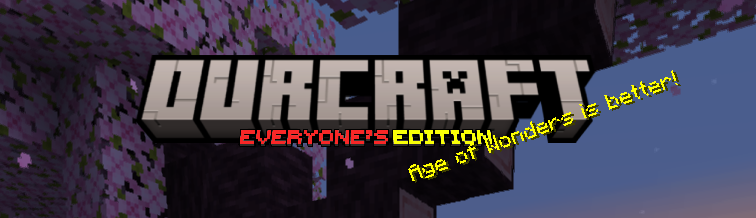
This Pack Replaces the logo Image on the ‘Minecraft’ title screen image from saying ‘Minecraft, Java Edition‘ to saying ‘Ourcraft, Everyone’s Edition‘
I hope this’ll give you a little chuckle every time you open the game.
In-Game
In-Game (old)

If you don’t know how to install Resourcepacks, I suggest this.
The meme this pack started out as.
<a href="https://modrinth.com/resourcepack/ourcraft" target="_blank">
  <img src="https://lh3.googleusercontent.com/u/1/drive-viewer/AITFw-wtlyl-ofNjYpeBMks4q8OxbAwwVlGfYHxD-MlUIGUT79sHD_tBykV1wHRJbXAN5CHHOZPRKUE0xf5NlBDiqXQ4nWeZ=w1960-h3088" alt="Clickable Image">
</a>
常见问题
Ourcraft 支持哪些 Minecraft 版本?
Ourcraft 支持 Minecraft Java 版 1.18–1.20.1,共 10 个版本。下载时注意选择和你游戏版本一致的文件。
Ourcraft 怎么安装?
把下载的 .zip 文件(不用解压)放进游戏目录的 resourcepacks 文件夹,进游戏后在「选项 → 资源包」里把它移到右边启用。
Benny 的其他作品
查看全部 →
Launcher Styled GUI
The Minecraft Launcher's UI merged with Minecraft Java Edition.

Thematic
Changes the Minecraft Title image to the texture according to the current update.

Thematic
Changes the Minecraft Title image to the texture according to the current update.
Thematic
Changes the Minecraft Title image to the texture according to the current update.
评论
登录后评论和评分