
Crop Forecast
See how fast your crops actually grow, what is slowing them down, and exactly what to change. Press F3+K and look at a crop
截图
介绍
Your farm is probably twice as slow as it could be
Minecraft has a growth rule almost nobody knows: if the same crop sits on the
diagonals around a plant, or on both axes at once, the game halves its growth speed.
A solid block of wheat triggers it on every single plant. You have been waiting twice
as long the whole time, and the game never told you.
What this mod does
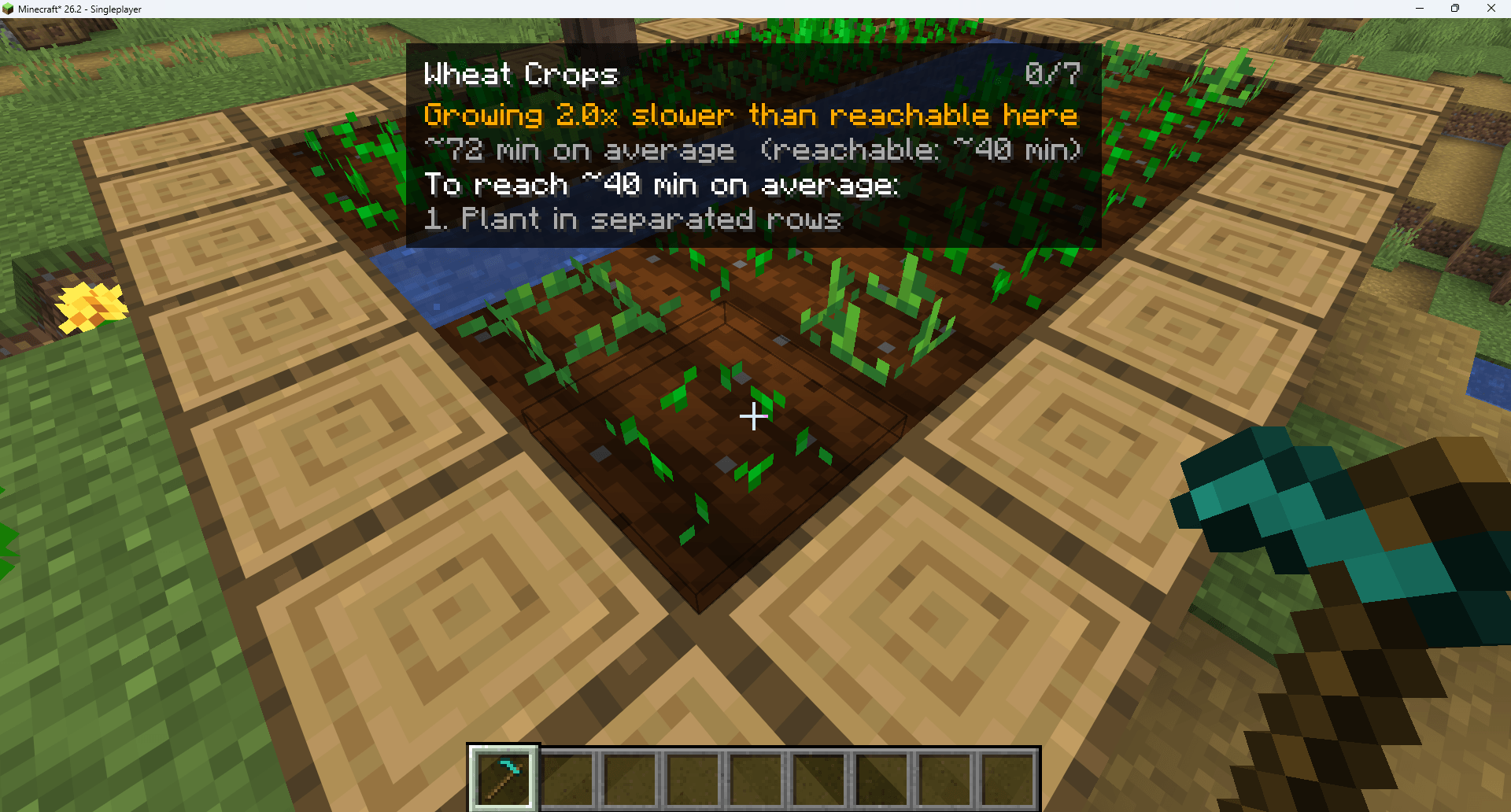
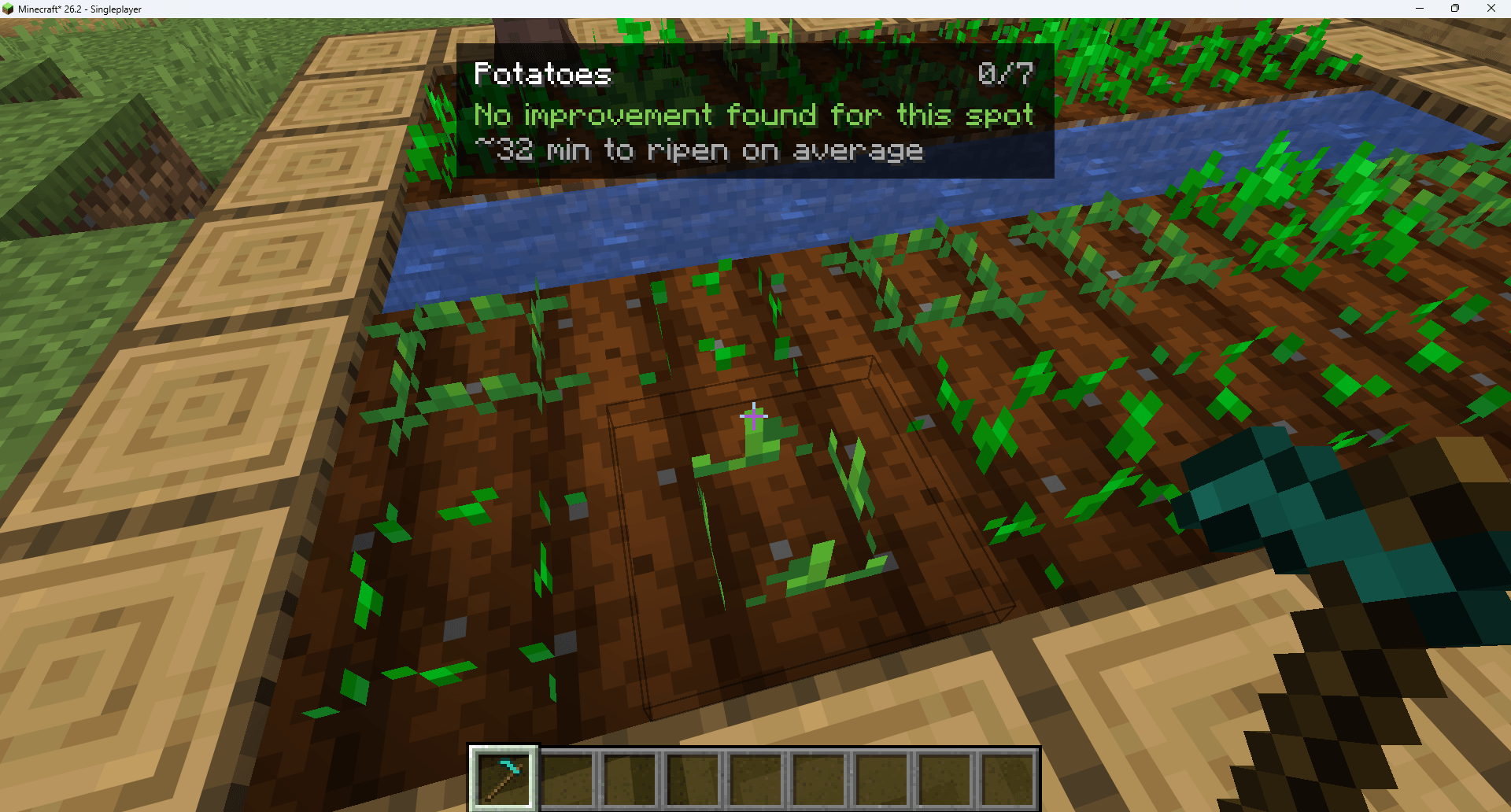
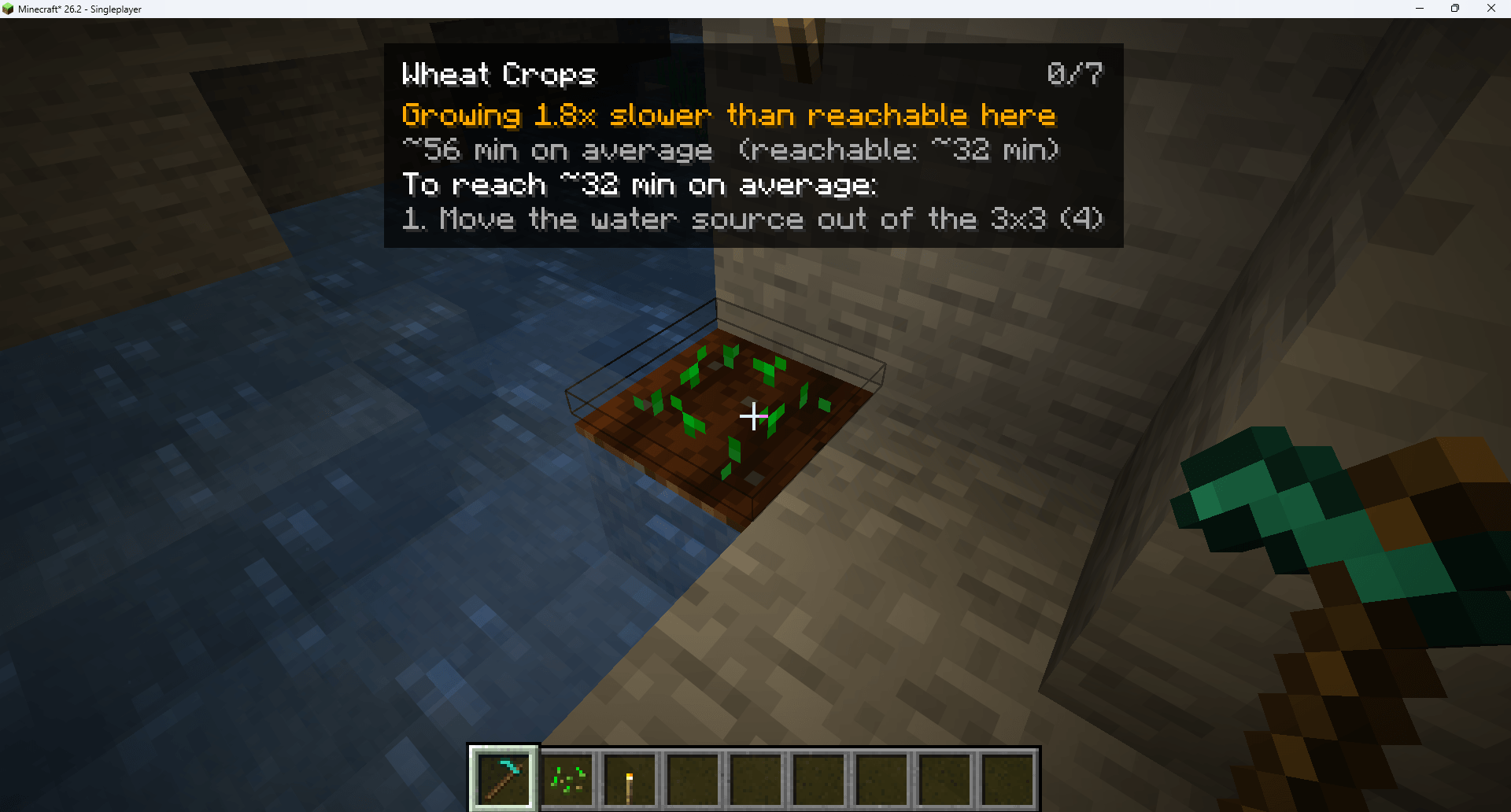
Press F3 + K, look at a crop:
WHEAT                                             3/7
Growing 2.0x slower than reachable here
~48 min on average  (reachable: ~24 min)
To reach ~24 min on average:
  1. Plant in separated rows
  2. Till 3 block(s) around it
3. Bring water within 4 blocks (2 dry)- A real number, not a mystery. How long until harvest, on average, and how long it
could be. - The cause, then the fix. Ranked by actual measured gain, best action first.
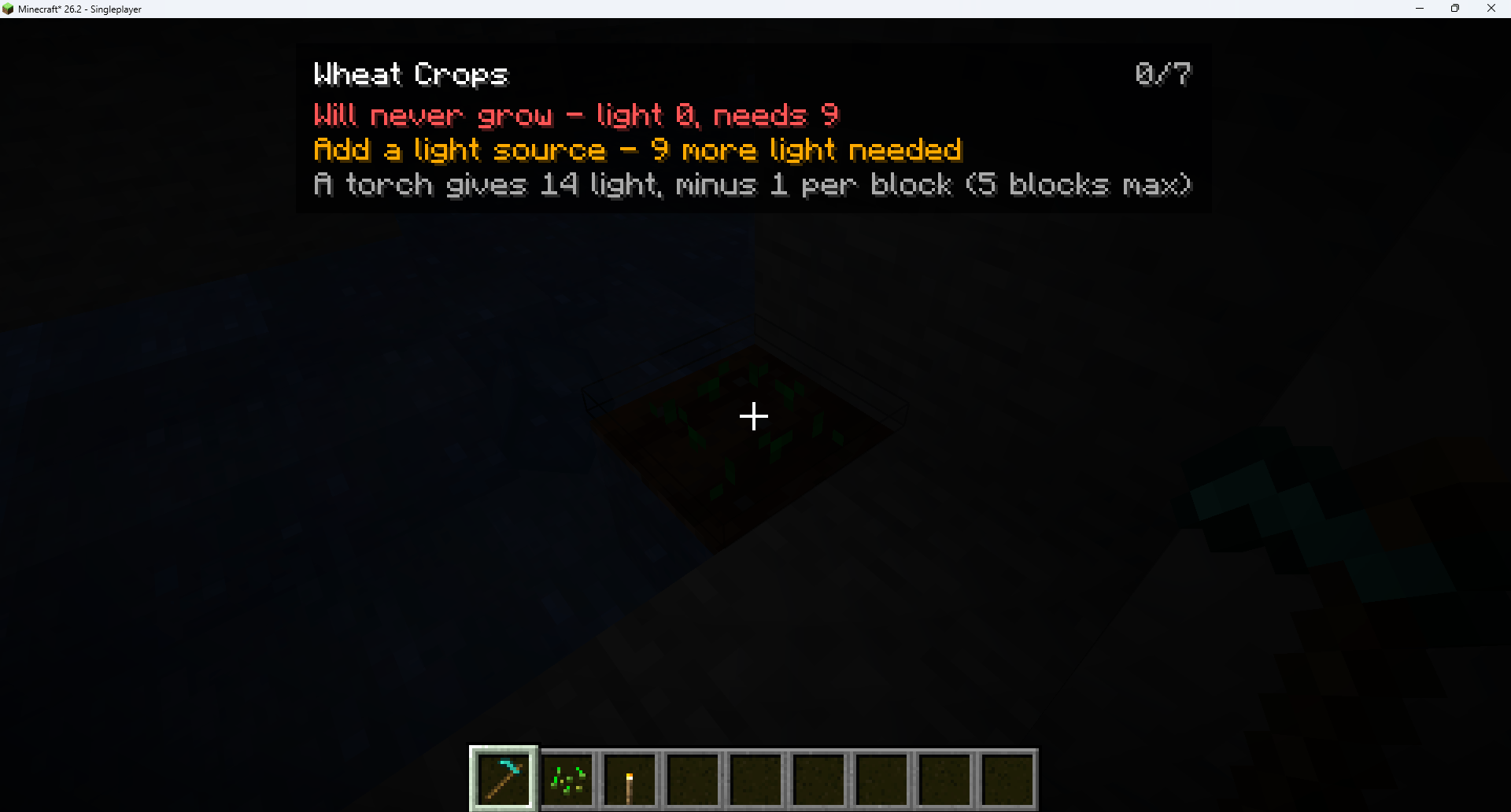
- Light problems said plainly. Not enough light? It tells you how much is missing and
stops there – one problem at a time. - Nothing when there is nothing to say. A well-built farm just reads at Minecraft’s
maximum growth speed.
It stays out of the way
The lens is off until you press F3 + K, exactly like F3+H or F3+G. No item, no block,
no recipe, no keybind stolen from vanilla. Turn it on when you want an answer, turn it
off and the game is untouched.
Built against the real game code
Every number comes from a faithful port of CropBlock and ServerLevel from Minecraft
26.2, not from a wiki. The growth formula, the neighbour penalty, the light gate, the
random tick distribution – all replicated with the same operations in the same order.
Beetroot and torchflower are correctly handled as 1.5x slower than wheat, because
they only process 2 random ticks out of 3. Most tools get that wrong.
76 unit tests cover the maths.
What this mod is NOT
- Not a cheat. It changes nothing: no faster growth, no bone meal, no new blocks.
- Not a farming mod. It adds zero content.
- Not a HUD overhaul. One panel, only while you hold the lens on a crop.
- Not a replacement for Jade or WTHIT. They tell you what a block is. This tells you
why it behaves that way.
Supported crops
Wheat, carrots, potatoes, beetroot, torchflower.
Sugar cane, cactus, melon and pumpkin stems, cocoa, nether wart, bamboo and berries use
different growth mechanics. The mod says so explicitly instead of guessing.
Compatibility
| Minecraft | 26.2 |
| Loader | Fabric |
| Side | Client only – works on any server, including vanilla |
| Dependencies | Fabric API |
| Tested with | JEI, Jade, WTHIT – no conflicts |
Languages
English, French, German, Spanish, Portuguese (Brazil), Italian, Dutch, Polish, Turkish,
Russian, Ukrainian, Simplified Chinese, Traditional Chinese, Japanese, Korean.
Only English and French were written by the author – corrections for the others are very
welcome on the issue tracker.
Configuration
config/cropforecast.json
{
  "showDetails": false,
  "toggleKey": 75,
  "rememberEnabled": false,
  "assumedRandomTickSpeed": 3
}
showDetails adds the raw numbers. toggleKey is the GLFW code paired with F3.
assumedRandomTickSpeed matters only if your server changed that gamerule – the client
cannot read it, so the mod states its assumption instead of hiding it.
For modpack makers
- Inclusion in modpacks is allowed (MIT).
- Client-side only: nothing on the server, no protocol, no world data, no save format.
- Adds nothing to the game – no items, blocks, recipes, tags or world generation.
- Off by default: it cannot surprise a player who never presses the key.
- Everything can be switched off in the config.
Links
- 🟩 Modrinth: https://modrinth.com/mod/crop-forecast
常见问题
Crop Forecast 支持哪些 Minecraft 版本?
Crop Forecast 支持 Minecraft Java 版 26.2,可用的加载器:Fabric。下载时注意选择和你游戏版本一致的文件。
Crop Forecast 怎么安装?
先用 PCL2 或 HMCL 启动器安装对应版本的 Fabric,再把下载的 .jar 文件放进游戏目录的 mods 文件夹,重新启动游戏即可。开启了版本隔离的,mods 文件夹在 versions/版本名 下面。

评论
登录后评论和评分