截图
介绍
中文介绍正在准备中,下面暂时显示原文。
Questmania

Turn survival into a quest-driven adventure. Take quests from a Quest Board, earn
 coins, and spend them on a big upgrade tree for yourself, and on a second one for
 your whole group.

Quests
- Quest Board: craft it and get fresh quests every in-game day, easy, medium and hard.
- Story: a 15-step journey from your first logs to flying with an elytra.
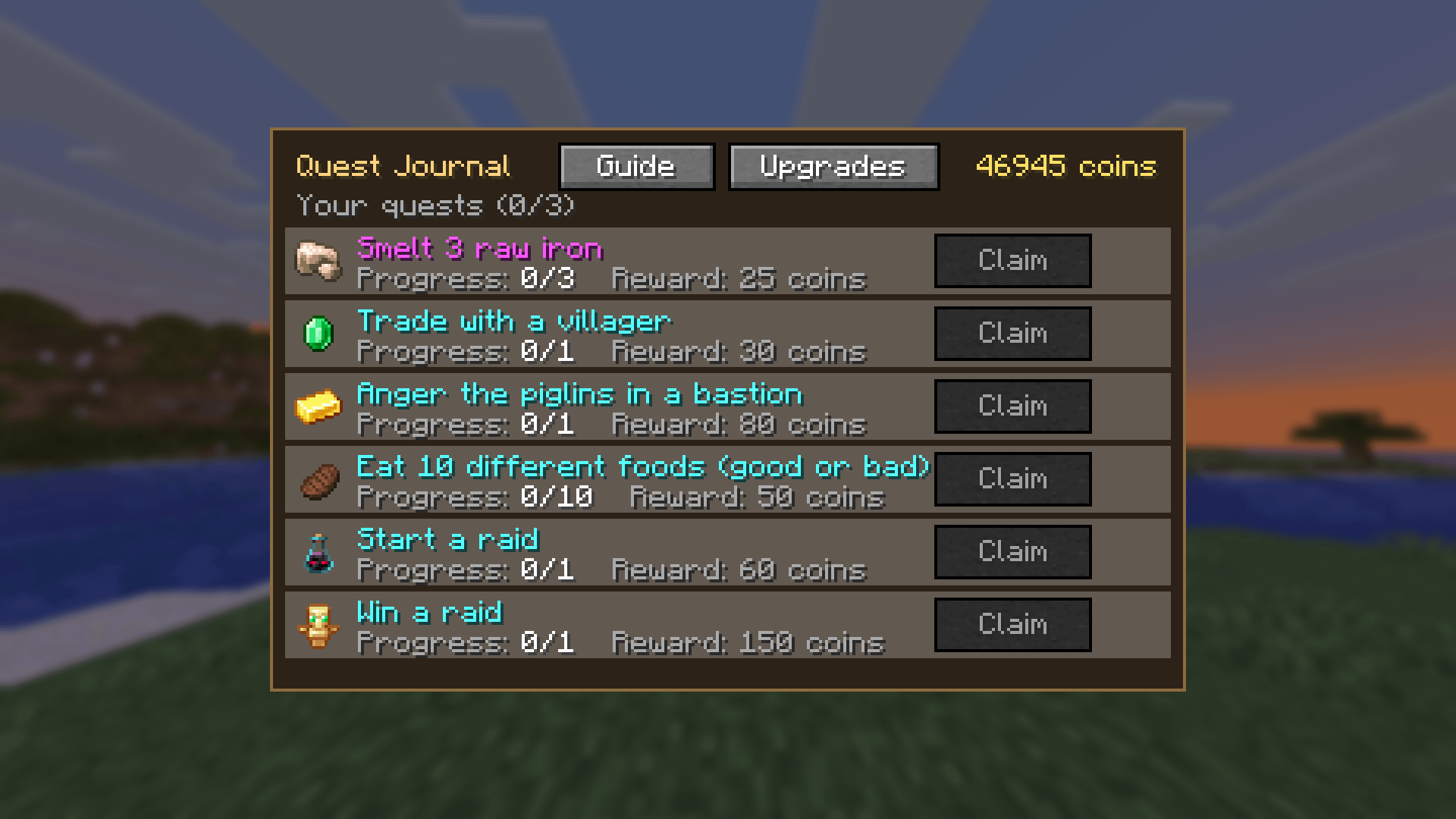
- Side quests: trade with a villager, anger the piglins, eat 10 different foods,
 start a raid... and win it.
- Quest Journal: press J to track progress and claim rewards. The book next to your
 hotbar shows a green ! when a quest is ready.

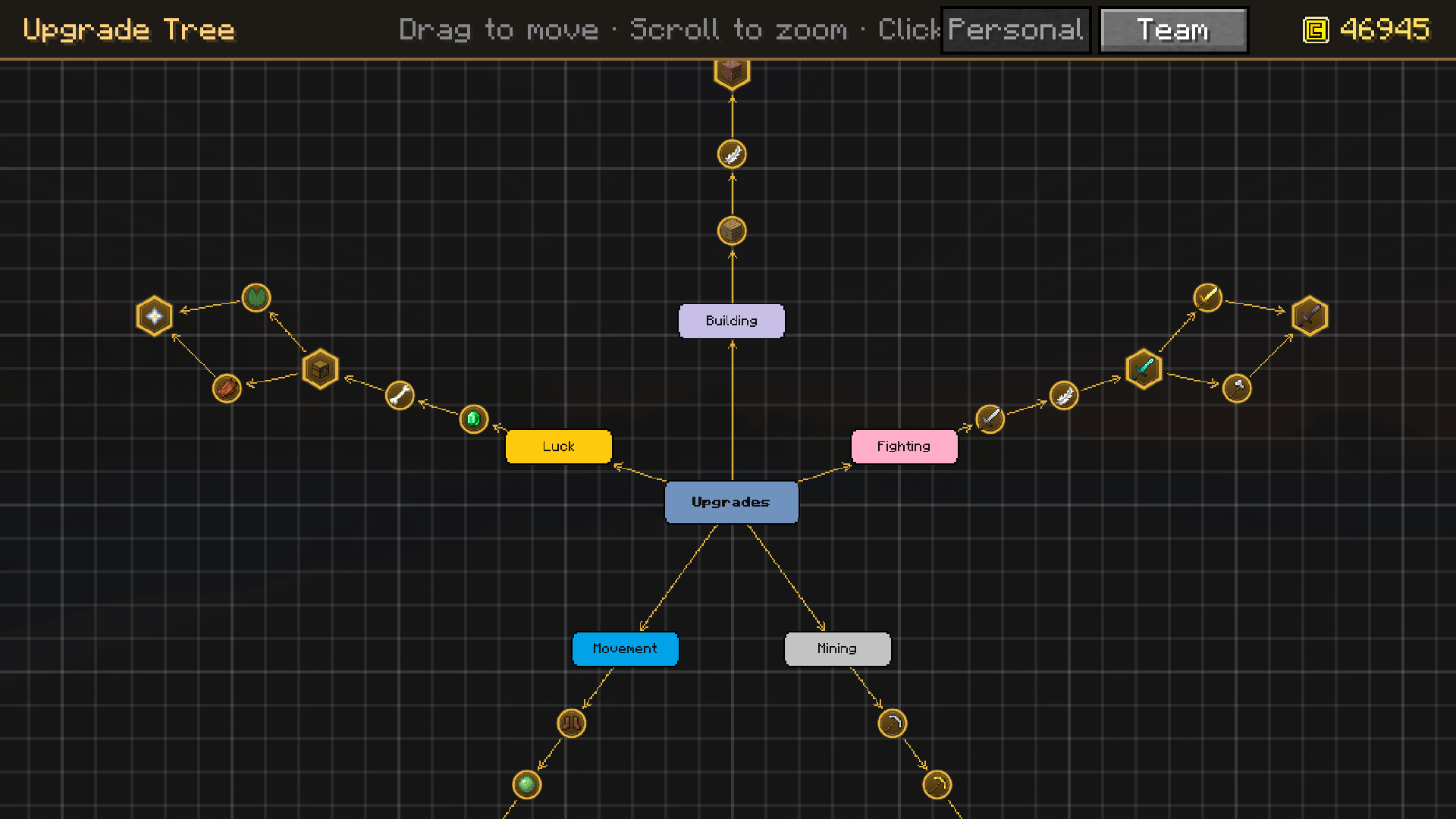
Upgrade Tree (K)
A mind-map skill tree with five branches:
- Mining: faster mining, then 1x2 and 3x3 area mining
- Movement: speed, higher jumps, softer landings
- Fighting: more damage, faster attacks
- Luck: a chance to double mob drops and the loot of chests, vaults and fishing
- Building: a radial build menu on **Left Alt** (Line, Wall, Floor, Fill),
 placing blocks in the air and saving blocks. Every upgrade lifts a limit.

Some upgrades can be switched on and off whenever you want.

Play together
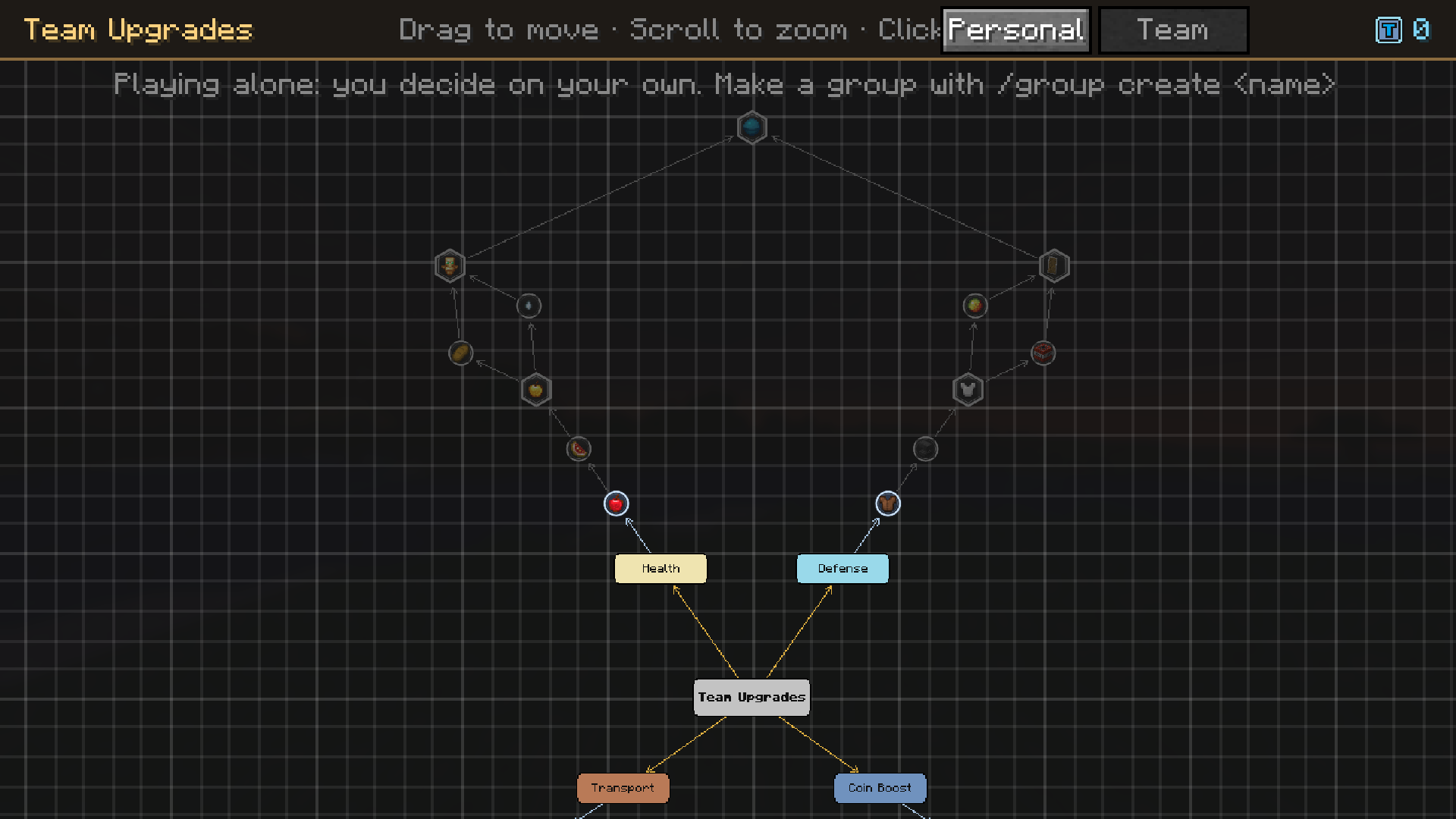
- Make a group with `/group create`, invite your friends and share a -treasury- of team
coins.
- Buy team upgrades by majority vote, with clickable [YES] / [NO] buttons in chat.
- Team tree: Health, Defense, Transport and Coin Boost. Get a team home, teleport
 to a teammate, a shared stash, faster horses, extra quest slots and more.
- *Life Sharing*: `/share <player> <hearts>` gives your hearts to a hurt teammate.
- Playing alone? You are a group of one and everything still works.

Everything is explained in game
Open the journal (J) and click Guide.

## Requirements ##
- Fabric Loader and Fabric API
- Install it on both the client and the server
常见问题
Questmania 支持哪些 Minecraft 版本?
Questmania 支持 Minecraft Java 版 26.3,可用的加载器:Fabric。下载时注意选择和你游戏版本一致的文件。
Questmania 怎么安装?
先用 PCL2 或 HMCL 启动器安装对应版本的 Fabric,再把下载的 .jar 文件放进游戏目录的 mods 文件夹,重新启动游戏即可。开启了版本隔离的,mods 文件夹在 versions/版本名 下面。

评论
登录后评论和评分