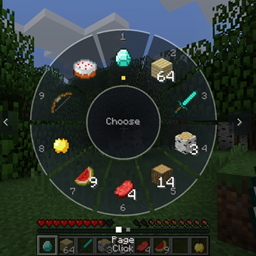
Inventory Wheel HUD system by Adapts
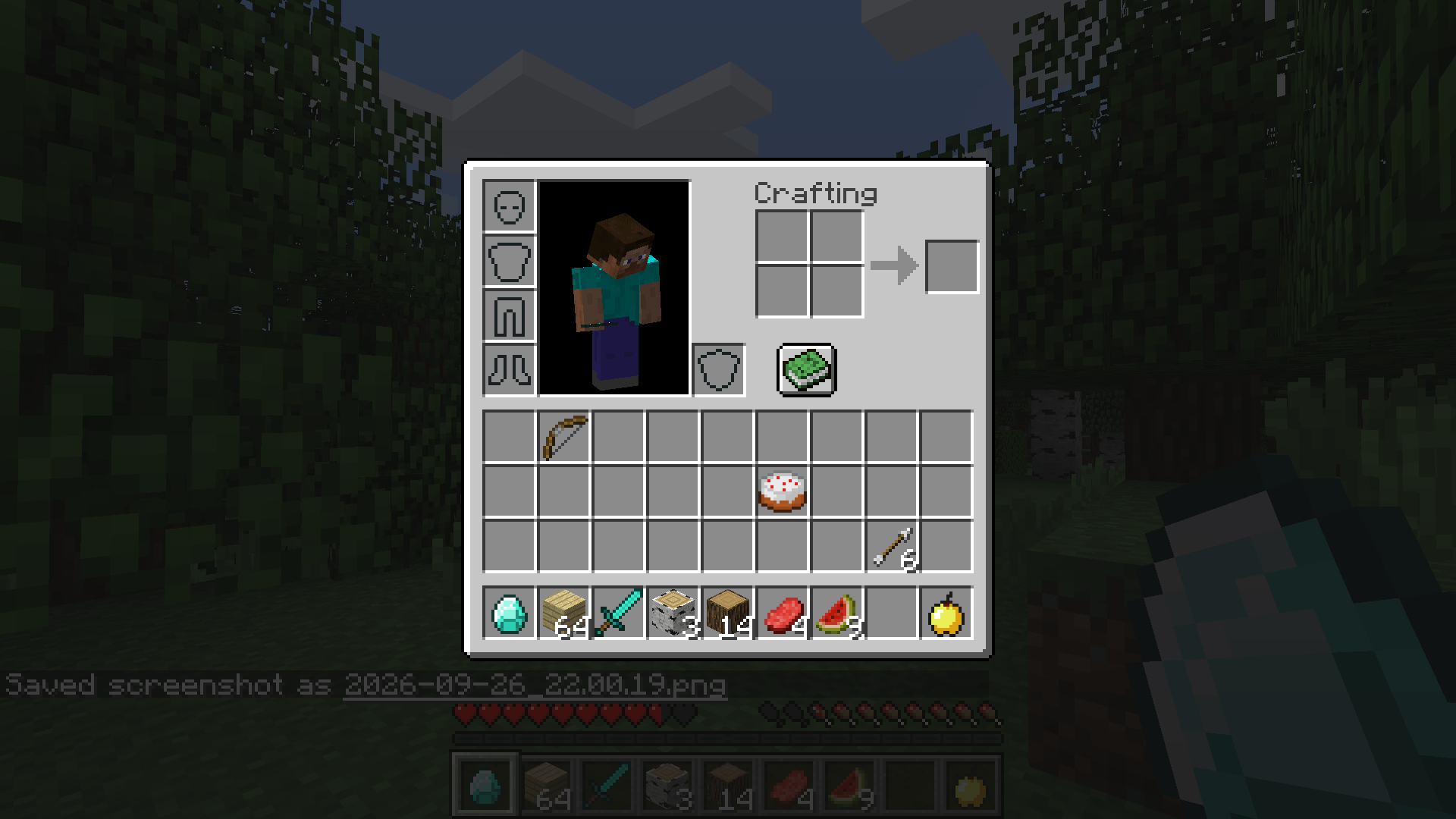
Tap E for a portable crafting table, hold E for a GTA V-style radial wheel to grab any item from your inventory in a flash.
截图
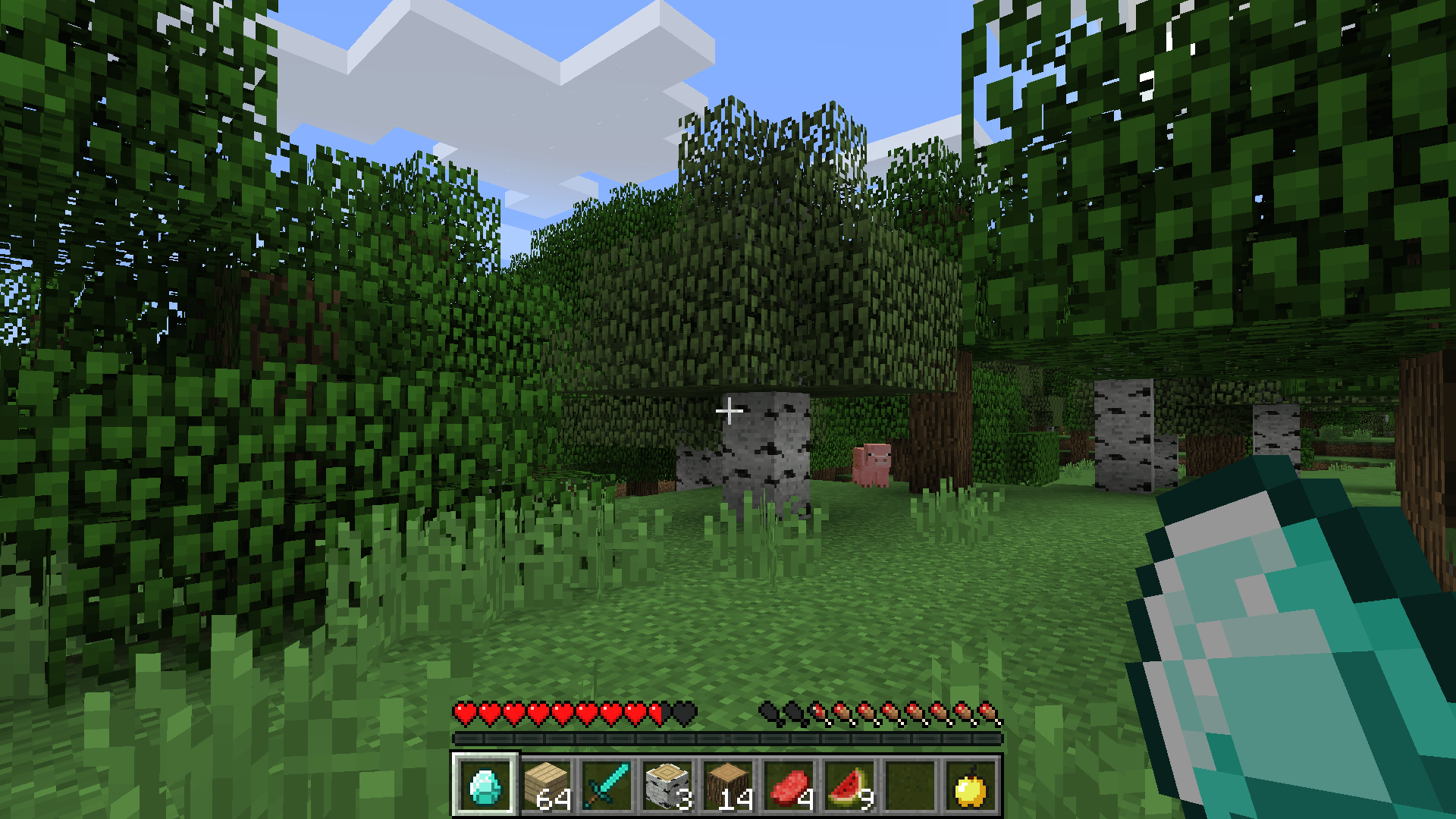
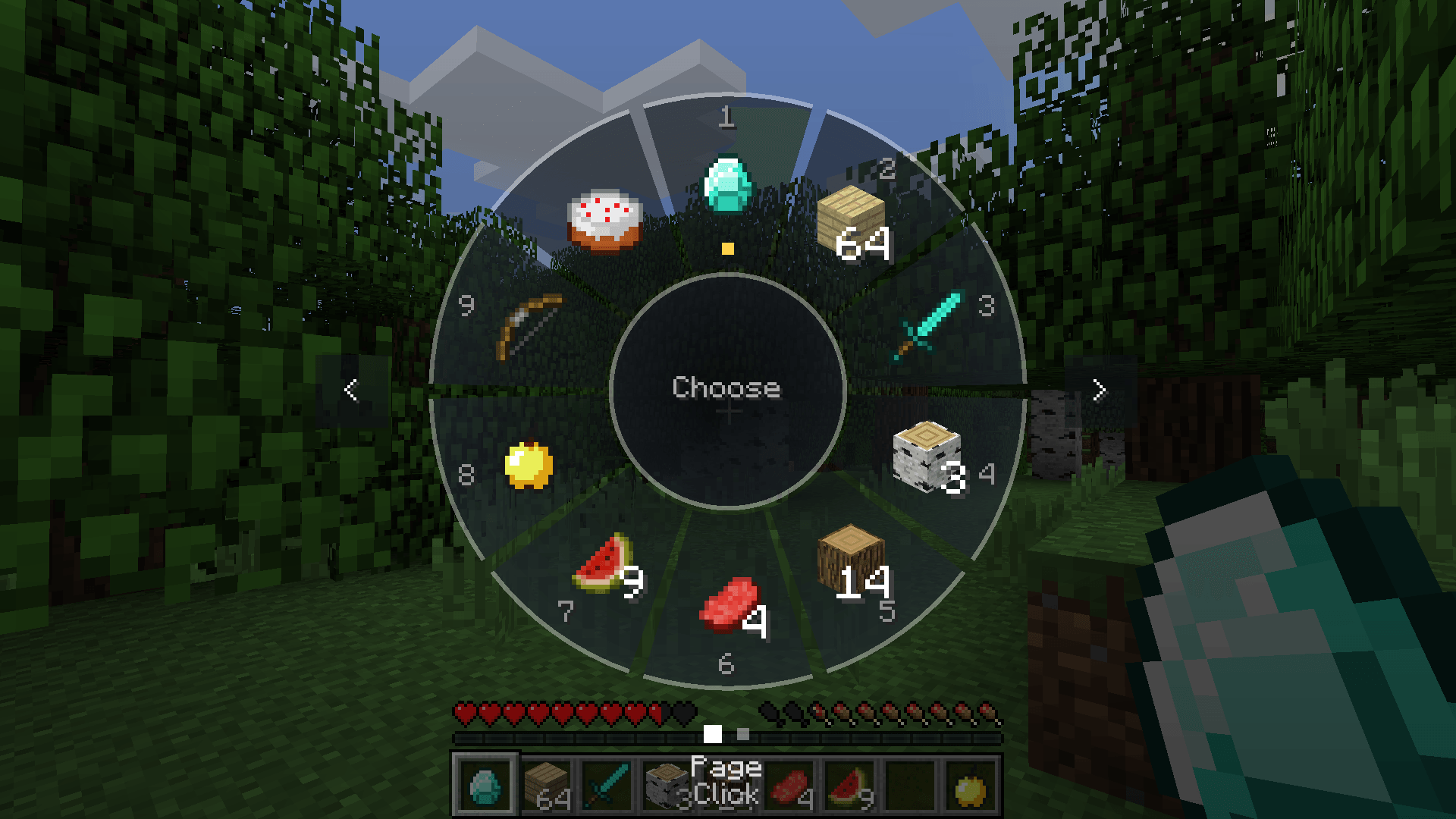
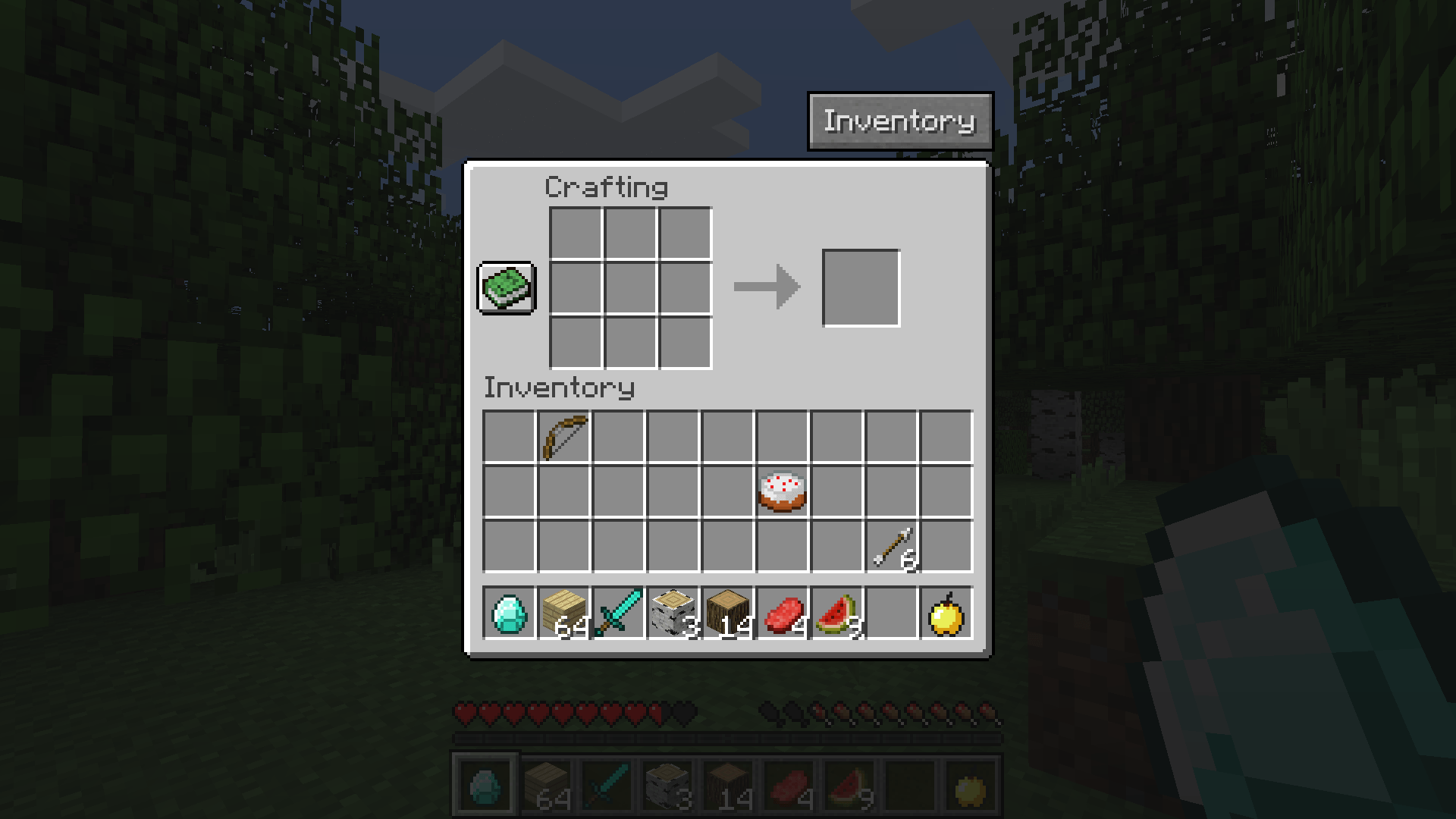
介绍
Inventory Wheel — GTA-style Quick Select (Join us on discord: https://discord.gg/B5sMcUThpv)
Tired of digging through your inventory? Inventory Wheel turns your inventory key into a smart, two-in-one shortcut inspired by the GTA V weapon wheel.
✨ Features
Tap E — Quick Crafting
– Survival / Adventure: instantly opens a portable 3×3 crafting table, no workbench needed!
– An Inventory button in the corner takes you to your regular inventory (armor, off-hand…).
– Creative: opens the normal creative inventory, nothing changes.
– Riding a horse or llama? You still get the mount’s inventory as usual.
Hold E — The Wheel
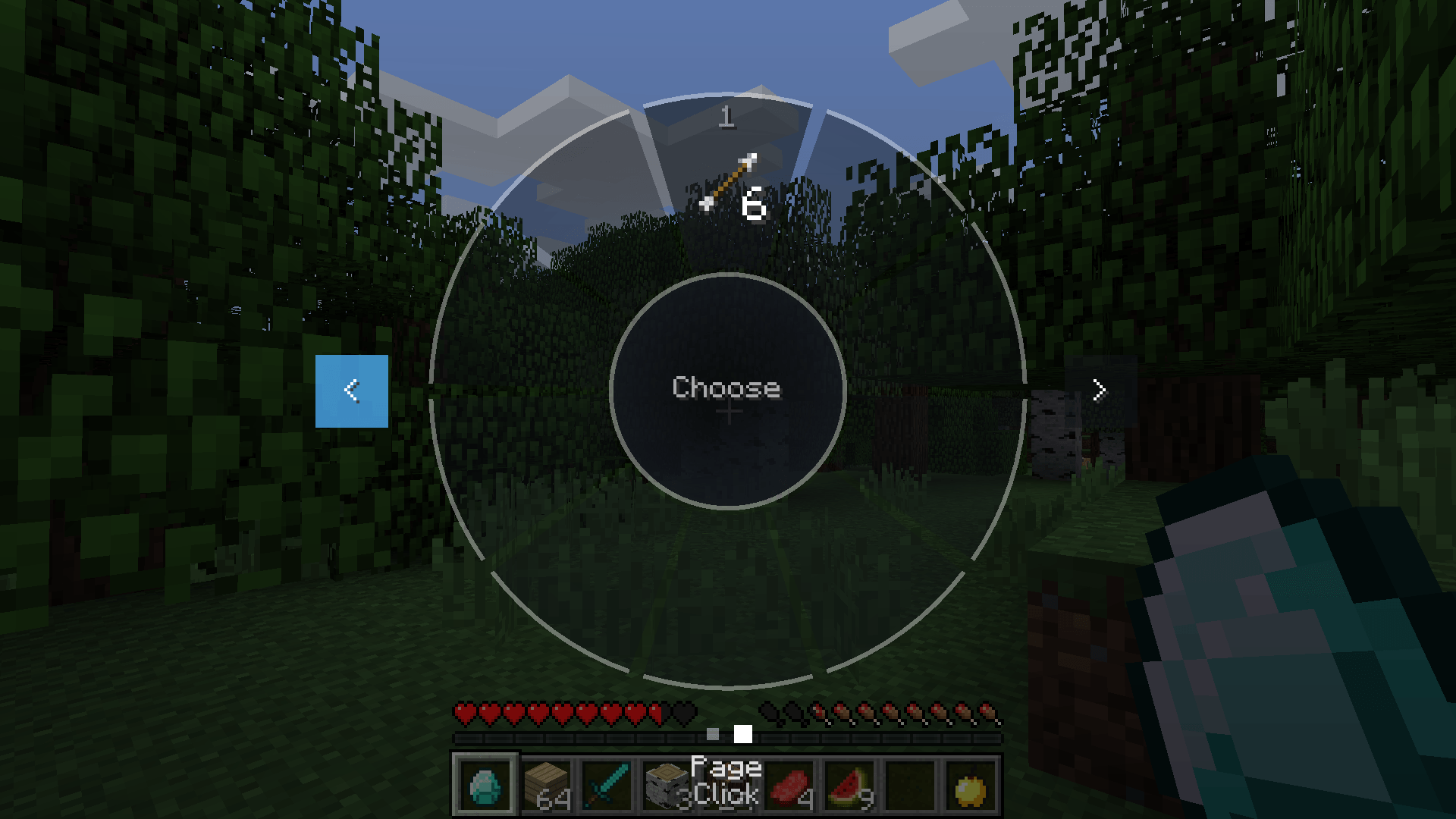
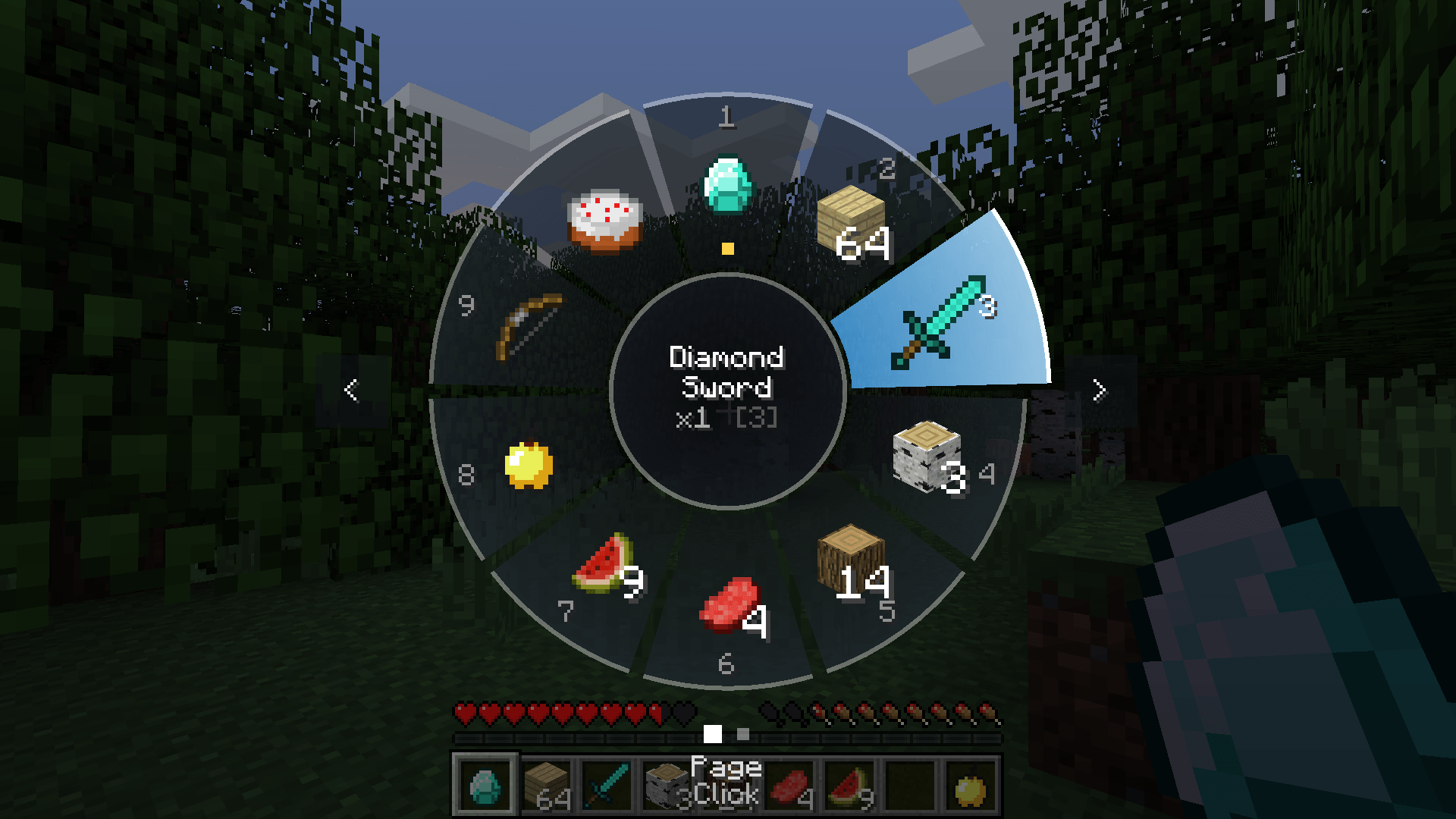
– A sleek radial wheel pops up in the middle of your screen showing every item in your inventory.
– Point with your mouse and release E: the item goes straight into your hand.
– Items already in your hotbar are simply selected; others are swapped into your current hotbar slot.
– Multiple pages when you carry more items than fit on the wheel.
– The item you’re currently holding is marked with a small yellow dot.
– Item names shown in the center, colored by rarity, with stack count.
🎮 Controls (inside the wheel)
| Action | Control |
|—|—|
| Select an item | Point + release E, or left click |
| Quick select | Keys 1 to 9 |
| Change page | Mouse wheel, right click, on-screen arrows, arrow keys or your left/right movement keys |
| Close without changing anything | Esc |
If you release E without pointing at anything, the wheel stays open so you can pick with a click.
The mod follows whatever key you’ve bound to “Inventory” in Controls.
⚙️ Configuration
Editable in-game (Mods > Inventory Wheel > Config) or in `config/roueinventaire.cfg`:
– holdDelayTicks(default 6): how long to hold the key before the wheel opens (20 = 1 second)
– itemsPerPage (default 10): number of slots per page (4 to 16)
– survivalOpensCrafting(default true): turn off the portable crafting table
– hoverSound (default true): little click sound when hovering items
📦 Installation
– Minecraft 1.12.2 with Forge
– Drop the .jar in your `mods` folder
– **Multiplayer:** the mod must be installed on **both the server and the client** (the portable crafting table is opened server-side). In singleplayer, nothing special to do.
❓ FAQ
Does it work with modded items? Yes, anything in your inventory shows up on the wheel.
Can I use it in a modpack? Absolutely, go for it!
常见问题
Inventory Wheel HUD system by Adapts 支持哪些 Minecraft 版本?
Inventory Wheel HUD system by Adapts 支持 Minecraft Java 版 1.12.2,可用的加载器:Forge。下载时注意选择和你游戏版本一致的文件。
Inventory Wheel HUD system by Adapts 怎么安装?
先用 PCL2 或 HMCL 启动器安装对应版本的 Forge,再把下载的 .jar 文件放进游戏目录的 mods 文件夹,重新启动游戏即可。开启了版本隔离的,mods 文件夹在 versions/版本名 下面。
Adapts 的其他作品
查看全部 →
Realistic Camera by adapts (shaking camera)
Immersive camera motion for Minecraft: walking sway, breathing, strafe tilt, landing impact, damage and explosion shake. Client-side only!
ModernMenu with customization by Adapts
A modern, animated main menu, pause menu and loading screens for Minecraft 1.12.2.

NovaPhone by Adapts
A complete smartphone for Minecraft 1.12.2: voice calls, messages with photos & live location, GPS maps, camera, music and more.

BlueVoice
Simple proximity voice chat: push to talk or continuous voice, 3 voice ranges, English/French menu.
评论
登录后评论和评分