
Night Trials
Night Trials transforms Minecraft’s simple sleeping system into a more immersive and configurable survival mechanic.
截图
介绍
Night Trials transforms Minecraft’s simple sleeping system into a more immersive and configurable survival mechanic. Instead of instantly skipping the entire night, players can experience a gradual passage of time, prevent night skipping completely, or keep the original vanilla sleeping behavior.
The mod can be configured to activate after a specific in-game day, making it ideal for survival worlds, hardcore challenges, modpacks, and long-term adventures where nights become more important as the game progresses.
Features
- Choose the in-game day when the new sleeping mechanics activate.
- Gradually advance the night instead of skipping it instantly.
- Customize the sleeping duration from 10 to 600 seconds.
Three configurable sleeping modes:
- Slow Skip: Time advances gradually while players sleep.
- No Skip: Sleeping does not skip the night.
- Vanilla: Uses Minecraft’s original sleeping behavior.
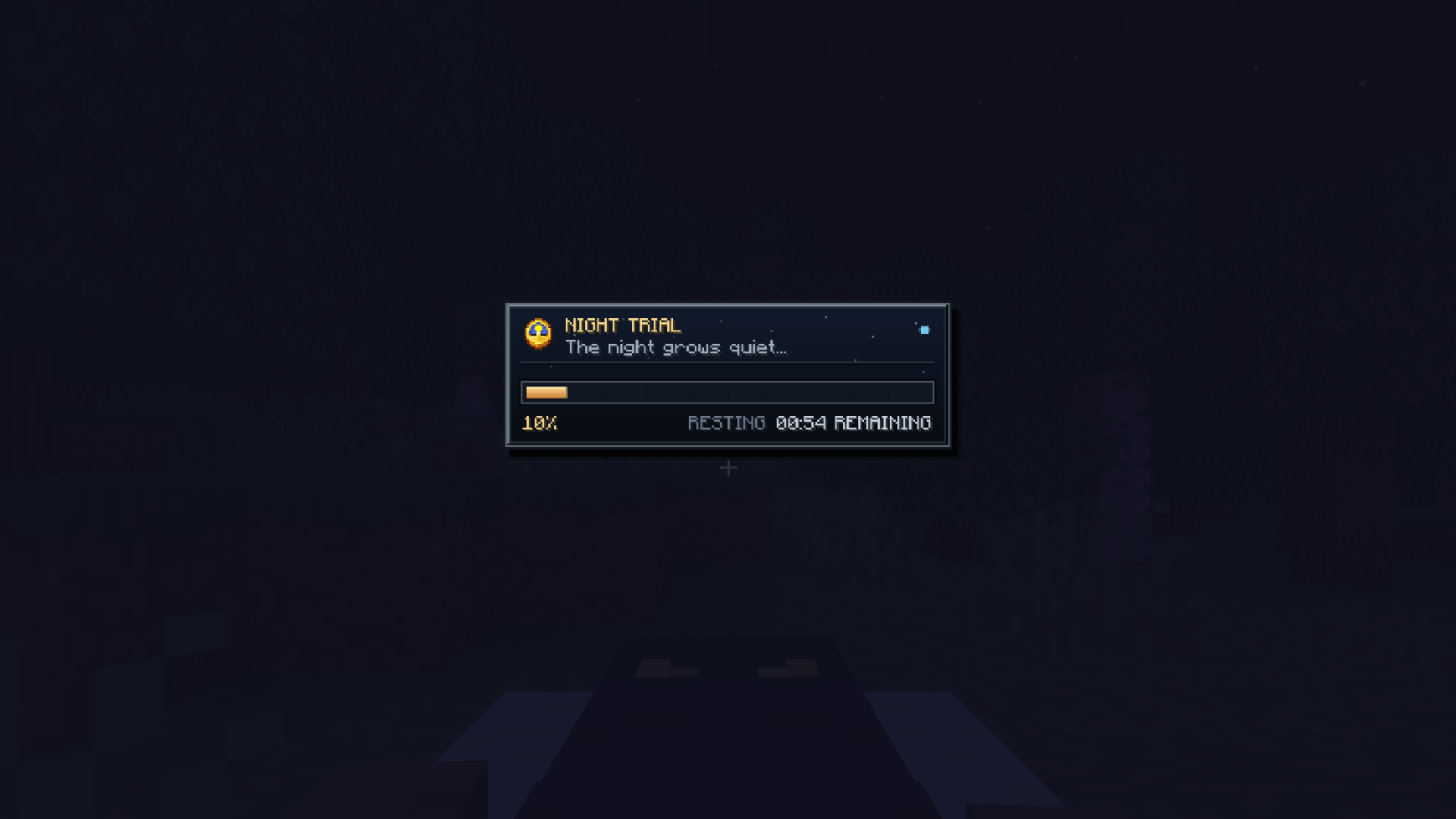
- Modern Minecraft-style sleep progress interface.
- Displays sleep percentage and remaining time.
- Adjustable HUD size and screen position.
- Support for Minecraft’s multiplayer sleeping percentage.
- Optional sleep transition messages.
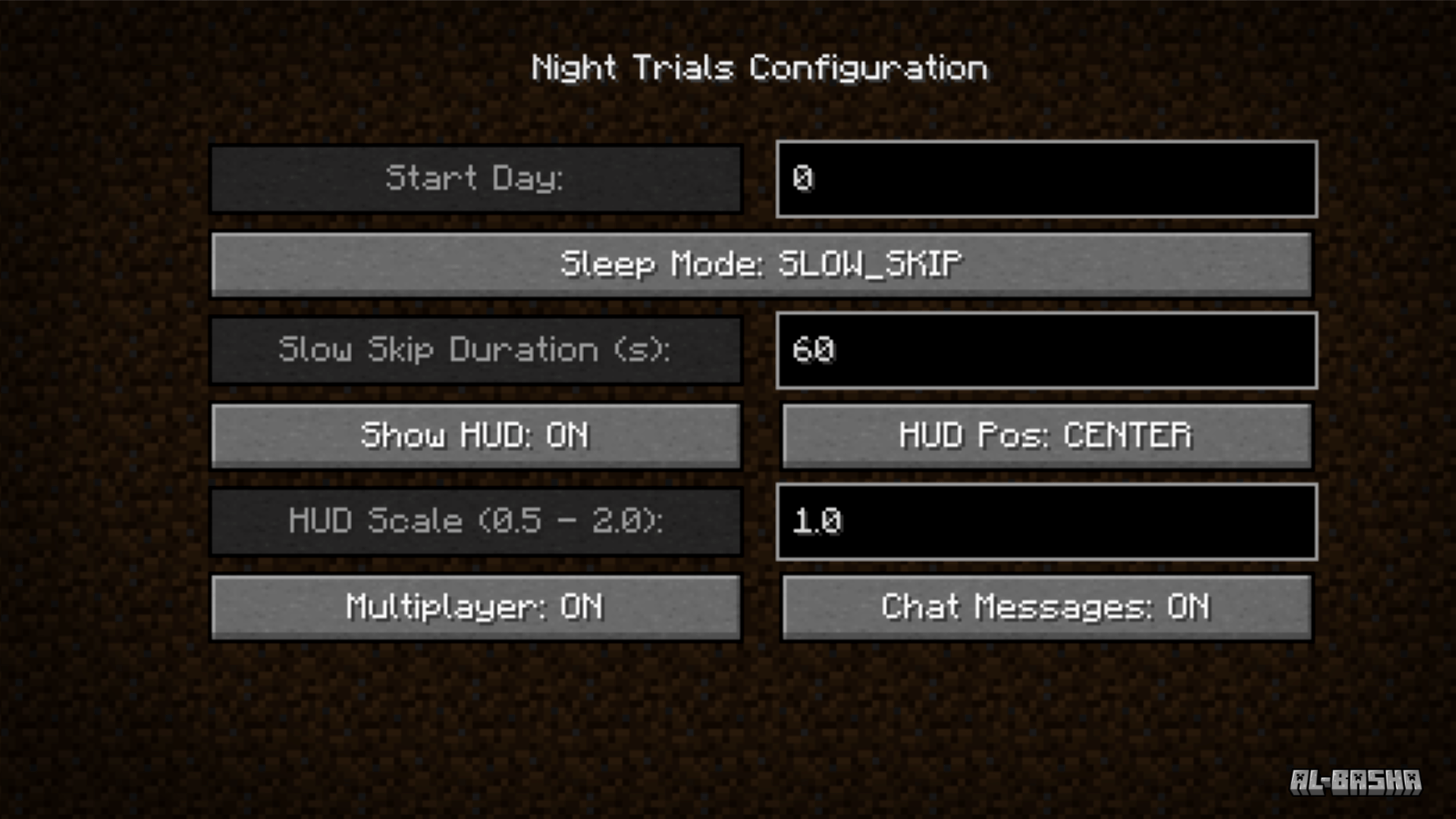
- In-game configuration screen.
Perfect For
- Hardcore survival worlds.
- Zombie apocalypse and horror modpacks.
- Long-term survival challenges.
- “100 Days” adventures.
- Players who want nights to feel dangerous and meaningful.
Configuration
All major features can be adjusted directly through the in-game configuration screen, including the activation day, sleeping mode, gradual skip duration, HUD visibility, HUD scale, HUD position, multiplayer support, and chat messages.
Night Trials requires Minecraft Forge 1.20.1.
常见问题
Night Trials 支持哪些 Minecraft 版本?
Night Trials 支持 Minecraft Java 版 1.20.1,可用的加载器:Forge。下载时注意选择和你游戏版本一致的文件。
Night Trials 怎么安装?
先用 PCL2 或 HMCL 启动器安装对应版本的 Forge,再把下载的 .jar 文件放进游戏目录的 mods 文件夹,重新启动游戏即可。开启了版本隔离的,mods 文件夹在 versions/版本名 下面。


评论
登录后评论和评分