
介绍
Right-click a shulker box in your inventory and its contents open on a chest screen. Take
things out, put things in, close it. The box never leaves your pack.
The same idea Bundle Browser has for bundles, for
the container that actually gets carried around full.
Right-Click, And Only Right-Click
Only with an empty hand, and only the right button. What that costs is picking a box up with the
right button – which the left button already does, and which nobody does on purpose: a shulker box
does not stack, so the half-a-stack that right-click exists for has never applied to one.
The Other Way Round From Bundle Browser
Bundle Browser is client-side and works on any server. This is server-side and works for any
client, including one that has never heard of it.
That is not a preference, it is the only way round that exists. Vanilla lets you click items out of
a bundle, so a client mod can drive that with ordinary clicks; nothing in vanilla takes an item out
of a shulker box that has not been placed, so there is no interaction for a client to drive and the
server has to be the one holding the box open.
What the player gets is a real container menu, not a drawn one: the chest screen they already know,
with the shulker’s own items in it, and every click is one vanilla already knows how to send.
Details Worth Knowing
- Written back on every change, not on close. A screen can end without closing – a disconnect, a
crash, a server going down – and a shulker that quietly forgot the last thing you put in it is
worse than one you could not open at all. - Any open screen’s slots, not only your own pack’s: a box sitting in an open chest opens the same
way, and stays in the chest. - No box inside a box. Vanilla’s rule, kept: the contents of an inner box stop being visible to
anything looking at the outer one. - With Chest Utils installed, boxes open on its
screen instead, and pick up the sort and tidy buttons – which a container full of somebody’s
overflow wants more than most do. Optional and reached by name, so this mod neither compiles nor
runs against it.
常见问题
Shulker Browser 支持哪些 Minecraft 版本?
Shulker Browser 支持 Minecraft Java 版 26.3,可用的加载器:Fabric。下载时注意选择和你游戏版本一致的文件。
Shulker Browser 怎么安装?
先用 PCL2 或 HMCL 启动器安装对应版本的 Fabric,再把下载的 .jar 文件放进游戏目录的 mods 文件夹,重新启动游戏即可。开启了版本隔离的,mods 文件夹在 versions/版本名 下面。
justfatlard 的其他作品
查看全部 →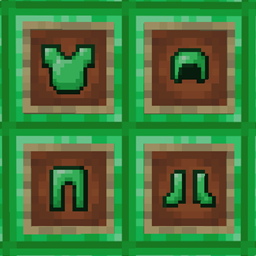
Emerald Armor – pandorical
用绿宝石块制作的钻石级护甲
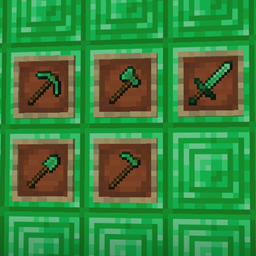
Emerald Tools – pandorical
用绿宝石块制作钻石级工具

Pandorical lib
为 Fabric 提供客户端桥接,让客户端支持由服务器驱动的界面、内容和渲染。

Quartz Armor
添加由平滑石英制成的盔甲
评论
登录后评论和评分