Radio Works
Radio consoles and wireless speakers that play internet radio or your own songs.
截图
介绍
Radio Works Updated Description as of 11/1/2026:
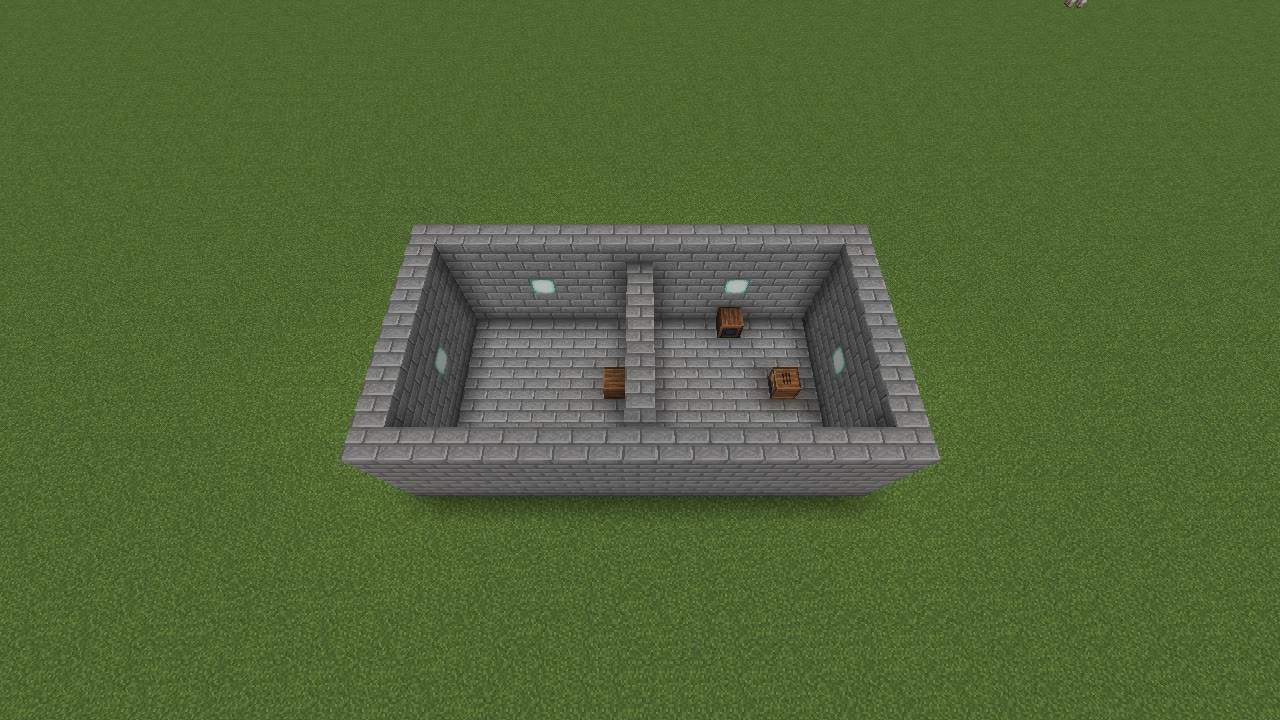
Radio consoles and wireless speakers. Tune a Radio Console to an internet radio station or a song, and every speaker on its channel plays along from its own spot in the world. Walk from room to room and the music comes from the speakers around you. With Sound Physics Remastered it’s muffled through walls and echoes in big rooms.
No wires, no power. Pick a channel and play.
Features
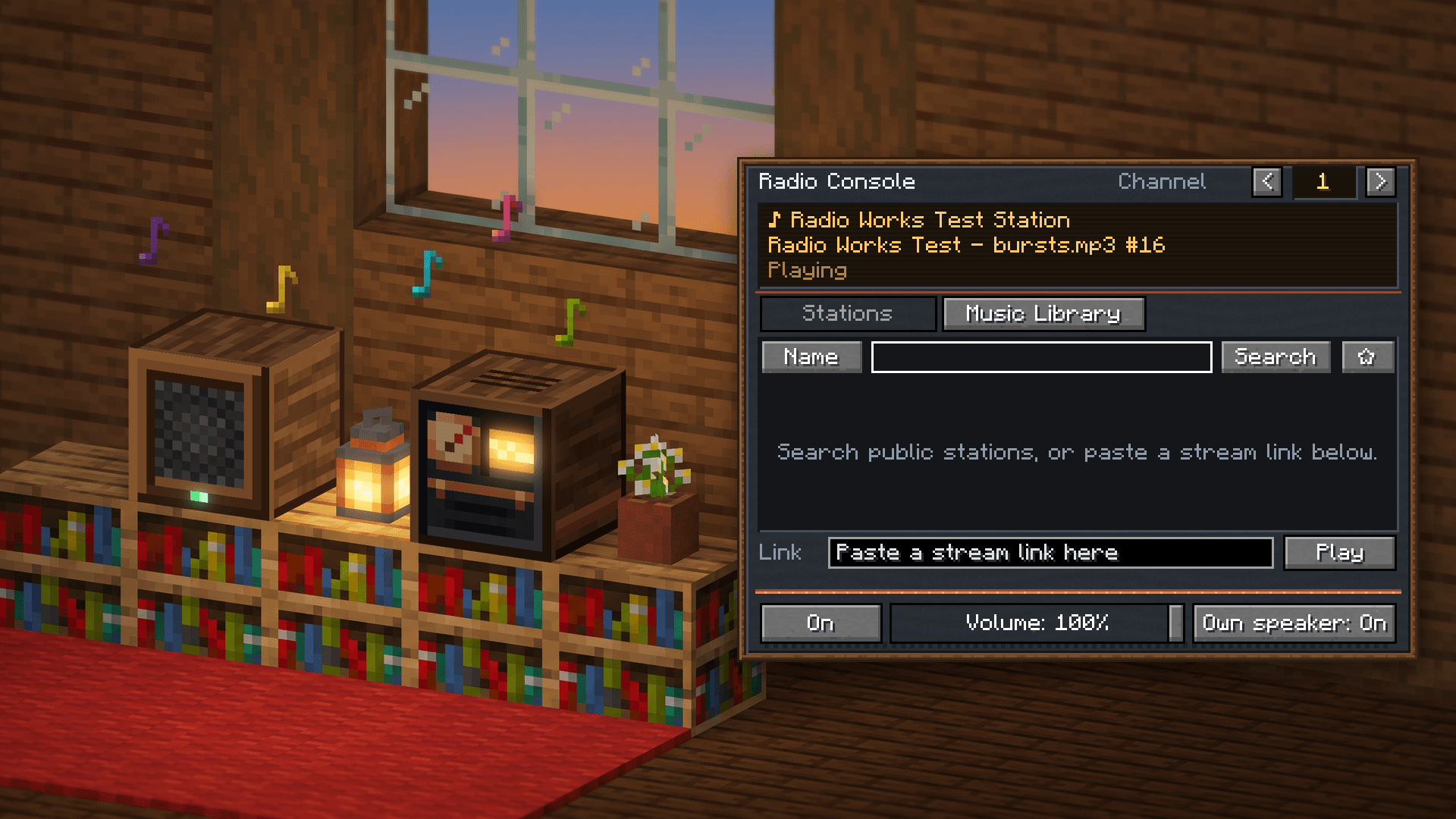
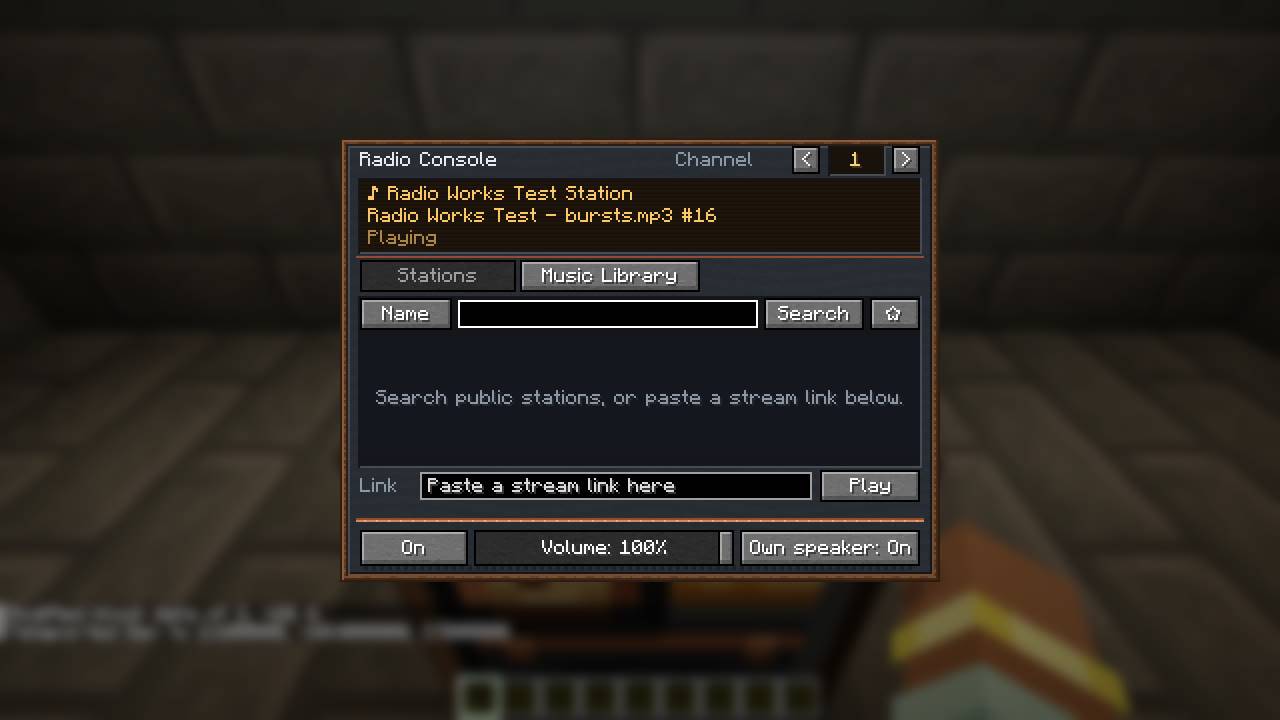
- Radio Console: search thousands of free public stations by name, place or genre. Keep favourites, or paste a station’s stream link. The screen shows the station and, when the station sends them, the song and artist.
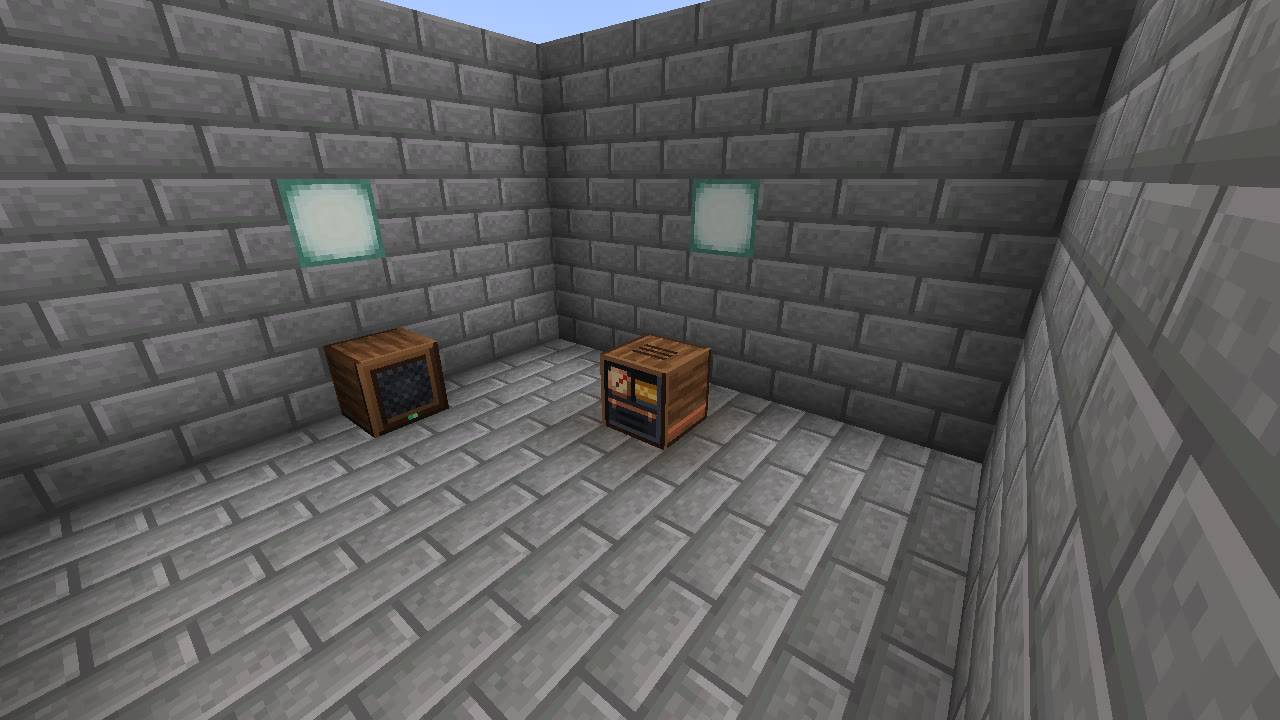
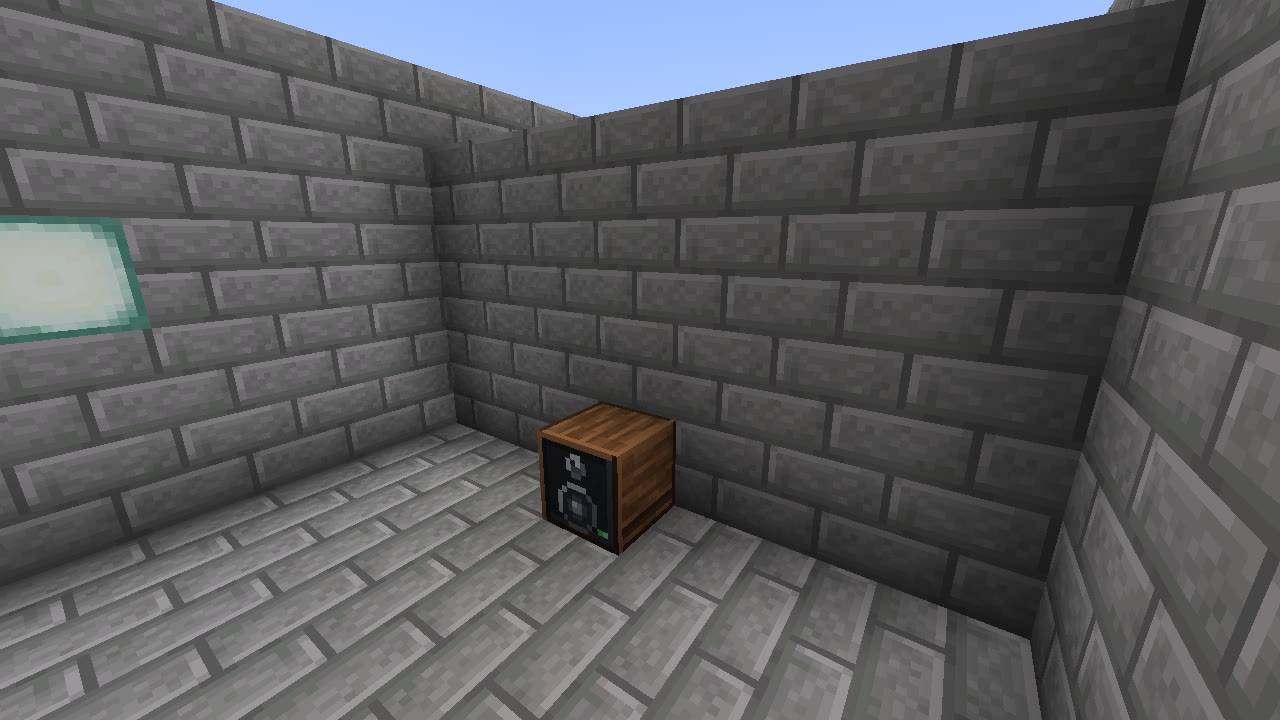
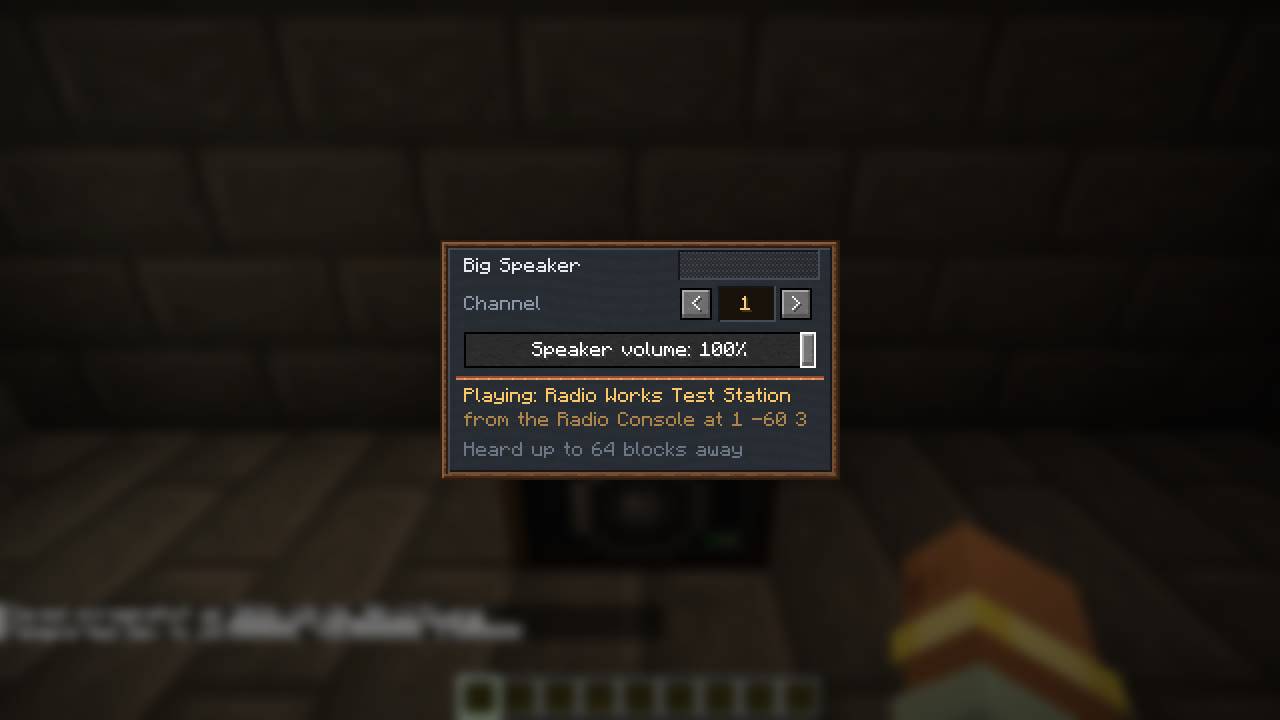
- Speaker and Big Speaker: set a channel (1 to 16) and a volume. A speaker plays the nearest Radio Console on its channel: within 64 blocks for the Speaker, 128 for the Big Speaker, in the same dimension.
- Real positional sound: each speaker is its own sound in the world. It gets quieter as you walk away (up to 32 blocks for a Speaker, 64 for a Big Speaker) and comes from the right direction.
- Speakers stay in step: all speakers playing one station share one connection and one decoder, so two speakers never echo each other.
- Muffled through walls: with Sound Physics Remastered, walls muffle the music and stone rooms echo. Without it, Radio Works muffles speakers behind walls itself: quieter and duller (you can change the strength or turn it off).
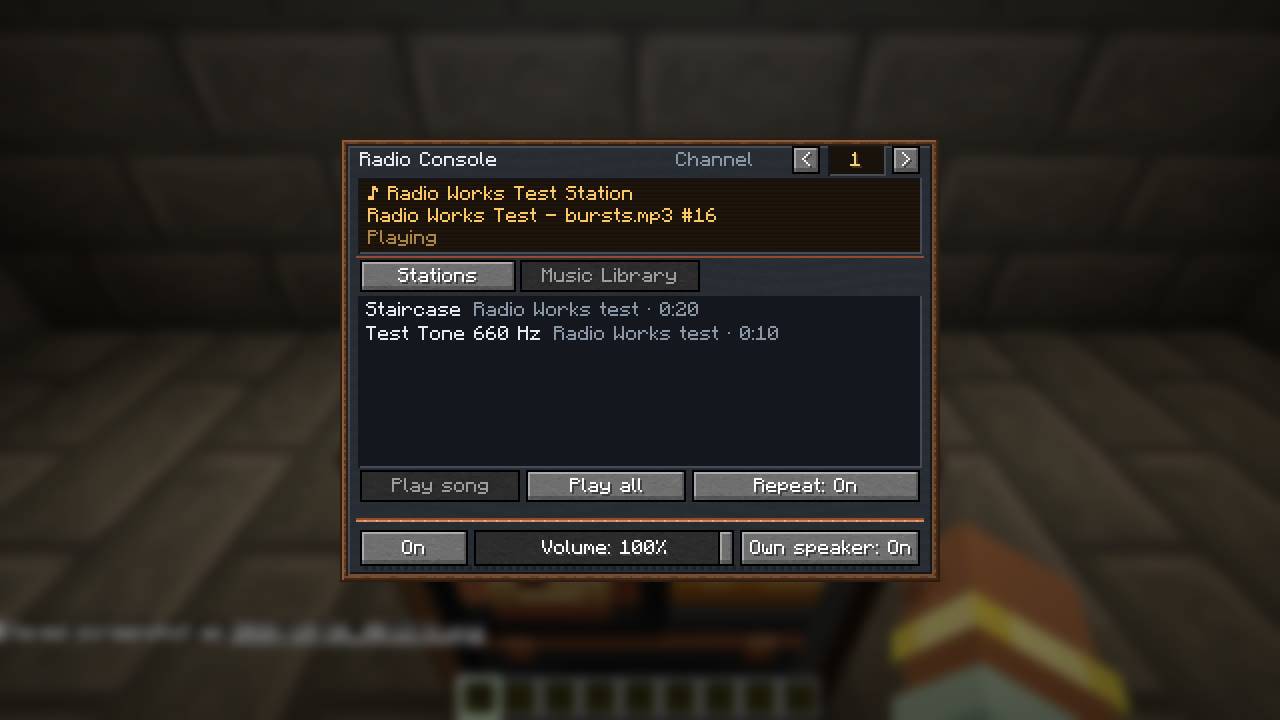
- Music Library: play songs that a resource pack provides. Modpacks and servers can ship their own music this way (see “Add your own songs” below). Library songs play in sync for everyone on a server.
- Redstone: a signal switches the console on and off. A comparator reads 15 while it plays, 0 when it’s off.
- Survives a bad connection: when a station drops, Radio Works reconnects by itself, waiting a bit longer each time.
- Plain messages: when a station can’t play, the console says why (“this station streams AAC”, “that link is a web page, not a stream”, and so on).
Blocks and recipes
All three recipes use vanilla items. Modpacks can swap them with KubeJS or a datapack.
| Block | Recipe |
|---|---|
| Speaker | note block, 4 copper ingots, iron ingot, 3 wool |
| Big Speaker | 2 Speakers and an iron block (in a column) |
| Radio Console | Speaker, redstone, copper ingot, amethyst shard, glass pane |
What plays
- Internet radio: public MP3 and Ogg Vorbis streams (the common Icecast and Shoutcast kind). The station search uses the free directory radio-browser.info and lists only MP3 and OGG stations that were online at its last check.
- Not yet: AAC and HLS stations (coming in 1.1), Ogg Opus and FLAC. The console says so plainly.
- Never: Radio Works doesn’t get around a station’s sign-in, token or app-only stream. No Spotify, no YouTube.
- Each player’s game plays the stream itself. The server only tells everyone which station a console is on, so it uses no bandwidth. Live radio can be a few seconds apart between two players; library songs are in sync.
Add your own songs (Music Library)
Put Ogg Vorbis files in a resource pack:
<your pack>/
  pack.mcmeta
  assets/<namespace>/radioworks/music/<song>.ogg
  assets/<namespace>/radioworks/music.json      (optional: titles, artists, order)
<namespace> is any lower-case name of your own, e.g. mypack. File names: lower case, no spaces. music.json is optional; without it, titles come from the file’s tags or its name:
{
  "songs": [
    { "file": "sunrise", "title": "Sunrise", "artist": "Me" },
    { "file": "night_drive" }
  ]
}
- Any sample rate, mono or stereo (stereo is mixed to mono, because each speaker is one point in the world). Up to 64 MB per file and 512 songs in total.
- Every player needs the pack (a modpack, or the server’s resource pack). A player without a song sees “Song not in your resource packs” and the others aren’t affected.
- On the console: Music Library tab, then Play song, Play all and Repeat.
Settings
Your own (Options → Mods → Radio Works → Config): – Play radio streams (on). Off: stations stay silent for you; library songs still play. – Radio volume. Speakers play on the Jukebox/Note Blocks volume slider, times this setting. (NeoForge 1.21.1 can’t add a new slider to Music & Sounds.) – Speakers heard at once (4, from 1 to 6): Minecraft has only a few sound slots for music, so you hear the nearest ones and the rest wait until you get closer. – Basic muffling on or off, and its strength (only used without Sound Physics Remastered).
Server (serverconfig/radioworks-server.toml in the world folder): – Who may change consoles and speakers: everyone, the player who placed it and ops (default), or ops only. – An optional allow-list of stream hosts. – Range and hearing distance for each speaker type, and the most speakers per console.
Privacy
Radio Works connects to two kinds of places, and only these: – radio-browser.info, when you search for a station (it gets your search words); – the station a console is tuned to, while you’re near one of its speakers or have the console open.
Nothing about you or your game is sent anywhere. The first time a stream plays, chat says that it connects to the station’s server and how to turn streams off. Stream links into your own PC or home network are refused unless you allow them in the advanced settings.
Requirements
- Minecraft 1.21.1 with NeoForge 21.1.200 or newer. Java 21.
- Install it on both the client and the server.
- Optional: Sound Physics Remastered for muffling through walls and room echo. Radio Works makes sure Sound Physics re-checks every playing speaker, so it works with Sound Physics’ default settings.
A Forge build may come later. Fabric isn’t planned.
FAQ
I hear nothing. Check the console says “Playing”, that the speaker is on the same channel (its screen says “Playing: …”), that the Jukebox/Note Blocks slider isn’t at 0, and that “Play radio streams” is on.
Why do some stations listed as OGG not play? Many of them really stream Ogg Opus or FLAC. The console says so; pick another station.
Can I use it in my modpack? Yes.
Does it work on servers? Yes. Install it on the server and on every player’s game.
Credits and licenses
Made by DecayPlay. All code and art are original; All Rights Reserved, modpacks allowed.
Radio Works contains JLayer 1.0.1.4 (MP3 decoding), unmodified, as a separate library inside the mod jar. JLayer is licensed under the GNU LGPL 2.1; its license text is in the jar (META-INF/licenses/) and its source is at http://www.javazoom.net/javalayer/sources.html. Ogg Vorbis decoding uses JOrbis, which comes with Minecraft.
The station directory is radio-browser.info, a free community project.
This mod, along with all my other mods, is created using AI tools. I develop the ideas, make the design decisions—including what the mod does, how it functions, and how it is balanced—and test every version in-game before release. The code, textures, and art are all generated with AI tools. I carefully review every bug report and suggestion, which directly influence future updates. Due to time constraints, I rely on AI tools to assist in development. If you are opposed to AI-generated mods, this mod may not be suitable for you. I hold the copyright for all images and artwork used in my mods. At this time I also have enabled comments on all of Mod pages If you want to leave any feedback or any ideas you can use this GitHub repository to make a issue slash idea, It will be used for bugs features from you And feedback https://github.com/tyler919/mods/issues
常见问题
Radio Works 支持哪些 Minecraft 版本?
Radio Works 支持 Minecraft Java 版 1.21.1,可用的加载器:NeoForge。下载时注意选择和你游戏版本一致的文件。
Radio Works 怎么安装?
先用 PCL2 或 HMCL 启动器安装对应版本的 NeoForge,再把下载的 .jar 文件放进游戏目录的 mods 文件夹,重新启动游戏即可。开启了版本隔离的,mods 文件夹在 versions/版本名 下面。
DecayPlay 的其他作品
查看全部 →
colossal quarry
A 5x5x5 multiblock quarry that really mines: a moving drill gantry, upgrades, any pipe or cable, and its own Coal Generator.
Colossal Furnace
A 6x6x6 add-on furnace for Jumbo Furnace that smelts up to 1,728 items at once and upgrades through five tiers.
Colossal Apiary
A giant Productive Bees apiary: up to 2,048 bees inside, a built-in centrifuge, raw ore straight out, and upgrades up to x32.

XP Works
Liquid Experience you can store and pipe, Experience Tanks that join into one big tank, and a Drain that soaks up XP. NeoForge and Forge 1.21.1
评论
登录后评论和评分