
Devil Jars HUD
作者:DudeGuierton
Replaces the standard HUD UI with a new experience, inspired by a popular RPG.
截图


介绍
中文介绍正在准备中,下面暂时显示原文。
Summary
Replaces the standard HUD UI with a new experience. Inspired by a popular RPG, this new design captures the feel of minecraft, but in a whole new way.
Features
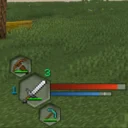
While some elements of the HUD stays the same, the main changes are to the health and food levels displayed for the player.
- The hearts and ham-shanks have been removed, and instead there are themed half “globes” to the left and right of the hotbar.
- The globes operate as health and hunger bars or meters, filling from bottom to top depending on the players condition.
- On the left is the health globe and is accompanied by a depiction of the Ender dragon.
- On the right is the hunger globe, reminiscent to a “mana” or “resource” indicator other games might use. This globe is presented with our dear friend, the Iron Golem.
- The hunger globe also offers the added effect of displaying saturation as a yellow trim around the inside.
- The health and hunger globes also change color depending on if the player is effect by various statuses like poison, hungered, or withered.
- Backing the hotbar is a static set piece resembling black stone to tie the custom UI elements and vanilla UI elements together.
常见问题
Devil Jars HUD 支持哪些 Minecraft 版本?
Devil Jars HUD 支持 Minecraft Java 版 1.21.1,可用的加载器:NeoForge。下载时注意选择和你游戏版本一致的文件。
Devil Jars HUD 怎么安装?
先用 PCL2 或 HMCL 启动器安装对应版本的 NeoForge,再把下载的 .jar 文件放进游戏目录的 mods 文件夹,重新启动游戏即可。开启了版本隔离的,mods 文件夹在 versions/版本名 下面。

评论
登录后评论和评分