
Unstable SMP Death Sound
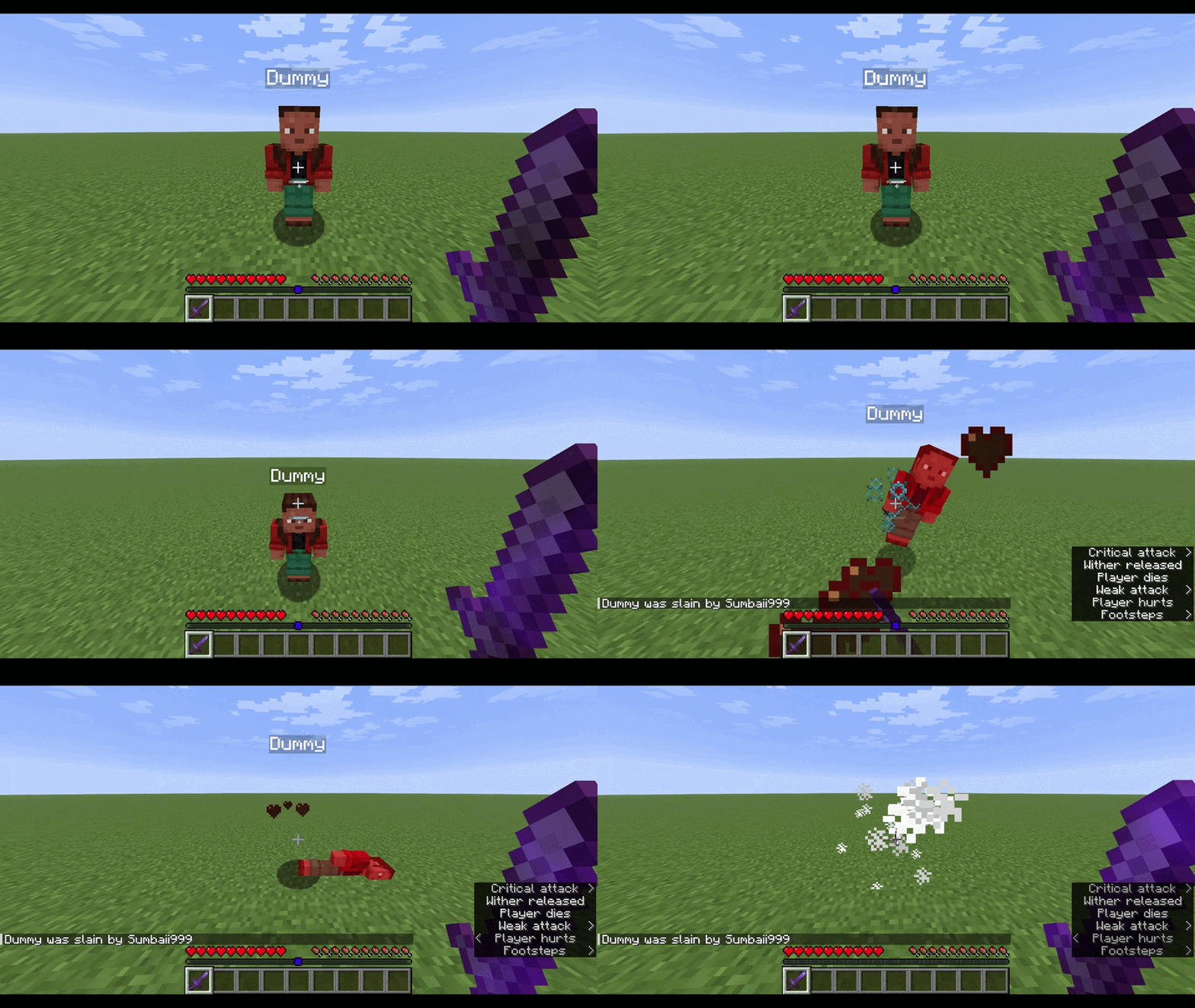
Plays the Unstable SMP death sound effect (Wither Released) whenever a player dies.
截图
介绍
Unstable SMP Death Sound
Bring the Unstable SMP experience into your own world or server!
This datapack/mod adds the iconic Wither Released sound effect whenever a player dies — and optionally when they kill a mob.
✅ Compatible with Vanilla, Paper, Spigot, Bukkit servers (via datapack)\
✅ Mod versions for Forge, Fabric, NeoForge, Quilt\
✅ Works in singleplayer worlds\
✅ Easy scoreboard‑based configuration
⚙️ Configuration & Defaults
Defaults → Sound: Enabled, Mob Death Sound: Disabled, Sound Radius: Global
| Setting | Default | Description | Commands |
|:————:|:———–:|—————–|—————|
| Enable sound | 1 (enabled) | Master switch that determines whether the Wither death sound system is active. | Enable → /scoreboard players set #sound_toggle usmp_ds.config 1
Disable → /scoreboard players set #sound_toggle usmp_ds.config 0 |
| Play sound on mob death | 0 (disabled) | Controls whether mob kills also trigger the Wither sound in addition to player deaths. | Enable → /scoreboard players set #mob_toggle usmp_ds.config 1
Disable → /scoreboard players set #mob_toggle usmp_ds.config 0 |
| Sound radius | 0 (global playback) | Defines how far the sound travels. 0 plays it to all players; any positive number limits playback to players within that radius (in blocks). | Global → /scoreboard players set #sound_radius usmp_ds.config 0 Example → /scoreboard players set #sound_radius usmp_ds.config 30 |
| Reset to defaults | N/A | Restores all settings to their original values (sound enabled, mob kills disabled, global playback). | /function usmp_ds:reset |
📦 Installation
🧩 For Datapacks
- Download the
.zipfile from Modrinth. - Place it inside your world folder (works for both Singleplayer worlds and Multiplayer servers):
world/datapacks/ - Run
/reloadin-game to activate the datapack. - Configure using the scoreboard commands listed above.
⚙️ For Mods
- Download the
.jarfile from Modrinth. - Place it in your Minecraft
modsfolder:
- Windows:
%appdata%/.minecraft/mods - macOS/Linux:
~/.minecraft/mods
- Launch Minecraft.
- The mod will automatically load with the same configuration system as the datapack.
💡 Tip: Both the datapack and mod versions share identical configuration commands — you can use the same scoreboard settings no matter which format you choose.
🗑️ Uninstall
To completely remove Unstable SMP Death Sound, always run the uninstall function first before deleting any files. This ensures all scoreboard values and storage are properly cleaned up.
- Run the uninstall function in‑game to clear all configuration data and scoreboard values:
/function usmp_ds:uninstall - After running the command:
- If you installed the datapack, remove it from your
world/datapacks/folder. - If you installed the mod, delete the
.jarfile from yourmodsfolder.
- Restart or run
/reloadto finalize removal.
⚠️ Important: Skipping the uninstall function may leave scoreboard entries or storage data behind in your world.
❓FAQ
Can I install this on a server (Paper, Spigot, Bukkit, Vanilla, etc.)?
Yes! The datapack version works perfectly on vanilla servers and popular server software like Paper, Spigot, and Bukkit. Just go to your server’s files and drop the datapack into the world/datapacks/ folder, and run the /reload command in-game to apply it.
Does it work in singleplayer?
Absolutely. Both the datapack and mod versions can be used in singleplayer.\
👉 Note: In singleplayer, mob death sounds are disabled by default. To hear them, run:
/scoreboard players set #mob_toggle usmp_ds.config 1
Do I need to download this on my client too?
No. All functionality runs server-side, so nothing is required on the client.
How do I configure the sounds?
Use the commands listed in the Configuration & Defaults section.
Check out my other mods here.
常见问题
Unstable SMP Death Sound 支持哪些 Minecraft 版本?
Unstable SMP Death Sound 支持 Minecraft Java 版 1.15–26.2,共 42 个版本,可用的加载器:Fabric / Forge / NeoForge / Quilt。下载时注意选择和你游戏版本一致的文件。
Unstable SMP Death Sound 怎么安装?
先用 PCL2 或 HMCL 启动器安装对应版本的 Fabric / Forge / NeoForge / Quilt,再把下载的 .jar 文件放进游戏目录的 mods 文件夹,重新启动游戏即可。开启了版本隔离的,mods 文件夹在 versions/版本名 下面。运行环境:客户端 / 服务端。
Sumbaii999 的其他作品
查看全部 →
Craftable Elytra
为鞘翅添加了合成配方!

Craftable Chainmail Armor
Craft chainmail armor with chains!

Craftable Name Tag
Backports the name tag recipe added in Minecraft 26.1!

Craft More Chains
Increases the output of the chain recipe, giving 2 chains per craft instead of 1.
评论
登录后评论和评分