
FPS Mode Forge
Press F8 to switch to a low-graphics profile and freeze animated textures for more FPS. Press F8 again to restore your settings. Client-side only, no resource reload, never touches render distance.
介绍
FPS Mode Toggle
One key. More FPS. Fully reversible.
FPS Mode Toggle is a lightweight, client-side performance mod. Press F8 to switch your game to a low-graphics profile and freeze animated textures. Press F8 again and your original settings come back exactly as they were.
Minecraft 1.20.1 · Forge 47+ · Client-side only
⚡ What it does when you press F8
Graphics settings
- Graphics set to Fast
- Clouds off
- Entity shadows off
- Ambient Occlusion (smooth lighting) off
- Mipmap levels set to 0
- Biome blend set to 0
- Entity render distance reduced to 10%
- VSync off, framerate limit set to unlimited
Particles
- Particles set to Minimal
- Large explosion particle effects are removed while the mode is on. This is the visual effect only. Explosion damage and world simulation are not changed.
Animated textures
- Frame animations in the block and item texture atlases are frozen: water, lava, fire, portals and animated textures from other mods.
- It works without a resource reload, so there is no loading screen when you press F8.
- It works on its own. You don’t need Embeddium or any other optimization mod.
🔁 Fully reversible
- Your original settings are saved to
config/fpsmode-original.propertiesbefore anything changes. - Press F8 again to restore all of them and bring animated textures back.
- If you close the game while the mode is on, it re-applies itself on the next launch. Press F8 to turn it off.
🛡️ Safe by design
- Never changes render distance, simulation distance or chunk loading. Your world view stays as you set it.
- Does not touch world files and does not affect gameplay.
- Client-side only. It is not needed on servers and can be used on any server.
- If you update from an older version that changed chunk distances, the old values are restored once automatically.
- The F8 key can be rebound in Controls → FPS Mode.
📦 Installation
- Install Minecraft Java 1.20.1 with Forge 47.x and Java 17.
- Put the
.jarin yourmodsfolder. - Remove any older version so Forge doesn’t load two copies.
- Press F8 in game.
❗ Good to know
- It lowers rendering load, but it does not change chunk settings, Java memory (heap) or server performance. Memory savings will be modest.
- Frozen textures stop animated textures only. Entity movement, block entity models and other animated models, such as Create gears, are not affected.
- Some mod textures may look static while the mode is on.
- Explosion effects from other mods may still appear if they use different particle types.
- With VSync off, you may see screen tearing on some monitors. Press F8 again to restore your original setting.
🔓 Open Source
Released under the MIT license. Source code is available at: https://github.com/yaseenmg/FPS-Mode-Forge
常见问题
FPS Mode Forge 支持哪些 Minecraft 版本?
FPS Mode Forge 支持 Minecraft Java 版 1.20.1,可用的加载器:Forge。下载时注意选择和你游戏版本一致的文件。
FPS Mode Forge 怎么安装?
先用 PCL2 或 HMCL 启动器安装对应版本的 Forge,再把下载的 .jar 文件放进游戏目录的 mods 文件夹,重新启动游戏即可。开启了版本隔离的,mods 文件夹在 versions/版本名 下面。
Yaseen_MG 的其他作品
查看全部 →
Dual Inventory
Get rid of the single-stock obstacle
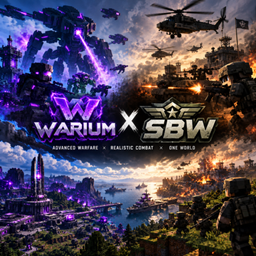
Superb Warfare & Warium
Bridge between Warium and Superb Warfare: Warium aircraft, drones and missiles become valid SBW air-defense targets, with IFF, tracking, threat response, optional EW jamming and a CC:Tweaked radar console.

warium_invasion
Warium's machines hunt you down: rare roaming robots, periodic air raids and massive 80-unit invasion waves. Fully configurable, with more Warium structures to find

NPC Mind
NPC Mind is an open-source AI framework for Minecraft Forge 1.20.1, enabling mod developers to build intelligent NPCs with AI-driven behavior, task execution, memory, and extensible tools through a reusable API.
评论
登录后评论和评分