Custom-chat
作者:GidexPlayYT
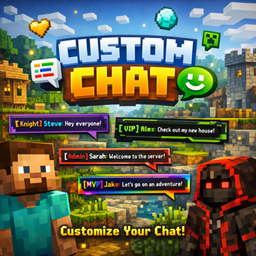
Customizable centered chat with player heads, custom nicknames, colored names, message history and F7 settings GUI
介绍
中文介绍正在准备中,下面暂时显示原文。
# Custom Chat Mod A fully customizable chat mod that displays messages in the center of your screen with player heads and colored nicknames. —
✨ Features
💬 Centered Chat Messages appear in the center of your screen instead of the corner. Clean and easy to read!
🖼️ Player Heads Shows player and NPC heads next to each message for better visibility.
✏️ Custom Nicknames Change your display name in chat without changing your actual username. – `/chatname YourName` – Set custom nickname – `/chatname reset` – Reset to default
🎨 Colored Names Customize your nickname color with 14 available colors. – `/chatcolor gold` – Change to gold – `/chatcolor aqua` – Change to aqua
🎛️ Settings GUI (F7) Press **F7** to open settings: – Drag and drop chat position anywhere on screen – Toggle player heads on/off – Set message display duration – Reset to defaults
⌨️ Message History Use **↑** and **↓** arrow keys to recall previously sent messages, just like vanilla Minecraft!
📝 TAB Completion Press **TAB** to auto-complete commands. Works exactly like vanilla!
📁 Config Files All settings are saved in `.minecraft/custom-chat-mod/` – `config.json` – Main settings – `heads.json` – Custom NPC heads — ## 🎮 Commands | Command | Description | |———|————-| | `/chatname ` | Set custom nickname | | `/chatname reset` | Reset nickname | | `/chatcolor ` | Change name color | | `/clearchat` | Clear chat history | —
🎨 Available Colors `red` `dark_red` `blue` `aqua` `green` `dark_green` `yellow` `gold` `purple` `light_purple` `gray` `dark_gray` `white` `black` —
⌨️ Keybinds | Key | Action | |—–|——–| | **T** | Open chat | | **F7** | Open settings (customizable) | | **↑ / ↓** | Message history | | **TAB** | Command completion | | **Enter** | Send message | | **Esc** | Close chat | —
🖼️ NPC Heads Configure custom heads for NPCs in `heads.json`: “`json { "Trader": "MHF_Villager", "Guard": "MHF_Steve", "System": "MHF_Question" }
常见问题
Custom-chat 支持哪些 Minecraft 版本?
Custom-chat 支持 Minecraft Java 版 1.19.2,可用的加载器:Forge。下载时注意选择和你游戏版本一致的文件。
Custom-chat 怎么安装?
先用 PCL2 或 HMCL 启动器安装对应版本的 Forge,再把下载的 .jar 文件放进游戏目录的 mods 文件夹,重新启动游戏即可。开启了版本隔离的,mods 文件夹在 versions/版本名 下面。
评论
登录后评论和评分