
multi skin
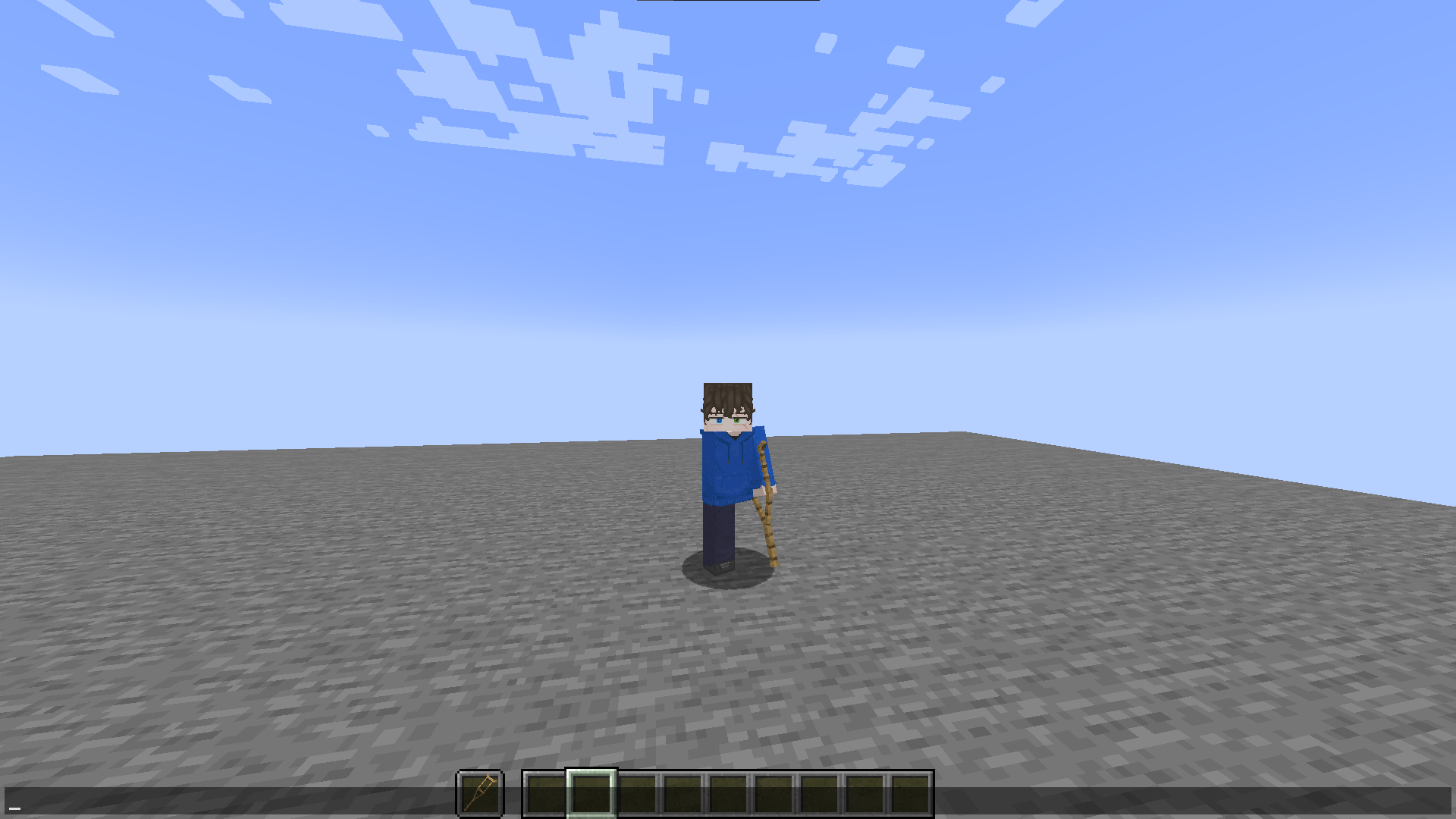
allows you to set and use a custom skin HD or otherwise, from a URL or a local file
截图
介绍
Multi-Skin
A Fabric mod for Minecraft 1.21.1 that adds custom skins, body part management, and player size adjustment.
Skins
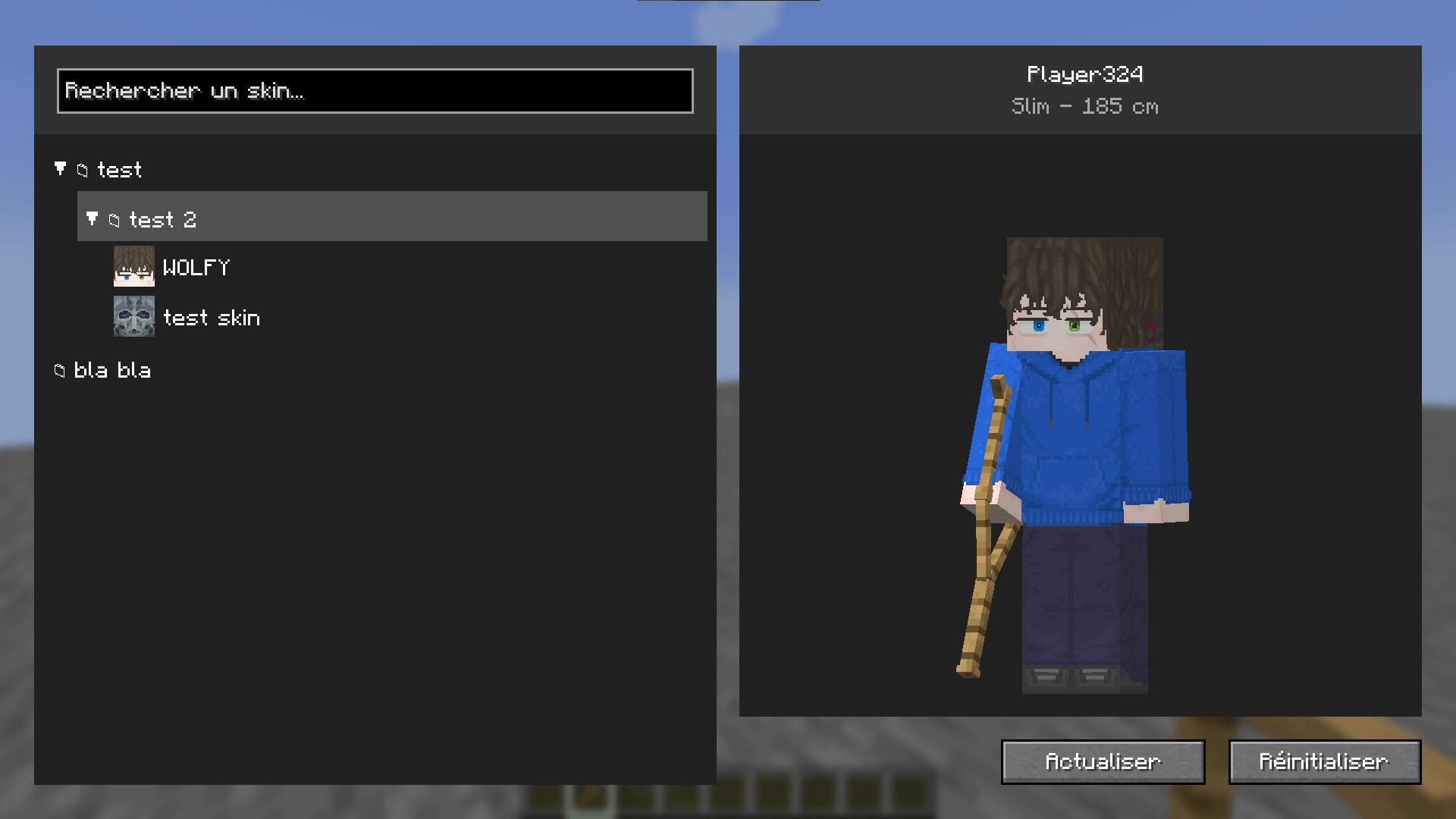
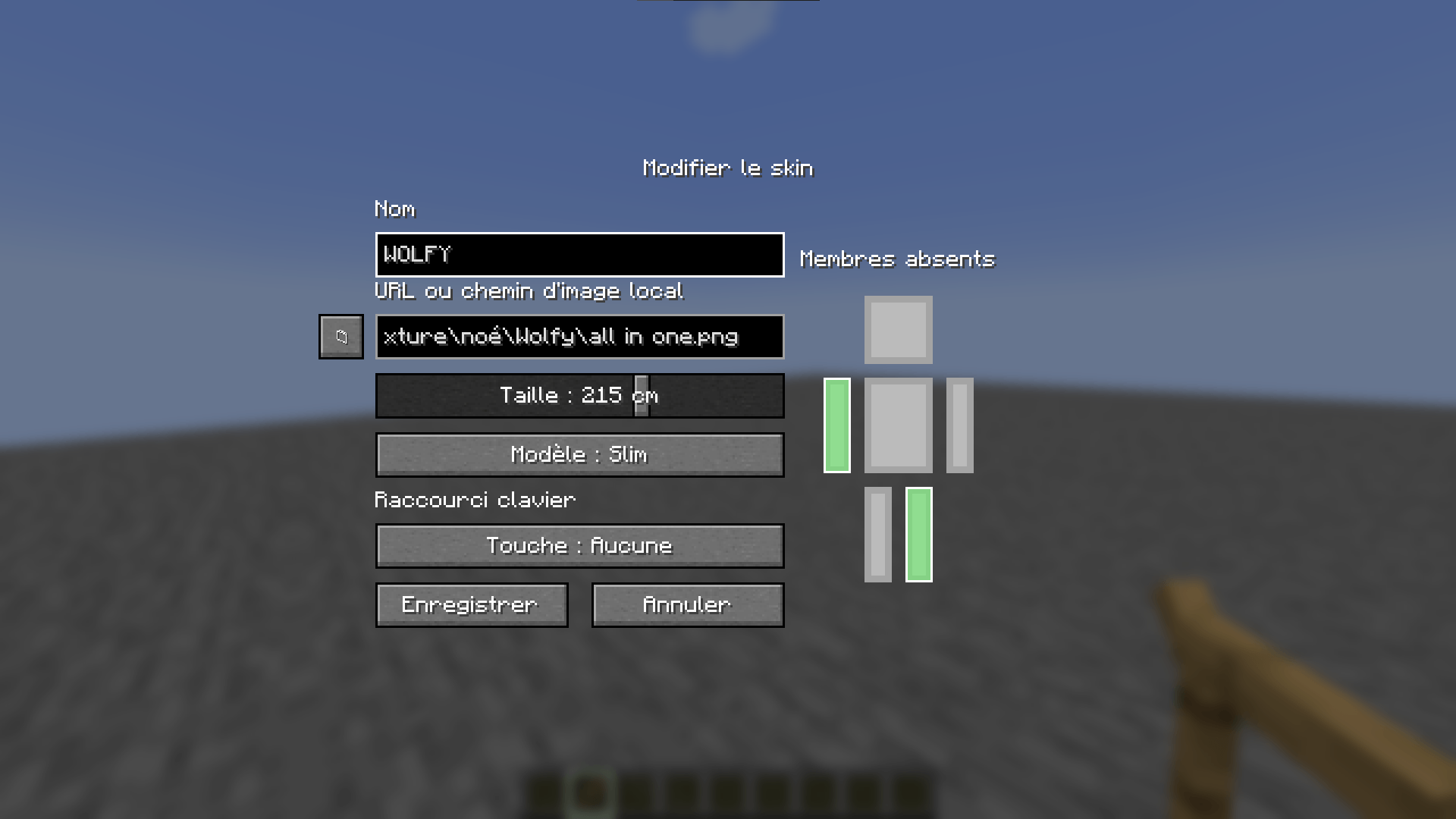
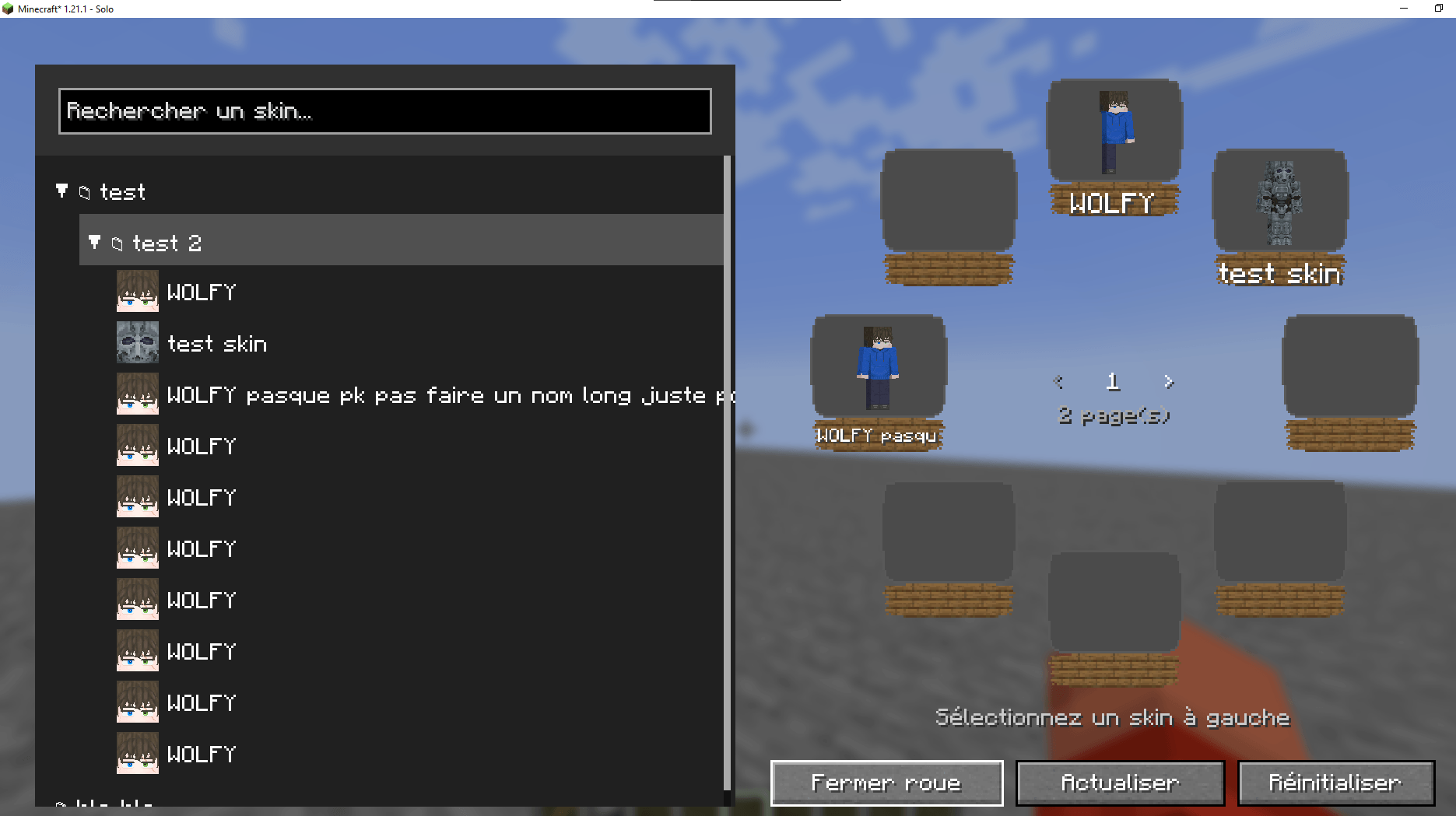
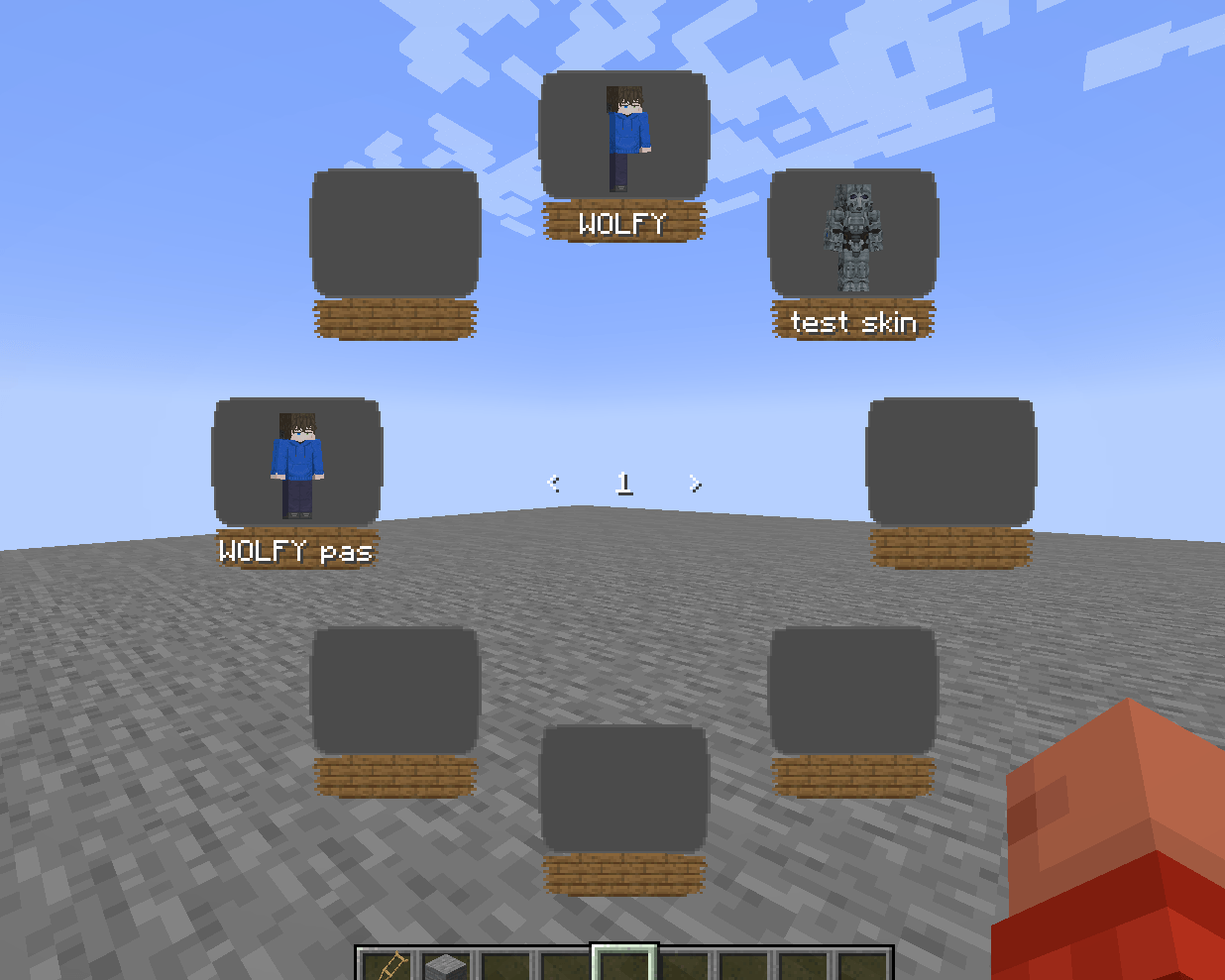
Open the skin menu by pressing F12. It allows you to create, edit, duplicate, and delete skins, organize them into folders, and customize their model (slim or steve), size, and hidden body parts. Skin images can be loaded from a URL or a local file.
The local skin library is stored in multi-skin/skins/ inside the game directory. Player height can be set between 50 and 300 cm, with a default value of 185 cm.
Skin commands apply to the player executing them:
/skin slim <url> [size_in_cm]
/skin steve <url> [size_in_cm]
/skin reset
Operators can also apply or reset skins for other players:
/skinadmin <players> slim <url> [size_in_cm]
/skinadmin <players> steve <url> [size_in_cm]
/skinadmin <players> reset
Body Parts
Operators can hide or restore players’ arms and legs. The selected body parts configured in a skin are applied along with that skin.
/bodypart remove <players> arm right
/bodypart add <players> leg left
/bodypart reset <players>
Player Size
Player size changes the player’s scale. Operators can configure how size affects movement speed and reach using the following commands:
/multiskinconfig get
/multiskinconfig size speed <coefficient>
/multiskinconfig size reach <coefficient>
/multiskinconfig reload
Coefficients range from 0.0 to 2.0. The configuration is stored in config/multi-skin/config.json.
The maximum allowed skin image size can be configured separately. Operators can choose a limit of 64, 128, 256, 512, or 1024 pixels:
/multiskinconfig skin size <64|128|256|512|1024>
/multiskinconfig get skin size
The selected limit also allows all smaller supported sizes. For example, a limit of 512 accepts skins at 64×64, 128×128, 256×256, and 512×512.
The default limit is 1024. The configuration is stored in config/multi-skin/config.json.
Installation
Requires Minecraft 1.21.1, Fabric Loader, Fabric API, Java 21 or later, and Pehkui 3.8.3 or later.
Place the mod’s .jar file and its dependencies in the mods folder of your Fabric installation.
常见问题
multi skin 支持哪些 Minecraft 版本?
multi skin 支持 Minecraft Java 版 1.21.1,可用的加载器:Fabric。下载时注意选择和你游戏版本一致的文件。
multi skin 怎么安装?
先用 PCL2 或 HMCL 启动器安装对应版本的 Fabric,再把下载的 .jar 文件放进游戏目录的 mods 文件夹,重新启动游戏即可。开启了版本隔离的,mods 文件夹在 versions/版本名 下面。

评论
登录后评论和评分