
MoreChat
Adds more chat features like autochat, prefix/suffixes, username highlight and clear chat.
截图
介绍
MoreChat
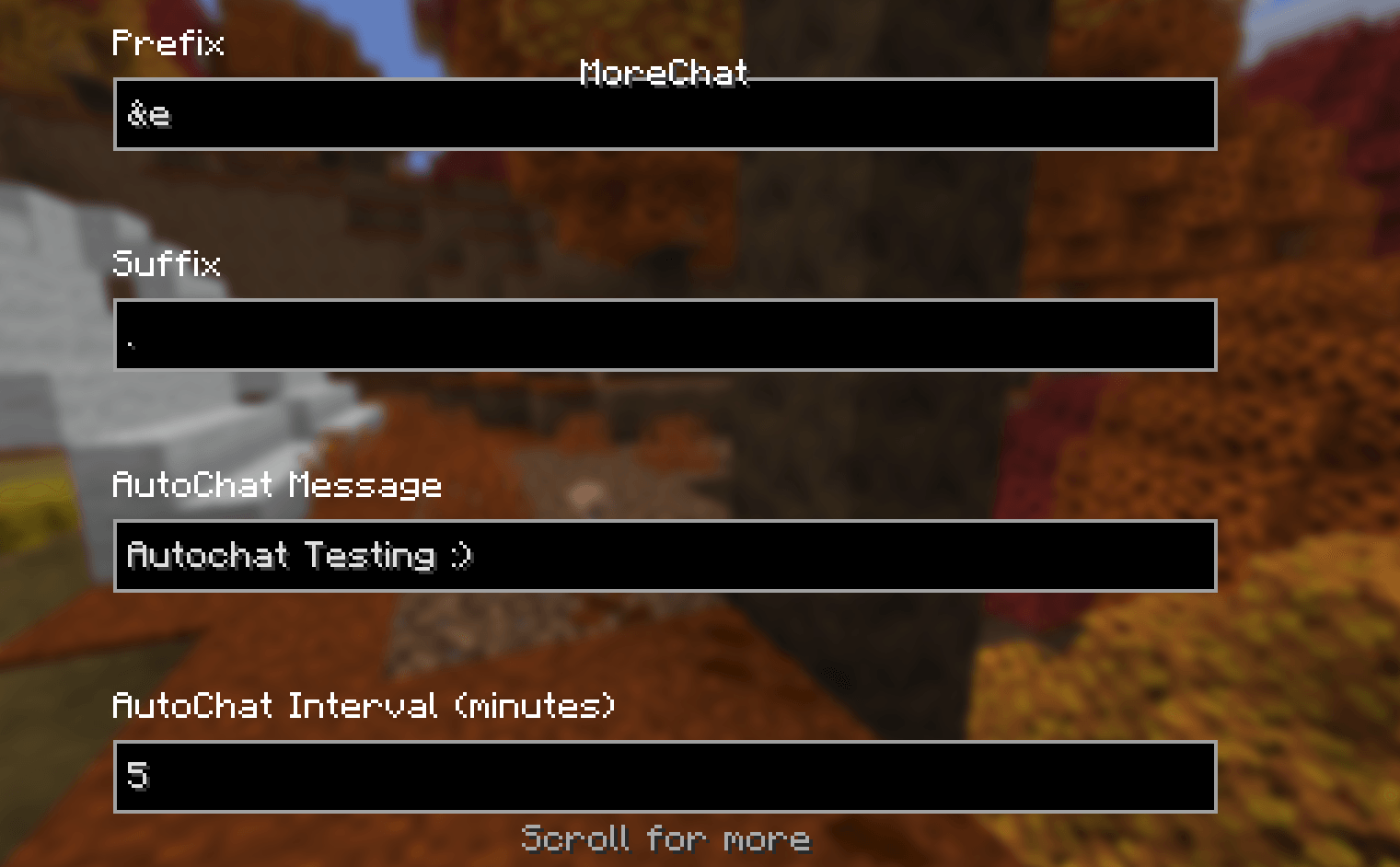
Press F12 (can be changed in Options -> Controls -> Keybinds), open mod config screen through main menu or mod menu to open the mod GUI, or use /morechat command.
Features:
1: Text Prefix/Suffix
Allows you to add something before or after whatever you type without doing it manually.
Command: /morechat prefix [prefix] or /morechat suffix [suffix]
Note: A space will not be added, so messages are: [prefix][message][suffix], if needed, add a space after your prefix and another one before your suffix to turn it into [prefix] [message] [suffix].
Example:
Prefix: “&e”
Suffix: “.”
Chat Message: “Hi”
Chat Output: Hi.
2: Autochat
Automatically sends a message with an interval of more than 5 mins.
Command: /morechat autochat [interval in minutes] [message to send]
This mod does not and will not support spamming in multiplayer servers, so the lowest interval accepted is 5 minutes.
3: Username Highlighting
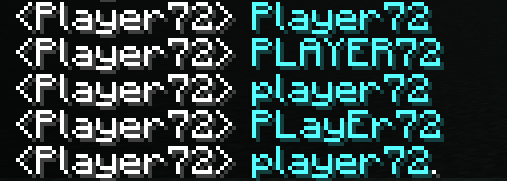
When someone types your username, it will be highlighted in aqua (will make it customizable in future builds), and it is case insensitive.
4: Clear Chat
Clears the entire chat (client side)
Command: /morechat clear
常见问题
MoreChat 支持哪些 Minecraft 版本?
MoreChat 支持 Minecraft Java 版 26.3,可用的加载器:Fabric。下载时注意选择和你游戏版本一致的文件。
MoreChat 怎么安装?
先用 PCL2 或 HMCL 启动器安装对应版本的 Fabric,再把下载的 .jar 文件放进游戏目录的 mods 文件夹,重新启动游戏即可。开启了版本隔离的,mods 文件夹在 versions/版本名 下面。

评论
登录后评论和评分