
截图
介绍
此模组需要 Cyclops Core 前置库!
欢迎来 Cyclops Discord 服务器 的 #flopper 频道和我们聊天!
我们在游戏前期搬运流体时已经受够了各种不便……
现在有了 Flopper——一种流体漏斗!
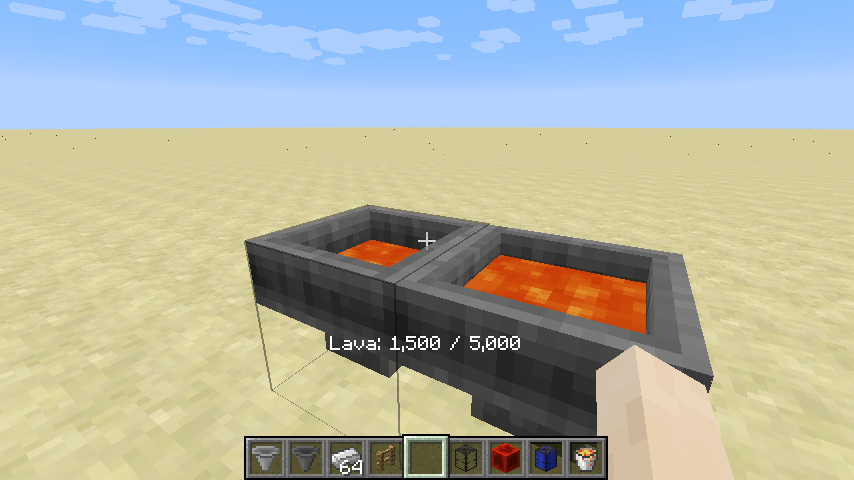
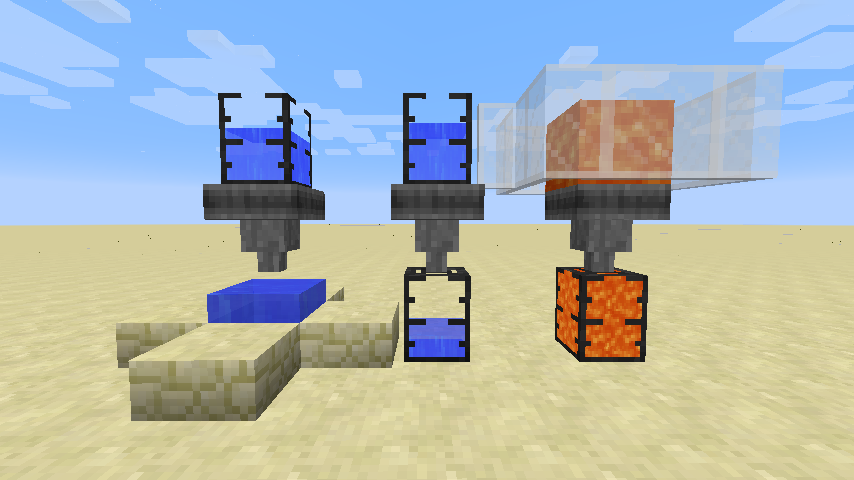
Flopper 是一种适用于游戏前期的方块,可以搬运流体,就像漏斗搬运物品一样。
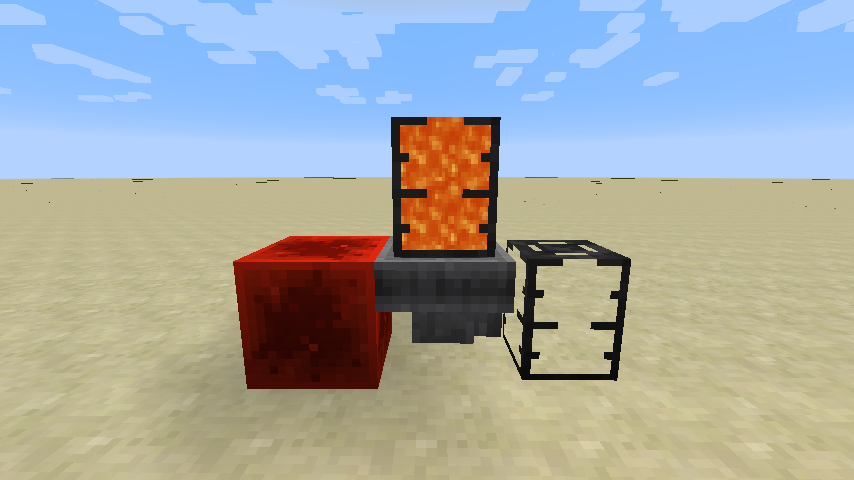
它可以从顶部吸入流体(来自储罐或世界),再将其推送至目标侧(送入储罐或世界)。
有储罐时,Flopper 总是优先与储罐交互。
注意:此模组不包含储罐,图中的是 EvilCraft 的 Dark Tanks。
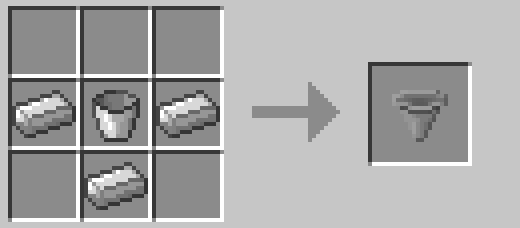
一个简单的游戏前期配方。
这个方块没有 GUI,毕竟谁需要 GUI 呢?右键点击方块即可显示其中的内容。方块内的流体也会动态渲染(可以禁用)。
你还可以右键点击,从任意流体储罐物品中注入流体;或者按住 Shift 并右键点击来提取流体。
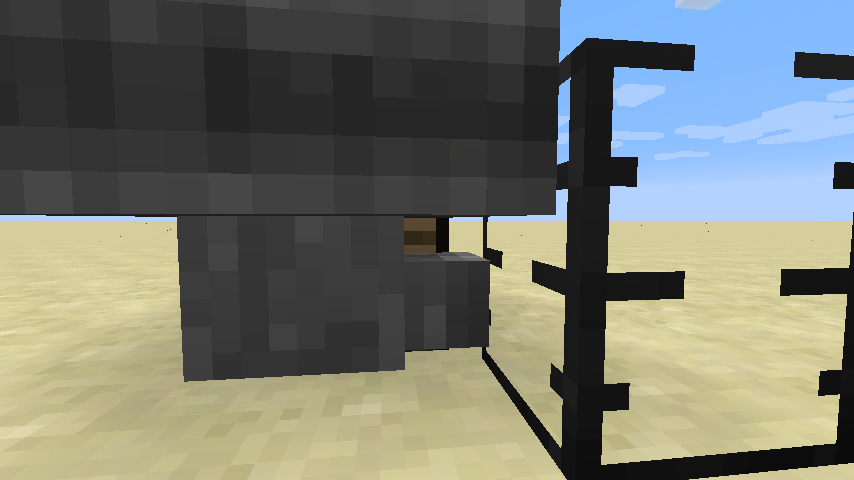
没错,Flopper 有合适的碰撞箱,让你可以点击它后方的方块。
和普通漏斗一样,你可以用红石信号将它禁用。
从输入流体速率到与世界交互时的冷却时间,模组中的各种设置都可以配置!下面是配置文件的部分内容:
machine {
The maximum capacity in mB.
I:flopper.capacityMb=5000
If the collision boxes should be made smaller to allow clicking behind the flopper.
B:flopper.narrowCollision=true
The rate at which fluids can be pulled from other tanks.
I:flopper.pullFluidRate=100
If fluids should be pulled from the world.
B:flopper.pullFluidsWorld=true
The rate at which fluids can be pushed to other tanks.
I:flopper.pushFluidRate=100
If fluids should be pushed into the world.
B:flopper.pushFluidsWorld=true
If the contained fluid should be rendered.
B:flopper.renderFluid=true
The number of ticks each flopper should sleep after interacting with tanks
I:flopper.workCooldown=8
The number of ticks each flopper should sleep after picking up or placing fluids.
I:flopper.workWorldCooldown=20
If neighbour-change events should be triggered when placing or picking up fluids to/from the world.
B:flopper.worldPullPushNeighbourEvents=true
If sounds should be placed when placing or picking up fluids to/from the world.
B:flopper.worldPullPushSounds=true

}
此模组的灵感来自 1.12 之前的 Funnels 模组。
此模组会收集匿名启动数据,你可以在配置文件中禁用此功能;该模组也遵循 Minecraft 的数据收集设置。

租用Bisect Hosting服务器时使用推荐码 cyclops 支持我们,即可享受七五折优惠!

如果你喜欢这个模组,欢迎在 Patreon 上支持我!
常见问题
Flopper 支持哪些 Minecraft 版本?
Flopper 支持 Minecraft Java 版 1.12.2–26.3,共 25 个版本,可用的加载器:Fabric / Forge / NeoForge / Quilt。下载时注意选择和你游戏版本一致的文件。
Flopper 怎么安装?
先用 PCL2 或 HMCL 启动器安装对应版本的 Fabric / Forge / NeoForge / Quilt,再把下载的 .jar 文件放进游戏目录的 mods 文件夹,重新启动游戏即可。开启了版本隔离的,mods 文件夹在 versions/版本名 下面。运行环境:客户端和服务端都要装。
rubensworks 的其他作品
查看全部 →
Capability Proxy
Access block capabilities from multiple sides

Structured Crafting
Craft stuff in your world, automatically

Common Capabilities
Forge Capabilities that can be shared by multiple mods

Icon Exporter
Exports item and block icons to files
评论
登录后评论和评分