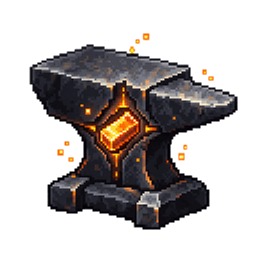
Everforged
Everforged gives materials and equipment a lasting history, recording their origins, owners, crafting lineage, and deeds.
介绍
Everforged
Every material has a story. Everforged records the history of supported materials and equipment as you play, giving each item a lasting identity.
Follow an item’s origins, owners, and crafting lineage. See the blocks it has mined, the enemies it has defeated, and the milestones it has reached. Its history carries forward when materials are crafted into new equipment.
View an item’s history: Hold it in your main hand and press H. Hold Shift while hovering over it for a quick summary, or use /everforged inspect for details in chat. Type /everforged to see the available commands.
Everforged tracks iron, gold, copper, diamond, and netherite by default. Additional materials can be configured.
Requirements: Minecraft Java Edition 26.3, Fabric Loader 0.19.5 or newer, Fabric API, and Java 25 or newer.
常见问题
Everforged 支持哪些 Minecraft 版本?
Everforged 支持 Minecraft Java 版 26.3,可用的加载器:Fabric。下载时注意选择和你游戏版本一致的文件。
Everforged 怎么安装?
先用 PCL2 或 HMCL 启动器安装对应版本的 Fabric,再把下载的 .jar 文件放进游戏目录的 mods 文件夹,重新启动游戏即可。开启了版本隔离的,mods 文件夹在 versions/版本名 下面。
NexoraSK 的其他作品
查看全部 →
Villager Bot
Client-side Fabric villager bot for Minecraft 26.2. Uses Baritone for customizable buy and sell tasks, with in-game settings, chat and sign replies, and optional AI. Requires Fabric API and Baritone 1.19.0.

Nexora Screenshot Studio
Record and replay short camera paths with automatic HUD restoration.

Nexora Echoes & Ambience
Six original ambient soundscapes selected by surroundings and weather.

Bosses of the Wild
One optional 220-health Sentinel encounter with three attack phases.
评论
登录后评论和评分