
截图
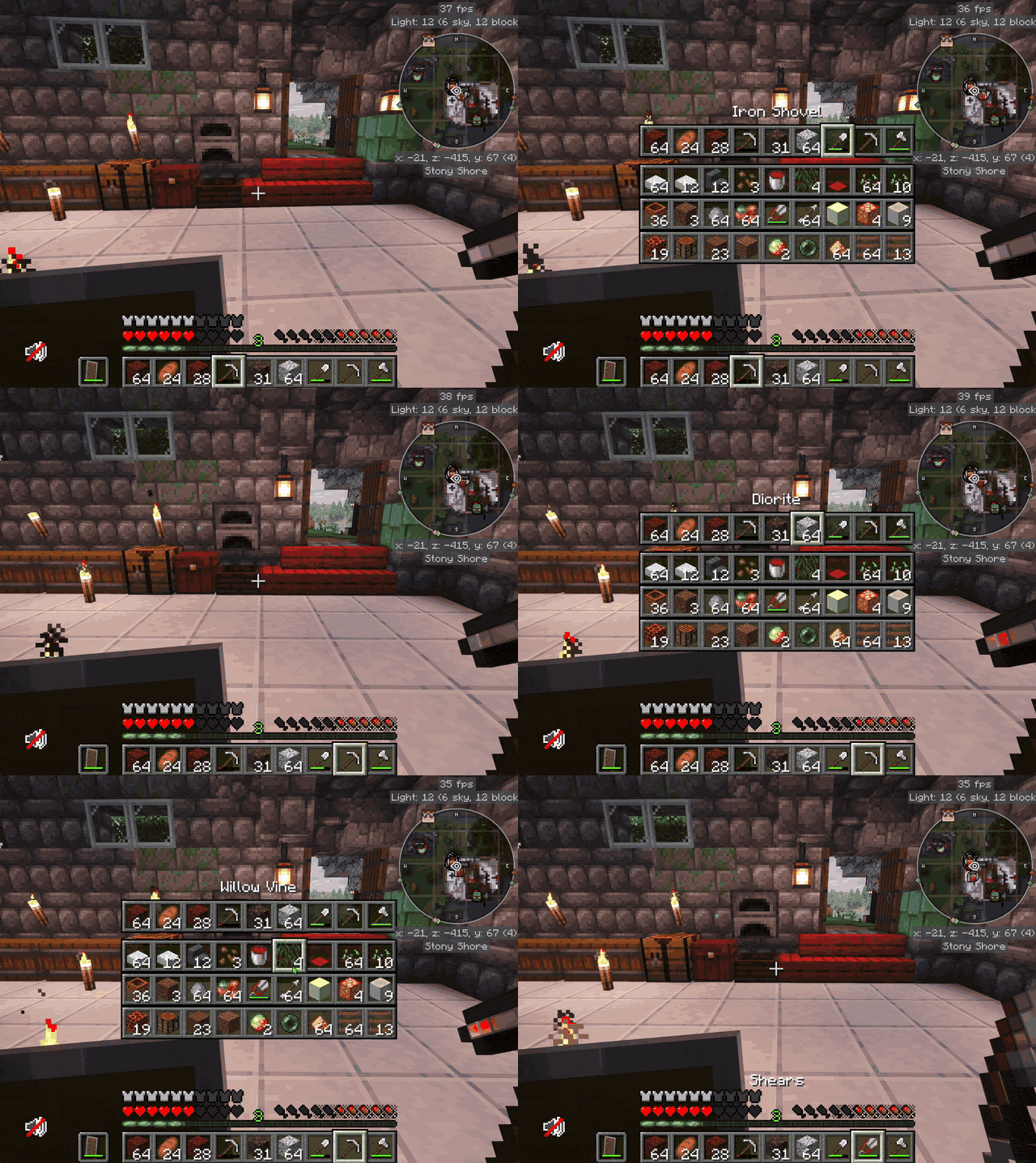
介绍
Tired of opening your inventory just to grab one block? Tired of standing still in a fight while you dig for a potion? Tired of dying with a stack of golden apples in slot 27?
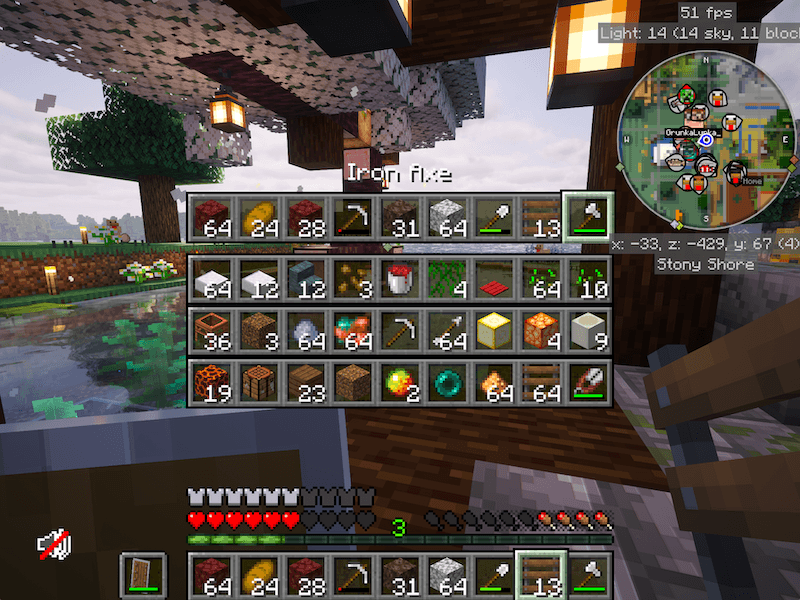
ANR’s Hotbar Switcher puts your whole inventory on Tab key, so you can quickly pick any item in your inventory.
How to use
-
Hold
Tab.
Your hotbar and the inventory rows below it pop up in the middle of the screen. -
Point (with your mouse, not your dirty finger) at the item you want.
-
Let go of
Tabwith the item in your hand.
Or just use the scroll wheel. It works exactly like vanilla scroll wheel, but you can choose to select an item from the inventory as well
You need to move your mouse down to select the inventory items
If you don’t like any of the default behaviour check settings everything is configurable.
Controls
Tab(hold). Open the switcher.Scroll Wheel. Select items on hotbar (vanilla), and shows quick switcher.
Features
- Doesn’t interrupt the game, You can still move with
WASDwhile it’s open, and the camera stays put. - Sound nugget when scrolling.
- If
ANR's MacOS Trackpad Tweaksis installed,Cmd+ two-finger swipe, deep press or a Magic Mouse tap open it too, with force-feedback clicks. - Fully configurable: the key, inventory rows, scrolling, wrapping, sound, size and position.
- Client-side only, so it works on any server.
Compatibility
- Minecraft 1.21.1, NeoForge
- Optional: ANR’s MacOS Trackpad Tweaks
常见问题
ANR’s Hotbar Switcher 支持哪些 Minecraft 版本?
ANR’s Hotbar Switcher 支持 Minecraft Java 版 1.21.1,可用的加载器:NeoForge。下载时注意选择和你游戏版本一致的文件。
ANR’s Hotbar Switcher 怎么安装?
先用 PCL2 或 HMCL 启动器安装对应版本的 NeoForge,再把下载的 .jar 文件放进游戏目录的 mods 文件夹,重新启动游戏即可。开启了版本隔离的,mods 文件夹在 versions/版本名 下面。
BrainSlug 的其他作品
查看全部 →
ANR’s Crafting Guide
Step-by-step crafting guide with recipe overlay/HUD. JEI addon, with optional Just Enough Calculation and Thaumcraft 6 support.

ANR’s MacOS Trackpad Tweaks
Trackpad haptic feedback, hotbar switcher, aim assist (optional), MacOS fixes and many more.

ANR’s Aim Assist
Simple Aim Assist, helpful for trackpad users.
评论
登录后评论和评分