
截图
介绍
EZ Storage
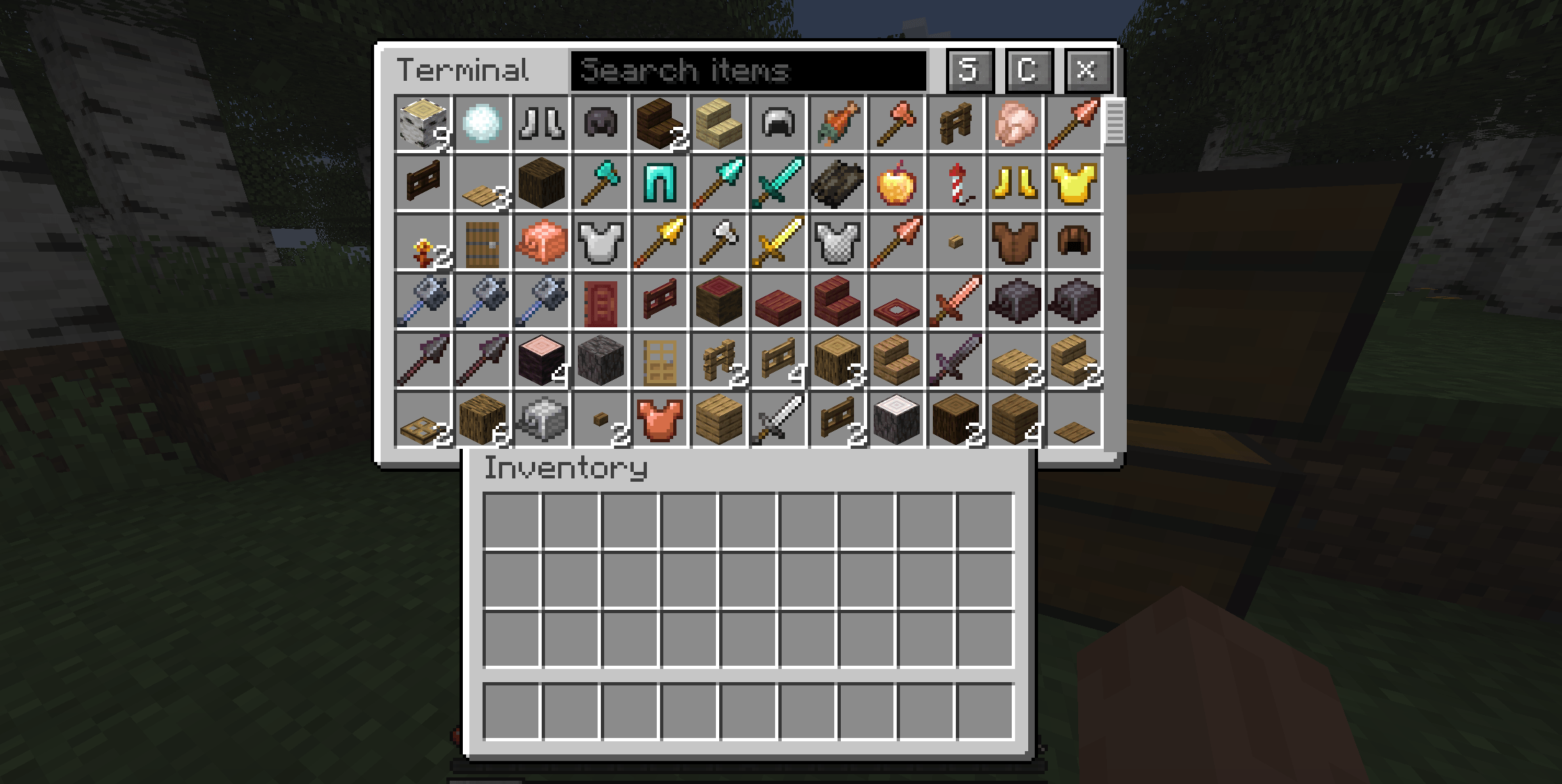
This mod adds a simple client-side terminal to view and interact with the storage of nearby containers. You can view, take out, or put it items into the terminal. Terminal slots display the cached data of real nearby chest slots.
How to Use
The chest button next to the recipe book in your inventory is used to open the terminal.
Controls:
- C: Scan nearby containers.
- ×: Clear the nearby cache.
- S: Combine matching stacks. Leave one inventory slot empty.
- Search: Filter the stored items.
Clicking the lock icon in a container prevents that container from being modified or interacted with using the terminal. All applicable containers are unlocked by default.
A red title means nearby storage has not been scanned. The Terminal title acts as a progress bar during a scan. The normal title color means nearby cached data is available.
Scans read reachable containers. Cached contents may be outdated,
scan again to refresh them. Only the information of chests that are within interaction range is visible or able to be interacted with.
Moving items between cells in the terminal rearranges the view. It does not move
items between physical containers. Splitting is limited to one container.
Notes
It supports resource packs that add custom chest UI textures.
The following container types are supported:
- Chests (Including trapped/copper/double variants)
- Shulker Boxes
- Barrels
This mod most likely does not support modded containers.
Important Disclaimer
Although this mod is client sided and generally is functional on servers, it sends packets to rapidly open and close chests in order to view their information and/or make changes. This mod may not be compatible with every server. Make sure to get the server’s permission to utilize this mod before using it.
常见问题
EZ Storage 支持哪些 Minecraft 版本?
EZ Storage 支持 Minecraft Java 版 26.3,可用的加载器:Fabric。下载时注意选择和你游戏版本一致的文件。
EZ Storage 怎么安装?
先用 PCL2 或 HMCL 启动器安装对应版本的 Fabric,再把下载的 .jar 文件放进游戏目录的 mods 文件夹,重新启动游戏即可。开启了版本隔离的,mods 文件夹在 versions/版本名 下面。
评论
登录后评论和评分