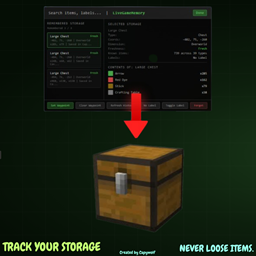
StorageMemory
Keep Memory of What was in Chests the Last time you Opened them, NEVER LOSE YOUR ITEMS AGAIN!
介绍
StorageMemory helps you keep track of what you last saw inside storage blocks, with a simple vanilla-style browser so you can find things fast.
What it does
- Saves snapshots of storage containers you open.
- Shows names (including renamed chests), coords, dimension, source world/server, and item counts.
- Keeps per-world/server memory and merged global memory.
Main features
- LiveGameMemory (in-game)
View storage memories from your current world/server. - Total Memory (main menu)
View all saved storage memories across all worlds/servers. - Auto save/load JSON logs
Data is stored in .minecraft/MemoryLogs with separate profile files per world/server. - Double chest support
- Storage-only tracking
Ignores non-storage containers like crafting tables and furnaces. - Scrollable UI + search
- Performance cap in Total Memory
Shows 15 entries at once with a Show More button.
Important note
StorageMemory is not a cheat.
It only shows snapshots from containers you already opened. It does not let you open or modify containers remotely.
Default keybinds
- B Open LiveGameMemory
- V Open deposit planner / item-based memory search
- G Clear waypoint
Requirements
- Minecraft 1.21.11
- Fabric Loader 0.18.4+
- Fabric API
Credits
* Soley Coded By Capywolf.
常见问题
StorageMemory 支持哪些 Minecraft 版本?
StorageMemory 支持 Minecraft Java 版 1.21.11,可用的加载器:Fabric。下载时注意选择和你游戏版本一致的文件。
StorageMemory 怎么安装?
先用 PCL2 或 HMCL 启动器安装对应版本的 Fabric,再把下载的 .jar 文件放进游戏目录的 mods 文件夹,重新启动游戏即可。开启了版本隔离的,mods 文件夹在 versions/版本名 下面。
capywolf 的其他作品
查看全部 →Fast Right Click
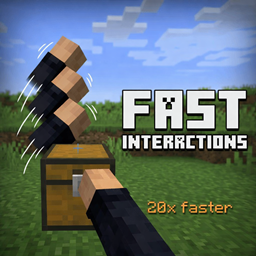
为Minecraft添加可配置的交互速度。
Fast Interact
Configurable Interact speed, ( Place blocks Lightning Fast )
HopperControl
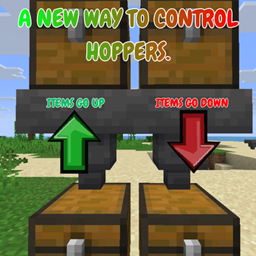
This Brand new Mod Allows YOU. To Control What Direction items go in Your Hoppers. Red means Down, Green Means Up.
评论
登录后评论和评分