
KotobaCraft
Hover over Minecraft's Japanese text to see the reading and meaning of each word and kanji, without leaving the game.
截图
介绍
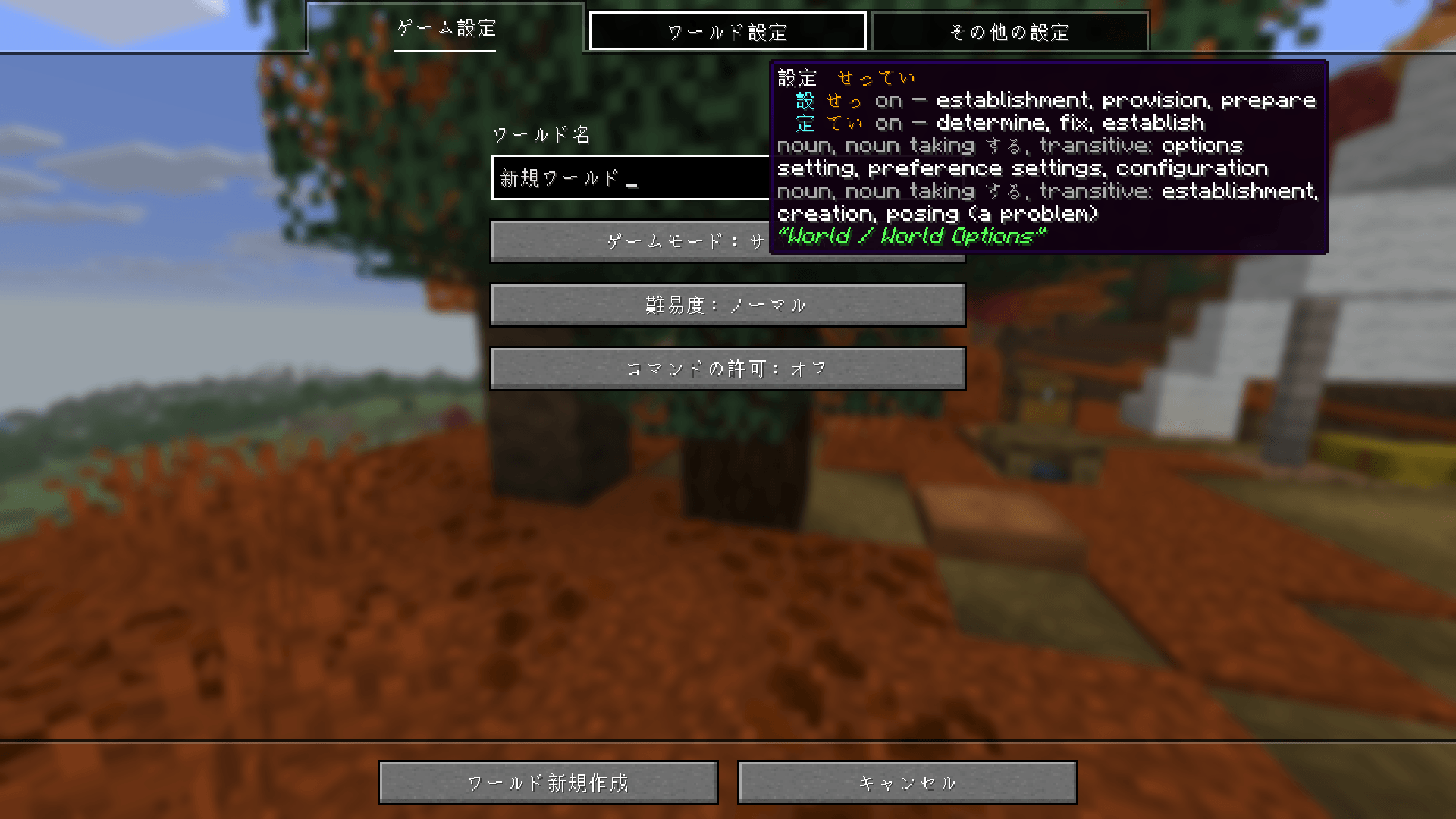
Learn Japanese while you play. Switch Minecraft to 日本語, hover any Japanese text, and a small card tells you what it says: the reading of each word, what it means, and every kanji in it. No alt-tabbing to a dictionary.
New in 0.2.0: a dictionary with search, and romaji.

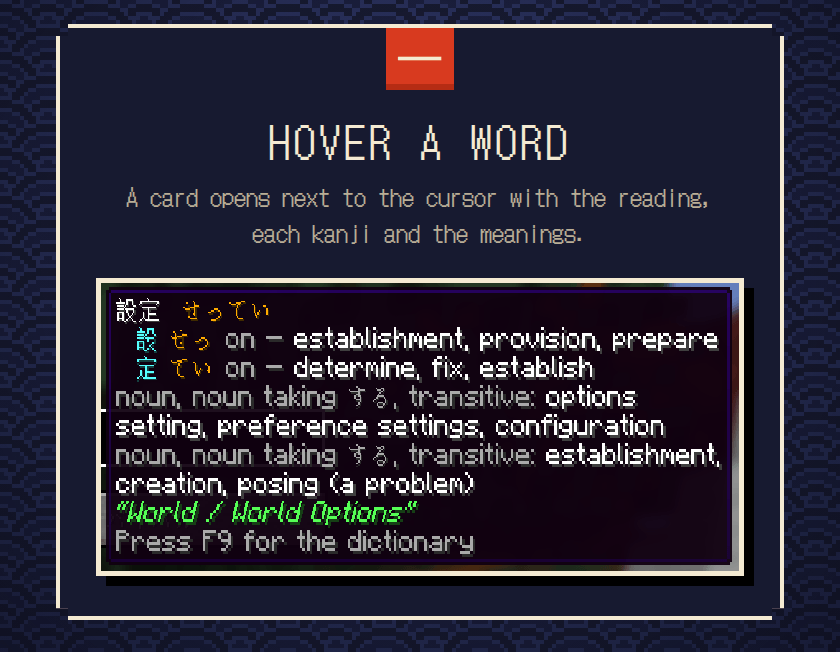
Plain text (labels, titles, tab names) gets a card next to the cursor: the word, its reading, each kanji with its reading and meaning, the dictionary meanings, and the game’s own English line for the same text.
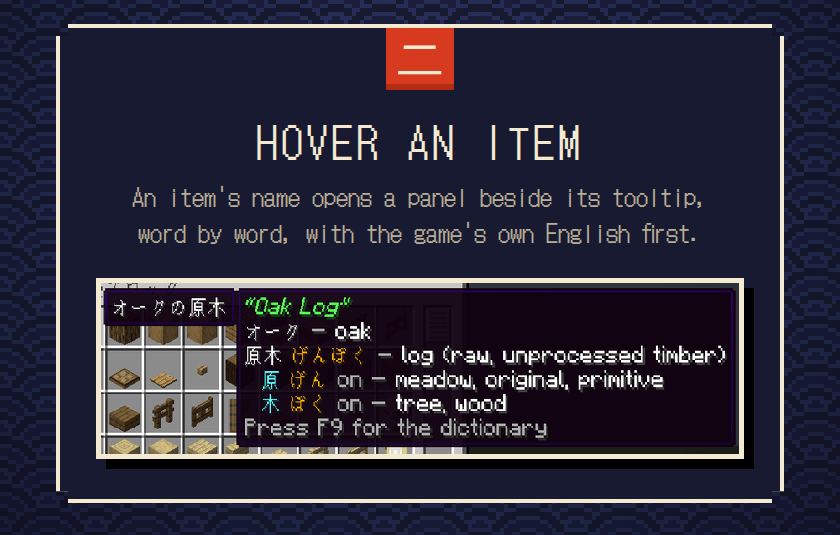
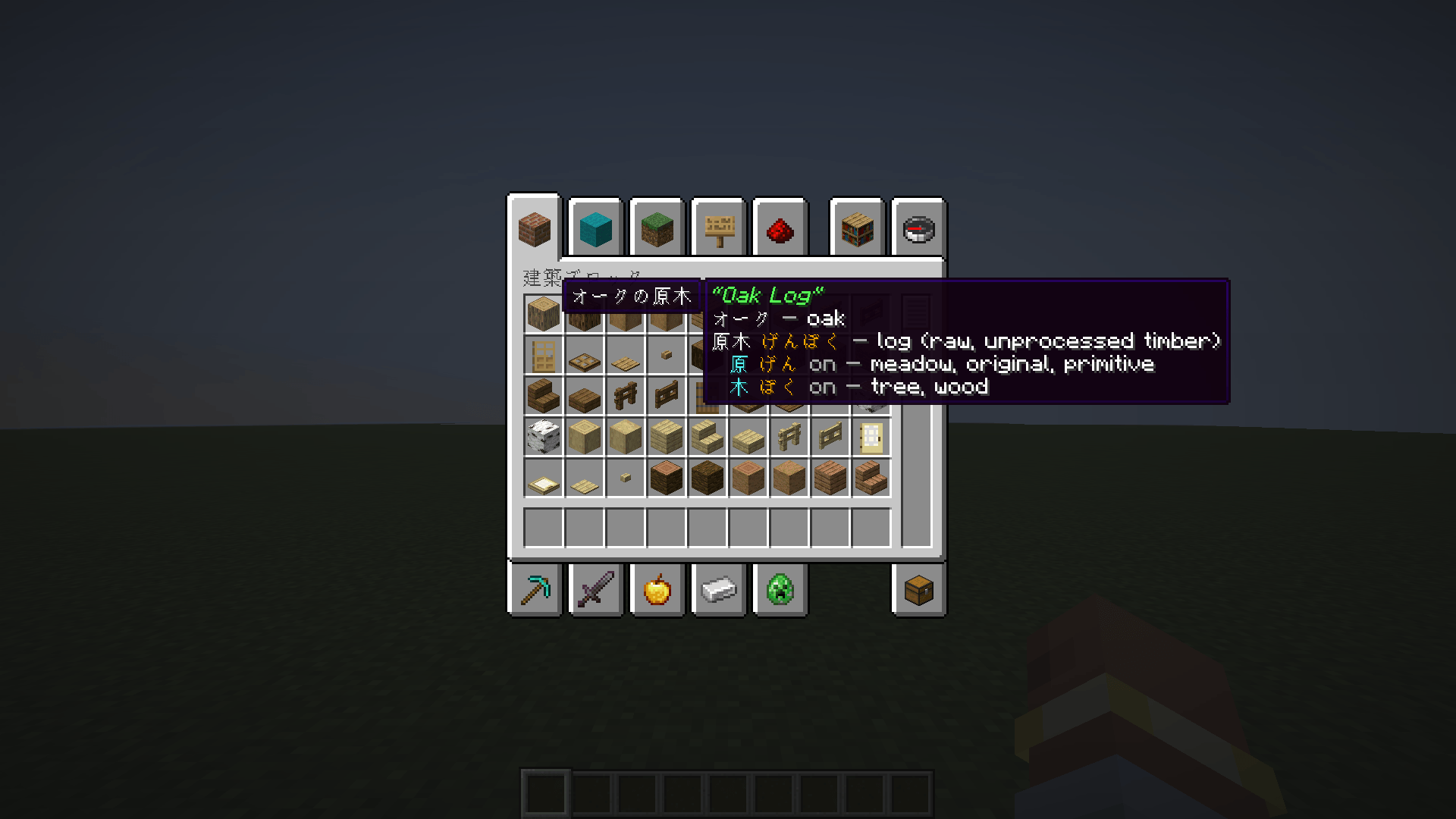
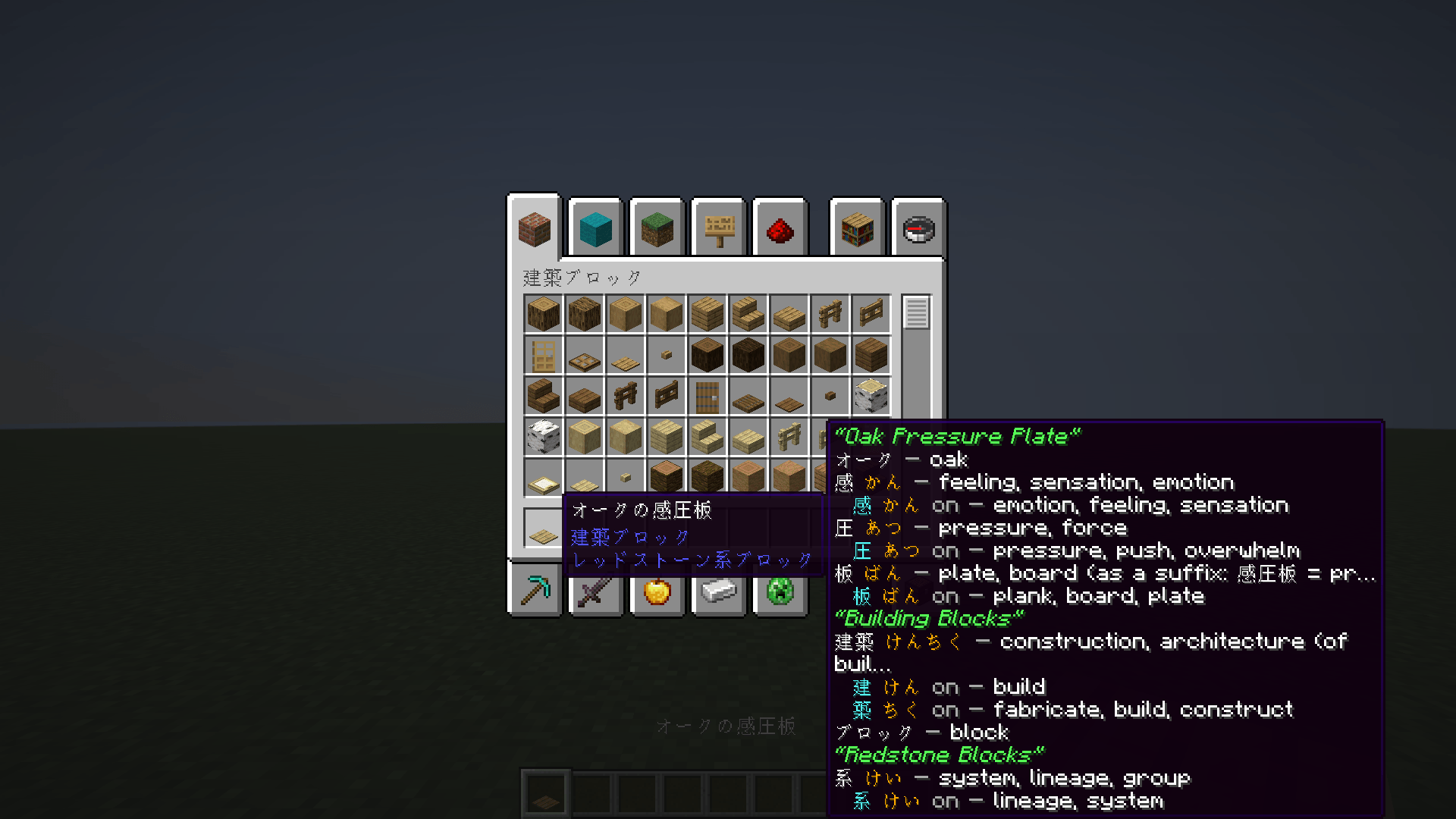
Items in the inventory get a panel beside their tooltip that breaks the name down the same way, word by word.
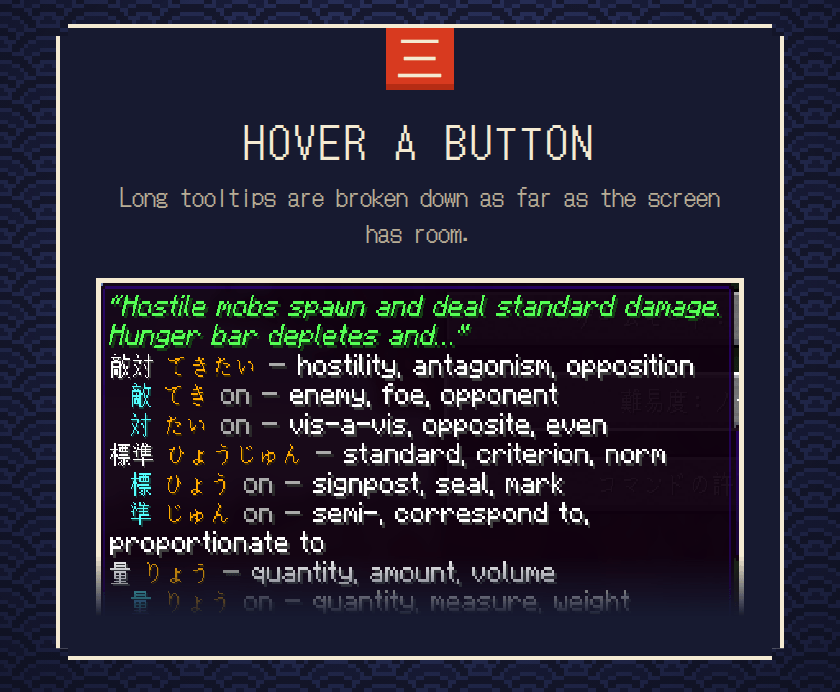
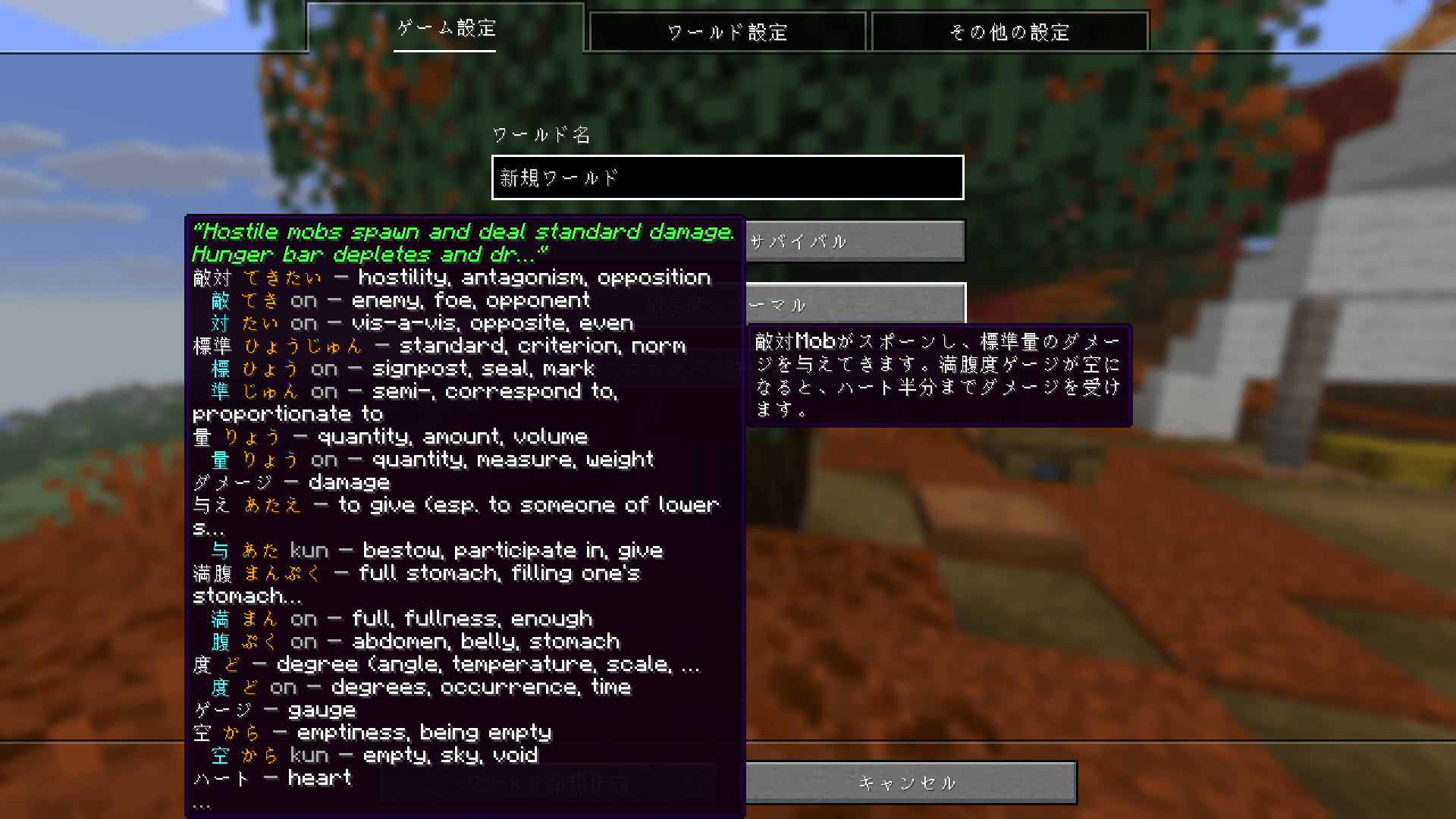
Buttons with long tooltips get the same panel, as far as the screen has room. The rest is in the dictionary.
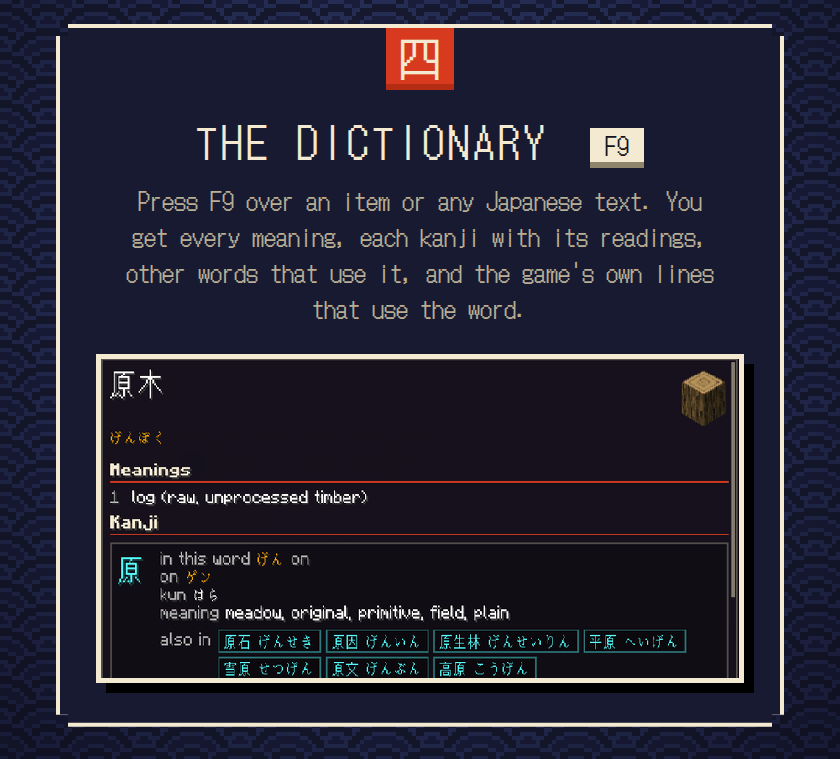
The dictionary (F9). Press F9 over an item or any Japanese text and a page opens: every meaning the mod keeps for the word, each kanji with its readings and meanings, other words that use the same kanji (click one to open it), and the game’s own lines that use the word, with their official English. Esc or F9 closes it, Backspace goes back.
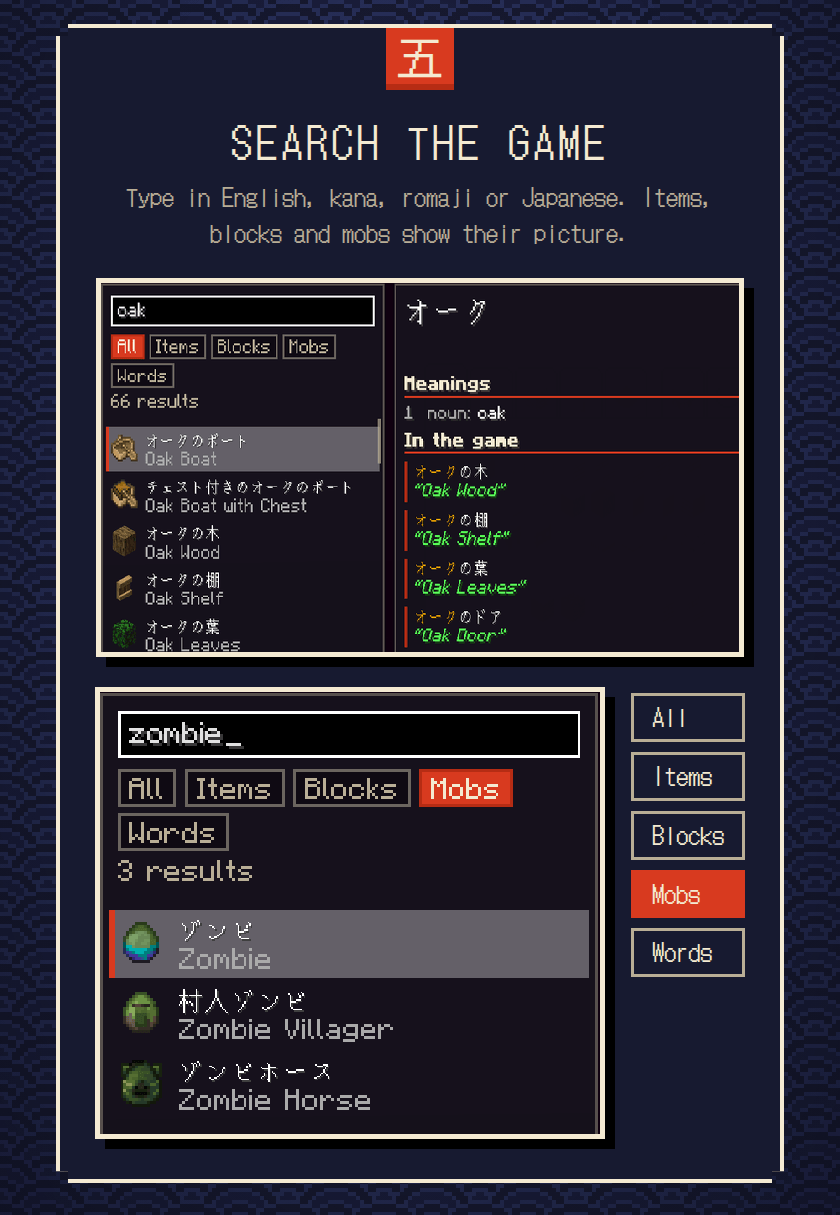
Search. Type in English, kana, romaji or Japanese, and filter by items, blocks, mobs or words. Most items, blocks and mobs show their picture (a mob’s is its spawn egg). F9 over nothing opens it as an empty search.
Romaji (F8). Writes every reading in Latin letters too, handy while you learn hiragana and katakana. It is off until you turn it on. F8 switches it, or the settings screen if you use Mod Menu, and the game remembers your choice. Vowels are written as they are spelled in kana, with no macrons, because whether おう is one long vowel or two depends on the word.
A reading marked ? is a best guess that nobody could confirm. A counter marked “varies” changes sound with the number (3日 is みっか, 6分 is ろっぷん).
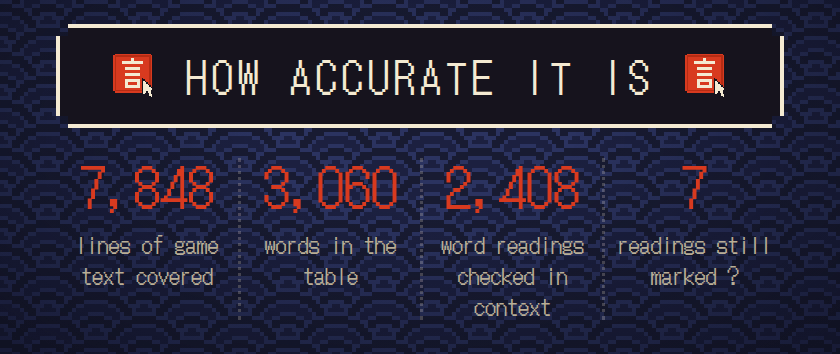
Nothing is looked up or guessed while you play. The readings and meanings were worked out ahead of time for Minecraft’s fixed Japanese text and matched exactly, so a line the mod doesn’t know gets no popup instead of a wrong one.
To build the data, a Japanese text analyzer proposed each reading. Every proposal was then checked kanji by kanji against JMdict and KANJIDIC2, compared with a second analyzer, and read in context next to the lines it appears in: about 2,400 word and reading pairs in all. That cross-check alone caught five wrong readings, which were fixed.
The doubtful ones were researched in Japanese sources: dictionaries such as デジタル大辞泉 and 日本国語大辞典, Wikipedia, the Japanese Minecraft wiki, and player forums and Q&A sites. A reading only counted if it was printed on a page that was actually opened, and the evidence for every decision is written down.
The review was done by an AI model, not by a native speaker, so it is thorough but not a guarantee. Seven readings are still marked ? because no source settles them. If you read Japanese and see a mistake, leave a comment and I will fix it.

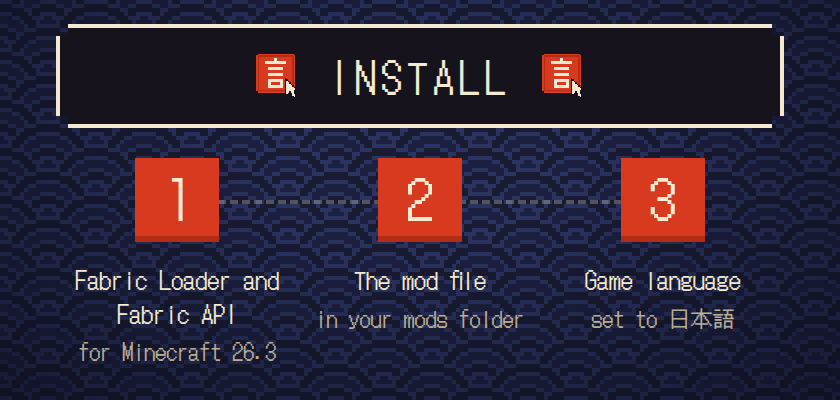
Install Fabric Loader for Minecraft 26.3 and Fabric API, put the mod in your mods folder, and set the game language to 日本語 (Japanese). Optional: Mod Menu adds a settings button for the romaji switch. Both keys can be changed under Controls > KotobaCraft.
Good to know
It works with Minecraft’s own Japanese text (ja_jp). Chat messages, world names and the HUD get no popup.
Minecraft 26.3 only for now. Mojang sometimes edits a translation without changing the version, so a line may lose its popup until the data is updated.
The dictionary keeps up to six senses of three meanings per word and five meanings per kanji, so it is not the whole JMdict entry.
The search box takes typed and pasted text. Characters from an input method (IME) may show up only once you commit them; this is not tested yet.
Client-side only. Install it on your own game; servers don’t need it.


Word meanings come from JMdict and kanji data from KANJIDIC2, both by the Electronic Dictionary Research and Development Group, used under CC BY-SA 4.0. The data table in this mod is shared under the same licence. Readings were first proposed by Sudachi. Built on Fabric; the page pictures use the font DotGothic16 (SIL OFL). The code is MIT: github.com/DevShiba/kotobacraft
Not affiliated with Mojang or Microsoft.
常见问题
KotobaCraft 支持哪些 Minecraft 版本?
KotobaCraft 支持 Minecraft Java 版 26.3,可用的加载器:Fabric。下载时注意选择和你游戏版本一致的文件。
KotobaCraft 怎么安装?
先用 PCL2 或 HMCL 启动器安装对应版本的 Fabric,再把下载的 .jar 文件放进游戏目录的 mods 文件夹,重新启动游戏即可。开启了版本隔离的,mods 文件夹在 versions/版本名 下面。
评论
登录后评论和评分