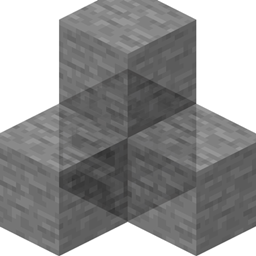
Gash’s Behind Click
All faces of machine occupied by blocks not problem, just ALT-Click
介绍
Gash’s Behind Click is a lightweight client-side mod that lets you interact with a block hidden behind another block.
Hold the configurable modifier key—Left Alt by default—and right-click while aiming at a block. The mod skips the first block under your crosshair and interacts with the next targetable block along the same line of sight, as long as it is within the normal interaction range.
This is useful for accessing furnaces, machines, storage blocks, and other interactive blocks placed behind walls or decorative blocks.
Features:
-
Skips the first block under your crosshair.
-
Interacts with the next block along your aim.
-
Uses Left Alt + Right Click by default.
-
The modifier key can be changed in Minecraft’s Controls menu.
-
Preserves normal right-click behavior when the modifier is not held.
-
Cancels the modified click if no second block is found.
-
Uses Minecraft’s normal interaction packet.
-
Adds no blocks, items, menus, or custom network channels.
Compatibility:
Gash’s Behind Click is client-side only. Every player who wants to use the feature must install the mod on their own client. The server does not need the mod, and players without it can still connect normally if the host or server has it installed.
常见问题
Gash’s Behind Click 支持哪些 Minecraft 版本?
Gash’s Behind Click 支持 Minecraft Java 版 1.21.1,可用的加载器:NeoForge。下载时注意选择和你游戏版本一致的文件。
Gash’s Behind Click 怎么安装?
先用 PCL2 或 HMCL 启动器安装对应版本的 NeoForge,再把下载的 .jar 文件放进游戏目录的 mods 文件夹,重新启动游戏即可。开启了版本隔离的,mods 文件夹在 versions/版本名 下面。
Gasharaujo 的其他作品
查看全部 →
Reliquified L_Ender ‘s Cataclysm new relics fix
为 beta relics 和 reliquified L_ender 添加精简层。
Reliquified Twilight Forest new relics fix
为 Reliquified Twilight Forest 和 Beta Relics 提供兼容层

morerelics new relics fix
一个基于 Mixin 的非官方兼容性修复模组,适用于 More Relics 和 Relics BETA。
relics ring tensura compat
Prevents the Relics Seven Deadly Sins Ring’s Gluttony ability from incorrectly increasing Tensura EP.
评论
登录后评论和评分