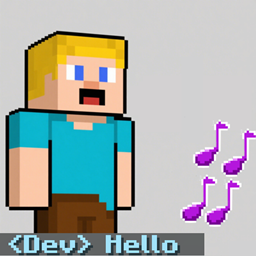
Chat Reminder
To be able to remind you so that you don't miss important people's messages, please use Commands/ChatReminder
介绍
ChatReminderMod is a Minecraft Forge mod designed to enhance your chat experience by providing audible and visual alerts when specific player IDs or keywords appear in the chat.
Features:
- Custom Triggers: Set up triggers for player IDs (matching the tag at the beginning of a message, e.g.,
<Dev>) or keywords (anywhere in the message). - Sound Alerts: Play customizable sounds when a trigger is activated. You can configure the sound, volume, pitch, number of repetitions, and delay between repetitions.
- Visual Highlight: Change the color and apply bold formatting to the triggered message for better visibility.
- Client Commands: Manage all settings via in-game commands without needing to edit config files.
How to Use:
The mod adds a set of client commands under /ChatReminder. Here are the main commands:
0.Quick use
/ChatReminder set <id>
-
Add a Player ID Trigger:
/ChatReminder addid <id> <color> <sound_id> [note_count] [delay_ticks] [volume] [pitch_min] [pitch_max]
Example:
/ChatReminder addid Dev FFFFFF minecraft:entity.experience_orb.pickup 3 5 1.0 0.8 1.2 -
Add a Keyword Trigger:
/ChatReminder addword <keyword> <color> <sound_id> [note_count] [delay_ticks] [volume] [pitch_min] [pitch_max]
Example:
/ChatReminder addword hello FF0000 chatremindermod:wx1 -
Modify Settings for Quick Target ID (set by
/ChatReminder setid <id>):- Set sound:
/ChatReminder sound <sound_id> - Set note count:
/ChatReminder notes <count> - Set pitch range:
/ChatReminder pitchrange <min> <max> - Set color:
/ChatReminder setcolor <hex_color>
- Set sound:
-
Remove Triggers:
- Remove ID trigger:
/ChatReminder removeid <id> - Remove keyword trigger:
/ChatReminder removeword <keyword>
- Remove ID trigger:
Notes:
coloris a 6-digit hex code (without the#).sound_idcan be a built-in Minecraft sound (e.g.,minecraft:entity.experience_orb.pickup) or a custom sound added by a mod (e.g.,chatremindermod:wx1).- The
note_countis the number of times the sound should play (1-20). delay_ticksis the delay in game ticks (20 ticks = 1 second) between repetitions.volumeranges from 0.0 to 1.0.pitch_minandpitch_maxrange from 0.1 to 3.0, and the actual pitch will be randomly selected between them each time.
This mod is client-side only and works in multiplayer as well as single-player.
常见问题
Chat Reminder 支持哪些 Minecraft 版本?
Chat Reminder 支持 Minecraft Java 版 1.19.2–1.20.1,共 2 个版本,可用的加载器:Forge。下载时注意选择和你游戏版本一致的文件。
Chat Reminder 怎么安装?
先用 PCL2 或 HMCL 启动器安装对应版本的 Forge,再把下载的 .jar 文件放进游戏目录的 mods 文件夹,重新启动游戏即可。开启了版本隔离的,mods 文件夹在 versions/版本名 下面。
评论
登录后评论和评分