TRT Minecart
Turn minecarts into automated machines for tunneling, roadbed construction, and track laying.
截图
介绍
TRT Minecart
Tunneling – Roadbed – Track
Turn minecarts into automated machines for tunneling, roadbed construction, and track laying.
Loaders


Environments

Progress
Check out the latest development progress here: Development Progress
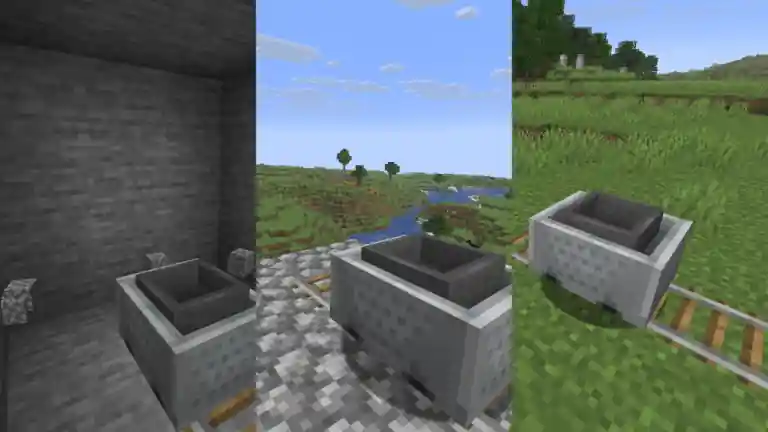
Gallery

Features

Tunneling
- Place pickaxes in the hopper minecart. It will attempt to mine a 3 × 3 area in the direction of travel. Block drops follow the properties of the pickaxe.
- Blocks without collision shapes or with rails on top are not mined during excavation.
Roadbed Laying
Place blocks in the hopper minecart. It will lay them in a 3-block-wide path in the direction of travel.
Track Laying
Place rails in the hopper minecart. When the minecart is about to leave the existing track, it will place rails beneath itself to extend the track.
Independent Features
The features are independent of each other. You can enable only the features you need.
Recommended Item Order
To control the execution order, place items as follows:
Pickaxes -> Blocks -> Rails
- Pickaxes first for tunneling.
- Blocks in the middle for roadbed laying.
- Rails last for track laying.
常见问题
TRT Minecart 支持哪些 Minecraft 版本?
TRT Minecart 支持 Minecraft Java 版 26.3,可用的加载器:Fabric。下载时注意选择和你游戏版本一致的文件。
TRT Minecart 怎么安装?
先用 PCL2 或 HMCL 启动器安装对应版本的 Fabric,再把下载的 .jar 文件放进游戏目录的 mods 文件夹,重新启动游戏即可。开启了版本隔离的,mods 文件夹在 versions/版本名 下面。
KSSJW 的其他作品
查看全部 →
Minecart Trains Fork
灵感来自 LarsenR 的原版 Minecart Trains。重做并改进矿车运输,让它更有趣,也更适合作为列车系统使用!

Kinetic Minecart
提高移动矿车造成的伤害;速度越快,伤害越高,而且几乎没有伤害上限!

Glowing Minecart
Minecart lighting based on the original Minecraft.

Minecart HUD
Add a head-up display to the minecart.
评论
登录后评论和评分