介绍
Personal Keyboard
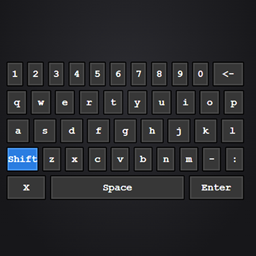
A lightweight on-screen keyboard for controller players, built to fill the gap left by controller mods that handle input mapping but not text entry (like ControlFlex).
Press a keybind (default F10) while any screen with a text field is open — chat, signs, search bars, AE2 terminals — and a clickable keyboard overlay appears. Click its keys with your mouse or virtual cursor to type directly into the focused field.
Features
- Full QWERTY layout with shift, backspace, space, and enter
- Types directly into whatever text field currently has focus — no special per-mod integration needed
- Works from any screen, regardless of the game being paused
- Toggle on/off with the same keybind, or close it with the on-screen X
Why Some controller mods (ControlFlex, and others) handle button mapping and cursor control well but have no built-in way to type — leaving menus like AE2’s item search effectively unusable without a physical keyboard. This mod adds just that one missing piece.
Requirements
- NeoForge 1.21.1
- A mod that provides mouse/cursor input from your controller (e.g. ControlFlex) to actually click the on-screen keys — this mod only renders and handles the keyboard itself, it doesn’t add controller support on its own.
常见问题
Personal Keyboard 支持哪些 Minecraft 版本?
Personal Keyboard 支持 Minecraft Java 版 1.21.1,可用的加载器:NeoForge。下载时注意选择和你游戏版本一致的文件。
Personal Keyboard 怎么安装?
先用 PCL2 或 HMCL 启动器安装对应版本的 NeoForge,再把下载的 .jar 文件放进游戏目录的 mods 文件夹,重新启动游戏即可。开启了版本隔离的,mods 文件夹在 versions/版本名 下面。
JambonBeurre78 的其他作品
查看全部 →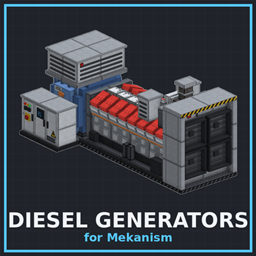
Mekanism Diesel Generator
为 NeoForge 1.21.1 打造的大型、高声压、写实风格引擎发电机,适合搭配通用机械使用。
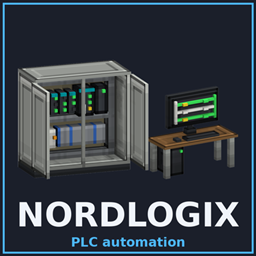
Nordlogix Automation
Real industrial automation in Minecraft. Build PLC cabinets, program them like a pro, and run a whole plant from screens on the wall.
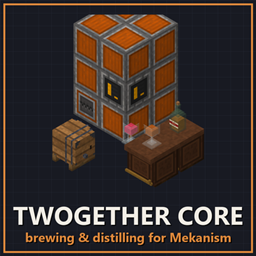
Twogether core
The twogether core adds a brewing station and a mixer. In a mekanism style to brew beer and stuff
Clocked In.
Give every villager a bed and a workstation for good with the Magic Wand, and keep them there.
评论
登录后评论和评分