
截图

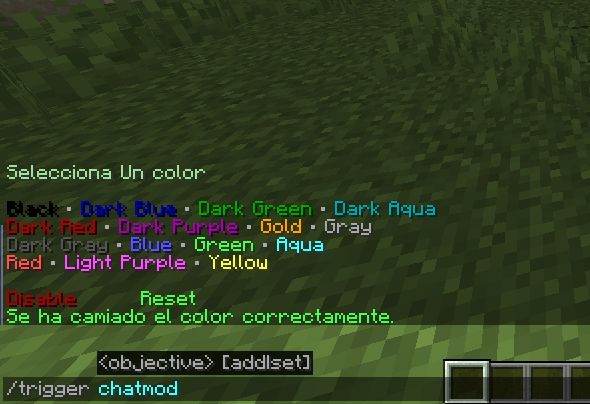
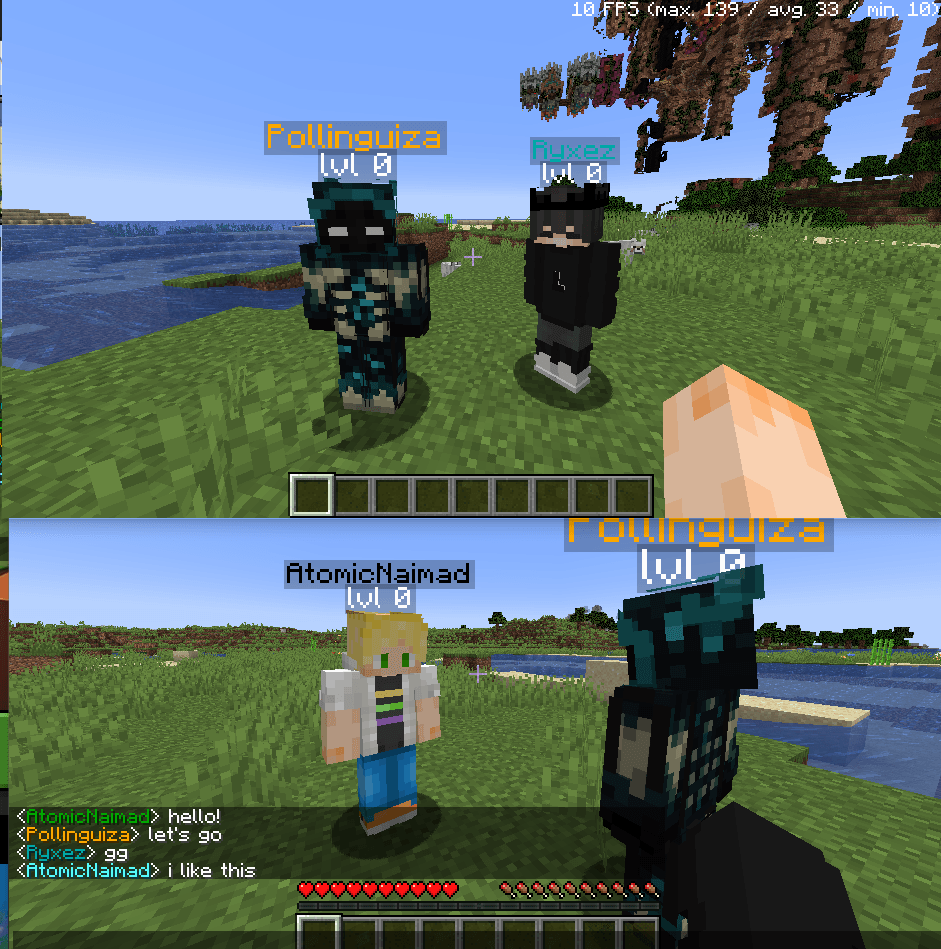
介绍
中文介绍正在准备中,下面暂时显示原文。

¡THIS MOD SETS YOU A COLOR JUST BY ENTERING INTO A WORLD!
Important! This mod automatically sets a color to everyone without a color
Important! This mod needs fabri API
Important! This is a datapack in a mod
Important! soon i will do this mod does’nt need fabric
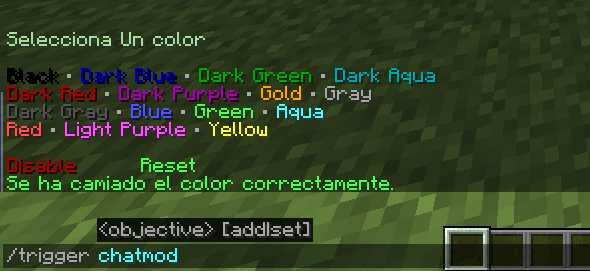
Display the menu and easily change your color by typing :
/trigger chatmod
what’s does this mod do?
- Automatically sets color for everyone
- Adds unique color to the chat name for all players
- Adds unique color to thename above the headfor all players
- Allows you to change your color by selecting it in the chat menu
- Allows you to display a menu in the chat to change your color
- Allows you to Disable the colors in the menu displayed if you are the host
- Allows you to Reset the colors for everyone in the menu displayed if you are the host
常见问题
Cr3ysz name colors 支持哪些 Minecraft 版本?
Cr3ysz name colors 支持 Minecraft Java 版 1.18–1.20,共 4 个版本,可用的加载器:Fabric。下载时注意选择和你游戏版本一致的文件。
Cr3ysz name colors 怎么安装?
先用 PCL2 或 HMCL 启动器安装对应版本的 Fabric,再把下载的 .jar 文件放进游戏目录的 mods 文件夹,重新启动游戏即可。开启了版本隔离的,mods 文件夹在 versions/版本名 下面。
评论
登录后评论和评分