Hex’s Mystery Crates
Discover hundreds of rewards across seven mystery crate themes, including weapons, vehicles, furniture, collectibles and magic. Includes a searchable guide with item instructions and draw chances.
介绍
Hex’s Mystery Crates
Buy mystery crates through Hex’s Computer, open them, and discover everything from everyday supplies to rare equipment and unusual treasures.
Seven Crate Themes
- Vanilla: Useful Minecraft supplies and progression items.
- Contraband: Weapons, ammunition, armor and suspicious equipment.
- Luxury: Jewelry, furnishings and valuable collectibles.
- Vehicle: Drivable vehicles, parts and automotive finds.
- Historical: Artifacts, ancient equipment and collectibles.
- Laboratory: Experimental tools, growing equipment and unusual plants.
- Occult: Magical equipment, grimoires, summoning items and curiosities.
Know What You Could Find
Your Mystery Crate Glossary includes item images, descriptions, instructions, search and crate filters.
Check each reward’s first-draw chance, the number of draws per crate, and whether it can appear more than once. Chances reflect the server’s active loot pools.
Put Your Finds to Use
Equip armor and accessories, use weapons and tools, cast spells, summon companions, decorate with furniture, and drive vehicles with fuel, health, cargo and repair support.
Rewards are saved before the opening animation. Opening another menu won’t cancel your remaining rewards, and overflow deliveries wait until you have inventory space.
Server owners can customize crate prices, gameplay settings and loot pools.
Required Mods
- Hex’s Computer
- Hex Economy Core
- Curios API
Hex ATM and Hex Debit Card provide optional payment integration through the Computer.
常见问题
Hex’s Mystery Crates 支持哪些 Minecraft 版本?
Hex’s Mystery Crates 支持 Minecraft Java 版 1.19.2–1.21.1,共 3 个版本,可用的加载器:Forge / NeoForge。下载时注意选择和你游戏版本一致的文件。
Hex’s Mystery Crates 怎么安装?
先用 PCL2 或 HMCL 启动器安装对应版本的 Forge / NeoForge,再把下载的 .jar 文件放进游戏目录的 mods 文件夹,重新启动游戏即可。开启了版本隔离的,mods 文件夹在 versions/版本名 下面。
HexMods 的其他作品
查看全部 →
Hex’s Computer
A craftable in-game computer with addon shops, an emerald wallet, a shopping cart, order history, and optional Hex Debit Card payments. Browse stores and buy items directly from your own terminal.
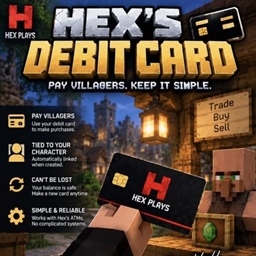
Hex’s Debit Cards
Hex’s Debit Card lets you spend the emeralds stored in your personal account without carrying them around. Create a debit card linked directly to your character and use it to pay supported villagers using the balance stored through Hex’s ATMs.
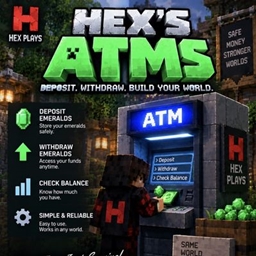
Hex’s ATMS
Hex’s ATMs adds a simple emerald banking system to Minecraft. Players can deposit emeralds into a personal account, check their stored balance, and withdraw emeralds whenever they need them.
Hex’s Businesses
Bring Minecraft villages to life with detailed shops, market stalls, named customers and businesses you can own, staff and manage.
评论
登录后评论和评分