
Translator
Provides real-time translation for Minecraft, including chat messages, scoreboards, bossbars, titles, and tooltips, helping players enjoy maps and servers in different languages.
截图
介绍
This mod serves as a translation tool within the game, designed to translate text found in various in-game elements without altering world data. It supports translating text in the chat window, scoreboard, bossbar, title, tooltip, sign, book content, entity names, and more.
Key Features
- Non-Intrusive Translation: Ensures that all functionalities do not modify the game world data.
- Multiple Translation Modes: Supports automatic translation, click-to-translate, hotkey translation, and more.
- Screen OCR Recognition: Can recognize text on screen and translate it.
- Hotkeys:
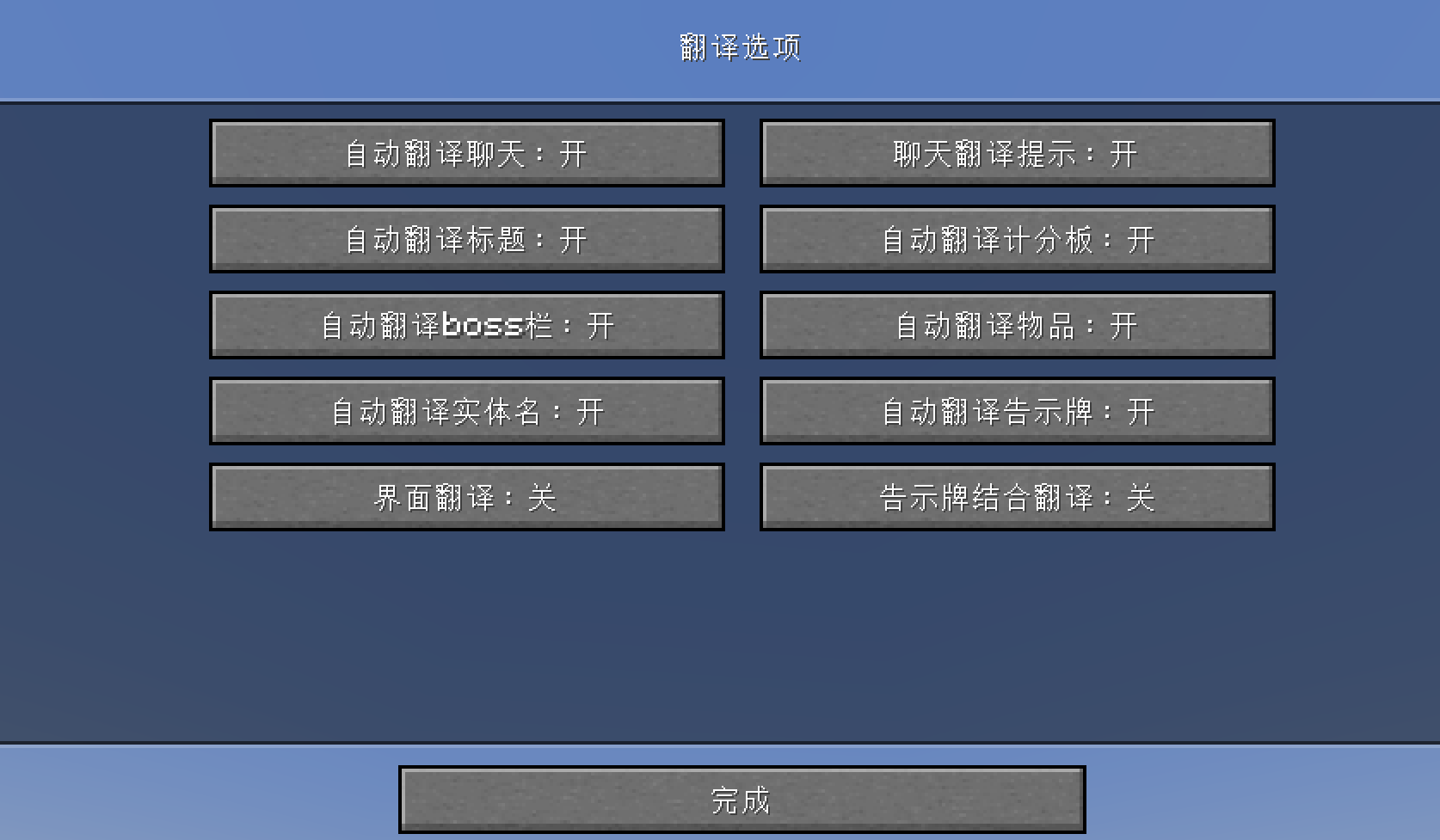
- Press U to open translation options.
- Press O to initiate screen recognition (OCR).
In-Game Commands
/transconfig config: Open the translator configuration screen to set up translation services, API keys, and other options. Can also be accessed via the Mod Menu./transconfig language <from> <to>: Set the source and target languages for translation./transconfig chatformat <format>: Set the chat translation display format./transconfig clearcache: Clear the translation cache./translate <text>: Command to translate provided text./translate-re <text>: Reverse translation command, translating from the target language back to the source language.
Supported Translation Services
The mod comes equipped with integration for the following translation services:
- OpenAI (with custom prompt support)
- Baidu Translate
- Youdao Translate
Users must obtain their own API keys from the respective platforms, then configure the translators via the Mod Menu or the /transconfig config command.
Custom OpenAI Prompt
If you use the OpenAI translator, you can edit the .minecraft/config/translator/prompt.md file to customize the translation prompt, allowing you to adjust translation style, terminology preferences, and more. Run /transconfig reload after making changes to apply them.
Note: The above instructions apply to version 3.0.0 and above. For versions below 3.0.0, please refer to the legacy project repository for documentation.
常见问题
Translator 支持哪些 Minecraft 版本?
Translator 支持 Minecraft Java 版 1.18.2–1.21.4,共 7 个版本,可用的加载器:Fabric。下载时注意选择和你游戏版本一致的文件。
Translator 怎么安装?
先用 PCL2 或 HMCL 启动器安装对应版本的 Fabric,再把下载的 .jar 文件放进游戏目录的 mods 文件夹,重新启动游戏即可。开启了版本隔离的,mods 文件夹在 versions/版本名 下面。运行环境:仅客户端。
评论
登录后评论和评分