
New Custom Paintings – Resource Pack
A resource pack, that with a companion datapack adds extra paintings to Minecraft using the painting variants feature introduced in version 1.21
截图




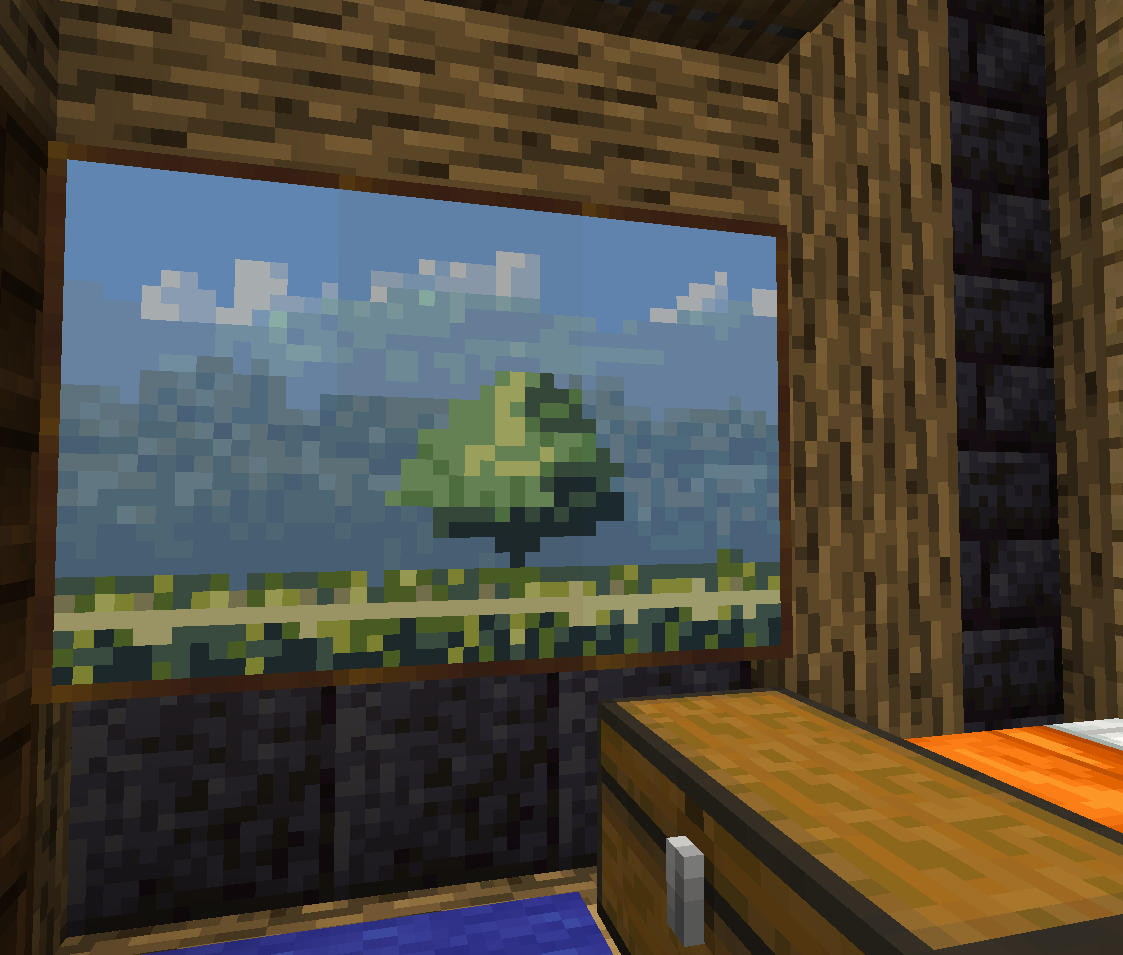
介绍
This Minecraft resourcepack adds some new paintings by using the Painting variants feature added in 1.21. It doesn’t replace any existing painting, it adds extra ones to the already existing.
This is an update of my Custom Paintings resource pack for Minecraft versions 1.14 to 1.20. You can find it here. This project only works for 1.21+ versions of Minecraft.
Installation
The new painting variants features requires both a resource pack and a datapack.
Important: This resource pack also requires a datapack
You can find the companion datapack here.
Copy the resource pack in your Minecraft installation resourcepacks folder and the datapack in your world datapacks folder.
You have to add the resource pack to the selected packs.
For more information see datapack usage and resource pack behavior in the Minecraft wiki.
Note: This datapack will mark your world as using experimental settings.
Usage
The paintings are available as any other Minecraft painting. Either randomly selected when placing a painting in the world or with the predetermined painting from the creative inventory.
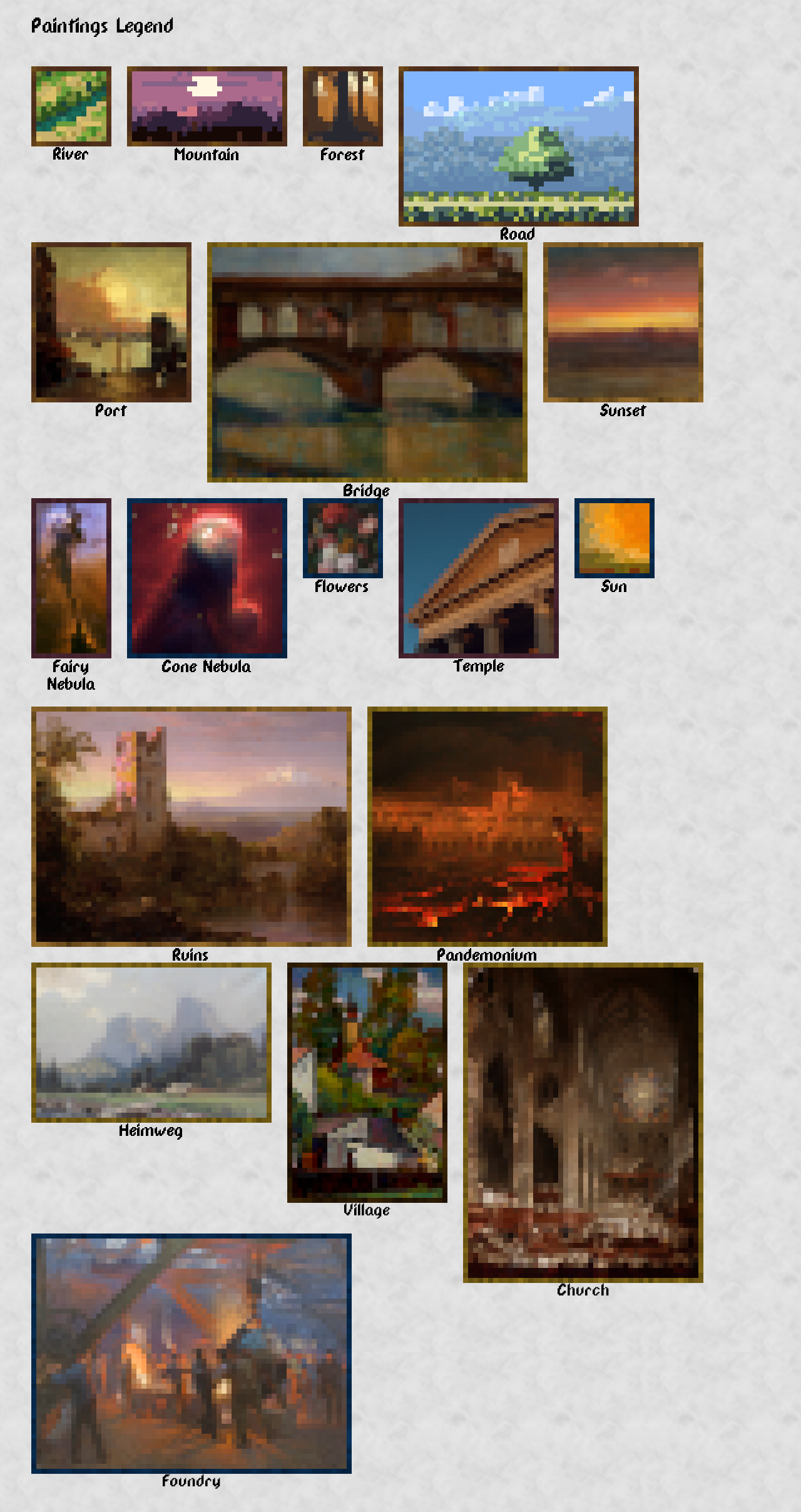
The next image shows all the available paintings:
Credits
First 4 sample paintings in the resource pack are created from art released under CC0 license by ansimuz. You can find the original images at the next links:
- “River” – Top Down River – Shooter Environment by ansimuz
- “Forest” – Forest Background by ansimuz
- “Mountain” – Mountain at Dusk Background by ansimuz
- “Road” – Country Side Platform Tiles by ansimuz
The rest of the paintings are created based on public domain images. You can find the originals in the next links:
- “Port” – Cumulus Clouds, East River by Robert Henri
- “Bridge” – Florence by Henryk Dietrich
- “Sunset” – Sunset by Frederic Edwin Church
- “Fairy Nebula” – The Fairy of Eagle Nebula by NASA, ESA, and The Hubble Heritage Team (STScI/AURA)
- “Cone Nebula” – Cone Nebula/NGC 2264 by NASA, H. Ford (JHU), G. Illingworth (UCSC/LO), M.Clampin (STScI), G. Hartig (STScI), the ACS Science Team, and ESA_Star-Forming_Pillar_of_Gas_and_Dust.jpg)
- “Flowers” – Still Life with Flowers in a Glass Vase by Jan Davidsz. de Heem
- “Temple” – brown high-rise building by Lucrezia Carnelos
- “Sun” – After the Deluge by George Frederic Watts
- “Ruins” – Chimborazo Volcano by Frederic Edwin Church
- “Pandemonium” – Pandemonium by John Martin
- “Heimweg” – Auf dem Heimweg II by Anna Klein
- “Village” – Houses and the Church at the Salwator Hill in Krakow by Henryk Dietrich
- “Church” – The Coronation of Queen Victoria by John Martin
- “Foundry” – Fra Burmeister og Wains jernstøberi by Peder Severin Krøyer
Acknowledgements
- Minecraft Wiki fantastic and to the point article and tutorial about painting variants.
- cassiancc’s reference repo for painting variants
- Hermitcraft for inspiring the original custom paintings resourcepack, as seen in this video (14:53).
New Custom Paintings © 2024 by Fuegon is licensed under Creative Commons Attribution-ShareAlike 4.0 International
常见问题
New Custom Paintings – Resource Pack 支持哪些 Minecraft 版本?
New Custom Paintings – Resource Pack 支持 Minecraft Java 版 1.21–26.3,共 17 个版本。下载时注意选择和你游戏版本一致的文件。
New Custom Paintings – Resource Pack 怎么安装?
把下载的 .zip 文件(不用解压)放进游戏目录的 resourcepacks 文件夹,进游戏后在「选项 → 资源包」里把它移到右边启用。
Fuegon 的其他作品
查看全部 → New Custom Paintings – Resource Pack
A resource pack, that with a companion datapack adds extra paintings to Minecraft using the painting variants feature introduced in version 1.21

New Custom Paintings – Datapack
A datapack, that with a companion resourcepack adds extra paintings to minecraft using the painting variants feature introduced in version 1.21
Custom Paintings
Adds some new paintings by using the CustomModelData feature added in 1.14.

New Custom Paintings – Crafting
A companion datapack, to New Custom Paintings that let's you craft the paintings added in the datapack
评论
登录后评论和评分