MemoryJournal
Turn your Minecraft adventures into a keepsake. Write, paste items, photos, sounds, waypoints & more into a shareable, multiplayer-synced journal.
截图
介绍
Memory Journal
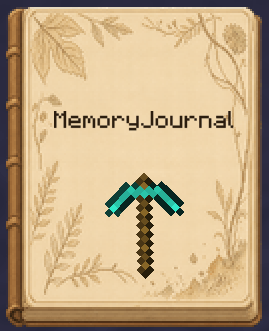
Memory Journal turns your Minecraft adventures into a physical keepsake you can carry around and flip through again and again. Right-click the journal to open it and edit it like a real notebook: write, stick on stickers, insert photos, record sounds, save waypoints… and bind every adventure into a book.
✨ Features
- A physical journal item: hold it, store it in your inventory, and right-click to open the editor.
- Multi-page layout: cover, back cover, and as many content pages as you like — add, remove, and flip through pages freely.
- Rich sticker elements: see the list below.
- Bookmarks: mark important pages; bookmarks pull out on hover for quick navigation.
- Custom fonts: a built-in font picker with recently-used history to make your text stand out.
- Element editing: copy / cut / paste, resize, rotate, bring to front / send to back, show / hide, edit notes, delete.
- Read-only modes: edit / read-only / locked read-only, so shared journals aren’t accidentally modified.
📌 Elements you can insert
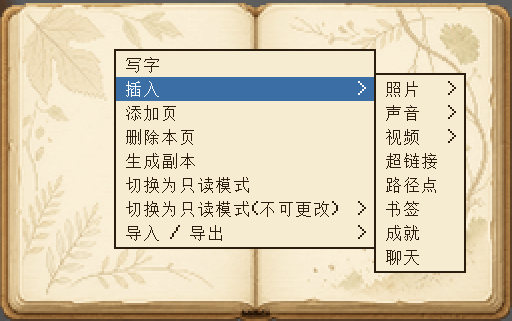
| Element | Description |
|---|---|
| Text | Free writing with line breaks and custom fonts |
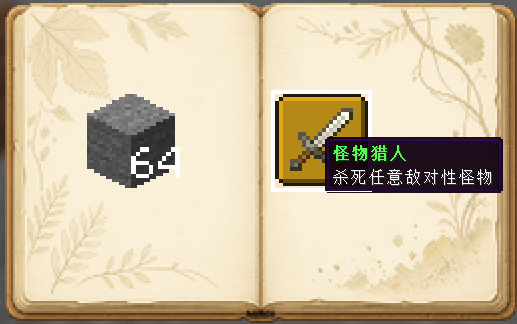
| Item sticker | Click an item in your inventory to paste it (configurable whether it’s consumed; consumed items can be taken back) |
| Block sticker | Shift+click a block to paste it as a block sticker |
| Photo | Local file or web URL |
| Sound | Insert audio |
| Video | Insert video |
| Hyperlink | Insert a clickable link |
| Waypoint | Record coordinates and teleport with one click (permission configurable) |
| Achievement | Insert unlocked advancements |
| Chat log | Capture and paste chat messages |
| Image | Inline image |
🌐 Multiplayer & Sharing
- Master + copies: a master journal can create multiple copies (count configurable); copies can’t create further copies.
- Online sync: the master and all copies share the same data — when online, edits sync to other players so everyone records the same journal together.
- Permission control: waypoint teleport, item consumption, and more are all configurable.
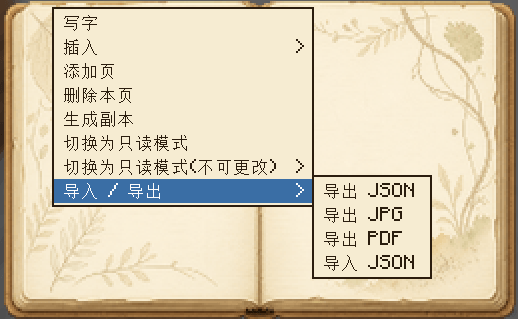
📤 Import / Export
- Export JSON: fully save the journal data and re-import it later.
- Export JPG: render the journal to images.
- Export PDF: generate a printable PDF journal.
- Import JSON: import a journal from a file.
⚙️ Configuration
| Option | Description |
|---|---|
allowWaypointTeleport |
Allow non-op players to teleport via waypoints |
consumeItemOnPaste |
Consume one item when pasting (consumed items can be taken back) |
maxCopyCount |
Max number of copies a master journal can create |
📦 Requirements
- Minecraft 1.21.11
- NeoForge 21.11.45+
常见问题
MemoryJournal 支持哪些 Minecraft 版本?
MemoryJournal 支持 Minecraft Java 版 1.21.1–1.21.11,共 2 个版本,可用的加载器:NeoForge。下载时注意选择和你游戏版本一致的文件。
MemoryJournal 怎么安装?
先用 PCL2 或 HMCL 启动器安装对应版本的 NeoForge,再把下载的 .jar 文件放进游戏目录的 mods 文件夹,重新启动游戏即可。开启了版本隔离的,mods 文件夹在 versions/版本名 下面。
strangesmell123 的其他作品
查看全部 →
Vlorant
Recreated some character abilities from Valorant.

Speed Drifter
Do you want to have an intense racing competition in MC? Then come and put!

RON Timer
Added some commands for RON to regulate the speed of the world or creatures, you can also use this mod on its own.
评论
登录后评论和评分