
介绍
A Minecraft mod that allows you to add text to the player interface using JSON files.
This mod is currently in beta; please report any bugs.
The json file is in .minecraft/config/hud.json
The more lines you add, the higher the likelihood of an FPS drop.
Wiki under construction.
Currently available placeholders:
$player_name$
$player_world$
$player_health$
$player_xp$
$player_level$
$player_food$
$pos_x$
$pos_y$
$pos_z$
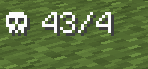
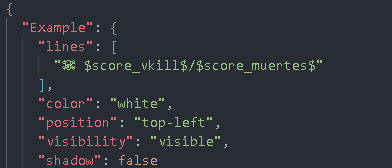
$score_<scoreboard_name>$
Updated how colors are rendered, adding more variety by using & prefixes.
For example:
Food: &c$player_food$
Added new item symbols using $item:<item>$.
Example:
$item:golden_apple$ Health: $player_health$

The scoreboard must be displayed somewhere for the client to receive it; example command:
/scoreboard objectives setdisplay (belowname, sidebar, list, sidebar.team_aqua, etc.) <scoreboard>
Example:
“Example”: {
“lines”: [
“Player: $player_name$”,
“Health: $player_health$”,
“Food: $player_food$”
],
“color”: “yellow / white / red / black / gray / orange / green / blue / purple / pink“,
“position”: “top-left / top-right / left / right / bottom-left / bottom-right / bottom / top“,
“visibility”: “visible / hidden“,
“shadow”: true / false
}
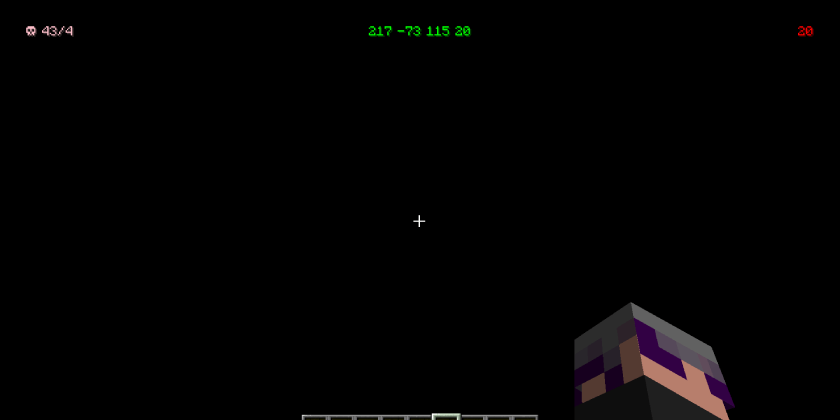
When Shadow = true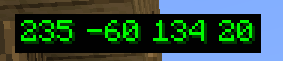
When Shadow = false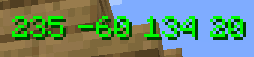
常见问题
JSON HUD 支持哪些 Minecraft 版本?
JSON HUD 支持 Minecraft Java 版 1.20.1,可用的加载器:Forge。下载时注意选择和你游戏版本一致的文件。
JSON HUD 怎么安装?
先用 PCL2 或 HMCL 启动器安装对应版本的 Forge,再把下载的 .jar 文件放进游戏目录的 mods 文件夹,重新启动游戏即可。开启了版本隔离的,mods 文件夹在 versions/版本名 下面。
评论
登录后评论和评分