Mosaicary
Browse and wear Minecraft skins in game: a catalogue of thousands of skins, your own collection, live eyes, and skins everyone with the mod sees.
截图
介绍
Mosaicary
A skin wardrobe for Minecraft. Browse the skin catalogue of mosaicary.com in the game, see each skin on the player model, and wear it in one click.
For Fabric, Minecraft 26.3.

What it does
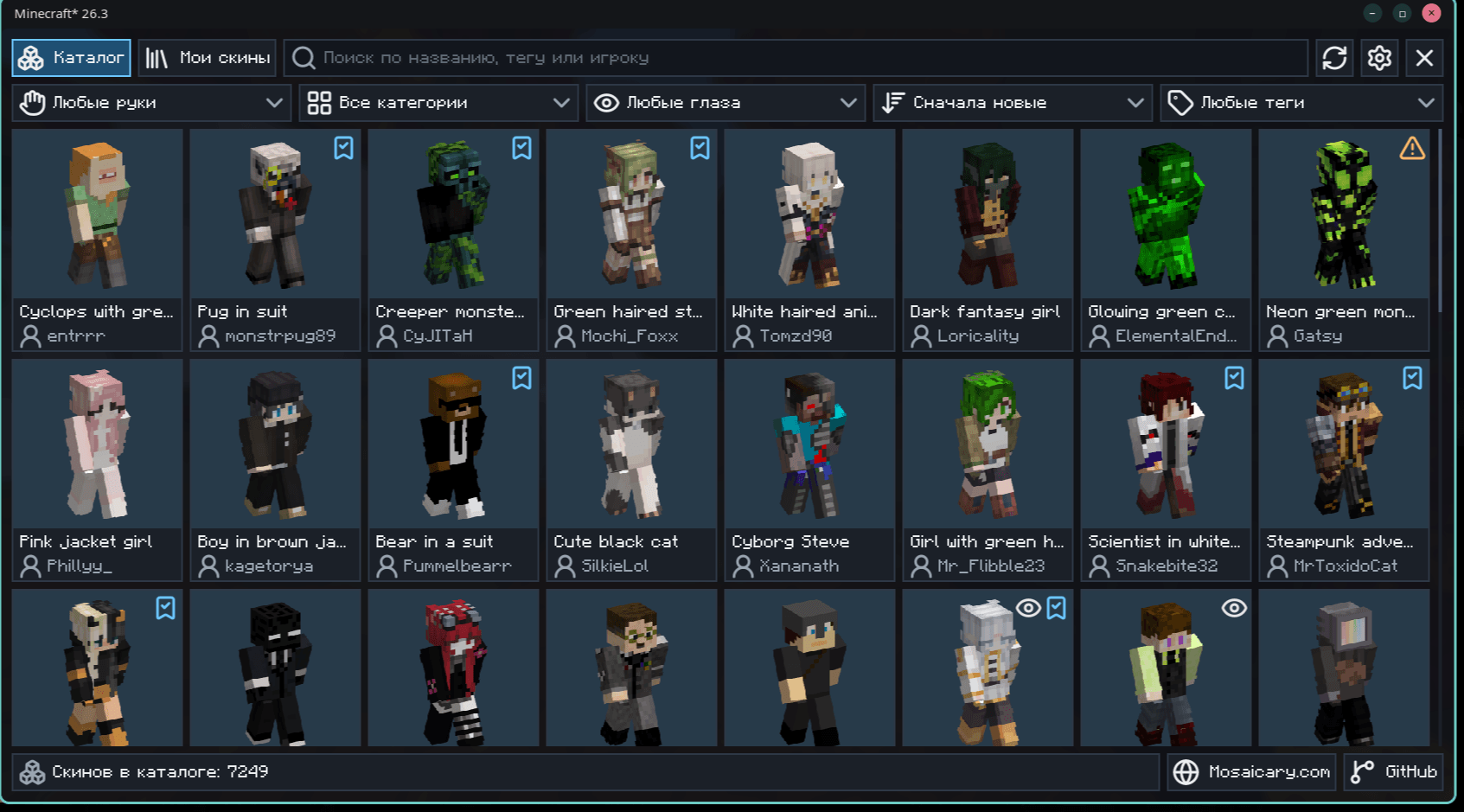
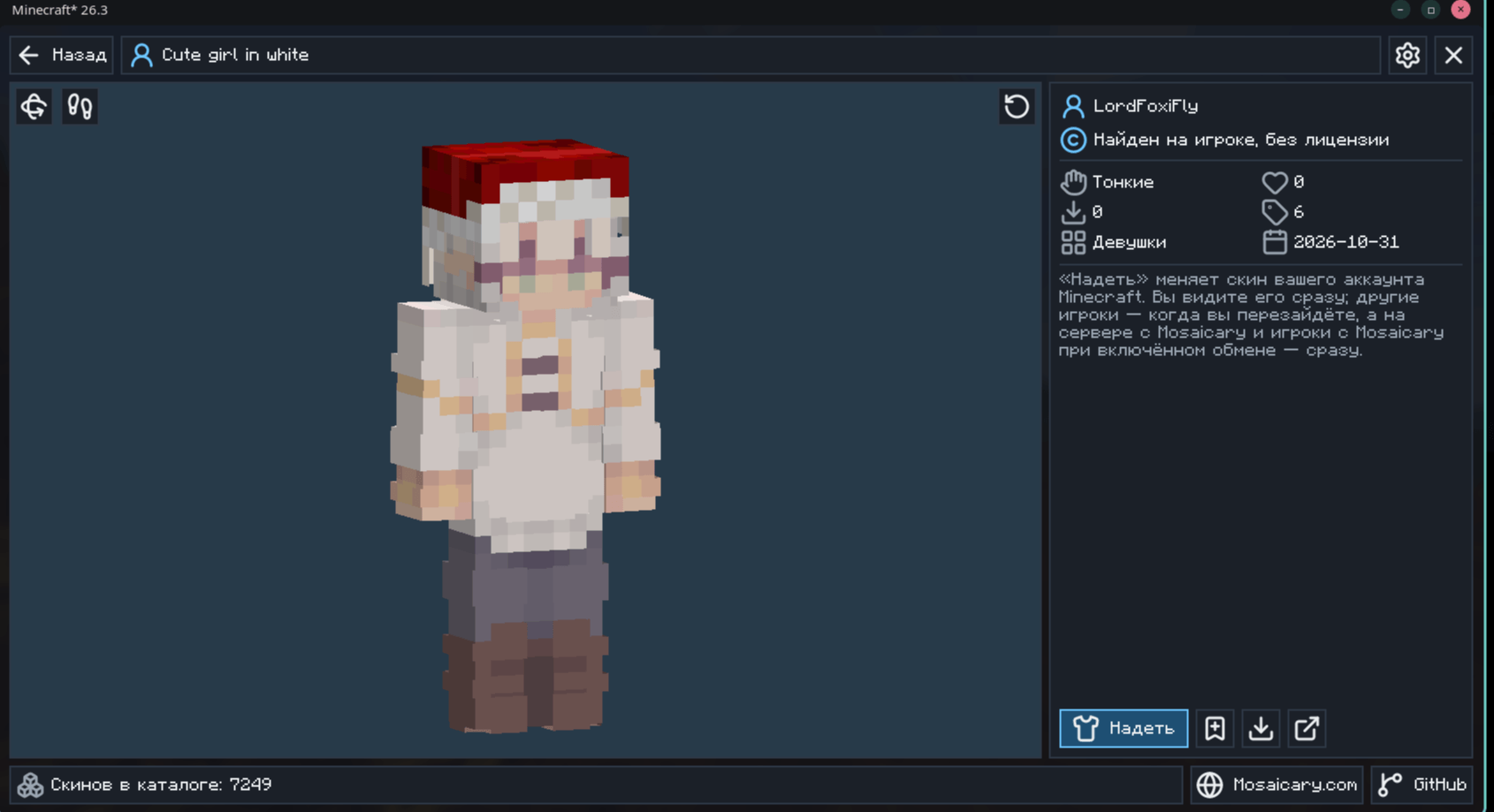
- Catalogue. Search by name, tag or player, and filter by arms, category, live eyes, order and tags. Open it with the M key or the button on the pause menu.
- Preview. Every skin stands on the game’s own player model: the left mouse button turns it, the right one moves it, the wheel zooms.
- Wear. One click puts the skin on your Minecraft account. You see it at once; other players see it when you join again, or at once on a server with Mosaicary.
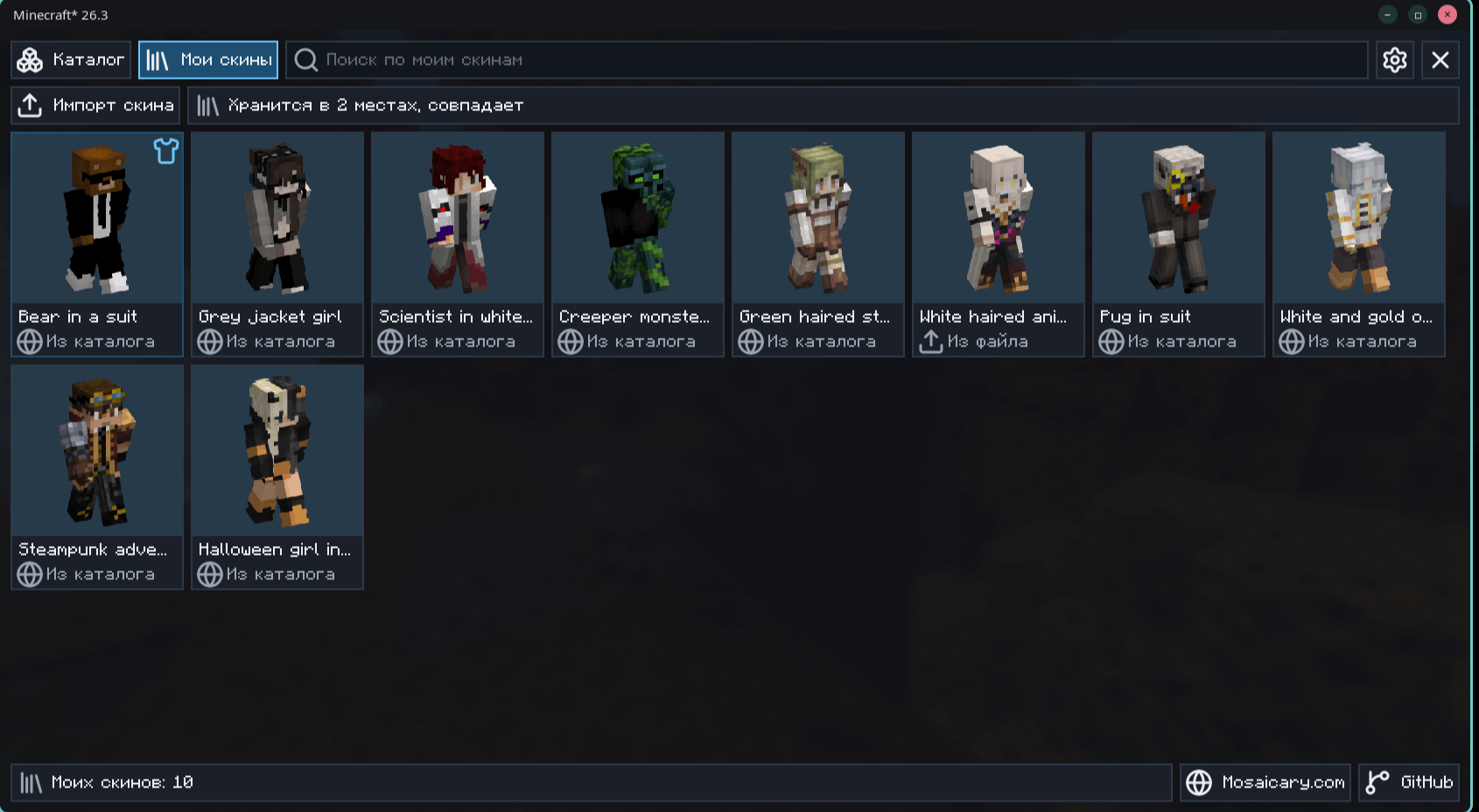
- My skins. The skins you wore or saved, and your own PNG files. Sign in to an account on mosaicary.com, and they come back in any game with the mod.
- No licence? Mojang will not take your skin, but with an account on mosaicary.com everybody with the mod sees it.
- Sharing. Players with Mosaicary and sharing on see each other’s new skins at once, even on servers without the mod.
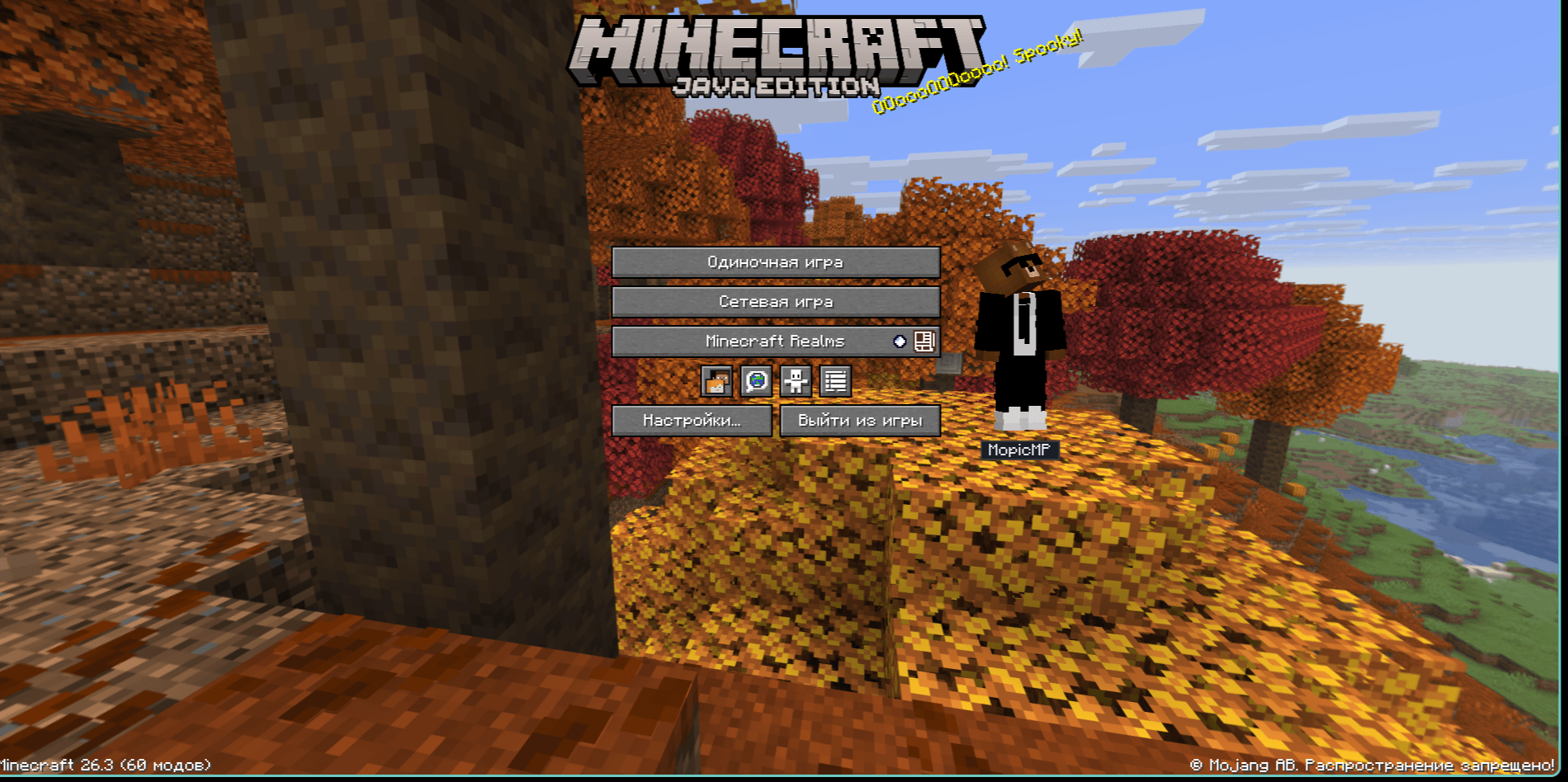
- Beside the menus. Your skin stands next to the main menu and the pause menu. Its place and size are in the settings, and it can be switched off.
- See-through skins. They show as drawn, on you and on other players. The mod warns you about them: players without it see those places solid, the clear ones usually black.
- Live eyes. Skins marked with an eye blink and look around with the Fresh Moves+ resource pack, Entity Model Features and Entity Texture Features. The wardrobe says if something is missing.


Requirements
- Minecraft 26.3
- Fabric Loader 0.19.5 or newer
- Fabric API
- Java 25
Optional: Mod Menu, for the settings button in its list, and the three projects under Live eyes above. The mod works without them, in single player and on any server. The server does not need it.
The game’s interface is translated into English, Russian, German, Spanish, French, Italian, Japanese, Korean, Dutch, Polish, Brazilian Portuguese, Turkish, Ukrainian and Simplified Chinese.
Credits
The hat on the mod’s icon is “[Fancy Hat [ minecraft style ]](https://sketchfab.com/3d-models/fancy-hat-minecraft-style-b0f3fade197b44119939bd324c944a7a)” by [LepikGem](https://sketchfab.com/LepikGem), licensed under [CC BY 4.0](https://creativecommons.org/licenses/by/4.0/). It was put on my own model and rendered as the icon.
What goes to mosaicary.com
The catalogue comes from the site. With sharing on, which the mod asks about on your first Wear, the site keeps the skin you wear and your player id, so that other players with the mod can see it. If you turn on My skins on the site or sign in to an account there, it also keeps the list of your skins and your own skin files. “Delete my data” in the mod’s settings removes all of it. More at mosaicary.com/data.
Licence
All rights reserved. You may read the source and build it for yourself; publishing it is not allowed. The full terms are in LICENSE. To ask about anything else: [email protected].
Not an official Minecraft product. Not approved by or associated with Mojang or Microsoft.
常见问题
Mosaicary 支持哪些 Minecraft 版本?
Mosaicary 支持 Minecraft Java 版 1.18.2–26.3,共 6 个版本,可用的加载器:Fabric / Forge / NeoForge。下载时注意选择和你游戏版本一致的文件。
Mosaicary 怎么安装?
先用 PCL2 或 HMCL 启动器安装对应版本的 Fabric / Forge / NeoForge,再把下载的 .jar 文件放进游戏目录的 mods 文件夹,重新启动游戏即可。开启了版本隔离的,mods 文件夹在 versions/版本名 下面。
评论
登录后评论和评分