
Enchantment Change Table
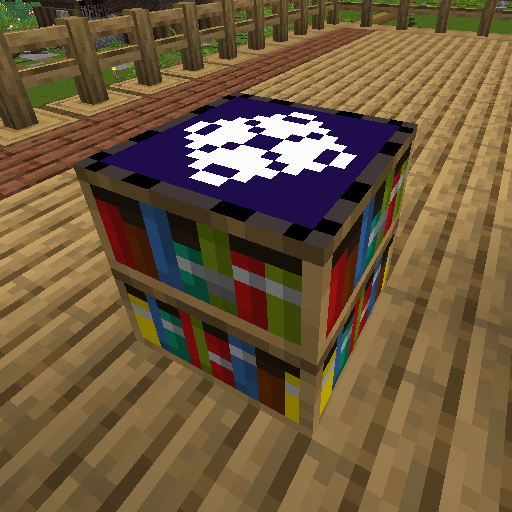
A casual gambling table that rerolls enchanted books using XP, diamonds, or netherite.
截图
介绍
Enchantment Change Table
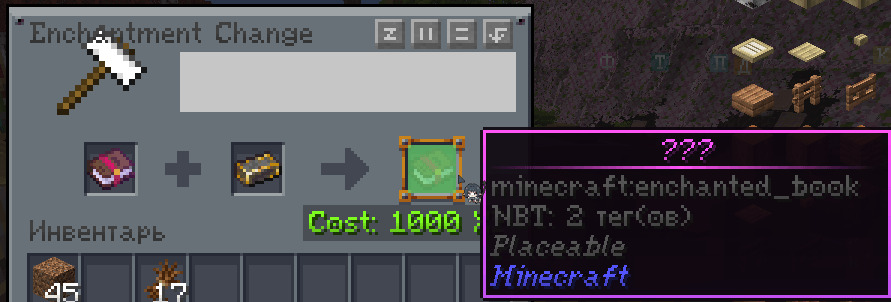
A casual mod for people who have plenty of XP and way too many enchanted books lying around. Spend 100 or 1000 experience, plus a diamond or a netherite ingot, and get what you need. Or don’t. Let’s go gambling! 🎰
What it does
Adds a new workstation — the Enchantment Change Table. Put in an enchanted book you don’t need and a resource, get something new back. What you get depends on the resource.
How it works
💎 Diamond — the casino
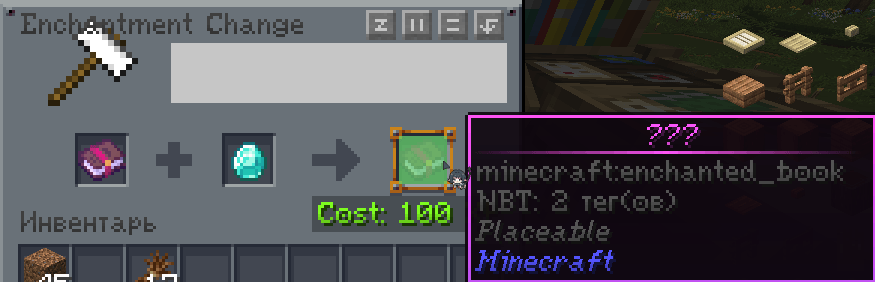
Book + 1 diamond + 100 XP points (not levels!) → a random enchanted book.
- Pool includes every vanilla enchantment except Mending
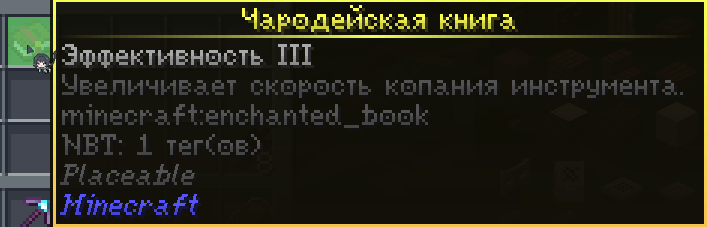
- Enchantment level is random, from 1 up to that enchantment’s max
- 15% chance to get a curse instead of a normal enchantment
- The result stays hidden (“???”) until you actually take it out of the table — the real roll happens on pickup, not on placement
🔩 Netherite ingot — the sure thing
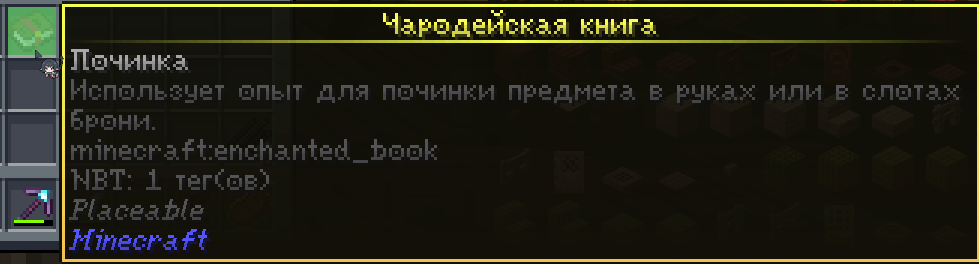
Book + 1 netherite ingot + 1000 XP points → a Mending book, guaranteed. Expensive, but no gambling involved.
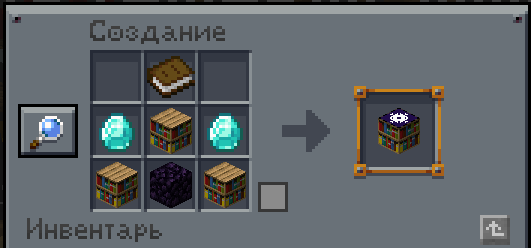
Crafting recipe [ ][book][ ] [diamond][bookshelf][diamond] [obsidian][bookshelf][obsidian]
Who this is for
Modpacks and worlds where getting enchantments is easy, but your chests are full of enchanted books you’ll never use. This isn’t a survival-balance mod — it’s about turning a pile of junk books into something useful. Or at least something fun.
Compatibility
- Minecraft: 1.20.1
- Loader: Forge
- Side: Client + Server (required on both)
Modpack usage
You may include this mod in your own modpacks, as long as it is downloaded/linked through its official CurseForge or Modrinth page (as most modpack launchers already do automatically), rather than redistributing the .jar file directly.
常见问题
Enchantment Change Table 支持哪些 Minecraft 版本?
Enchantment Change Table 支持 Minecraft Java 版 1.20.1,可用的加载器:Forge。下载时注意选择和你游戏版本一致的文件。
Enchantment Change Table 怎么安装?
先用 PCL2 或 HMCL 启动器安装对应版本的 Forge,再把下载的 .jar 文件放进游戏目录的 mods 文件夹,重新启动游戏即可。开启了版本隔离的,mods 文件夹在 versions/版本名 下面。
Chertillya 的其他作品
查看全部 →
ModListMod
Saves a list of all your installed mods to a text file, marks newly added mods, and lets you open it with one click from chat.

Paint the grass!
Dye grass blocks in all 16 colors! Grass, ferns and flowers on them match the block, and bone meal grows only flowers of the right color. A simple, casual alternative to Tinted Grass.

Stinging Nettle
Adds nettle to forests, a new non-lethal (but unpleasant) effect, a few handy items, some achievements, and optional Farmer's Delight recipes.

WoodLight
Vanilla-style wooden lamp blocks for every wood type, with several patterns, 2x2 merging into one big lamp, and designed with popular wood mods in mind.
评论
登录后评论和评分