Streams Events
If you're a content creator, you can now link your Twitch or TikTok account, or both! This allows your viewers to interact with the game
介绍
If you are a content creator, you can now link your Twitch or TikTok account—or both! This allows your viewers to interact with the game world through channel rewards or gifts sent during your live streams.
You can trigger in-game events based on actions such as new followers (on either or both platforms), Bits, subscriptions, or channel reward redemptions on Twitch. If you prefer to link your TikTok account, you can trigger events based on follows, gifts, specific coin amounts, subscriptions, or like goals. Best of all, these events are fully configurable and customizable; the mod generates help files in the `config\streamevents\events` folder, available in both Spanish and English.
To set it up with Twitch, launch the game, create a world, and use the command `/stream link twitch`. This will display a message containing a link to connect your account.
To set it up with TikTok, use the command `/stream link tiktok @username`. This will provide a code that you can copy to your clipboard by clicking on it. Start a live stream using the account you specified, and then enter that code in the chat. For security reasons, the mod automatically verifies that the account entering the code is the same one you specified when running the `/stream link tiktok @username` command.
Once one or both accounts are linked, you can locate your events file in `config\streamevents\events` and configure each and every event you would like to trigger.
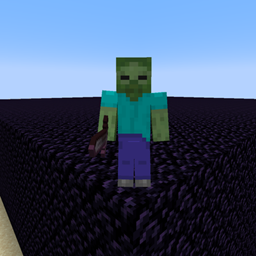
That’s right: if someone sends you 100 roses, 100 Bits, or a subscription, they could cause you to face zombies in-game or trigger a shower of TNT over your character! They could even trap you behind walls made of sand, glass, stone, or obsidian! Don’t forget to read the AYUDA.txt files to learn about the variables, and the REGALOS-TIKTOK.txt file to see the names of all the available gifts. If the file hasn’t been created yet, you can use the command “/stream gifts” within any world to generate it; it will contain the names and prices for each gift.
Example of the Follow event:
WHEN follow
SPAWN zombie NAME {user}
SAY &a{user} followed you!
Example of the ‘follow’ event in Spanish:
CUANDO follow
INVOCAR zombie NOMBRE {user}
DECIR &a{user} te siguió!
Supports both languages.
常见问题
Streams Events 支持哪些 Minecraft 版本?
Streams Events 支持 Minecraft Java 版 1.21.1,可用的加载器:NeoForge。下载时注意选择和你游戏版本一致的文件。
Streams Events 怎么安装?
先用 PCL2 或 HMCL 启动器安装对应版本的 NeoForge,再把下载的 .jar 文件放进游戏目录的 mods 文件夹,重新启动游戏即可。开启了版本隔离的,mods 文件夹在 versions/版本名 下面。
CGDv 的其他作品
查看全部 →
Glowshelf
A mod focused on decoration
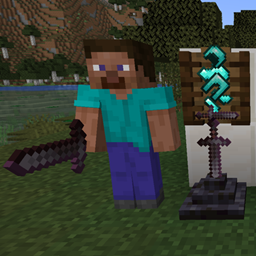
Display Armory
It adds an armor stand that mimics the player´s appearance.
Sadtown
A mod pack that includes comprehensive optimization tweaks, as well as mods that add a wide variety of animals, such as lions, tigers, otters, and many more, along with trophies for achievements.
TotemDollPlayer
An immortality totem that dynamically adopts the appearance of its bearer and allows for customization of its look via an interactive menu or an anvil.
评论
登录后评论和评分