
截图
介绍
This mod adds brand new tools, armors and ores to the game!
This mod features:
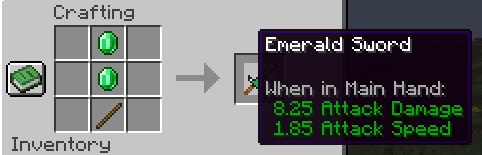
Emerald Tools (Sword, Pickaxe, Axe and Shovel)
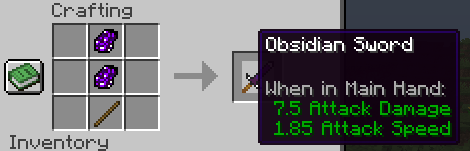
Obsidian Tools (Sword, Pickaxe, Axe and Shovel)
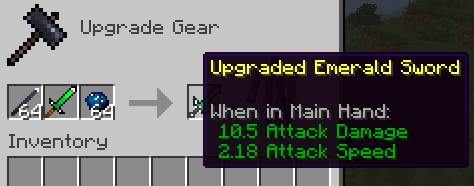
Upgraded Emerald Tools (Better versions of the normal ones)
Upgraded Obsidian Tools (Better versions of the normal ones)
Ruby Armor Kit (Helmet, Chestplate, Leggings and Boots)
Black Opal Armor Kit (Helmet, Chestplate, Leggings and Boots)
New Ores (Saphire, Ruby and Black Opal)
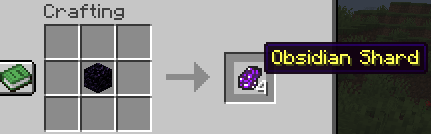
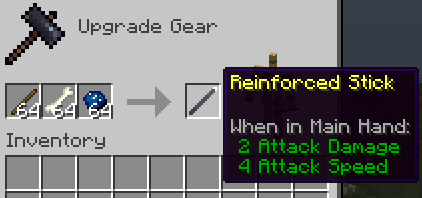
New Items (Reinforced Stick and Obsidian Shard)
Custom Loot Tables (Mineshafts and Dungeons)
Custom Villager Trades (4 gold ingots for 1 emerald on novice level and 16 iron ingots for 1 emerald on apprentice level)
Custom Advancements
Custom Recipes (100% Survival Friendly)
LOGICS:
1 – Tools:
Normal Obsidian – Better than diamond and worse than netherite. All tools are immune to lava and fire sources. Can break anything that is breakable.
Normal Emerald – Better than all vanilla tools. All tools are NOT immune lava and fire sources. Can break anything that is breakable.
Upgraded Obsidian – Better than all vanilla and normal tools. All tools are immune to lava and fire soruces. Can break anything that is breakable.
Upgraded Emerald – Better than anything. All tools are NOT immune to lava and fire sources. Can break anything that is breakable.
2 – Armors:
Ruby – Better than diamond and worse than netherite. Has 5% knockback resistance to each armor piece (totalizing 20% knockback resistance when in full set). All armor pieces are NOT immune to lava and fire sources.
Black Opal – Best armor in the game. Has 3,5% knockback resistance to each armor piece (totalizing 14% knockback resistance when in full set). All armor pieces are immune to lava and fire sources.
MORE CONTENT WILL BE ADDED IN THE FUTURE!
Stay Tuned 😉
常见问题
Tools & Shapes 支持哪些 Minecraft 版本?
Tools & Shapes 支持 Minecraft Java 版 1.21.1–26.1.2,共 2 个版本,可用的加载器:NeoForge。下载时注意选择和你游戏版本一致的文件。
Tools & Shapes 怎么安装?
先用 PCL2 或 HMCL 启动器安装对应版本的 NeoForge,再把下载的 .jar 文件放进游戏目录的 mods 文件夹,重新启动游戏即可。开启了版本隔离的,mods 文件夹在 versions/版本名 下面。
评论
登录后评论和评分