FarmerFranks_robotics
Build, upgrade and link little robots to automate your farms, tree farms, animal pens and mob farms. Powered by FE energy.
截图
介绍
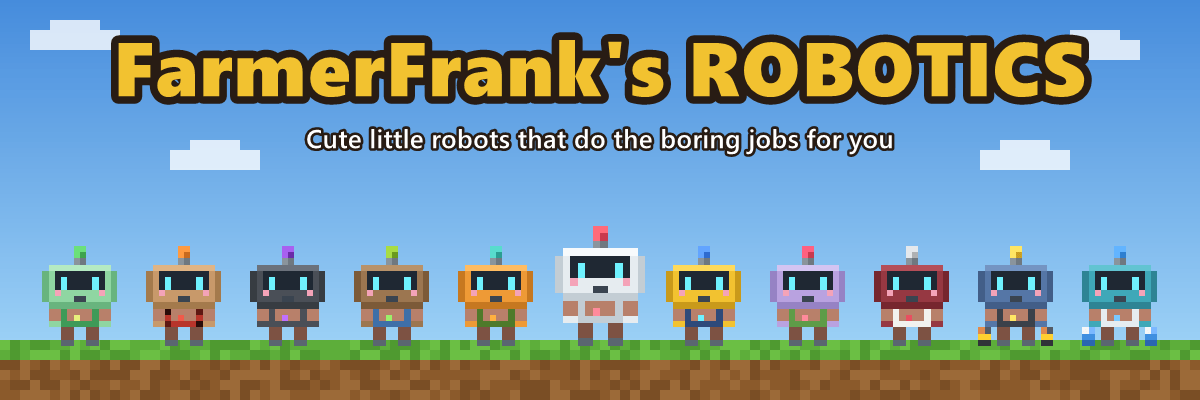
FarmerFrank’s Robotics
Cute little robots that do the boring jobs for you. Build them in a Robot Workshop, give them a Neural Chip that tells them what to do, link them to the chests and machines they work with and their charging station, and watch them work. They carry, collect, chop, farm, fish, breed, butcher, shear sheep, hunt, zap and even haul energy around, all on their own.
FarmerFrank’s Robotics is made for survival worlds and automation modpacks: robots run on FE energy, need their own charging station, and can be upgraded and filtered to fit any build.
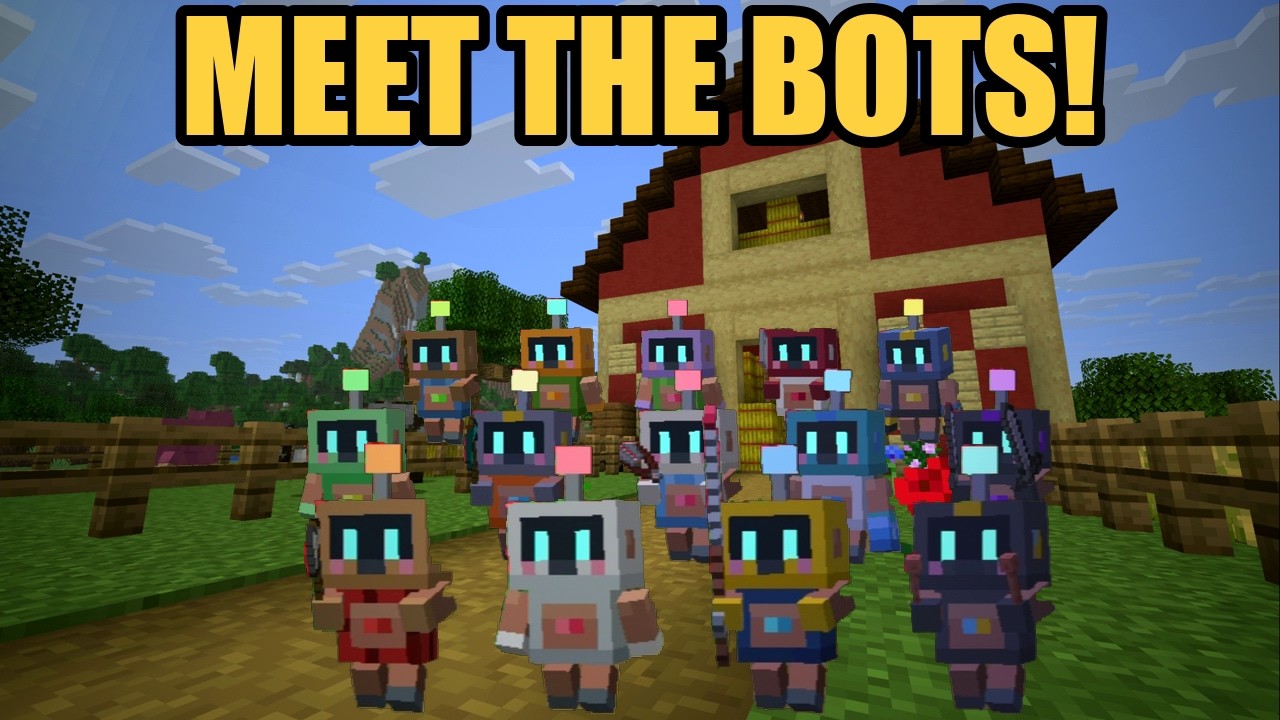
Meet the Bots!
All fourteen robots walk out of the barn one by one and say hello. Click to watch on YouTube:
Early beta. The mod is still growing. Bugs and ideas are very welcome in the comments.
Wiki, tech tree and robot lineup
- Wiki: everything about every robot, block and upgrade, from your first Coppersteel Ingot to an army of robots.
- Tech tree: every part and recipe as a clickable tree, with what each costs.
- Robot lineup: every robot in 3D, the standard one and the advanced one side by side.
The Robots
| Robot | What it does |
|---|---|
| Transporter | Carries items from one inventory to another: chests, barrels, furnaces or machines from other mods. |
| Collector | Picks up items lying on the ground in its area and brings them to a chest. |
| Lumberjack | Fells whole trees and replants the same kind of sapling. Plant the trees the way you want them, and it keeps the farm going. |
| Killerbot | Hunts hostile mobs in its area with a spinning two-sword attack. |
| ArcBot | Shoots arcs of electricity at hostile mobs from up to 10 blocks away, jumping from mob to mob. Spiders on walls, blazes and creepers never get close. |
| Planter | Tills the ground near water and sows seeds from a chest. |
| Harvester | Harvests ripe crops and delivers the harvest to a chest. |
| Fisher | Casts its rod in the water, reels in fish and junk (and the odd treasure), and cheers when it gets a bite. |
| Breeder | Feeds animals two by two so they breed, and stops at a number of each kind you choose, so the pen does not overfill. |
| Butcher | Keeps a set number of grown-up animals of each kind and butchers the rest. Animals with a name tag are always safe. |
| Power Porter | Hauls energy between batteries in two heavy batteries, from one or several to one or several. No cables needed. |
| Fluid Porter | Carries water, lava and other mods’ fluids between tanks and machines in two blue canisters. |
| Miner | Digs out its area layer by layer all the way down to bedrock, climbing a ladder it makes itself as it goes, and fills a chest with ores. Water and lava are walled off. |
| Wool-E | Shears the sheep in its area and brings the wool to a chest. Lambs and sheep without wool are left alone, and a filter with wool picks the colors. |
Not just chests. Wherever a robot fetches or delivers items, any block that holds items works: chests, barrels, shulker boxes, furnaces, and machines and storage from other mods. The side you click counts, as with a hopper or a pipe.
Mobs fight back. Killerbots and ArcBots have a force shield that takes the hits first and recharges from their battery. A beaten one becomes a Scrap Pile that never despawns; mend it at an anvil with Coppersteel Ingots and the robot is back as it was. Creepers leave robots alone, so they do not blow up your base, and a server can turn it all off in the config.
Every robot has its own colours, animations and personality. The Lumberjack swings its axe, the Planter hacks at the ground with a hoe, the Fisher throws its arms up over a good catch, and the Power Porter staggers along under its batteries.
How It Works
- Coppersteel. Smelt iron and copper together in the Robotics Foundry to make Coppersteel Ingots, the base of almost everything in the mod.
- Energy. Burn fuel in a Stone Generator or Iron Generator, and store the energy in a Battery (100 000 FE), or a Battery Bank (250 000 FE) made from a Battery and three Coppersteel Battery Modules, with room for five more modules to reach 500 000 FE.
- Build a robot. Put a Robot Frame and a Neural Chip into a powered Robot Workshop. The chip decides what kind of robot you get.
- Set it up. Right-click the robot with a Robot Linker and follow the steps: click the chests or machines it fetches from and delivers to, its charging station, and two corners for its work area. Any block that holds items works, not just chests: barrels, furnaces and machines from other mods too. The side you click counts, so ore can go in the top of a furnace and fuel in the side.
- Let it work. When its battery runs low, the robot walks back to its Charging Station, or to another one close by, charges up, and goes back to work.
- Keep an eye on it. Ctrl + right-click a robot to open its Robot Panel: the robot itself, what it is doing, its battery, what it carries, its modules and filter, and every chest or machine it fetches from and delivers to. Change which side of each one it uses, its filter, or how many animals a Butcher keeps, right there.
New players get a Robotics Manual the first time they join. It explains everything in the mod, with a chapter for every robot.
Upgrades and Modules
Put modules into a robot at the Robot Workshop. It shows which slots a robot can use, warns about an upgrade that does nothing for it, and lets you give each robot a name of its own.
- Battery Modules. The Copper (25 000 FE) and Coppersteel (50 000 FE, charges twice as fast) modules mean fewer trips to the charger.
- Speed Upgrade. Walks 30% faster.
- Range Upgrade. Work areas up to 48 × 48 instead of 32 × 32.
- Efficiency Upgrade. Uses 25% less energy.
- Capacity Upgrade. Carries more: two stacks, eight for a Harvester, Fisher, Butcher or Wool-E, or double cargo for a Power Porter or Fluid Porter.
- Magnet Upgrade. A Collector picks up items from 3 blocks away.
- Jetpack Upgrade. A Miner flies up and down its shaft, much faster than it climbs.
- Luck Upgrade. A Miner gets more from ores, as with Fortune III, and a Fisher catches more treasure, as with Luck of the Sea III.
- XP Upgrade. A Collector picks up experience orbs too, and takes them to a tank. Shift + right-click the Glass Tank to take the experience.
- Axe Upgrade. A Lumberjack fells trees twice as fast.
- Forestry Upgrade. A Lumberjack plants its spare saplings in rows across its area, so the forest spreads.
- Watering Can Upgrade. A Planter waters its crops while it waits, so they grow a little faster.
- Combat Upgrade. A Killerbot gets diamond swords that reach further and hit twice as hard. An ArcBot’s arcs reach further and hit harder.
- Whitelist and Blacklist Filters. Choose exactly what a robot works with: which items to carry, which crops to harvest, which mobs to hunt, or which animals to breed. Mobs are picked from a list of every mob in the game, mods included, so no spawn eggs are needed.
Handy Blocks and Tools
- More than one chest or machine. Shift + click them with the linker, and a robot fetches from several or delivers to several, like a wall of chests or a row of furnaces. Fill them one at a time, or share out round robin. The Power Porter and Fluid Porter do the same with batteries and tanks.
- Inspector. Right-click a robot to see everything about it, with its area, chests, machines and charger outlined in the world.
- Robot Revolving Door. Robots walk straight through it. For animals, mobs and players it is a solid wall, and it keeps light out, so pens stay closed and mob farms stay dark.
- Glass Tank. Holds 16 buckets of one fluid, which you can see inside. It works with buckets and fluid pipes, and keeps its fluid when you break it.
- Robot Monitor. A screen that shows what your robots are doing, wherever they are: a Miner far away or a Killerbot in the Nether. Choose the robots from their Robot Panel, and it goes through them one at a time.
- Fertilized Dirt and Fertilized Farmland. Saplings and crops on them grow four times as fast. Perfect for robot tree farms and fields.
- Charging Station. Connects to batteries, generators, and pipes or cables from other mods, with little sockets and docks that show up on each connected side. Lamps along the pad show how full it is, from green to red, and go dark when it is empty.
- Every machine has a Sides button to choose what goes in and out where.
Compatibility
- Mod loader: NeoForge
- Minecraft: 26.3
- Energy: standard FE, so pipes and cables from other mods (such as Pipez) work with the generators, batteries and charging stations.
- Fluids: standard NeoForge fluid handling, so the Glass Tank works with fluid pipes, and the Fluid Porter works with other mods’ tanks and machines.
- JEI: optional. Shows Robotics Foundry recipes, generator fuels and Robot Workshop builds.
- Multiplayer: works on dedicated servers. Robots belong to the player who puts them down; share them with
/robotics trust <player>, and with FTB Teams installed your teammates can use them too. - Languages: English and Norwegian.
Modpacks
You are welcome to use FarmerFrank’s Robotics in any modpack. A link back to this page is appreciated.
Built to be easy to fit into a pack:
- Turn robots on or off in
config/farmerfranks_robotics-local.toml. A robot that is off has no recipe, is hidden from the creative menu and JEI, and cannot be built. - Tune the balance in
config/farmerfranks_robotics-synced.toml: energy per coal, generator output, robot energy use, work area sizes, Breeder and Butcher limits, and Power Porter cargo. - Swap recipes easily. All crafting recipes are plain JSON that you can override with datapacks, KubeJS or CraftTweaker, and they use common
c:tags (such as#c:ingots/iron), so other mods’ materials work out of the box. - Use our recipe condition in your own recipes:
farmerfranks_robotics:robot_enabled, for example{"type": "farmerfranks_robotics:robot_enabled", "robot": "lumberjack"}.
The mod is All Rights Reserved: please do not re-upload it on its own or publish modified versions without permission.
Made by FarmerFrankMods. Have fun, and let the robots do the farm work.
常见问题
FarmerFranks_robotics 支持哪些 Minecraft 版本?
FarmerFranks_robotics 支持 Minecraft Java 版 26.3,可用的加载器:NeoForge。下载时注意选择和你游戏版本一致的文件。
FarmerFranks_robotics 怎么安装?
先用 PCL2 或 HMCL 启动器安装对应版本的 NeoForge,再把下载的 .jar 文件放进游戏目录的 mods 文件夹,重新启动游戏即可。开启了版本隔离的,mods 文件夹在 versions/版本名 下面。
评论
登录后评论和评分