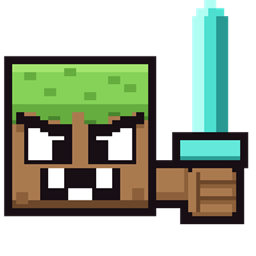
Blocks Fight Back: Fabric Edition
Mine a block. Now fight it. Blocks come alive, chase you down, and hit back. Pick exactly which ones do it with the in-game browser.
介绍
Blocks Fight Back: Fabric Edition
Mine a block. Now fight it.
Break a block and it doesn’t drop — it stands up, comes after you, and hits back. Beat it and you get the normal drops. Lose and, well, you got beaten up by dirt.
Features
- Blocks come alive and chase you, with a health bar over their head
- They find their way around walls and terrain to reach you
- Fights work like real Minecraft combat — same reach, same weapon cooldown, same crits
- Your armor, shields, Protection, Thorns, and weapon enchantments all still work
- Kill them however you want: sword, bow, crossbow, potions, TNT, fireworks
- Silk Touch, Fortune, and XP drops work exactly like normal
- Flowers, grass, kelp, and other tricky blocks are handled properly
- Blocks go back to normal if you die, log off, change worlds, or switch to Creative or Peaceful
- Chests, portals, command blocks, and bedrock are left alone
- Three difficulty presets — Classic, Survival, and Chaos, plus your own saved setups
- In-game Block Browser: search and click to pick exactly which blocks fight back
- Once a block wakes up you can’t mine your way out — you have to fight it
No extra mods needed
No Fabric API. No Quilt Standard Libraries. No dependencies at all. Just drop it in and go.
The same JAR works on both Fabric and Quilt, in singleplayer and on servers. On a server, only the server needs it — your friends can join with a totally normal Minecraft and it’ll still work.
Default settings
| Setting | Default |
|---|---|
| Damage when a block hits you | 2.5 hearts |
| How often it can hit | Once per second |
| How far it can spot you | 64 blocks |
| Block health | Based on how tough the block is (4–50) |
| Most blocks alive at once | 100 on the server, 25 per player |
| How long they last if nobody’s near | 2 minutes |
| Starting preset | Classic |
All of this lives in the config file. Run /bfb reload after editing.
Downloads
| Build | Versions | Java |
|---|---|---|
| Fabric / Quilt | 1.21.11 | Java 21 |
| Fabric / Quilt | 26.1 – 26.1.2 | Java 25 |
| Fabric / Quilt | 26.2 | Java 25 |
Needs Fabric Loader 0.19.2 or newer, or Quilt Loader.
Running Paper or Purpur? That’s a separate download — see the link at the bottom.
How to install
- Install Fabric Loader 0.19.2 or newer (or Quilt Loader)
- Put the JAR file in your
modsfolder - Start the game or server
- Type
/bfb statusto check it’s running
Commands
| Command | What it does |
|---|---|
/bfb start |
Turns it on |
/bfb stop |
Turns it off |
/bfb status |
Shows whether it’s on and which preset is active |
/bfb help |
Opens an in-game book with everything explained |
/bfb blocks |
Opens the Block Browser |
/bfb blocks [search] |
Jumps straight to blocks matching your search |
/bfb killall |
Clears out every block that’s currently alive |
/bfb reload |
Loads your settings again |
/bfb preset classic |
Balanced — the default |
/bfb preset survival |
Tougher fights |
/bfb preset chaos |
Exactly what it sounds like |
/bfb preset custom save NAME |
Saves your current setup |
/bfb preset custom load NAME |
Loads one back |
/bfb preset custom list |
Shows everything you’ve saved |
Picking which blocks fight
Run /bfb blocks to open the Block Browser. Search for what you want, page through the results, and click any block to toggle whether it fights back. No config editing needed.
Happy with your setup? Save it with /bfb preset custom save NAME and load it back any time.
You can still edit the config file directly if you’d rather — run /bfb reload afterward.
Problems?
If you find a bug you can make happen again, tell me your Minecraft version, whether you’re on Fabric or Quilt, which version of Blocks Fight Back you have, and any red text from the console.
Also on
- CurseForge — Paper plugin (Paper / Purpur)
- Modrinth (every version)
Made by DawsonCodes.
常见问题
Blocks Fight Back: Fabric Edition 支持哪些 Minecraft 版本?
Blocks Fight Back: Fabric Edition 支持 Minecraft Java 版 1.21.11–26.2,共 5 个版本,可用的加载器:Fabric / Quilt。下载时注意选择和你游戏版本一致的文件。
Blocks Fight Back: Fabric Edition 怎么安装?
先用 PCL2 或 HMCL 启动器安装对应版本的 Fabric / Quilt,再把下载的 .jar 文件放进游戏目录的 mods 文件夹,重新启动游戏即可。开启了版本隔离的,mods 文件夹在 versions/版本名 下面。
DawsonCodes 的其他作品
查看全部 →
All Mobs Explode
Every mob is a walking bomb. Get close and it starts hissing. Tweak the blast size, fuse, and which mobs stay safe. Paper and Fabric, with an optional speedrun mode.
All Mobs Explode: Fabric Edition
Every mob is a walking bomb. Get close and it starts hissing. Tweak the blast size, fuse, and which mobs stay safe. Includes an optional speedrun mode.
评论
登录后评论和评分