Sleepers
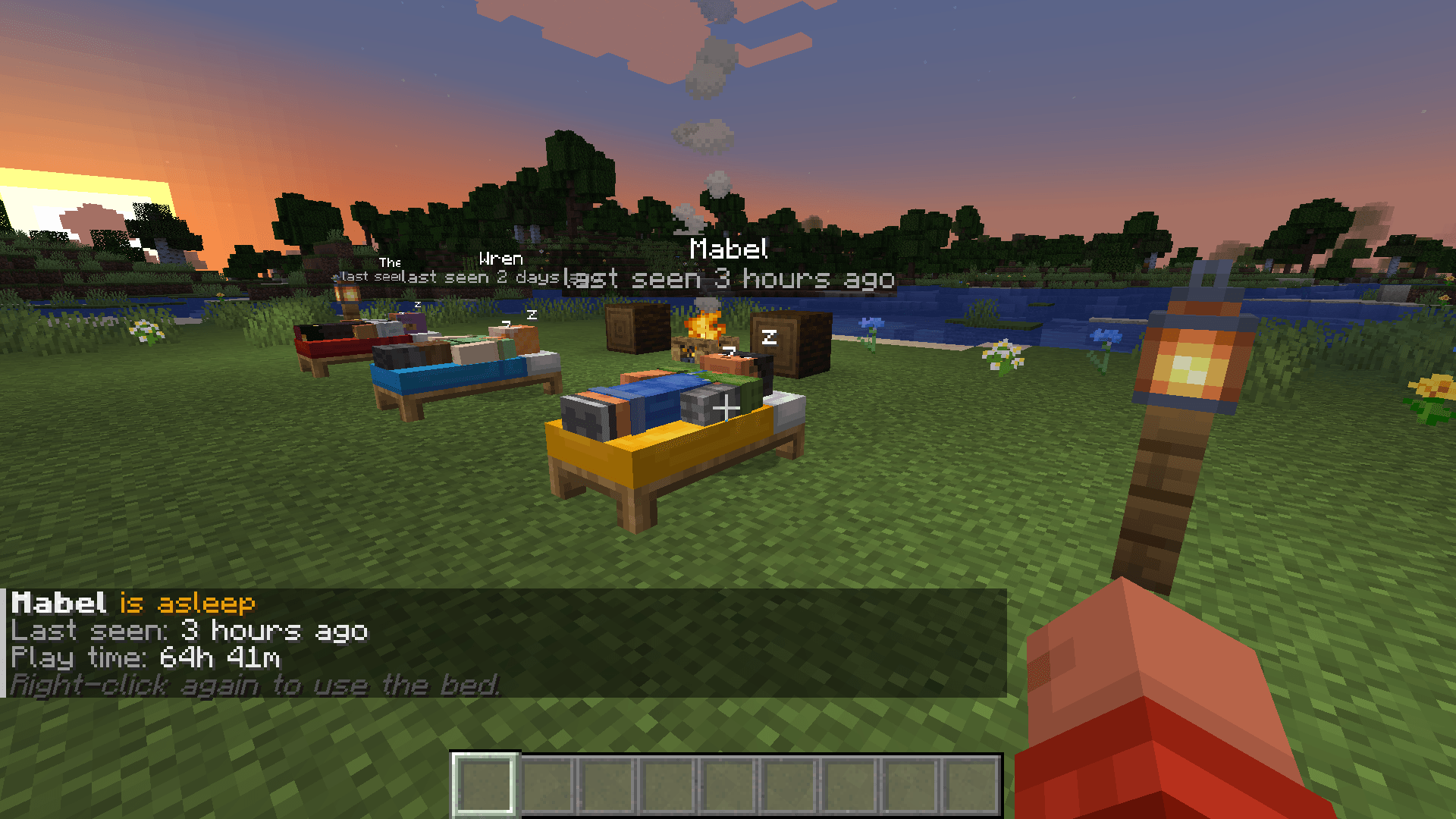
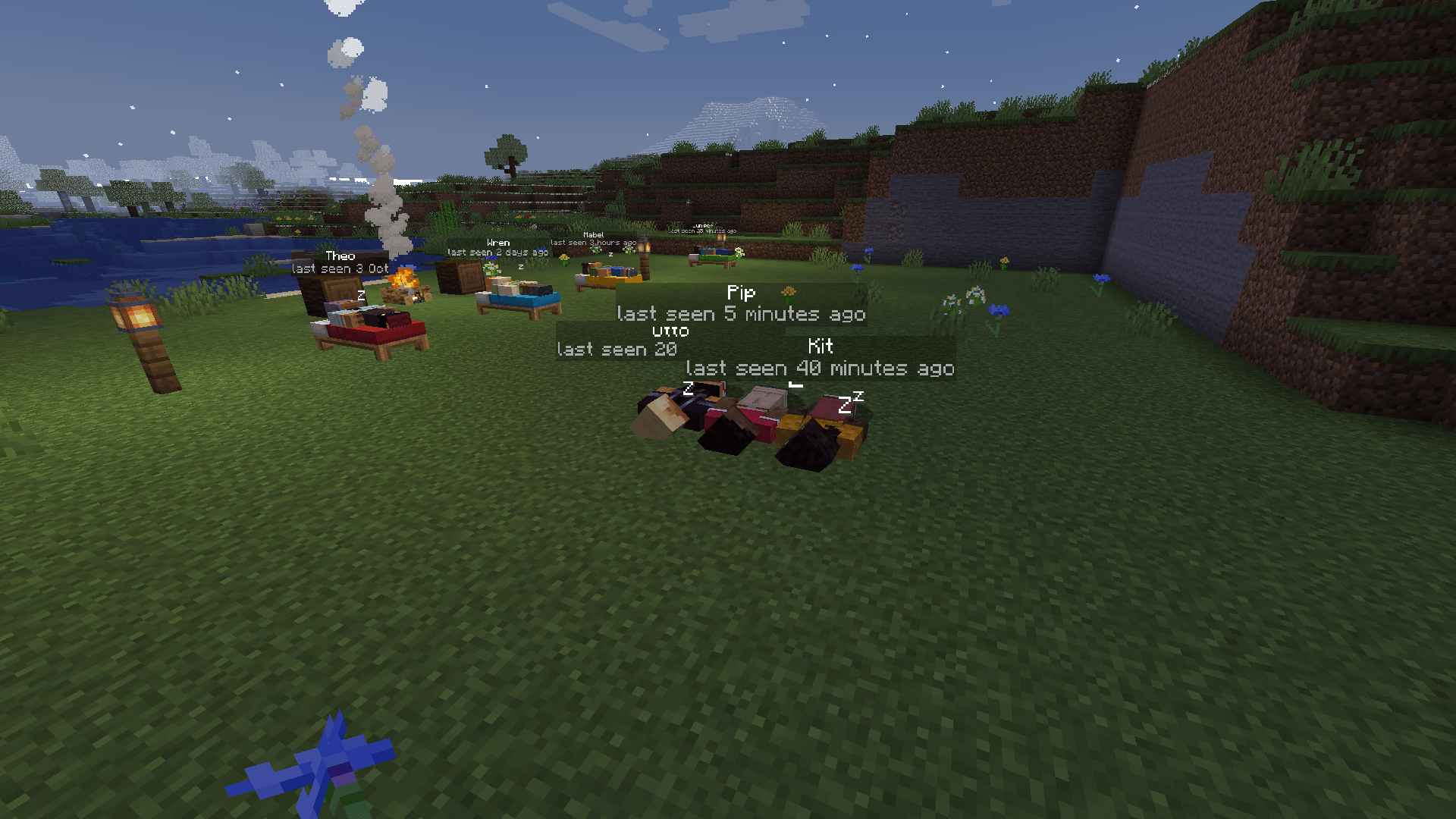
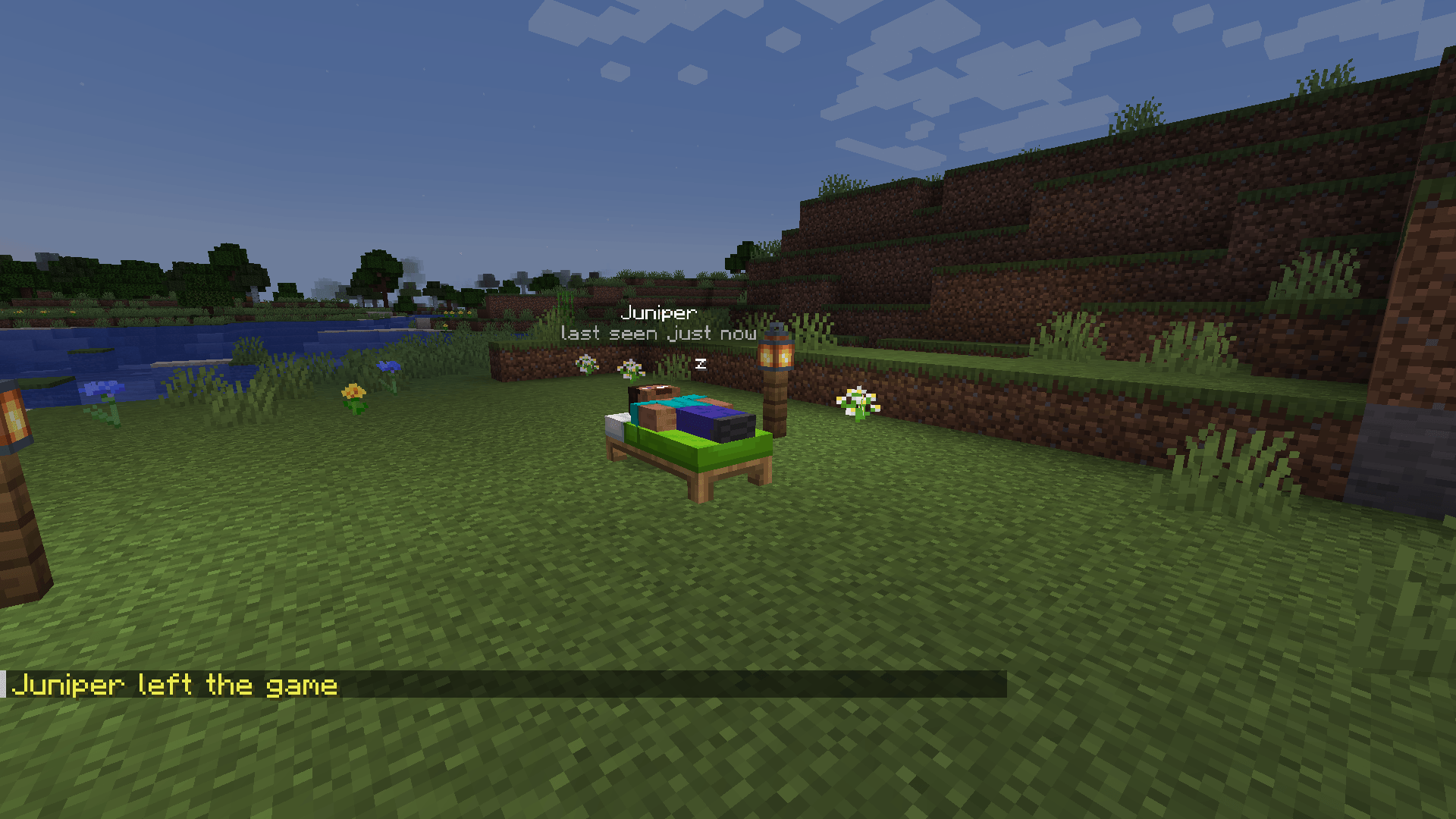
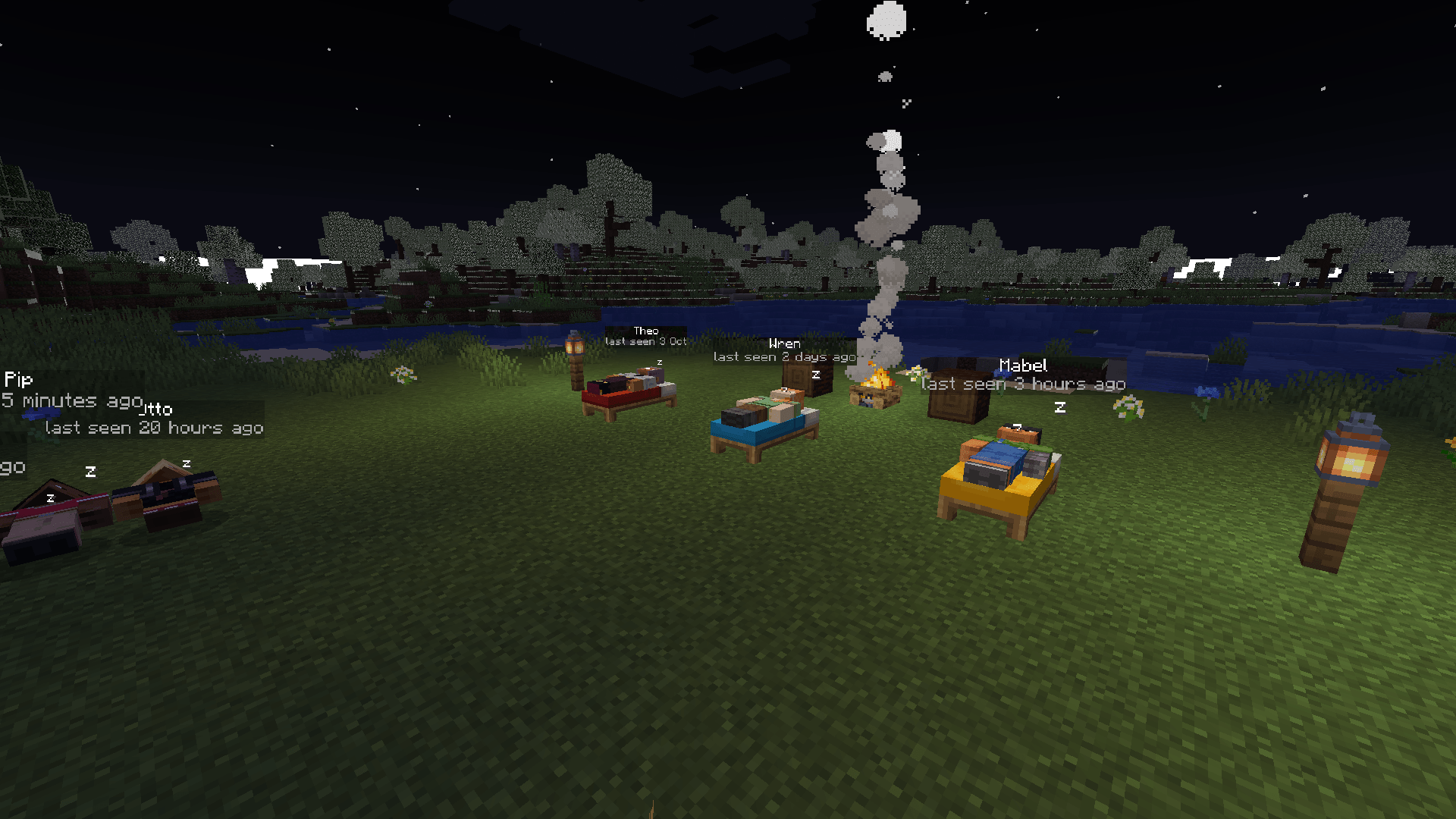
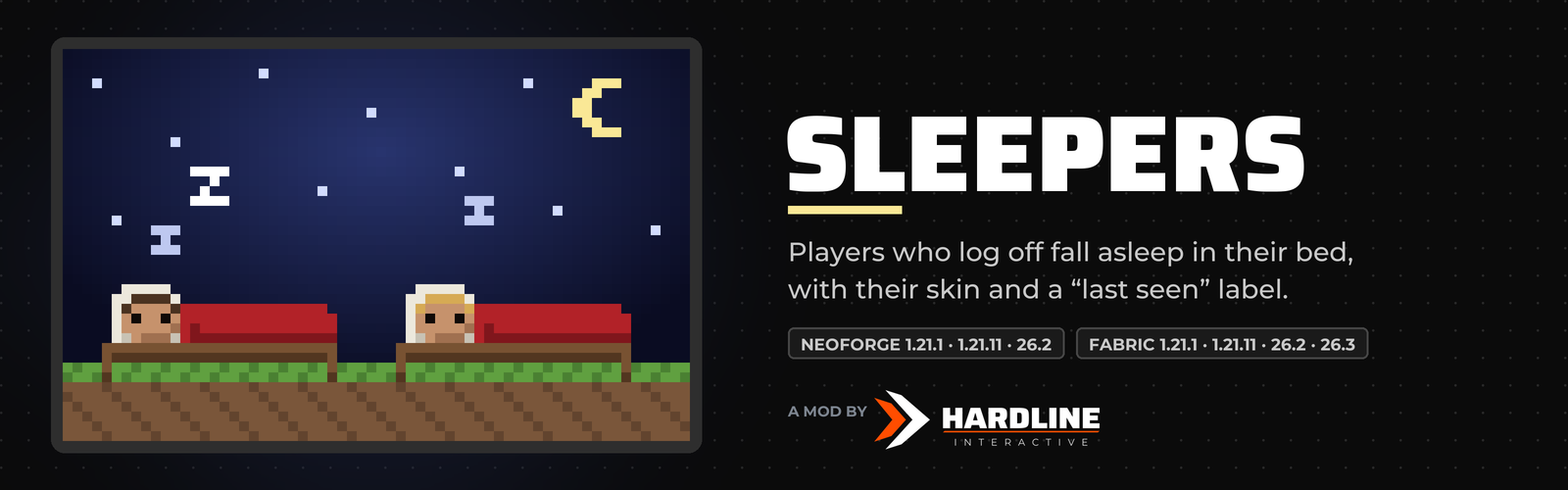
Players who log off fall asleep in their bed, with their skin and a "last seen" label, so your server feels lived in. Server side only.
截图
介绍
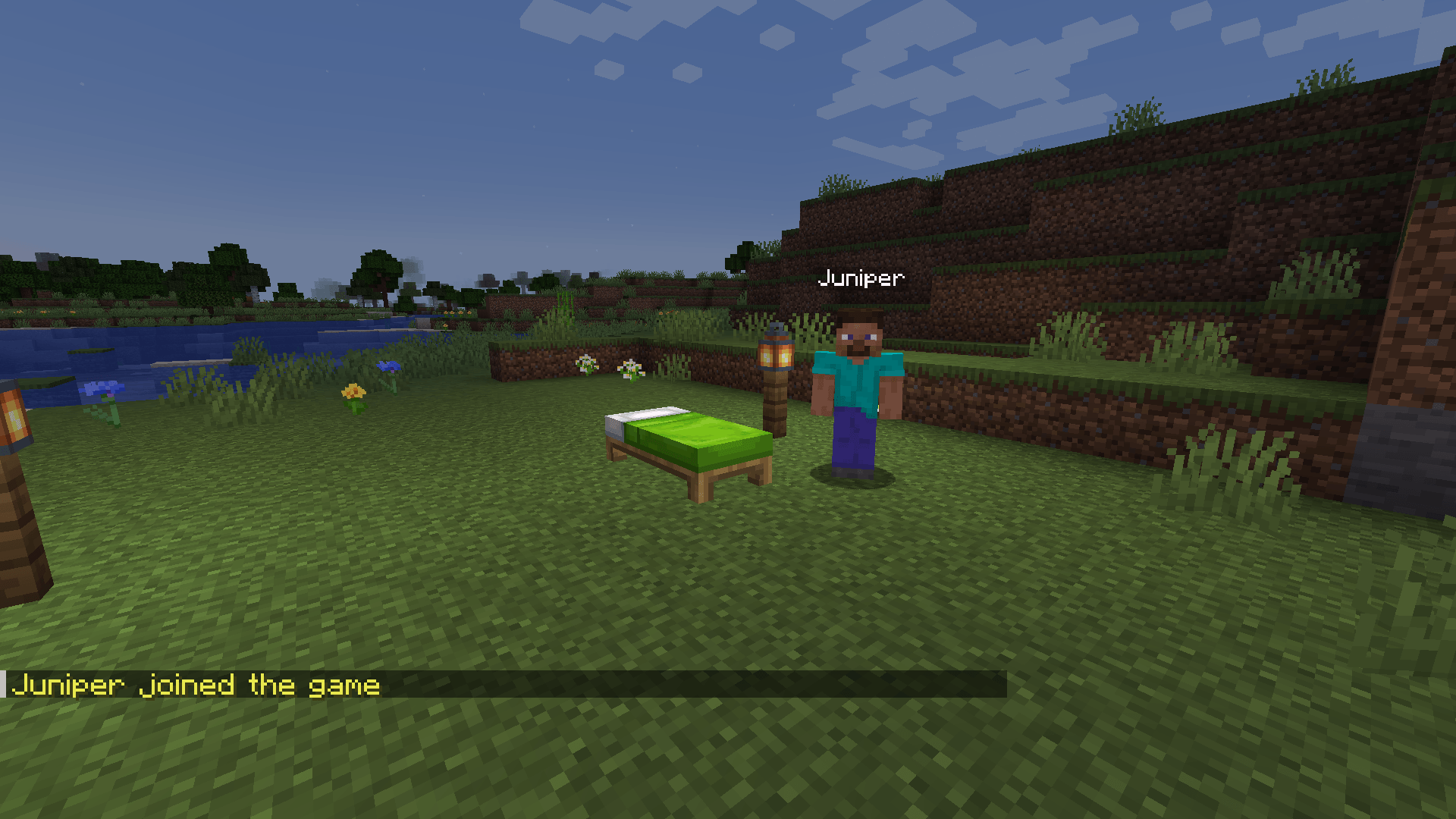
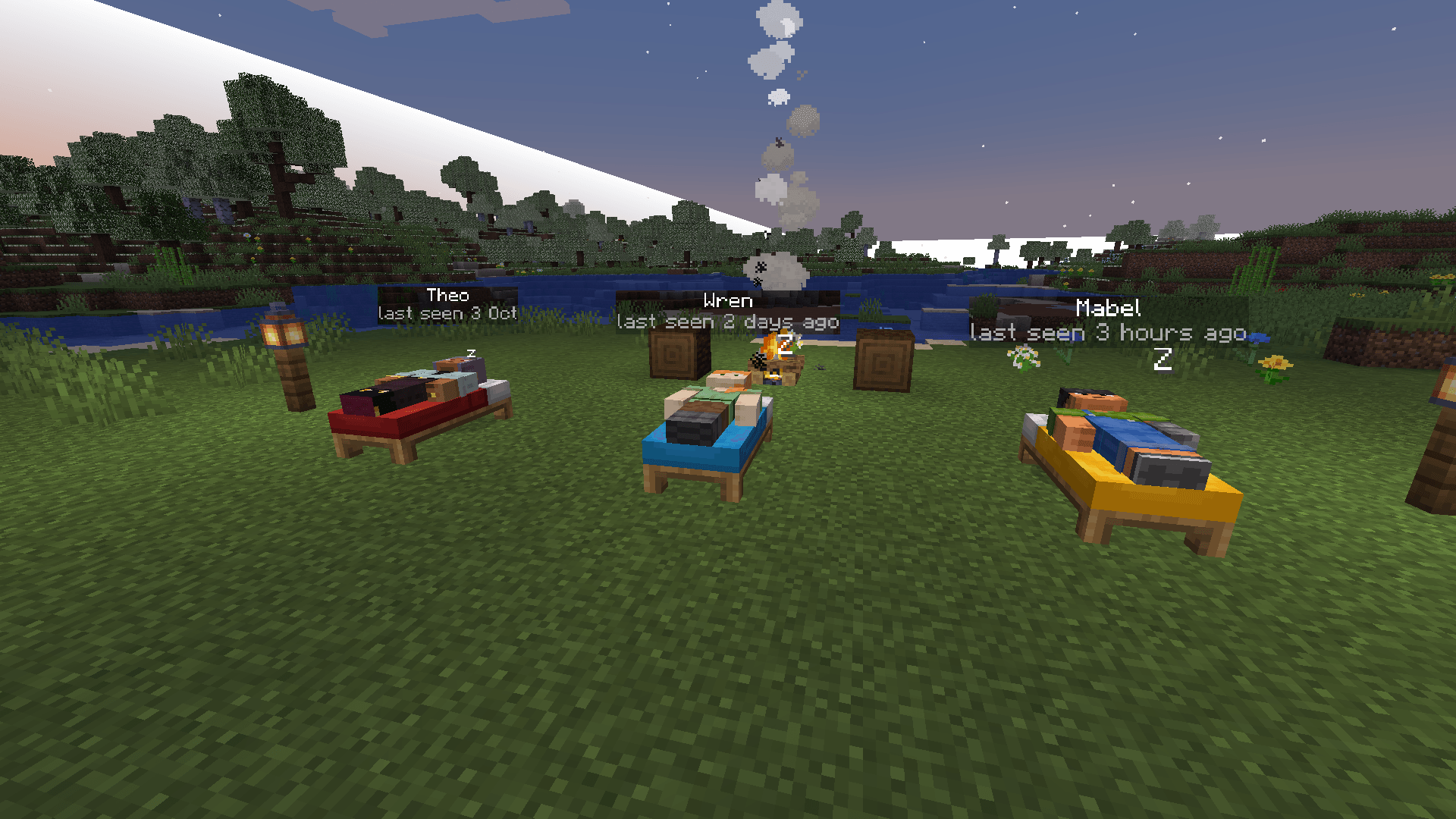
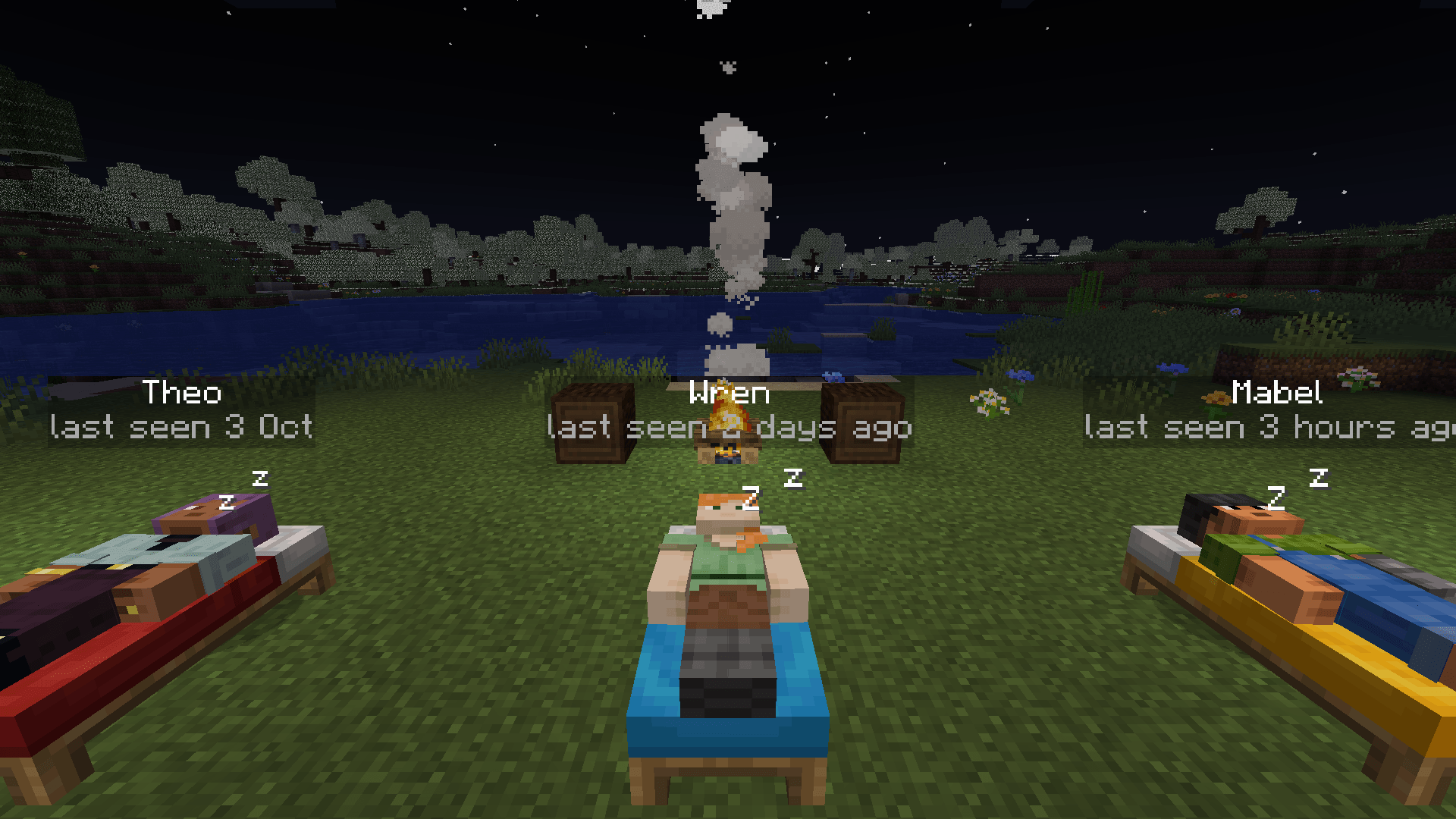
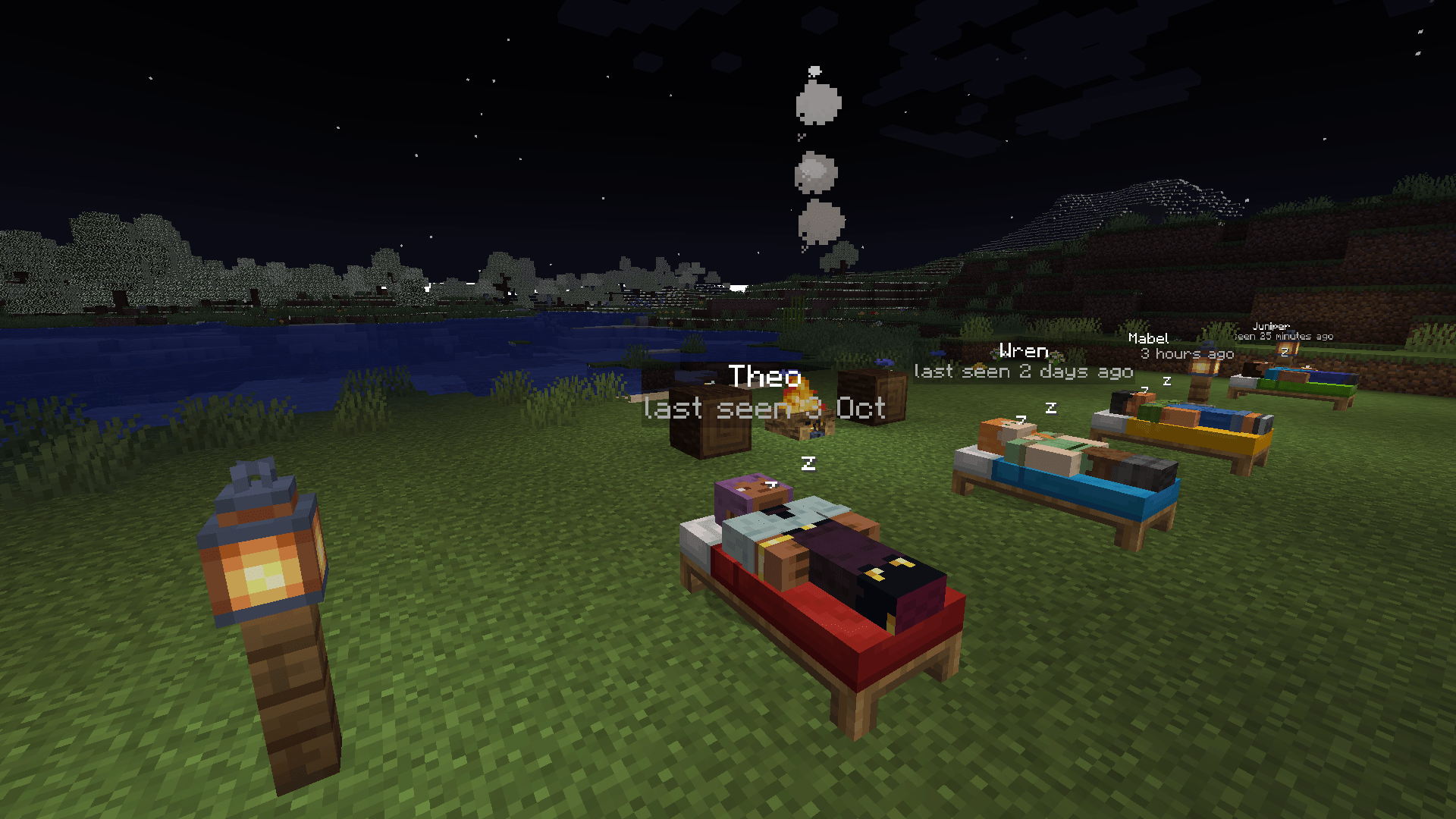
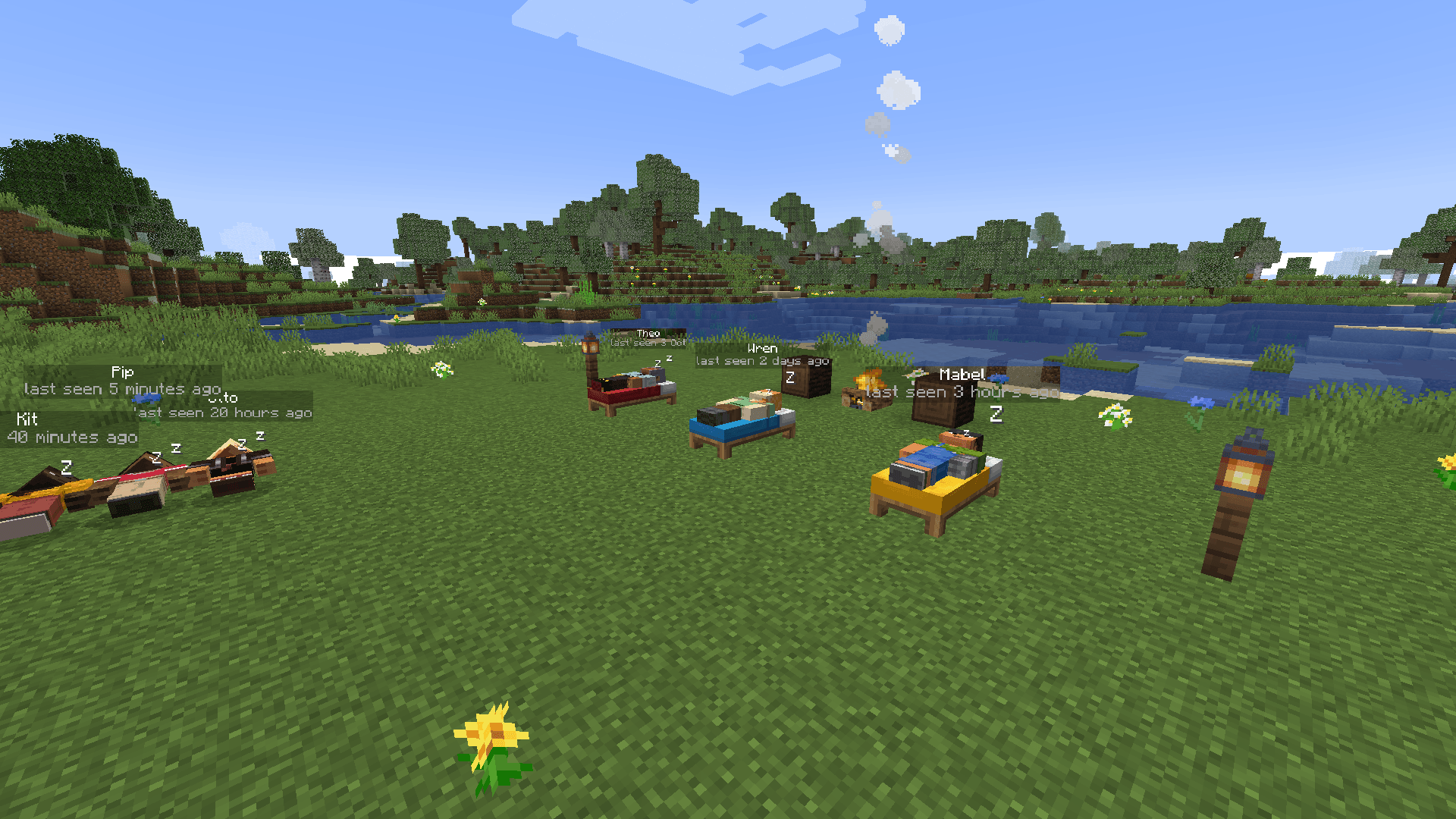
Your friends are still here, just asleep. When a player logs off, Sleepers lays them down in their bed, wearing their own skin, with their name and "last seen 3 hours ago" floating above them. Walk past a friend’s base and you can see who’s been on lately. When they log back in, they wake up and the sleeper is gone.
Server side only: players don’t need the mod, so it drops into any server or modpack, and vanilla players see sleepers too.
Watch the trailer: youtu.be/ze-RAGdTsX8
Full guide: hardlineinteractive.com/mods/sleepers
What players see
- Asleep in their bed: a player who logs off lies in their respawn bed, the way Minecraft shows a sleeping player, with their real skin and skin layers.
- No bed? They lie down on the ground where they logged off (or you can turn that off). Players who log off on the same spot lie side by side, not in a heap.
- A label: their name and "last seen 5 minutes ago", "2 days ago", or the date once it’s been two weeks. It updates as time passes and stays readable at night.
- Little z’s float up now and then.
- Right-click a sleeper for a card only you see: when they were last seen and their play time. Right-click again to use the bed as if they weren’t in it.
Purely for show
Sleepers aren’t real entities on the server, so nothing can touch them: they can’t be hurt or pushed, don’t block doors, mobs or redstone, and the bed still works and still sets your spawn. They stay off minimaps too (checked with Xaero’s Minimap, JourneyMap and FTB Chunks), so an offline player never looks like someone online, and Jade names the bed, not the sleeper.
When sleepers go away
When the player logs back in, when their bed is broken, after 30 days offline (you choose), when they’re banned, or when an admin clears them. Sleepers are saved with the world, so they’re still there after a restart.
For server owners
- One settings file,
config/sleepers-server.toml, the same on NeoForge and Fabric; edit it and run/sleepers reload. - Choose what happens to players with no bed, whether sleepers show in other dimensions, how long they stay, the label distance, the play time, the z’s, and when "last seen" switches to a date.
- Show sleepers to everyone, or only to teammates: vanilla
/team, FTB Teams parties and Open Parties and Claims parties all count. - Commands:
/sleepers list(click one to teleport there),/sleepers clear <player>,/sleepers clearall. - Privacy: any player can type
/sleepers optoutand nobody sees them asleep. - Light: nothing runs per tick per player; once a second the server checks each sleeper and sends packets only when something changes.
Versions
NeoForge for Minecraft 1.21.1, 1.21.11 and 26.2; Fabric (with Fabric API) for 1.21.1, 1.21.11, 26.2 and 26.3. Install it on the server only.
Made by
Hardline Interactive (Taylor Gibbs). Sleepers was vibe coded with Claude Code, Anthropic’s AI coding assistant: Claude wrote the code from Taylor’s ideas, testing and feedback.
常见问题
Sleepers 支持哪些 Minecraft 版本?
Sleepers 支持 Minecraft Java 版 1.21–26.3,共 5 个版本,可用的加载器:Fabric / NeoForge。下载时注意选择和你游戏版本一致的文件。
Sleepers 怎么安装?
先用 PCL2 或 HMCL 启动器安装对应版本的 Fabric / NeoForge,再把下载的 .jar 文件放进游戏目录的 mods 文件夹,重新启动游戏即可。开启了版本隔离的,mods 文件夹在 versions/版本名 下面。
taylorjoey03 的其他作品
查看全部 →
Hindsight
Replays and build timelapses in one mod: record any session, fly through it, export cinematic videos, open ReplayMod and Flashback files, and watch your builds rebuild themselves.

Trading Cards
Collect a card for every mob: rip open booster packs, chase shiny Prismatic pulls, fill your binder and trade with friends.

Block Band
A co-op rhythm game: play guitar, bass, drums, keys or sing, solo or in a band with friends.

Body Language
Emotes for Minecraft: wave, clap, cheer, dance and more from an emote wheel, and hug or high-five your friends.
评论
登录后评论和评分