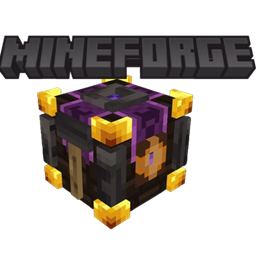
NeoMineforge
a modular tool and advanced forging mod that lets you craft custom tools and weapons, upgrade them with unique modifiers at the Tempering Table using lava and water, and fine-tune your playstyle through a deeply customizable progression system.
介绍
🔨 Welcome to Mineforge!
Mineforge redefines tool crafting and customization in Minecraft. Instead of static tier progression, build modular tools and weapons tailored to your exact needs, then enhance them at the Tempering Table with powerful modifiers.
✨ Key Features
- 🧩 Modular Tool Assembly: Craft and customize swords, axes, pickaxes, shovels, hoes, hammers, excavators, scythes, and tridents.
- 🔥 The Tempering Table: Combine water, lava, and raw ingredients to forge advanced modifiers directly onto your equipment.
- ⚡ Dynamic Modifier System: Apply unique upgrades like Sharpness, Fortune, Poison Touch, Hellfire, and more—each with multi-level scaling and custom material costs.
- 📊 Tool Statistics & Slots: Expand your tool’s capabilities while balancing modifier slots, durability bonuses, and stat multipliers.
- 🔍 Complete JEI Integration: Full recipe support in Just Enough Items (JEI) to easily look up tempering requirements, fluid costs, and modifier levels.
📖 Getting Started
- Assemble your Base Tool: Choose your material parts to create an assembled tool frame.
- Set up the Tempering Table: Fill the side tanks with Water and Lava (1,000 mB each per cycle).
- Apply Modifiers: Place your tool in the center slot, add the required ingredients to the side slots, and hit Temper!
常见问题
NeoMineforge 支持哪些 Minecraft 版本?
NeoMineforge 支持 Minecraft Java 版 1.21.1,可用的加载器:NeoForge。下载时注意选择和你游戏版本一致的文件。
NeoMineforge 怎么安装?
先用 PCL2 或 HMCL 启动器安装对应版本的 NeoForge,再把下载的 .jar 文件放进游戏目录的 mods 文件夹,重新启动游戏即可。开启了版本隔离的,mods 文件夹在 versions/版本名 下面。
AkorpuzZ 的其他作品
查看全部 →
Leyendas de Teagarden Pyroven
Fire, steam and steel. Pyrovenies don't ask if it's possible — they build it.
The Board
The Board is a mod that allows players to make entries or posts of text and images and displays them in a feed along with the player's name, the day (of the world), and the content.
Economics NeoForge
Economics is a complete 1.21.1 economy solution featuring a fully customizable GUI server shop (/shop), player-to-player chest & barrel shops, and built-in vanilla text display holograms for custom text and live rich-list leaderboards (/holo).
KOTH: King Of The Hill
Koth allows to create areas and schedule a pvp event, set a reward and create a leaderboard for servers
评论
登录后评论和评分