
The MegaStorm
Enter the eye of the Storm, this is an Cobblemon datapack that adds Mega Evolutions to Pokémon that deserve, need, or just don't have one.
截图


介绍

Join My Discord for bug reports and more. Join discord for recipes and faster updates to what is getting added. If link doesn’t work add me.
- Discord: necronyx_9
The Megastorm is a Cobblemon datapack that adds new Mega Evolutions to cobblemon. It focuses entirely giving Pokémon Mega Evolutions.
Started by Necronyx(me), The Megastorm is perfect for people who want to expand their teams with megas and experience the thrill of new fan-made Mega Evolutions from my community and me in Minecraft.
Mega Evolutions We Have!
Mega Typhlosion

Stats:
Typing = Fire
Ability = Flash Fire
- HP = 88
- Atk = 104
- Def = 88
- SpA = 140
- SpD = 105
- Spd = 109
Stone Recipe:

Credits:
Necronyx for art and model
Mega Walrein

Stats:
Typing = Ice/Water
Ability = Polar Fortitude
- HP = 120
- Atk = 80
- Def = 105
- SpA = 140
- SpD = 105
- Spd = 80
Stone Recipe:

Credits:
User_JJ for model
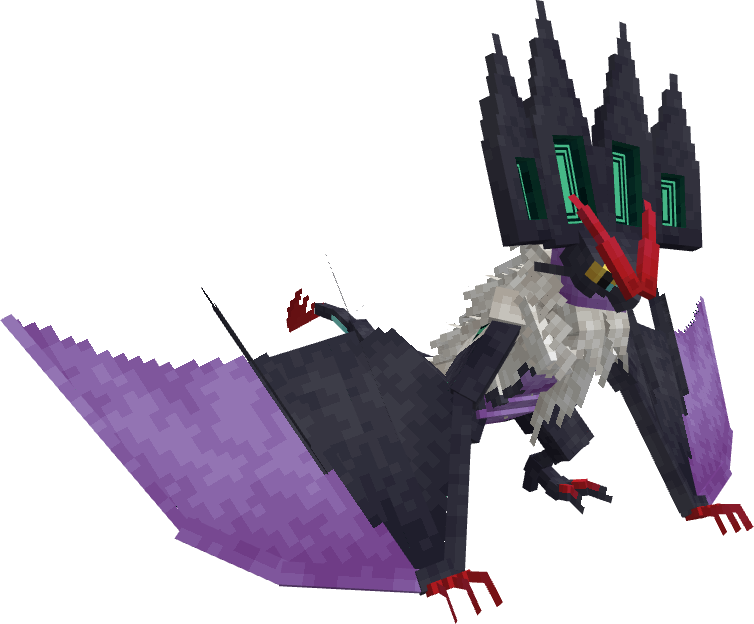
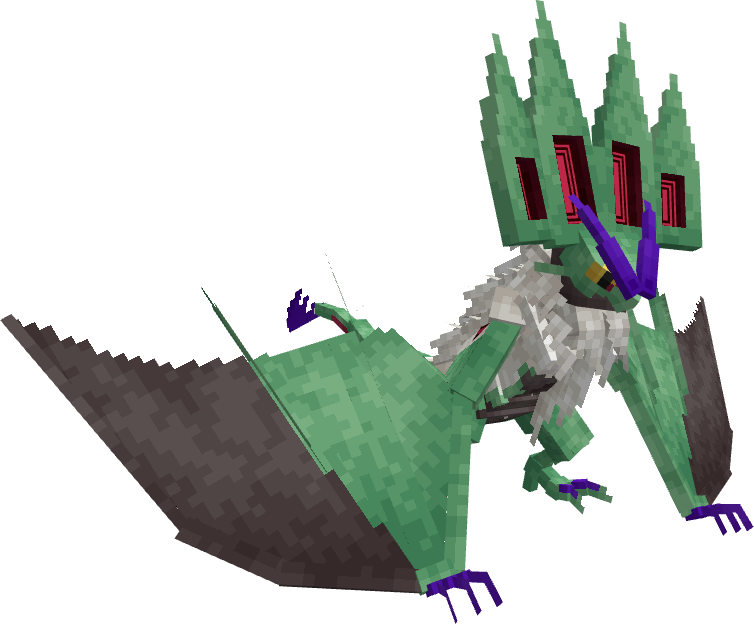
Mega Noivern

Stats:
Typing = Dragon/Psychic
Ability = Luminaria Wings
- HP = 90
- Atk = 80
- Def = 90
- SpA = 160
- SpD = 95
- Spd = 120
Stone Recipe:

Credits:
User_JJ for model
New Abilities We Have!
Polar Fortitude
Description: Its frigid hide halves the damage from Ice, Fire, Electric, and Water-type attacks.
Short Description: Halves damage from Ice, Fire, Electric, and Water-type attacks.
The Megas: Mega Walrein
Luminaria Wings
Description: Its luminous wings and powerful echos nullify dark type moves as well as keep it up in the air.
Short Description: Nullifies Dark-type and Ground-type attacks.
The Megas: Mega Noivern
常见问题
The MegaStorm 支持哪些 Minecraft 版本?
The MegaStorm 支持 Minecraft Java 版 1.20.5–1.21.1,共 4 个版本。下载时注意选择和你游戏版本一致的文件。
The MegaStorm 怎么安装?
把下载的 .zip 文件(不用解压)放进游戏目录的 resourcepacks 文件夹,进游戏后在「选项 → 资源包」里把它移到右边启用。
评论
登录后评论和评分