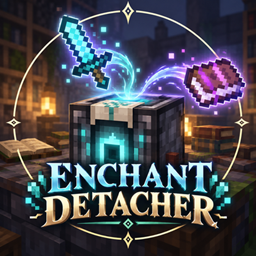
Enchant Detacher
A lightweight mod that lets you remove individual enchantments from equipment and transfer them onto books.
介绍
Enchant Detacher
Keep the enchantment you want, or remove the one you don’t.
Enchant Detacher lets you select a single enchantment on a piece of equipment. Use Extract mode to move it onto a regular book, or Remove mode to delete it without making a book. Other enchantments on the item stay in place.
How to use
-
Place enchanted equipment in the input slot.
-
For Extract mode, add a regular book. Remove mode does not need one.
-
Select the enchantment you want to extract or remove.
Extraction consumes one regular book and produces an enchanted book containing the selected enchantment. Both actions consume experience levels, unless you are in Creative mode. Remove mode shows a confirmation before deleting an enchantment by default; each player can turn this confirmation off in Client Settings.
Experience costs
Server owners can choose between two cost modes:
- Fixed: Every extraction or removal costs the configured number of levels.
- Variable: The cost is 1, 2, or 3 levels, based on the selected enchantment’s minimum enchanting power at its current level. The server owner can adjust the thresholds between those costs.
Variable mode uses an enchantment’s vanilla minimum enchanting power to determine its tier. It does not copy the three option costs shown on a vanilla enchanting table.
Open Mods → Enchant Detacher → Config to access Client Settings or Server Settings. Players with operator permission level 2 or higher can change server costs in-game; other players can view them. Server settings are saved per world and synchronized with connected players.
The block has an enchanting table inspired design with its own colors and a floating animated book. The mod includes English, Japanese, and French translations.
Requirements: Minecraft 1.21.1, NeoForge 21.1.x. Install on both client and server.
Enchant Detacher
欲しいエンチャントを取り出す。不要なエンチャントだけを消す。
Enchant Detacherは、装備に付いたエンチャントを1つ選んで操作できるMODです。「抽出モード」では選んだエンチャントを本に移し、「削除モード」では本にせず取り除きます。装備に付いているほかのエンチャントはそのまま残ります。
使い方
-
エンチャント付きの装備を入力スロットに入れます。
-
抽出モードでは普通の本を入れます。削除モードでは本は不要です。
-
抽出または削除したいエンチャントを選びます。
抽出すると普通の本を1冊消費し、選んだエンチャントが付いたエンチャントの本を作ります。抽出と削除のどちらにも経験値レベルが必要です(クリエイティブモードを除く)。削除前には初期設定で確認画面が表示されますが、各プレイヤーがクライアント設定でオフにできます。
経験値コスト
サーバー側で、次の2方式から選べます。
- 固定: 抽出・削除のたびに、設定した数のレベルを消費します。
- 可変: 選んだエンチャントの現在のレベルにおける「最低付与パワー」を基に、1・2・3レベルのいずれかを消費します。各コストの境界値は変更できます。
可変方式は、バニラのエンチャントで使われる最低付与パワーを基準にコストを分けています。エンチャントテーブルに表示される3つの選択肢のコストを、そのまま適用する仕組みではありません。
MOD一覧 → Enchant Detacher → Config から、クライアント設定とサーバー設定を開けます。権限レベル2以上のプレイヤーはゲーム内でサーバーのコスト設定を変更でき、ほかのプレイヤーは閲覧できます。サーバー設定はワールドごとに保存され、接続中のプレイヤーに同期されます。
ブロックはエンチャントテーブルを思わせる独自の外観で、上にはアニメーションする本が浮いています。英語・日本語・フランス語に対応しています。
対応環境:Minecraft 1.21.1、NeoForge 21.1.x。クライアントとサーバーの両方に導入してください。
常见问题
Enchant Detacher 支持哪些 Minecraft 版本?
Enchant Detacher 支持 Minecraft Java 版 1.21.1,可用的加载器:NeoForge。下载时注意选择和你游戏版本一致的文件。
Enchant Detacher 怎么安装?
先用 PCL2 或 HMCL 启动器安装对应版本的 NeoForge,再把下载的 .jar 文件放进游戏目录的 mods 文件夹,重新启动游戏即可。开启了版本隔离的,mods 文件夹在 versions/版本名 下面。
评论
登录后评论和评分