SkullHUD
Brings a fully customizable PvP Client-style HUD to vanilla Minecraft. Press Right Shift to open an intuitive editor
截图
介绍
SkullHUD
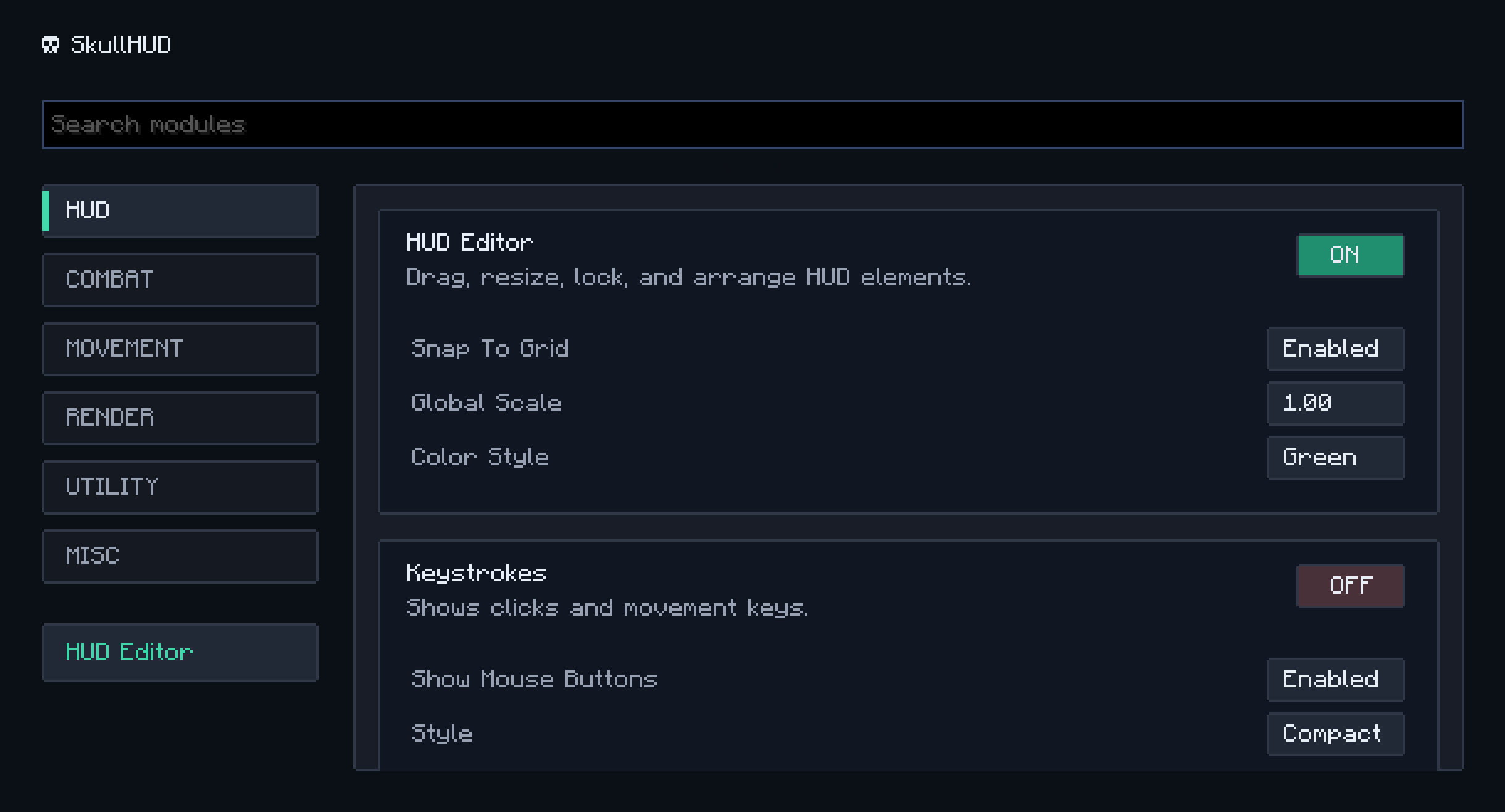
SkullHUD brings a modern PvP Client-style HUD to Fabric without requiring a custom Minecraft client.
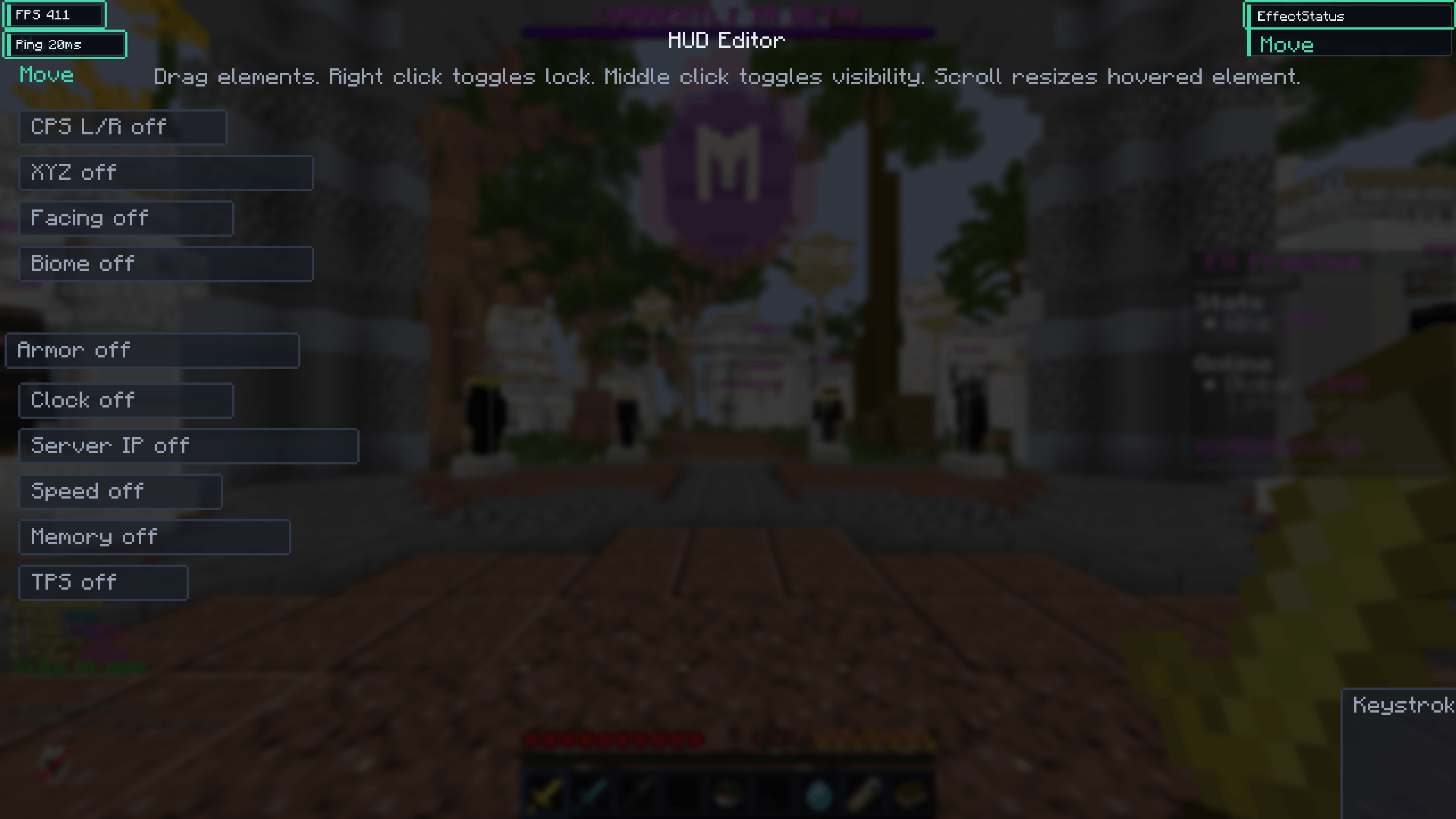
Instead of being locked to a fixed interface, SkullHUD lets you fully customize your in-game HUD exactly the way you want it. Press Right Shift at any time to open the HUD Editor and personalize every visible element.
Whether you’re playing PvP, Survival, SMP, Hardcore, or just want a cleaner interface, SkullHUD gives you complete control over your screen.
Features
-
🎮 PvP Client-inspired HUD editor
-
🖱️ Drag & drop HUD elements anywhere on your screen
-
🔄 Enable or disable individual HUD modules
-
📏 Resize and scale every element
-
⚙️ Customize module settings
-
💾 Automatically saves your layout
-
🎨 Clean and modern interface
-
🚀 Lightweight and optimized for performance
-
🧩 Works alongside your favorite Fabric mods
How to Use
-
Install the mod.
-
Launch Minecraft.
-
Press Right Shift to open the SkullHUD editor.
-
Drag, resize, enable, disable, and customize your HUD.
-
Close the editor and enjoy your personalized interface.
Perfect For
-
PvP Players
-
SMP Servers
-
Hardcore Worlds
-
Content Creators
-
Speedrunners
-
Players who want a fully customizable HUD
Goal
SkullHUD is designed to provide the convenience and flexibility of popular PvP clients while remaining a standalone Fabric mod. You stay in full control of your modpack while enjoying a professional, fully customizable HUD experience.
More HUD modules and customization options will be added in future updates.
常见问题
SkullHUD 支持哪些 Minecraft 版本?
SkullHUD 支持 Minecraft Java 版 1.21.11,可用的加载器:Fabric。下载时注意选择和你游戏版本一致的文件。
SkullHUD 怎么安装?
先用 PCL2 或 HMCL 启动器安装对应版本的 Fabric,再把下载的 .jar 文件放进游戏目录的 mods 文件夹,重新启动游戏即可。开启了版本隔离的,mods 文件夹在 versions/版本名 下面。
mistrskeleton 的其他作品
查看全部 →
SkullClient
Collection of FPS boosting mods and essential mods for pvp. Brings every single mod you will need for PVP
SkullClient
Collection of FPS boosting mods and essential mods for pvp. Brings every single mod you will need for PVP

Skull Boost
Collection of FPS boosting mods and essential mods for pvp. Brings every single mod you will need for PVP. Runs on Vulkan Mod
Skull Boost
Collection of FPS boosting mods and essential mods for pvp. Brings every single mod you will need for PVP. Runs on Vulkan Mod
评论
登录后评论和评分