Crafting Veloce
Recursive auto-crafting and a storage terminal in one network. With one click, it lets you make complicated items when the resources are in the network.
截图
介绍
How to use
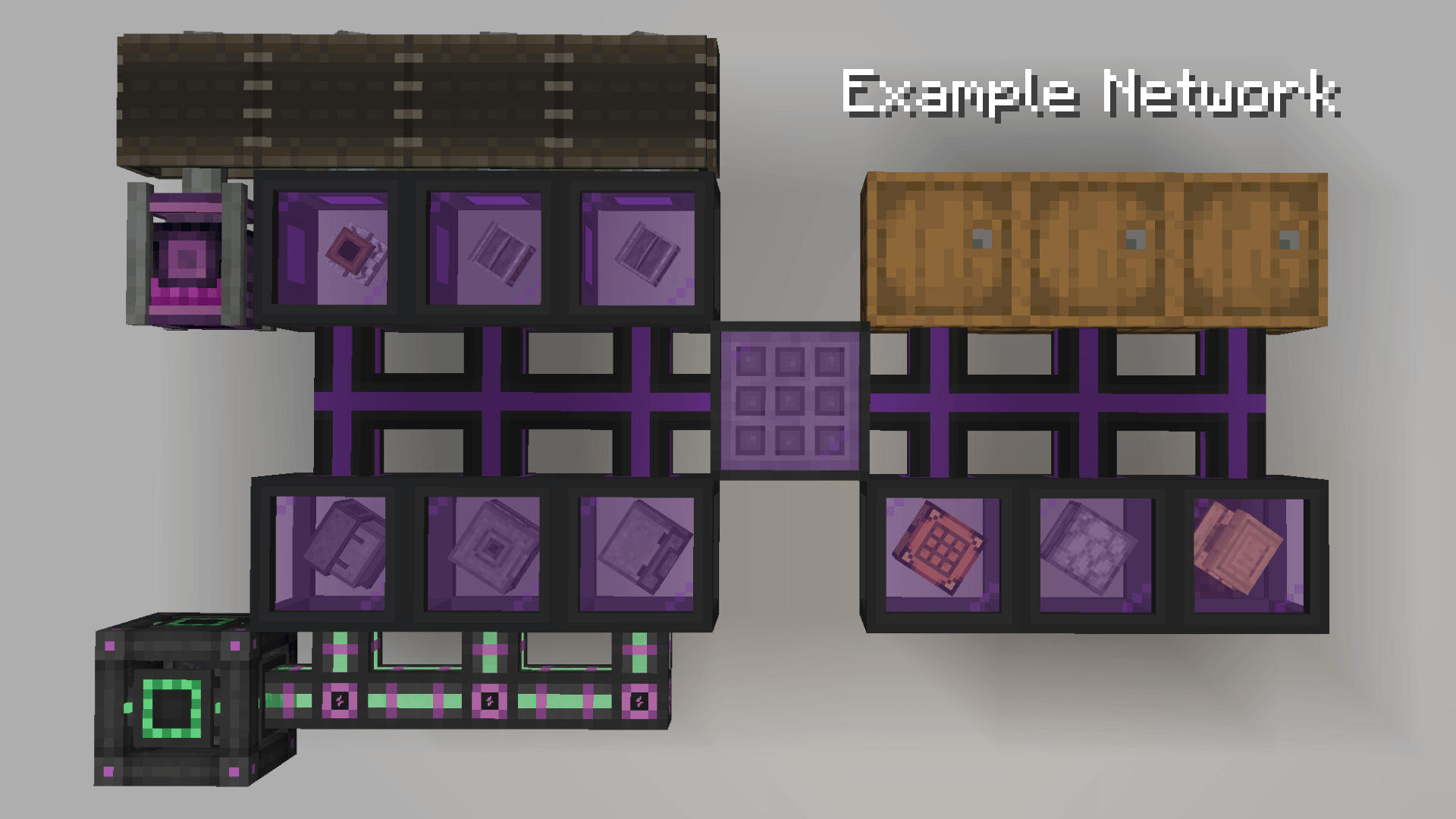
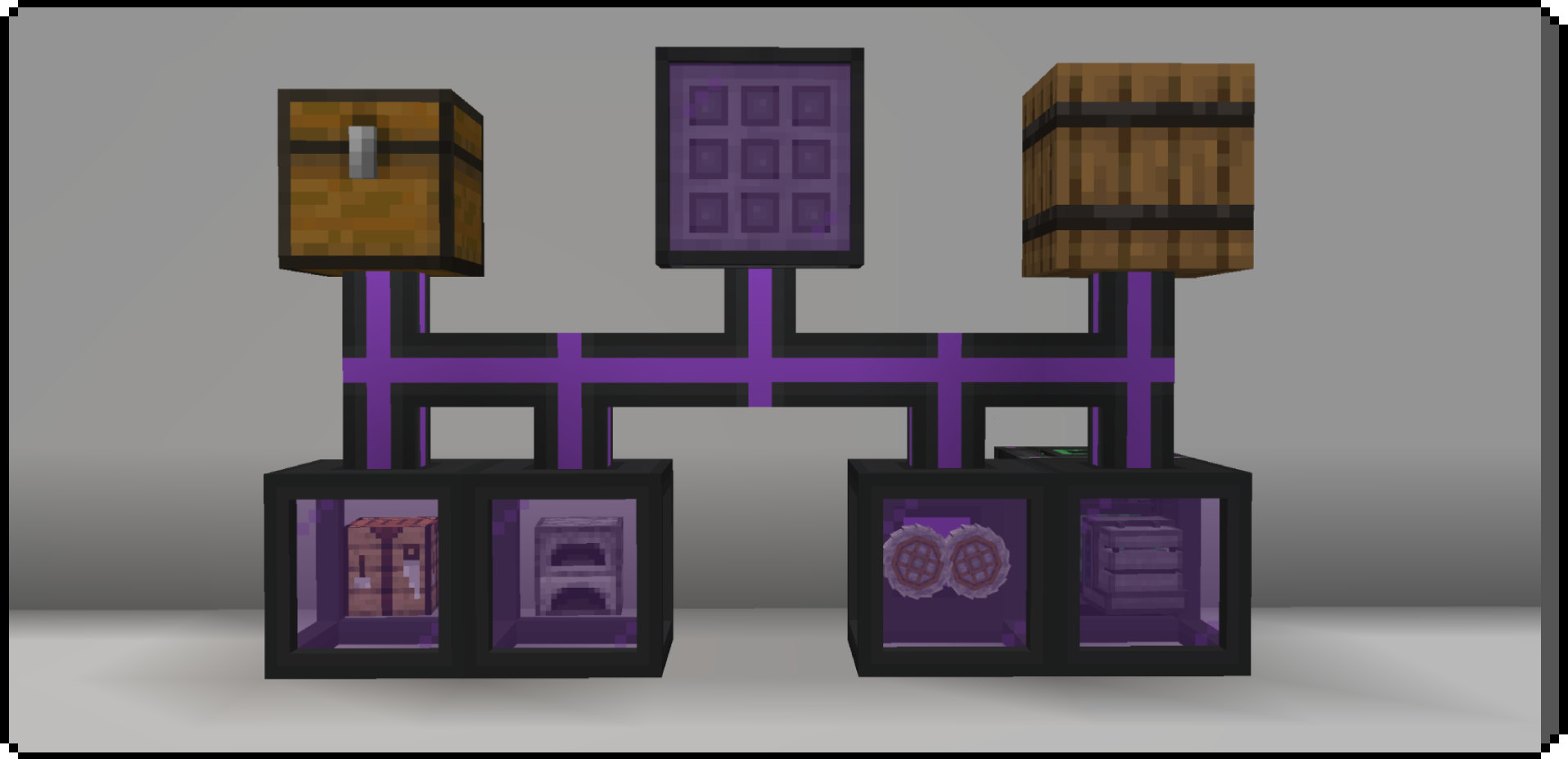
Place the terminal and connect it with pipes to the storage you want in the
network — chests, barrels, another mod’s storage.
Place a Veloce Integrale and right-click it with the block you want it to
become — a crafting table, a furnace, a crusher from Mekanism. The frame turns
into that machine and joins the network.
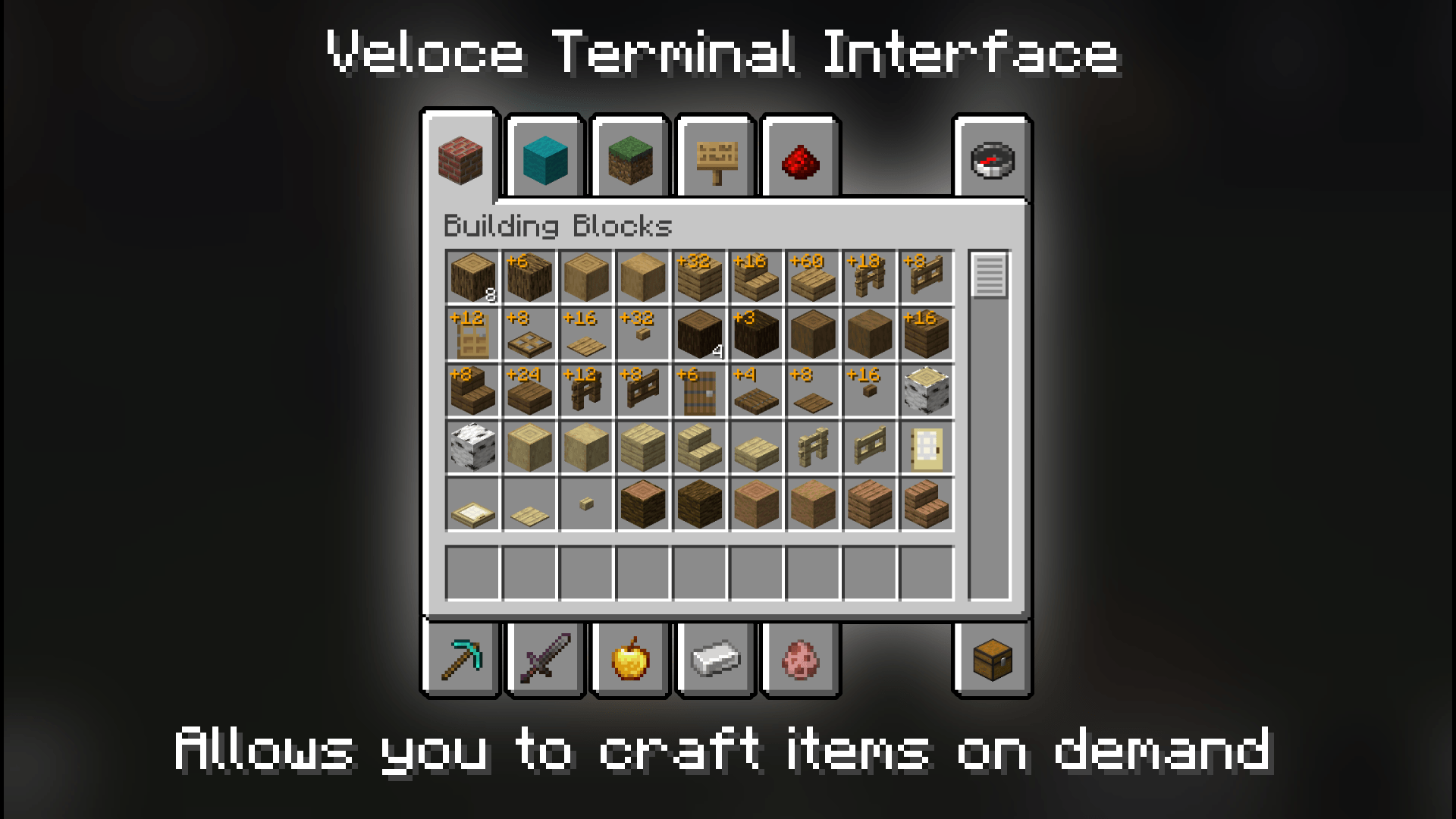
Right-click the terminal. Every item in the network is listed with its
quantity, and a + number shows how many of each you could craft from the
resources you have.
Add more machines and the list grows — each one brings its own recipes.
Some modules need energy to run, and they consume a lot of it — instant
processing has to be paid for, and the price is set so that running this as a farm
is not worthwhile.
Blocks
The network
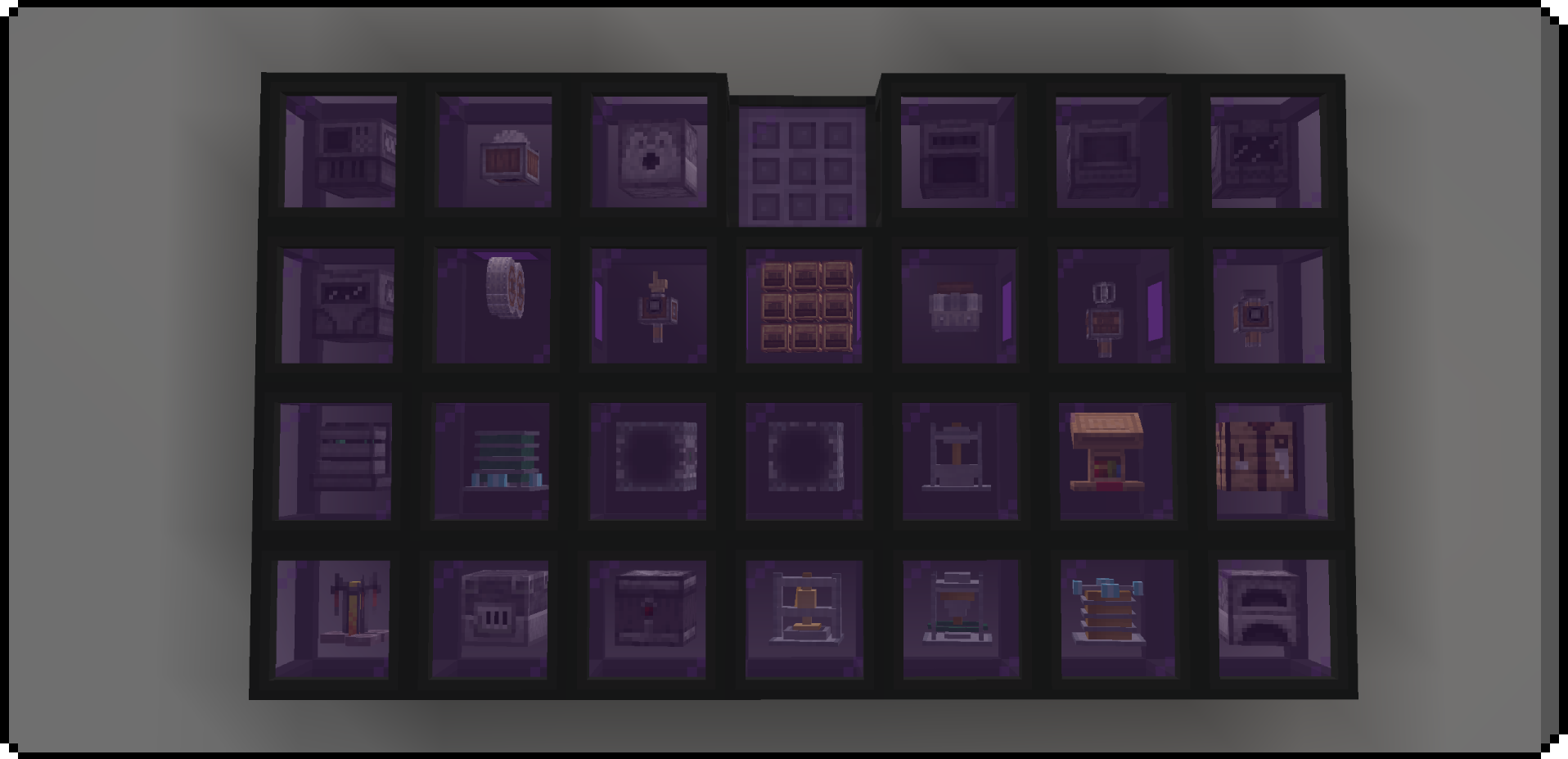
Veloce Terminal — your gateway to accessing the Veloce network. Shows the quantity
of each item and how many of each can be crafted.
Veloce Pipe — connects everything. Each side is set independently to Push,
Pull or Disconnected, cycled with the wrench. Push and Pull can only be set on
ordinary containers — other network blocks simply connect.
Veloce Wrench — the tool for configuring pipe sides.
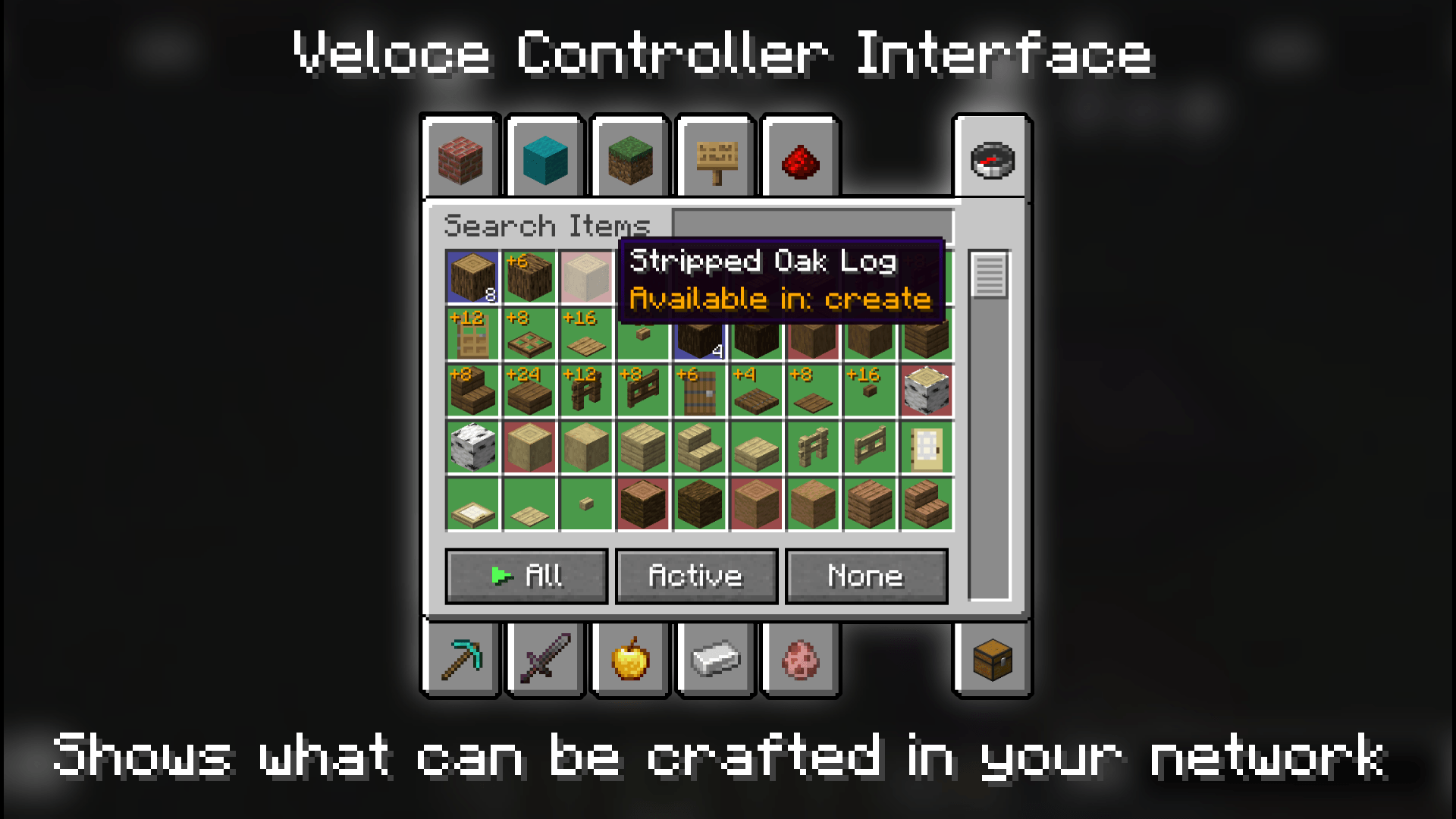
Veloce Controller — shows which items in the network can be crafted and which
cannot.
Veloce Integrale — the heart of the mod. The casing every machine sits in, and the
block pipes connect to.
Moving items
Veloce Extractor — continuously pulls matching items out of the network into its
own inventory. It reacts to redstone: while it is powered, it stops pulling, and it
resumes the moment the signal drops.
Veloce Threshold Sensor — watches how many of one item are physically in the
network and emits a redstone signal. Two modes: when at least and when below.
Polls once a second.
Crafting machines
Veloce Crafting Table — decides what the network is allowed to auto-craft.
Click an item to toggle it on or off.
Velocity Furnace — the fuel-powered heat source for the auto-crafter. It does not
physically smelt anything itself: it burns fuel continuously and banks the burn as heat,
and the auto-crafter spends that heat to make furnace recipes instantly. You can set
filters for what it is allowed to burn in its GUI; by default it burns everything
burnable.
Velocity Electric Furnace — works like an ordinary furnace, except that it smelts with
FE instead of fuel: it burns nothing, and the power comes from its built-in accumulator.
Veloce Brewing Stand — the brewing stand for the Veloce network.
Integration modules
Mekanism — 6 machines (all of them need FE to work): crusher, enrichment chamber,
precision sawmill, combiner, osmium compressor, metallurgic infuser.
Alchemistry — 7 machines (all of them need FE to work): compactor, combiner,
dissolver, liquifier, atomizer, fission chamber, fusion chamber.
Create — 7 machines: millstone, mechanical saw, crushing wheels, mechanical press,
mechanical mixer, deployer, mechanical crafter. Each machine needs a constant
256 RPM and 1 024 SU.
Crushing Wheels only work in pairs — a single wheel does nothing.
Mechanical Crafters form an array: right-click to add another crafter to it, and
the array can grow up to 9×9.
Integrations
CraftingVeloce can connect with networks from other mods — Tom’s Simple Storage and
Refined Storage.
It also connects with Create, Mekanism and Alchemistry: their machines join
the Veloce network, and everything those machines can produce becomes something you can
ask the terminal for.
常见问题
Crafting Veloce 支持哪些 Minecraft 版本?
Crafting Veloce 支持 Minecraft Java 版 1.21.1,可用的加载器:NeoForge。下载时注意选择和你游戏版本一致的文件。
Crafting Veloce 怎么安装?
先用 PCL2 或 HMCL 启动器安装对应版本的 NeoForge,再把下载的 .jar 文件放进游戏目录的 mods 文件夹,重新启动游戏即可。开启了版本隔离的,mods 文件夹在 versions/版本名 下面。
评论
登录后评论和评分